

Choosing the right server architecture can have a major impact on application performance, operating costs, scalability, and the overall user experience. Two of the most common options are CPU servers and GPU servers. While both are designed to handle demanding workloads, they are built for different types of processing. For a broader look at server infrastructure, see our guide on the benefits of dedicated server hosting.
CPU servers are generally better for web applications, APIs, databases, automation, and workloads that require flexible, sequential processing. GPU servers, on the other hand, are designed to handle highly parallel workloads such as machine learning, AI model training, graphics rendering, and certain high-performance computing tasks.
The important point is that a GPU server is not automatically better than a CPU server. The right choice depends on what your application needs.
What are CPU servers?
A CPU server is a server primarily powered by one or more Central Processing Units (CPUs). The CPU is a general-purpose processor capable of handling a wide variety of tasks and instructions. CPUs are designed to perform complex operations efficiently, including sequential tasks, operating-system processes, application logic, database operations, and server management. For a foundational explanation, see what is a dedicated server. Modern server CPUs can contain multiple cores and support many concurrent threads, allowing them to handle numerous workloads at the same time.
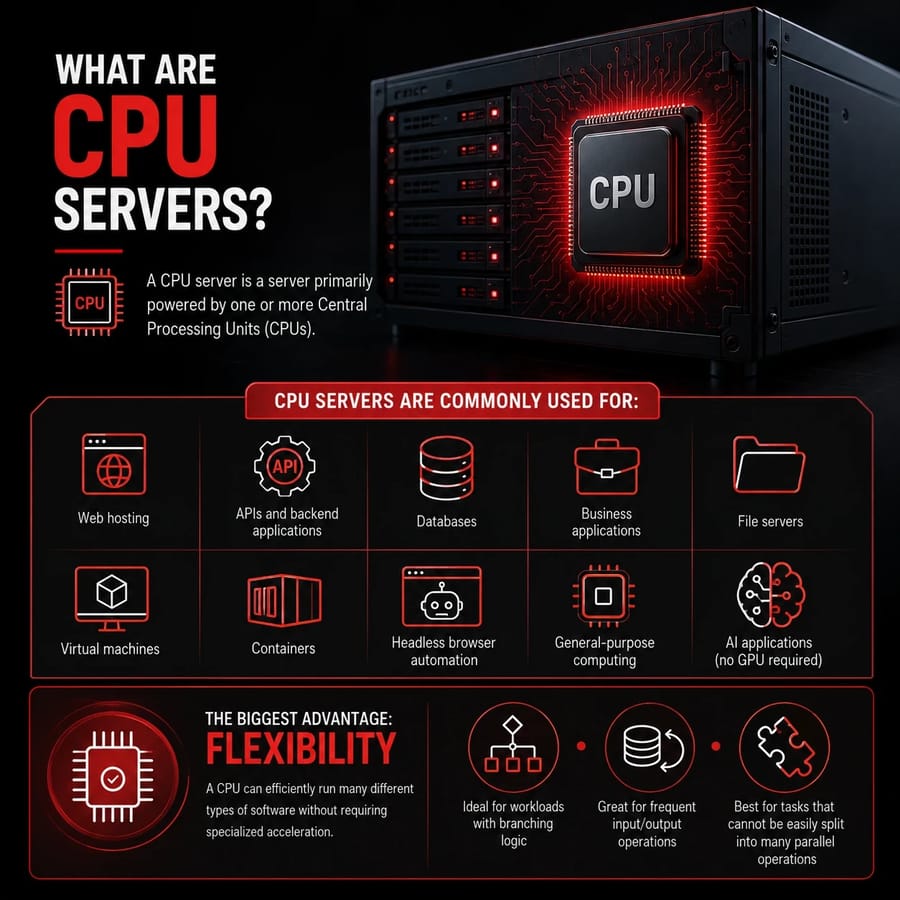
CPU servers are commonly used for:
- Web hosting
- APIs and backend applications
- Databases
- Business applications
- File servers
- Virtual machines
- Containers
- Headless browser automation
- General-purpose computing
- AI applications that do not require GPU acceleration
One of the biggest advantages of a CPU server is flexibility. A CPU can efficiently run many different types of software without requiring specialized acceleration.
For workloads involving branching logic, frequent input/output operations, or tasks that cannot easily be split into thousands of parallel operations, CPUs are often the better option.
What Are GPU Servers?
A GPU server is a server equipped with one or more Graphics Processing Units (GPUs) designed to perform large numbers of calculations in parallel. Although GPUs were originally developed for graphics processing, their architecture makes them highly effective for workloads where the same mathematical operation needs to be performed on large amounts of data simultaneously.
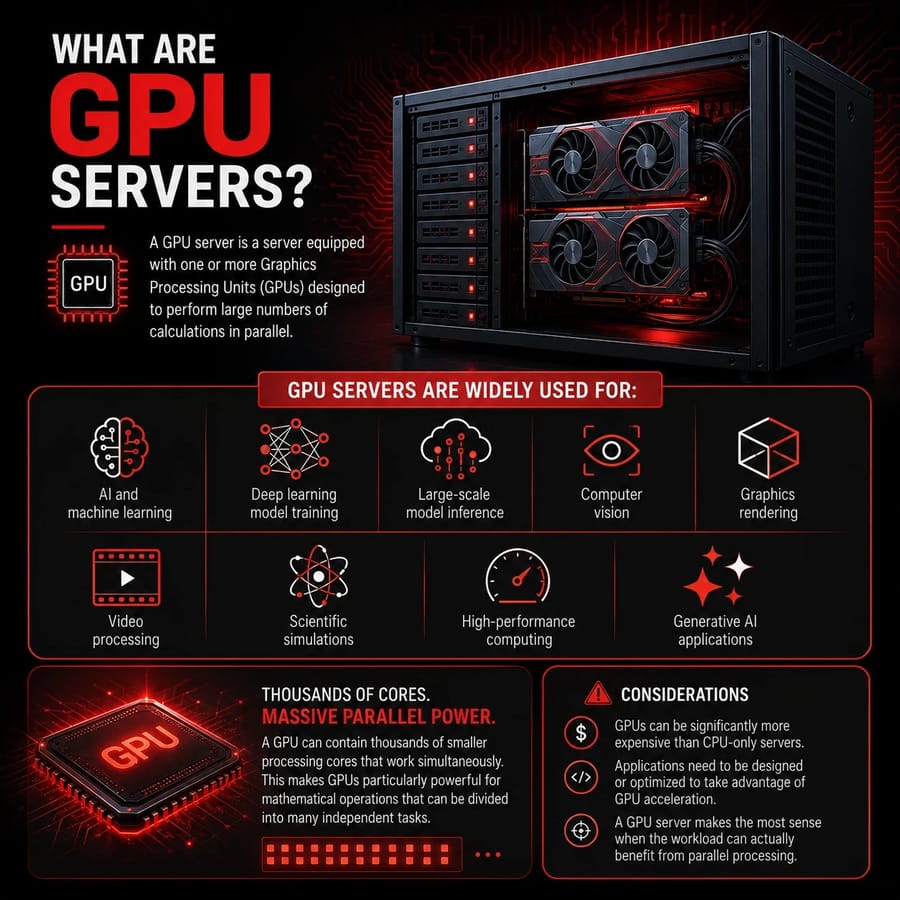
GPU servers are widely used for:
- AI and machine learning
- Deep learning model training
- Large-scale model inference
- Computer vision
- Graphics rendering
- Video processing
- Scientific simulations
- High-performance computing
- Generative AI applications
A GPU can contain thousands of smaller processing cores that work simultaneously. This makes GPUs particularly powerful for mathematical operations that can be divided into many independent tasks. However, GPU dedicated servers also have some limitations. GPUs can be significantly more expensive than CPU-only servers, and applications need to be designed or optimized to take advantage of GPU acceleration. A GPU server therefore makes the most sense when the workload can actually benefit from parallel processing.
What is the difference between CPU and GPU?
The primary difference between a CPU and GPU is how they process workloads.
A CPU typically has a smaller number of powerful cores optimized for general-purpose and sequential processing. A GPU has many more processing cores designed to execute large numbers of similar operations in parallel.
For example, consider an application that needs to perform one complicated operation after another. A CPU can be highly effective because each operation may depend on the result of the previous one.
Now consider a machine learning workload that needs to perform millions or billions of mathematical calculations on large datasets. Many of those calculations can happen simultaneously, making a GPU much more suitable.
Another important difference is programmability and workload flexibility. CPUs are designed to handle a broad range of instructions and workloads, while GPUs achieve their greatest advantages when software can efficiently parallelize its calculations.
In simple terms:
- CPU = flexible, general-purpose processing
- GPU = highly parallel processing
Neither is universally faster. Performance depends on the workload, software, data size, memory requirements, and how well the application is optimized.
CPU vs. GPU: Comparison table
| Feature | CPU Server | GPU Server |
| Primary purpose | General-purpose computing | Parallel computing |
| Processing cores | Fewer, powerful cores | Many parallel processing cores |
| Sequential workloads | Excellent | Usually less suitable |
| Parallel workloads | Good | Excellent |
| Web servers | Excellent | Usually unnecessary |
| Databases | Excellent | Usually CPU-focused |
| Machine learning training | Possible but slower for many workloads | Excellent |
| AI inference | Suitable for many models | Excellent for supported workloads |
| Graphics rendering | Limited compared with GPUs | Excellent |
| Browser automation | Excellent | Usually unnecessary |
| Energy/cost efficiency | Often better for general workloads | Better when acceleration significantly reduces runtime |
| Initial server cost | Generally lower | Generally higher |
| Software requirements | Broad compatibility | Requires GPU-compatible software for acceleration |
| Best for | APIs, websites, databases, automation | AI, ML, rendering, simulations |
The table shows why selecting a server should begin with the workload rather than simply choosing the more powerful-looking hardware. The right choice also depends on factors such as server location, available resources, and the expected workload.
Use cases for CPUs and GPUs
Different applications benefit from different types of processing. Some workloads are clearly GPU-oriented, while others are better suited to CPUs. There are also workloads where both processors work together.
Machine learning training (GPU)
Machine learning training is one of the most common reasons organizations choose GPU servers. Training a deep learning model involves performing enormous numbers of mathematical operations on datasets. Many of these operations can be parallelized, which makes GPUs highly effective.
For example, neural networks commonly rely on matrix and tensor operations. GPUs are designed to process these types of calculations simultaneously, allowing supported workloads to train considerably faster than they would on a CPU alone.
GPU servers are particularly useful for:
- Deep learning
- Large neural networks
- Computer vision
- Natural language processing
- Generative AI
- Large-scale experimentation
For AI workloads that require sustained high-performance computing, businesses can evaluate unmetered dedicated servers alongside GPU-based infrastructure.
Model inference (GPU)
After a model has been trained, it needs to generate predictions or responses. This process is known as inference.
GPU inference can be beneficial when:
- The model is large
- Many requests need to be processed simultaneously
- Low latency is important
- The model performs computationally intensive operations
- The inference framework supports GPU acceleration
However, not every AI model needs a GPU for inference. Smaller models, low-volume applications, and workloads where cost is more important than maximum throughput can often run effectively on CPUs.
The correct choice depends on model size, request volume, latency requirements, and available resources.
Graphics and video rendering (GPU)
Graphics rendering is another workload where GPUs have a major advantage. Rendering involves processing many pixels, visual elements, lighting calculations, textures, and other operations. These tasks can often be performed in parallel, making GPU acceleration extremely useful.
GPU servers can be used for:
- 3D rendering
- Animation
- Video effects
- Computer-aided design
- Visualization
- Game-related workloads
- Professional video processing
For workloads that rely heavily on GPU-compatible rendering software, using a CPU-only server may result in significantly longer processing times.
High-performance computing (GPU)
High-performance computing (HPC) involves processing complex computational workloads at large scale. Some HPC applications can benefit significantly from GPU acceleration, particularly when algorithms can be parallelized efficiently. For Linux-based HPC environments, see the Linux dedicated server performance and reliability benefits.
Examples include:
- Scientific simulations
- Molecular modeling
- Engineering calculations
- Weather and climate modeling
- Financial modeling
- Numerical simulations
- Large-scale data analysis
However, not every HPC application benefits equally from GPUs. Some algorithms are highly dependent on sequential operations or have limited parallelism. In such cases, powerful CPUs may remain the better choice.
Web servers, APIs, and databases (CPU)
Traditional web servers, APIs, and databases generally rely heavily on CPUs.
A web application may need to:
- Receive a request.
- Authenticate the user.
- Execute business logic.
- Query a database.
- Process the returned data.
- Generate a response.
These operations often involve branching logic, memory access, networking, and input/output operations rather than massive amounts of identical mathematical calculations.
For these workloads, CPU servers are usually more practical and cost-effective.
A GPU may sit largely underutilized if the application does not contain workloads that can take advantage of GPU acceleration.
Headless browser automation (CPU)
Headless browser automation uses browsers such as Chromium or other browser engines without displaying a traditional graphical interface.
Typical workloads include:
- Automated testing
- Web scraping
- Website monitoring
- Automated form submission
- Data collection
- Browser-based workflows
- Screenshot generation
Although browsers can use GPU acceleration for some rendering tasks, the majority of server-side browser automation workloads depend heavily on CPU resources, memory, networking, and process management.
If you are running many browser sessions simultaneously, having sufficient CPU cores and RAM is often more important than adding a powerful GPU.
AI agents that browse the web (hybrid)
AI agents that interact with websites represent a more complex workload. An AI agent may use an LLM to decide what action to take while a browser performs actions such as opening pages, clicking buttons, entering information, and extracting content.
This creates a hybrid architecture.
The GPU may handle AI model inference, while the CPU manages:
- Browser processes
- Operating-system tasks
- Networking
- Browser automation
- API calls
- Data processing
- Agent orchestration
For example, an AI web agent could use a GPU to process an AI model while the CPU runs multiple headless browser instances.
This means the best architecture may not be CPU versus GPU. In many AI applications, CPU and GPU resources complement each other.
Headless browsers, AI agents, and why the CPU still matters
The growing popularity of AI agents can make it tempting to assume that every AI-related application requires a GPU server. That is not necessarily true. An AI application can contain multiple components, and each component may have different hardware requirements.
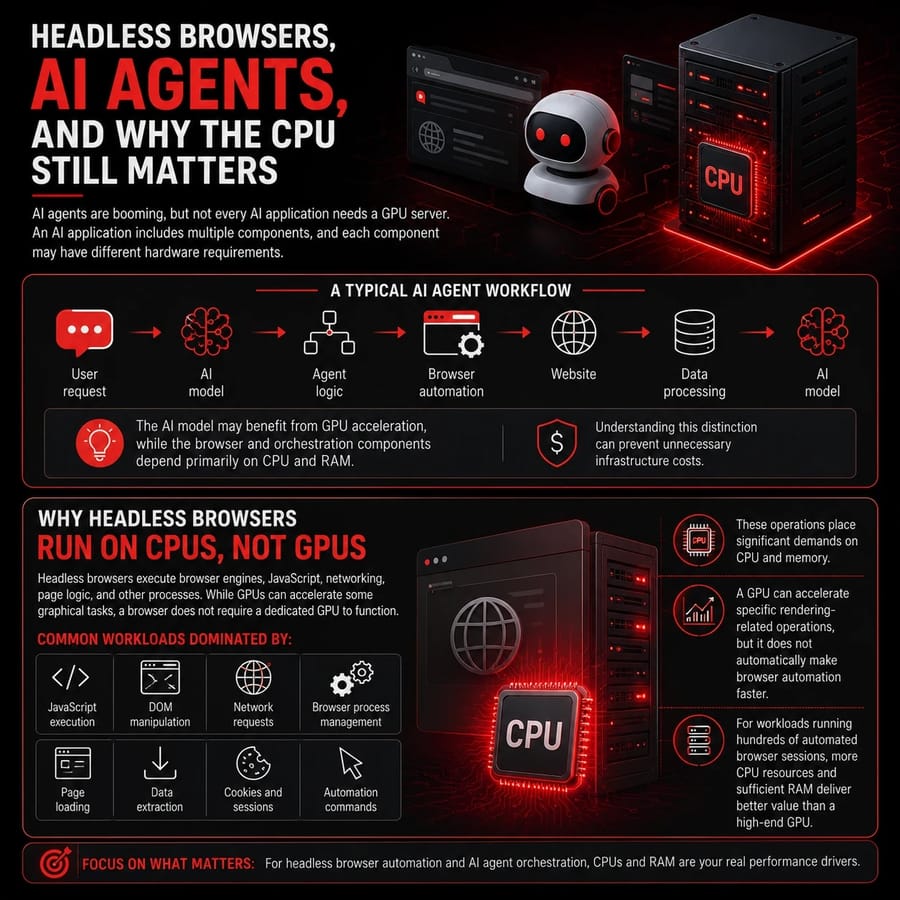
A typical AI agent might include:
- User request - AI model - Agent logic - Browser automation - Website - Data processing - AI model
The AI model may benefit from GPU acceleration, while the browser and orchestration components can depend primarily on CPU and RAM.
Understanding this distinction can prevent unnecessary infrastructure costs.
Why headless browsers run on CPUs, not GPUs
Headless browsers are software applications that execute browser engines, JavaScript, networking operations, page logic, and other processes. Modern browsers can use GPUs for certain graphical operations, but that does not mean the browser itself requires a dedicated GPU to function.
For server-side automation, many workloads are dominated by:
- JavaScript execution
- DOM manipulation
- Network requests
- Browser process management
- Page loading
- Data extraction
- Cookies and sessions
- Automation commands
These operations place significant demands on CPU and memory.
A GPU can accelerate specific rendering-related operations, but adding a GPU does not automatically make browser automation faster.
If your primary workload is running hundreds of automated browser sessions, investing in additional CPU resources and sufficient RAM may provide greater value than purchasing a high-end GPU.
CPU Requirements for AI Agents and Browser Automation
The CPU requirements for AI agents depend largely on the number of concurrent processes.
A small automation workload may run comfortably on a modest multi-core CPU. A large automation platform running dozens or hundreds of browser sessions can require substantially more processing capacity.
Important factors include:
- Number of concurrent browser sessions
- Number of AI agents
- Browser complexity
- JavaScript-heavy websites
- Frequency of automation tasks
- Number of API requests
- Data processing requirements
- Available RAM
- Network bandwidth
RAM is particularly important because each browser session can consume a meaningful amount of memory. If many browser sessions need to run continuously, managed dedicated servers can be considered when additional infrastructure management and support are important.
For AI agents, a common architecture may look like this:
- CPU: Browser automation, orchestration, networking, application logic
- GPU: AI model inference or other accelerated workloads
- RAM: Browser sessions, application processes, and cached data
This hybrid approach allows each hardware component to handle the workload it is best suited for.
How to Choose Between a CPU and GPU Server
Choosing between a CPU and GPU server starts with understanding your workload, performance requirements, scalability needs, software compatibility, and overall infrastructure budget.
1. Identify Your Primary Workload
Start by identifying the main tasks your server needs to handle. Different workloads require different types of processing power. For a structured approach, see our guide on how to choose a dedicated server.
Choose a CPU server when your workload involves:
- Websites and web applications
- APIs and backend services
- Databases
- SaaS applications
- Containers and microservices
- Virtual machines
- Headless browser automation
- General-purpose applications
- File and application servers
Consider a GPU server when your workload involves:
- AI model training
- Deep learning
- Large-scale AI inference
- GPU-accelerated graphics and video rendering
- Computer vision
- Generative AI workloads
- Scientific simulations
- Parallel high-performance computing (HPC)
The key is to match the server hardware with the type of processing your application actually requires.
2. Determine whether the workload can be parallelized
GPU performance depends heavily on parallelism. If your workload consists of thousands or millions of similar calculations that can be executed simultaneously, a GPU may provide substantial benefits.
If the workload contains sequential operations, complex branching, or frequent dependencies between tasks, a CPU may be more appropriate.
3. Check software compatibility
Before selecting a GPU server, verify that your software and frameworks support the GPU you plan to use. A powerful GPU provides little benefit if your application cannot use it effectively. Also consider the operating system — see choosing the best OS for dedicated servers.
Check:
- GPU framework support
- Driver compatibility
- Supported acceleration libraries
- Memory requirements
- Application documentation
- Container compatibility
4. Consider memory requirements
Do not focus only on CPU cores or GPU performance. RAM and GPU memory can also become bottlenecks. Large AI models may require substantial GPU memory, while browser automation can consume significant system RAM. Make sure the server has enough memory for the entire workload rather than focusing on one hardware component.
5. Compare cost against actual performance
GPU servers usually cost more than comparable CPU servers. Before committing to a configuration, comparing dedicated server pricing and dedicated server vs VPS hosting and dedicated server vs cloud server can help you understand how hardware choices affect overall cost. The additional cost can be worthwhile if the GPU reduces processing time substantially or enables workloads that would otherwise be impractical. For a simple web application, however, paying for a GPU that remains mostly idle can unnecessarily increase infrastructure costs.
6. Consider scalability
Think about how your workload will grow. For example, a web application may need additional CPU cores and RAM as traffic increases. An AI inference service may need additional GPUs as the number of requests increases. Compare providers in our best dedicated server providers roundup before committing.
Planning for scalability helps prevent you from purchasing hardware that is either insufficient today or unnecessarily expensive from the beginning.
Common Mistakes When Choosing
Choosing server hardware based only on specifications can cause poor performance, higher costs, compatibility issues, and inefficient resource utilization.
Choosing a GPU because it is "faster"
A GPU is not always faster; it performs best on parallel workloads, while CPUs can outperform GPUs on sequential or poorly optimized tasks.
Ignoring software compatibility
Choosing a powerful GPU without checking application support can cause compatibility problems. Always verify drivers, frameworks, libraries, and software requirements before selecting a GPU server.
Underestimating RAM
CPU and GPU specifications often receive the most attention, while RAM is overlooked.
This can be especially problematic for browser automation, databases, virtualization, and applications running multiple concurrent processes. If you're considering managed infrastructure, see our comparison of managed vs unmanaged dedicated servers.
Assuming every AI application needs a GPU
Not every AI application requires a dedicated GPU. Small models, low-volume inference, lightweight AI tools, and API-based AI agents can often run efficiently on CPU servers.
Ignoring the workload architecture
Modern applications often combine different workloads. For example, an AI agent can use a GPU for model inference while relying on CPUs for browser automation and orchestration.
Instead of asking whether the entire application needs a CPU or GPU, identify which components actually need acceleration.
Focusing only on peak performance
Maximum benchmark performance does not always translate into better overall value.
Consider:
- Cost per hour
- Actual utilization
- Power consumption
- Processing time
- Memory capacity
- Scalability
- Software compatibility
- Expected workload growth
The best server is the one that delivers the required performance without unnecessary infrastructure costs.
Conclusion
Choosing between a GPU server and a CPU server depends on your workload, performance requirements, budget, and scalability needs. CPU servers are ideal for websites, APIs, databases, SaaS applications, virtual machines, and browser automation, while GPU servers are better suited for machine learning, deep learning, AI inference, rendering, and highly parallel workloads. A GPU is not automatically faster or more cost-effective for every application, so understanding your software and processing requirements is essential. For a final comparison of infrastructure options, see bare metal server vs VPS.
For applications that combine AI models with browser automation or agent-based workflows, a hybrid CPU and GPU setup can often deliver the best results. By matching your server architecture to your actual workload, you can achieve better performance while avoiding unnecessary infrastructure costs. Ready to get started? Explore dedicated server hosting options or buy GPU dedicated server.

Leave A Comment