
Dedicated Server Locations Across Global Data Centers
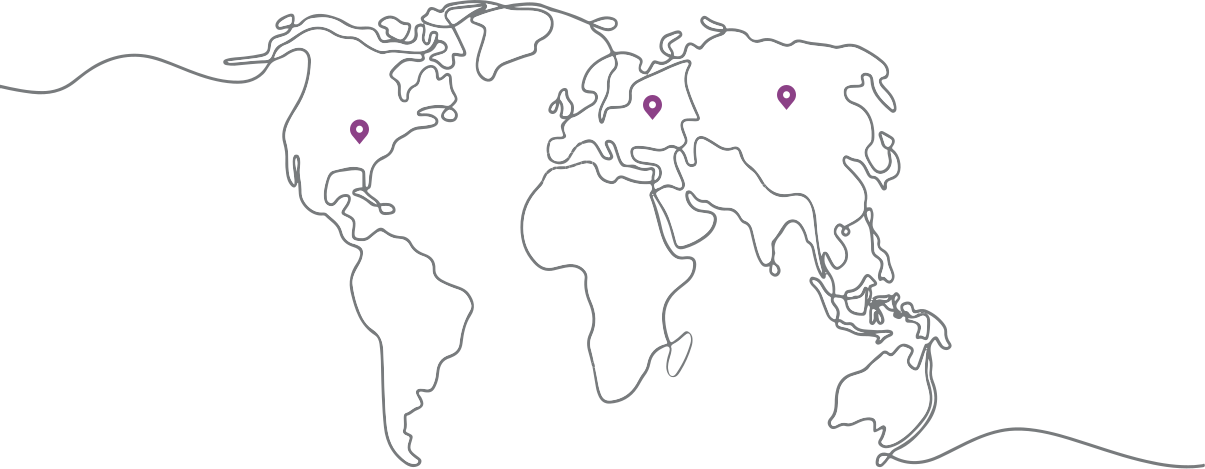
Compare dedicated server locations across North America, Europe, Asia-Pacific, South America, Africa, and other available regions. Choose a location based on user proximity, measured route quality, hardware inventory, bandwidth, and data-handling requirements.
Explore 1Gbits Dedicated Server Locations
Browse 1Gbits dedicated server locations by region, then narrow your search by country and city. Availability can vary between data centers, including server inventory, hardware configurations, network routes, port speeds, traffic allowances, and deployment options. Choose the location that best matches your users, workload, network requirements, and regional needs, then review the available servers for that specific data center.



99.99%
UPTIME
100%
INDEPENDENT
37
LOCATION

How to Compare Dedicated Server Locations
1Gbits provides dedicated server hosting across multiple global regions. Selecting a nearby city is a useful starting point, but physical distance alone does not determine network performance. Carrier paths, peering, congestion, packet loss, jitter, and the location of your application dependencies can be equally important.
Before ordering, test representative routes from the networks your users or offices actually use. Compare ping, MTR, traceroute, and download performance, then confirm the available CPU, RAM, storage, port speed, traffic allowance, IP allocation, DDoS coverage, and remote management options for the selected data center.
For global applications, choose a primary region using measured traffic data and add a CDN, secondary server, replication, or failover only when the workload and recovery objectives require it.

Why Dedicated Server Location Matters
Your dedicated server location can affect network performance, infrastructure availability, data placement, and the hardware and bandwidth options available to your workload. Compare locations based on your actual users and technical requirements rather than geography alone.
Lower Latency
Choosing a server closer to your primary users can reduce network round trips and improve responsiveness for latency-sensitive applications.
Local Bandwidth Options
Port speeds, traffic allowances, connectivity, and bandwidth terms can differ by location. Review the available network options for each server before ordering.
Better Routing
Network paths, peering, and upstream carriers can vary between data centers. Compare route quality and test connectivity before selecting a location.
Regional Availability
Server inventory and deployment options can differ by region, country, and city. Check current availability for the exact location and configuration you need.
Data Residency
Server location may matter when your organization has requirements for where application data, backups, or logs are stored or processed. Confirm applicable requirements before deployment.
Location-Specific Hardware
CPU models, RAM, storage, GPU availability, remote management options, and other server configurations can vary between data centers.
Use Cases by Dedicated Server Location
Place latency-sensitive services close to users, keep tightly coupled systems near each other, and use separate regions only with a planned data and failover architecture.
Multiplayer Gaming
Choose a location near the main player base and compare latency, jitter, packet loss, DDoS coverage, CPU frequency, and bandwidth before deployment.
Streaming & Media Delivery
Place origin or processing infrastructure close to primary viewers, ingest points, or CDN interconnects, and verify sustained transfer limits and route quality.
Database Workloads
Keep the database close to the application tier to reduce round trips, and select storage, RAM, backup, and replication architecture from measured workload needs.
Virtualization Hosts
Choose a region with suitable CPU, RAM, storage, IP allocation, remote management, and licensing options for private virtualization infrastructure.
Storage & Backup Nodes
Use adequate capacity and transfer allowance, and consider a separate failure domain for backups while accounting for restore time and cross-region data transfer.
GPU & AI Workloads
Prioritize accelerator availability, CPU-to-GPU balance, storage throughput, data locality, and network transfer requirements rather than choosing by geography alone.
Dedicated Server Location FAQs
Find answers to common questions about choosing a dedicated server location, city availability, SEO and latency, DDoS protection, CDN use, IP changes, and IPv4 or IPv6 availability.
City-level selection is available where 1Gbits has a corresponding location and suitable server inventory. Review the available location and current server configurations before ordering, and confirm any city-specific requirement if the exact location is critical to your workload.
Server location can affect latency and origin response time, especially when users are geographically far from the server. For SEO, location is not a standalone ranking advantage. Google uses multiple geographic signals, including ccTLDs, hreflang, language, and other regional indicators, while server location can be one supporting signal. Choose your location primarily around users, network performance, and application requirements.
No. DDoS protection availability, mitigation capacity, filtering methods, protected protocols, included thresholds, and additional charges can vary by server configuration or location. Confirm the exact protection available for the selected server before ordering.
No. A CDN can reduce latency by delivering cached content from edge locations closer to users, but requests that must reach the origin server can still be affected by the origin server's location and network route. For global websites, a well-selected primary server location combined with a CDN is often more practical than choosing a location based on geographic distance alone.
Usually, moving a workload to another data center requires provisioning a server in the destination location, and the new server may receive different IP addresses. Plan for DNS changes, firewall rules, allowlists, application configuration, and any services that depend on the current IP address. Confirm the migration process and IP availability before making the move.
Do not assume that IP availability is identical across all locations. IPv4 allocation, IPv6 support, additional IP options, and applicable terms can depend on the selected server, package, and data center. If your application requires a specific IP allocation or IPv6 connectivity, verify it for the exact configuration before ordering.
How to Choose a Dedicated Server Location
The best location is the one that delivers the right combination of measured network quality, available hardware, bandwidth, operational control, data-handling requirements, and cost for your workload.
1. Start with Your Users and Application Dependencies
Identify where most users, offices, APIs, databases, storage systems, and third-party services are located. For user-facing applications, the primary audience usually matters most. For back-end systems, place tightly coupled services close to one another to reduce cross-region delay.
2. Test Routes Before You Order
Measure latency, packet loss, jitter, and route stability from representative networks. Run tests at different times of day and compare more than one candidate location. A shorter geographic distance can still produce a slower route when traffic takes an inefficient path.
3. Select the Right Regional Starting Point
Use USA dedicated servers for primarily US traffic, Europe dedicated servers for European audiences and regional data-placement needs, or Asia dedicated servers for Asia-Pacific users. Then compare city-level routes and live inventory before making the final choice.
4. Compare Location-Specific Infrastructure
Check the exact CPU model, RAM type and capacity, storage media, RAID options, port speed, traffic allowance, IP allocation, IPv6 support, DDoS policy, operating systems, and IPMI or KVM availability. Do not assume every configuration or feature is offered in every data center.
5. Review Compliance and Data-Handling Requirements
Confirm where production data, backups, logs, monitoring data, and support access may be located. Evaluate contracts, subprocessors, cross-border transfers, retention rules, encryption, and industry-specific obligations with qualified legal or compliance advisers.
6. Plan for Failure and Future Migration
A single dedicated server in one location remains a single point of failure. High availability requires independent infrastructure, replication, health checks, traffic failover, backups, and tested recovery procedures. Changing location later normally means provisioning a new server and migrating the workload rather than physically moving the existing machine.
1Gbits Customer Reviews
 Leon K.Kamal A.