
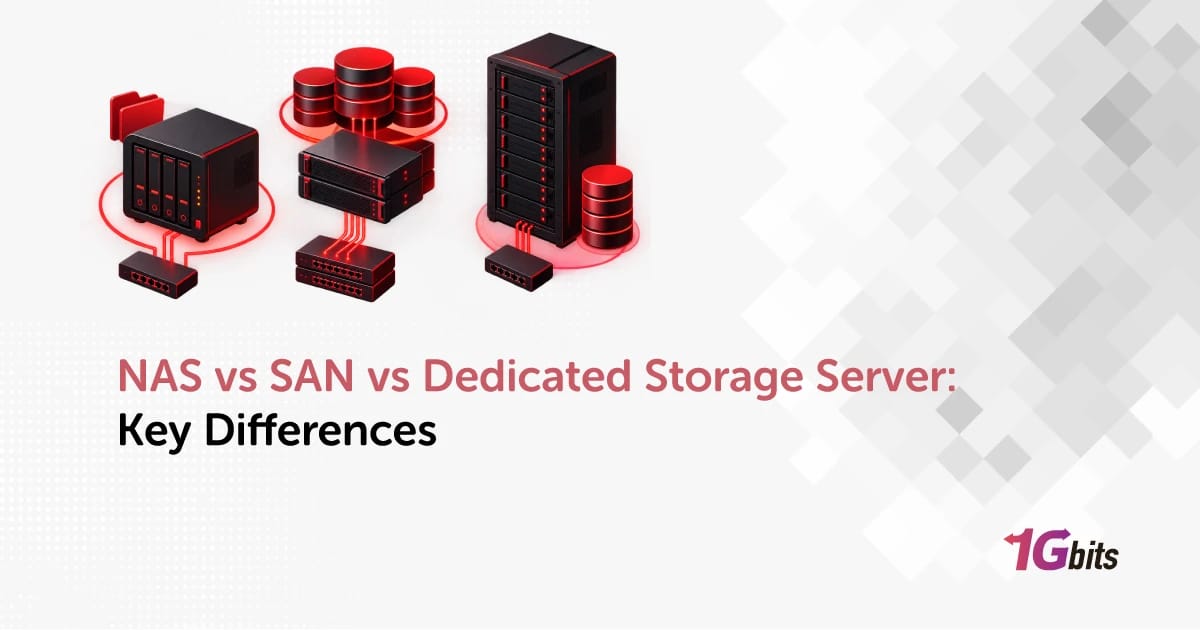
Short answer up front: NAS is for shared files, SAN is for high-performance block storage, and a dedicated storage server is for when you want capacity and control without building a storage fabric. That's the whole NAS vs SAN vs dedicated storage server decision in one line. The rest of this page is about matching it to your actual workload.
Most comparisons stop at NAS vs SAN. That's a mistake, because the third option — a bare-metal box stuffed with disks and running your own stack — is what a lot of teams actually end up buying.
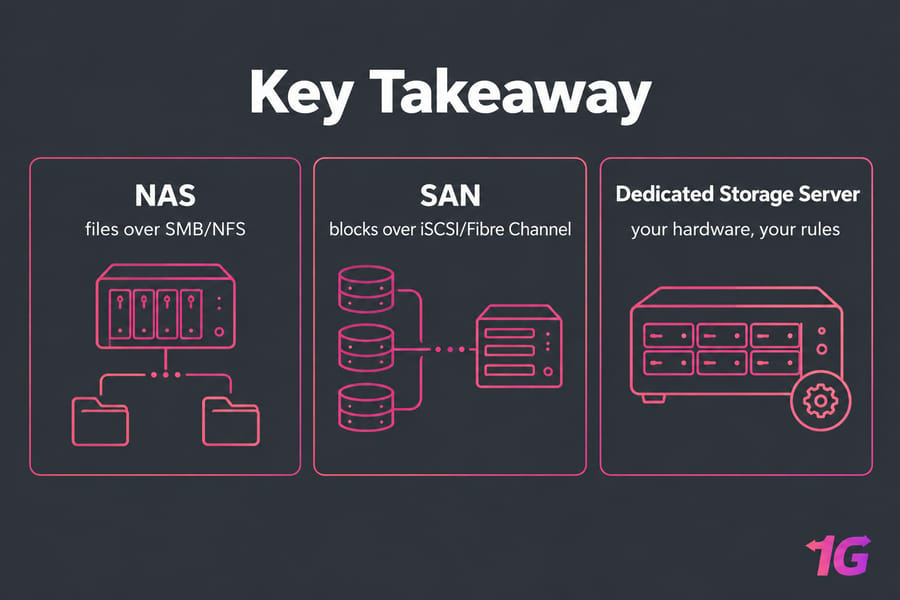
NAS vs SAN vs dedicated storage server: key differences at a glance
NAS (network-attached storage) is a file-level storage server connected to a network, providing data access to a group of users, typically over Ethernet. SAN (storage area network) solutions are block-based, splitting data into volumes that can be formatted and accessed over protocols like iSCSI or Fibre Channel Protocol. A dedicated storage server sits between them: a physical server you rent or own, loaded with drives, where you pick the RAID layout, filesystem, and sharing protocol yourself.
| Architecture | Storage type | Protocols | Best for | Complexity |
| NAS | File-level | SMB, NFS | Shared folders, team collaboration, backup targets | Low |
| SAN | Block-level | Fibre Channel, iSCSI, FCoE, NVMe/TCP | VM clusters, transactional databases, shared block access | High |
| Dedicated storage server | Either, depending on software | SMB/NFS, iSCSI target, S3-compatible, rsync | Large capacity, archives, backup repositories, media | Medium |
Quick rules of thumb: pick NAS if users need folders. Pick SAN if hypervisors need raw disks. Pick a dedicated storage server if you need terabytes of flexible space and full root access. If you're still fuzzy on the category itself, our guide on what is a storage server covers the basics.
What is NAS storage and when should you use it?
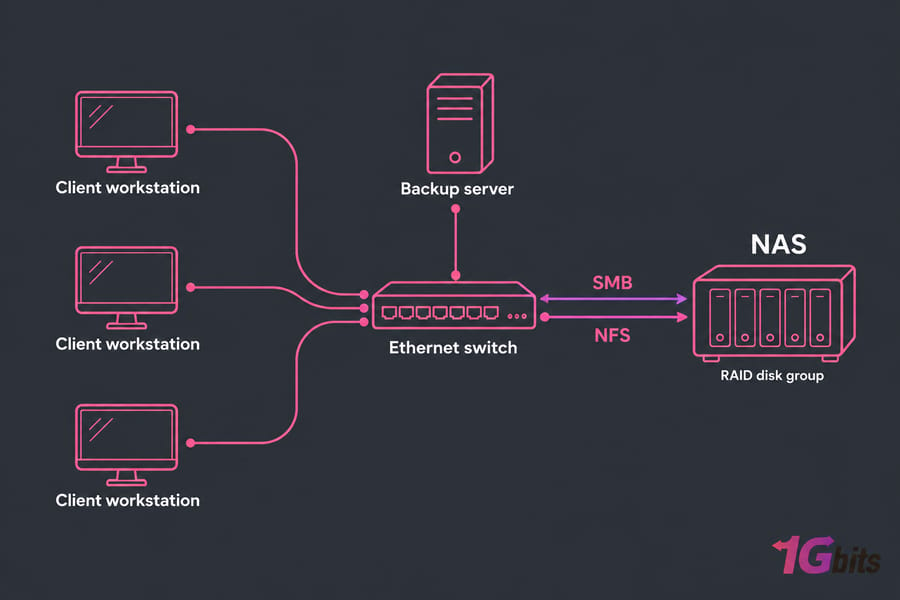
A NAS presents shared folders over your existing Ethernet network using SMB (Windows-style shares) or NFS (Unix/Linux-style mounts). Mount it, browse it, done. A NAS system connects via an Ethernet network and has redundant data structures for resiliency, and it's designed to be an affordable, easy-to-maintain network storage option.
Where it shines: department file shares, design and marketing assets, Time Machine/Veeam backup targets, small Plex libraries, and anywhere snapshots plus RAID cover your resiliency needs.
Where it struggles — latency-sensitive stuff. Shove a busy SQL instance onto a 1GbE NAS and you'll feel it within a week. And don't confuse a NAS appliance with any generic file server; a NAS is a purpose-built, usually closed appliance, while a file server is a general-purpose OS doing file duty.
What is SAN storage and when is it worth the cost?
A SAN hands servers raw block devices — LUNs — that the operating system treats like local disks. It formats them, partitions them, runs VMFS or ext4 on them. Traffic usually rides an isolated storage fabric rather than your general LAN, which is why latency stays predictable under load.
SAN infrastructure and protocols like Fibre Channel minimize bottlenecks, making it ideal for demanding workloads such as databases, virtualization, and enterprise applications. That's the honest use case: VMware or Hyper-V clusters that need shared block storage for live migration and failover, plus transaction-heavy databases.
It isn't all Fibre Channel anymore, either. Most popular SAN arrays support both FC and Ethernet, and newer NVMe-based protocols have blurred the distinction further. iSCSI gets picked because it uses standard Ethernet, which makes it cheaper and easier to adopt than Fibre Channel.
The catch is everything around the array: HBAs, redundant switches, zoning, multipathing, and an admin who actually knows how to troubleshoot it at 3 a.m. For a five-person team, that's overkill.
What is a dedicated storage server and how is it different from NAS?
A dedicated storage server is bare metal built around drive bays instead of CPU cores. You get root access, so you choose the OS, the RAID level (hardware or software), and whether you run ZFS with snapshots and replication or plain ext4/XFS with LVM.
The difference from a NAS appliance is control. An appliance gives you its firmware's feature set. A storage server gives you a Linux box — so it can be an SMB/NFS share, an iSCSI target, a Restic/Borg repository, a MinIO object node, or all four at once.
| NAS appliance | Dedicated storage server | |
| OS control | Vendor firmware | Full root, any Linux/Windows build |
| Storage stack | Vendor RAID + limited options | Your choice: hardware RAID, ZFS, mdadm |
| Expansion | Bay-limited, vendor disks | Chassis and JBOD options, larger raw capacity |
| Best buyer | Office teams wanting plug-and-play | Sysadmins, MSPs, hosting buyers with capacity needs |
Worth reading up on RAID controllers and levels before you commit to a layout — RAID 5 on 18TB drives is a rebuild gamble I'd rather you not take.
Performance: latency, IOPS, and throughput
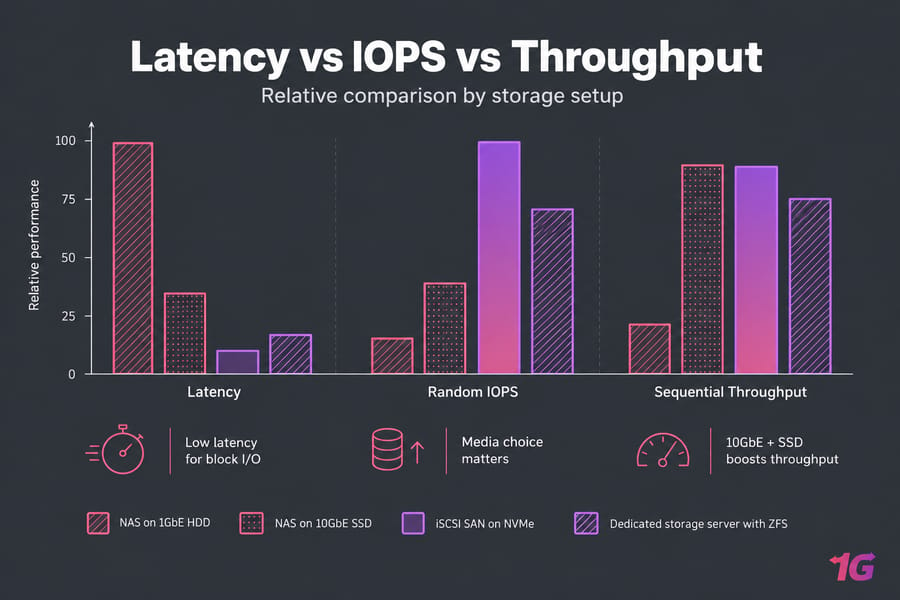
SAN usually wins on consistent low latency for random block I/O. Usually — not automatically. A 10GbE NAS on NVMe drives will beat a tired Fibre Channel array on spinning disks every time.
Separate the three metrics: IOPS for databases and VMs, throughput for backups and media, latency for anything interactive. Media choice matters more than architecture in most real deployments, so check SSD vs HDD and NVMe vs SSD before you argue about protocols.
Cost and complexity
NAS has the lowest entry price and the smallest learning curve. SAN carries hardware, fabric, licensing, and salary costs that teams routinely underestimate. A storage server lands in the middle: one monthly line item, no fabric, no per-socket licensing — but you own the configuration and the consequences.
Blunt take? If nobody on your team can explain LUN masking, you're not ready to operate a SAN.
Best storage architecture by workload
| Workload | Recommended | Why | Watch out |
| Office file sharing | NAS | SMB/NFS shares, permissions, snapshots | Undersized network links |
| Backup repository | Dedicated storage server | Cheap bulk capacity, immutable/ZFS options | Keep an offsite copy |
| Media library / streaming | Storage server or NAS | Throughput matters more than IOPS | Transcoding CPU load |
| VMware / Hyper-V cluster | SAN | Shared block volumes enable failover | Cost and fabric complexity |
| Production databases | SAN or local NVMe | Low, predictable latency | NAS over congested LAN |
| Long-term archive | Dedicated storage server | Best cost per TB with full control | Verify restores regularly |
Two mini-scenarios from the field. A 30-person agency running nightly backups: storage server with ZFS, done for a fraction of an array's price. A four-node hypervisor cluster with live migration: SAN, no argument. See bare metal server backup for the repository side of that first case.
Common mistakes to avoid
- Treating RAID as backup. It isn't. RAID survives disk failure, not deletion, ransomware, or a bad
rm -rf. - Buying SAN for prestige. Complexity you can't staff is a liability.
- Undersizing the network. A fast NAS on 1GbE is a slow NAS.
- Never testing restores. Build a disaster recovery plan and actually rehearse it.
- Ignoring growth. Plan for 3x capacity, not 1.2x.
How to choose the right storage architecture
Seven questions. Answer them honestly and the choice usually picks itself:
- Do consumers need files or raw blocks?
- How many users or hosts hit it concurrently?
- Is the workload latency-sensitive?
- What's your 24-month growth curve?
- What's the real budget, including staff time?
- Who administers it, and what do they already know?
- What are your backup, snapshot, and RTO requirements?
SMBs and dev teams: NAS or a storage server. Growing SaaS with virtualization: SAN for the cluster, storage server for backups. Enterprise: usually both, tiered.
If you want flexible, high-capacity storage without SAN overhead, look at purpose-built storage servers or standard dedicated server hosting with full root access. Tell us your workload and growth plan, and we'll help you size it.

Leave A Comment