
What are Kali Linux commands and why do beginners need them?
Kali Linux commands are terminal commands used to navigate the system, manage files, install packages, inspect networks, control users, and monitor processes. For beginners, the most useful ones are pwd, ls, cd, cp, mv, rm, apt, ip, ps, and sudo because they cover the jobs you'll do every day.
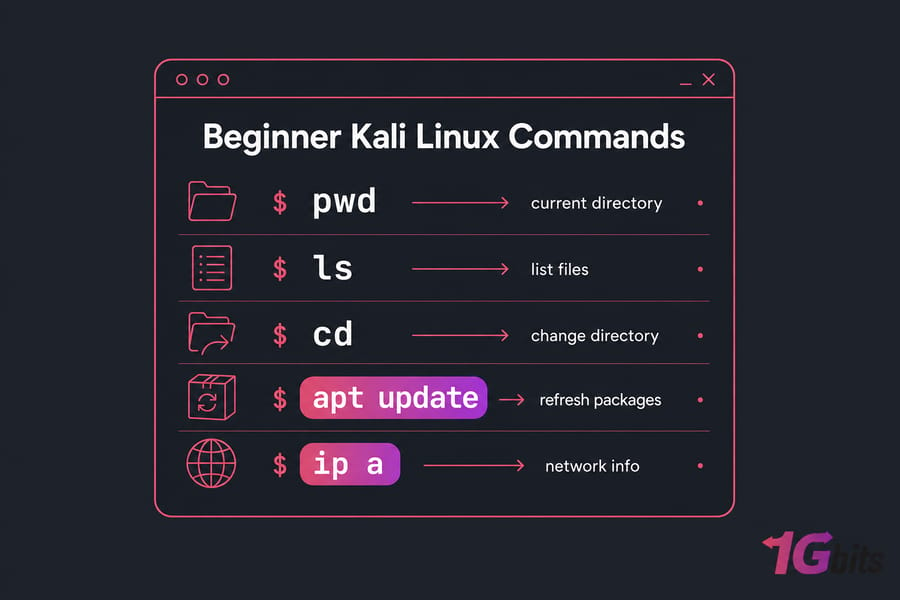
Most Kali Linux commands aren't special to Kali at all. Kali is Debian-based, so you're mostly using standard Linux command line tools. That's good news: once you learn them here, they'll carry over to other systems too. If you're brand new, start with what is Kali Linux, then come back and practice.
This guide covers navigation, files, search, permissions, packages, networking, and processes. Real beginner stuff. Not flashy, but honestly, this is the layer that keeps you from breaking things later.
If you want more general shell practice, these basic Linux commands with examples and Bash commands are solid follow-ups.
Before using Kali Linux terminal commands: beginner safety tips
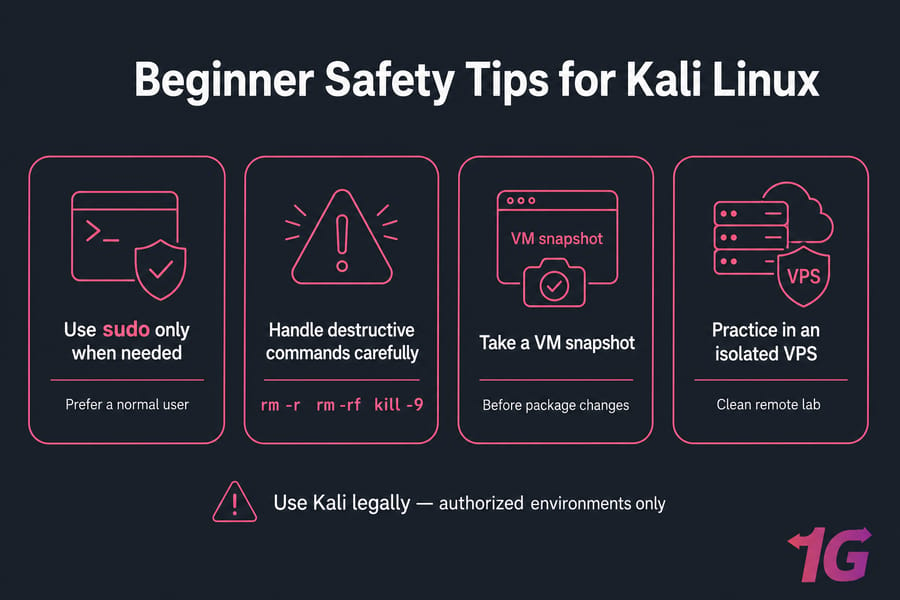
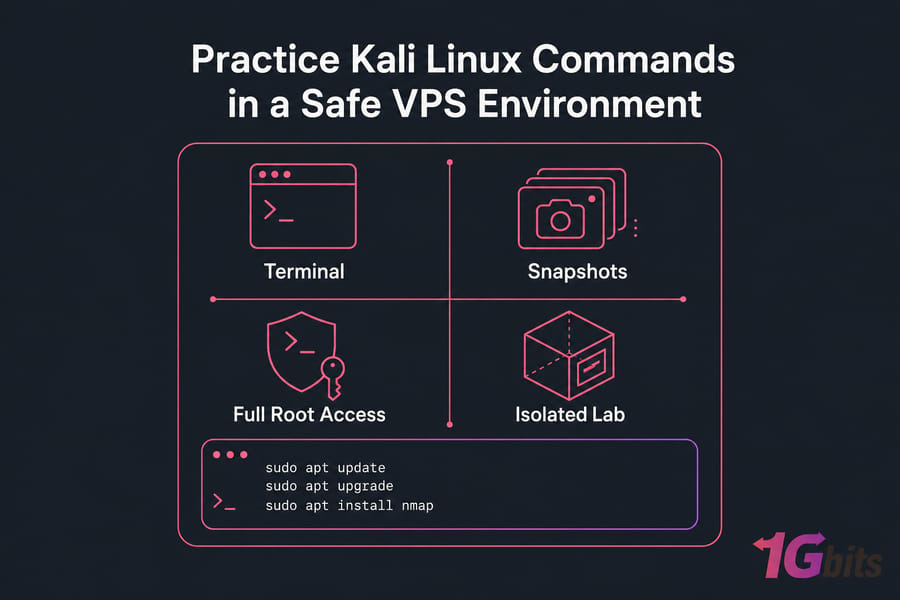
Before you try anything, use a test setup. A VM is fine. A separate VPS is even better if you want a clean remote lab. If you need one, you can install Kali Linux on a virtual server or practice on a Kali Linux VPS.
A few rules matter:
- Prefer a normal user and run
sudoonly when needed. - Take a snapshot or backup before package changes.
- Treat
rm -r,rm -rf,kill -9, and package removal with care. - Use Kali legally and only in authorized environments.
sudo runs one command with elevated privileges. That's usually safer than living as root all day. I've seen beginners do that, then wonder why one typo wrecked a config file.
Kali Linux navigation commands for moving around the system
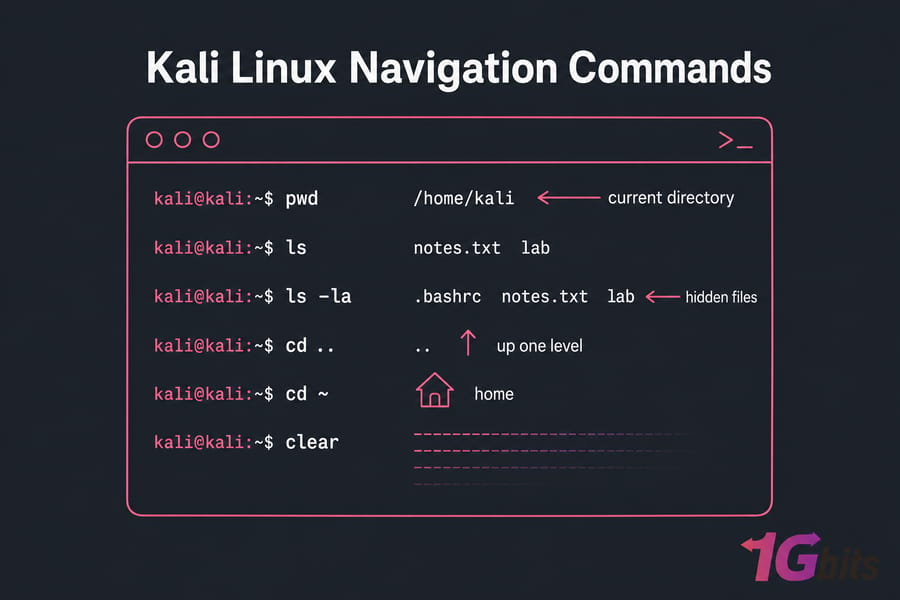
| Command | What it does | Example |
pwd |
Shows your working directory | pwd |
ls |
Lists visible files | ls |
ls -la |
Shows hidden files and details | ls -la |
cd |
Changes directory | cd /etc |
cd .. |
Moves up one level | cd .. |
cd ~ |
Returns to your home directory | cd ~ |
clear |
Clears the terminal screen | clear |
Hidden files start with a dot, like .bashrc. You won't see them with plain ls, so use ls -la when a tutorial says a file exists but "it's not there." For a deeper breakdown, see how to use the ls command in Linux.
Kali Linux file and directory commands with examples
Once you can move around, you need to create, copy, rename, and delete things safely. That's where most beginner mistakes happen.
| Command | Use case | Example | Caution |
touch |
Create empty file | touch notes.txt |
Won't warn if file exists |
mkdir |
Create folder | mkdir lab |
Use exact path |
cp |
Copy file | cp notes.txt notes.bak |
Can overwrite |
cp -r |
Copy directory | cp -r lab lab-backup |
Recursive copy can be large |
mv |
Move or rename | mv old.txt new.txt |
Rename happens silently |
rm |
Delete file | rm notes.txt |
No recycle bin |
rm -r |
Delete directory recursively | rm -r oldlab |
Double-check path |
rmdir |
Remove empty directory | rmdir emptydir |
Only works if empty |
mv is how you rename files in Kali Linux. Simple and easy to forget. If you want extra reading, check the mkdir command in Linux, how to copy a directory in Linux, move files with mv, and delete a file in Linux.
And yes, avoid blind rm -rf. Seriously.
Basic Kali Linux file viewing and search commands
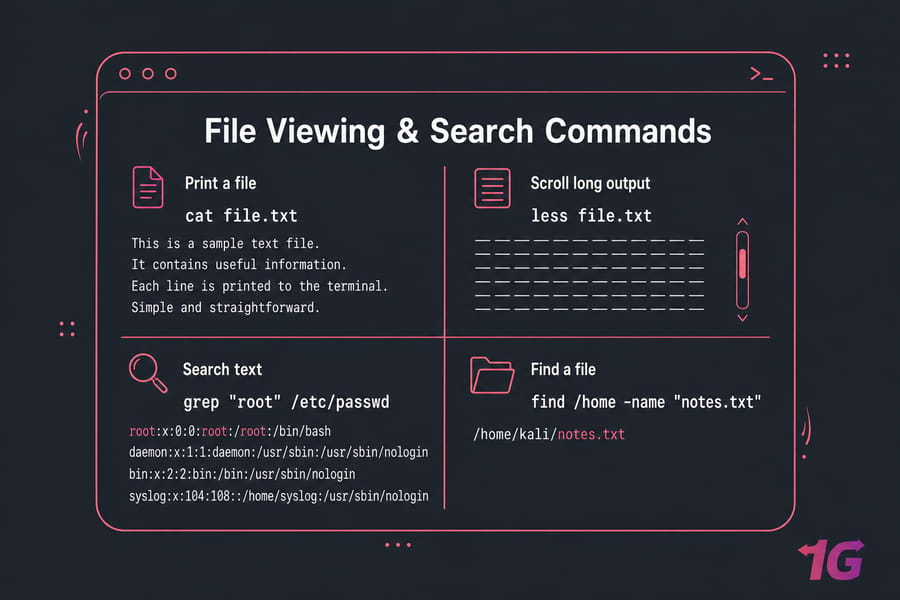
These are the commands you'll use when a config file exists, but you need to inspect or search it fast.
cat file.txt prints a file. less file.txt lets you scroll, which is better for long output. head -n 5 file.txt shows the first lines, while tail -n 5 file.txt shows the end.
For searching text, use grep "root" /etc/passwd. For finding files, use find /home -name "notes.txt". To count lines, words, or bytes, try wc notes.txt.
If you want deeper walkthroughs, read how to find a file in Linux and use the grep command in Linux.
Kali Linux permissions and user management commands
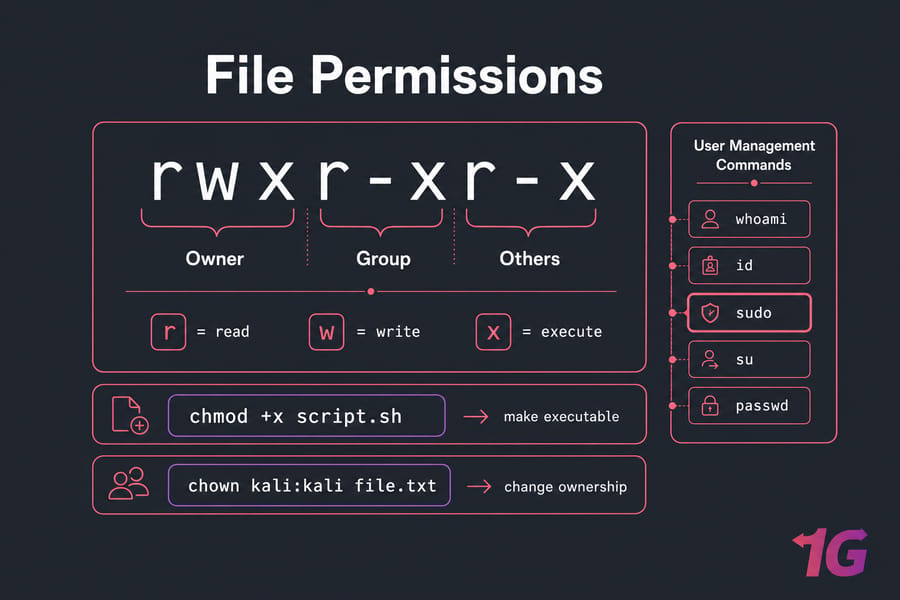
Permissions control who can read, write, and execute files. It's not glamorous, but it's critical.
Start with whoami to see your current user and id to view your UID and groups. Use chmod +x script.sh to make a script executable. Use chown kali:kali file.txt to change ownership. Here's a good guide to the chown command in Linux.
sudo runs one command with elevated rights, while su switches to another user shell, often root. For day-to-day work, I strongly prefer sudo. If you need a refresher, read about sudo in Linux. You can also change passwords with passwd.
Kali Linux package management commands using apt
Kali uses APT because it's Debian-based. For beginners, the safe flow is simple: refresh package lists, upgrade packages, then install what you need.
sudo apt updatesudo apt upgradesudo apt install nmap
Other useful commands: apt remove package, apt purge package, apt search wireshark, and apt list --installed. Use apt as your primary command; older tutorials may show apt-get, but the modern interface is easier for beginners. If you need more, here's an apt command guide and a full tutorial on how to update Kali Linux.
Don't add random repositories just because a forum post said so. That's how package problems start.
Kali Linux networking commands every beginner should know
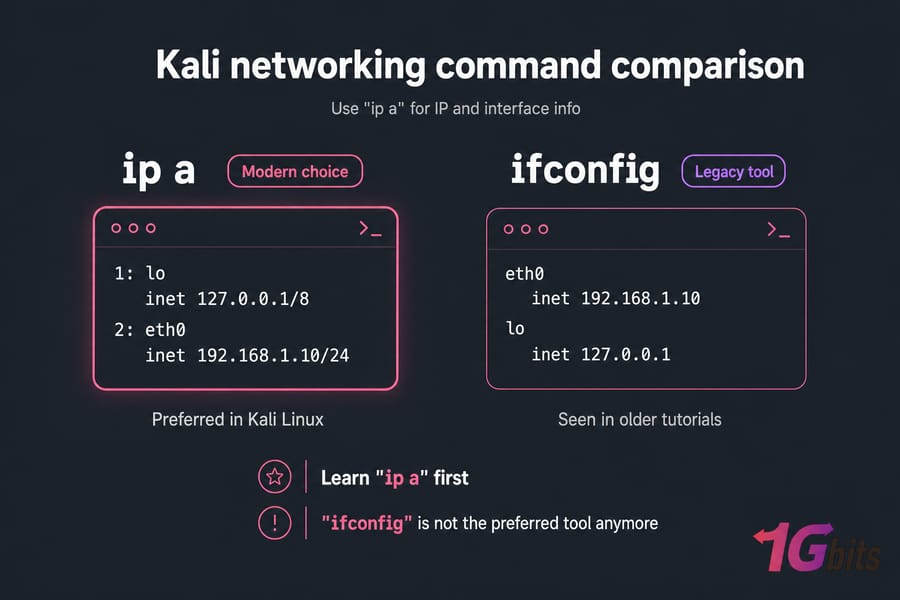
For IP and interface info, use ip a. For routes, use ip route. To test reachability, run ping 8.8.8.8. To inspect listening ports and sockets, use ss -tulpn.
hostname shows your system name, and uname -a prints kernel and system details. Need a deeper walkthrough? Here's how to get your IP address in Linux and check open ports in Linux.
You might still see ifconfig in old tutorials. It isn't the preferred tool anymore. In Kali, ip is the modern choice, and I'd learn that first.
Kali Linux process and service management commands
When something freezes or won't start, this category saves you.
Use ps or ps aux to list processes. Use top for live monitoring. If you have it installed, htop is friendlier. To stop a process by PID, run kill 1234. To stop by name, use pkill firefox. Need more detail? See the Linux ps command and how to kill a process in Linux.
Services are longer-running system components. Use systemctl status ssh, systemctl start ssh, and systemctl stop ssh. For uptime and load, run uptime.
50 essential Kali Linux commands list for beginners
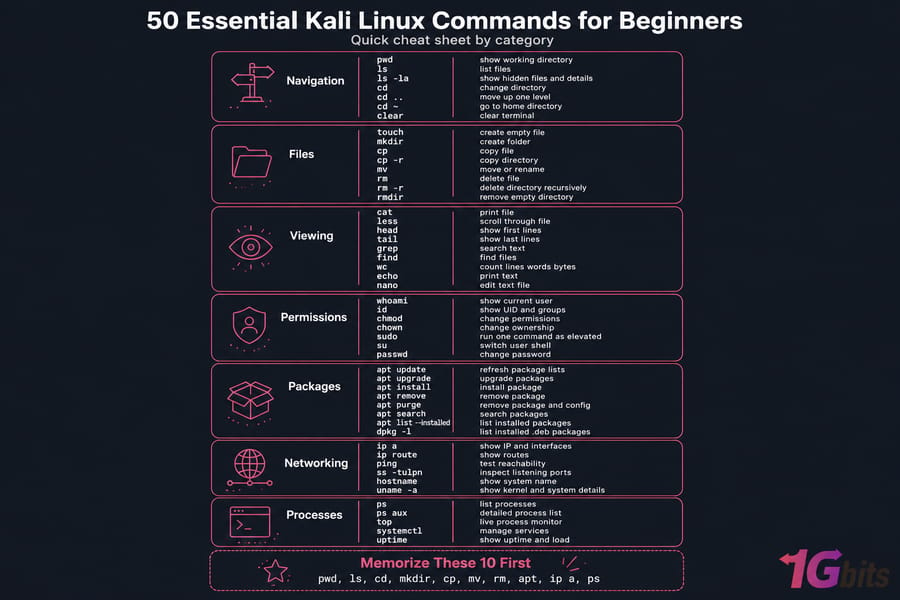
Here are the 50 commands to keep on your short list: pwd, ls, ls -la, cd, cd .., cd ~, clear, touch, mkdir, cp, cp -r, mv, rm, rm -r, rmdir, cat, less, head, tail, grep, find, wc, echo, nano, whoami, id, chmod, chown, sudo, su, passwd, apt update, apt upgrade, apt install, apt remove, apt purge, apt search, apt list --installed, dpkg -l, ip a, ip route, ping, ss -tulpn, hostname, uname -a, ps, ps aux, top, systemctl, and uptime.
If you only memorize 10 first: pwd, ls, cd, mkdir, cp, mv, rm, apt, ip a, and ps.
Common Kali Linux command mistakes beginners should avoid
- Running everything as root when
sudowould do. - Deleting the wrong path with
rmorrm -r. - Following outdated tutorials that push
ifconfigor old package habits without context. - Installing the wrong package because you didn't read the output carefully.
- Ignoring built-in help like
man lsorcommand --help.
Slow down and read what the terminal tells you. That's half the skill, honestly. If you want a broader refresher on shell basics, this guide on how to use Linux helps.
Once you're comfortable with these basics, practice them for real on a dedicated Kali Linux VPS or browse Linux VPS hosting plans for a broader lab setup. That's usually the point where command memory starts to stick.

Leave A Comment