
![How to Choose a Bare Metal Server Provider [2026] 📊](https://1gbits.com/cdn-cgi/image/width=1200,quality=80,format=auto/https://s3.1gbits.com/blog/2026/07/choose-bare-metal-server-provider-main.webp "How to Choose a Bare Metal Server Provider [2026] 📊")
To choose the right bare metal server provider, compare five essentials: hardware quality, data center location, network performance, support and SLA, and total cost. The best provider for you should match your workload, offer reliable uptime, fast provisioning, remote management access, and transparent pricing without hidden upgrade or bandwidth fees.
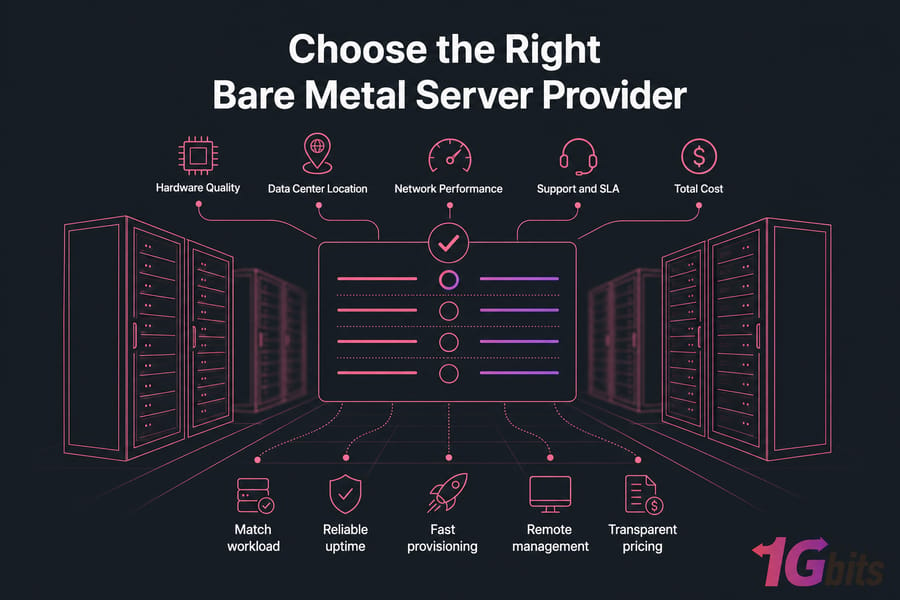
- Match the server to your workload
- Verify uptime and support SLA
- Check location and latency
- Review bandwidth, backups, and pricing
- Confirm upgrade and scaling options
That’s the short version. The longer version matters because this is where expensive mistakes happen. I’ve seen teams buy the “fastest” server on paper, then get burned by slow hardware replacement, weak routing, or bandwidth overages that wrecked the budget.
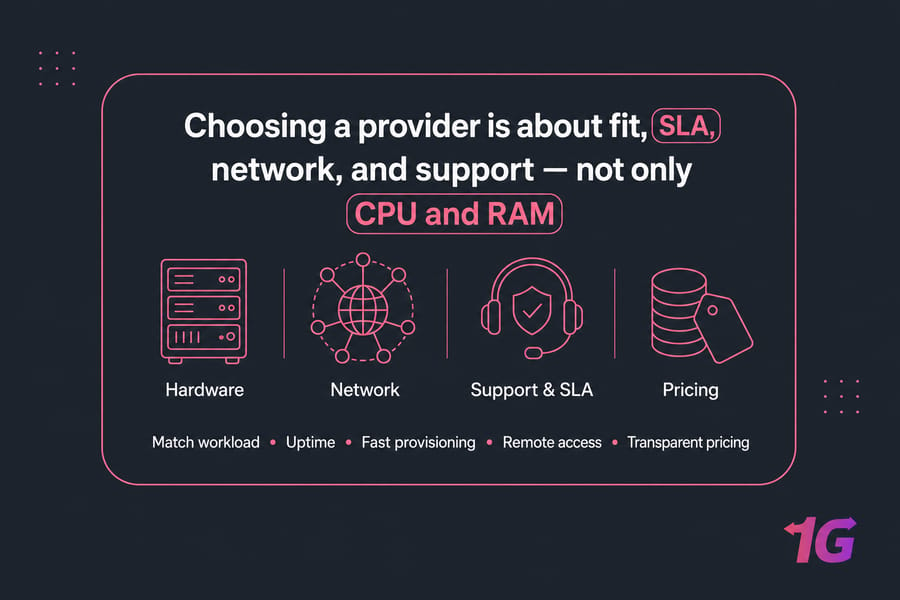
Before you compare providers, know these 4 things:
- Your workload type: web app, database, virtualization, game server, storage, or streaming
- Your estimated CPU, RAM, and storage needs
- Your preferred data center region
- Whether you need managed or unmanaged service
What is a bare metal server provider and what do they actually provide?
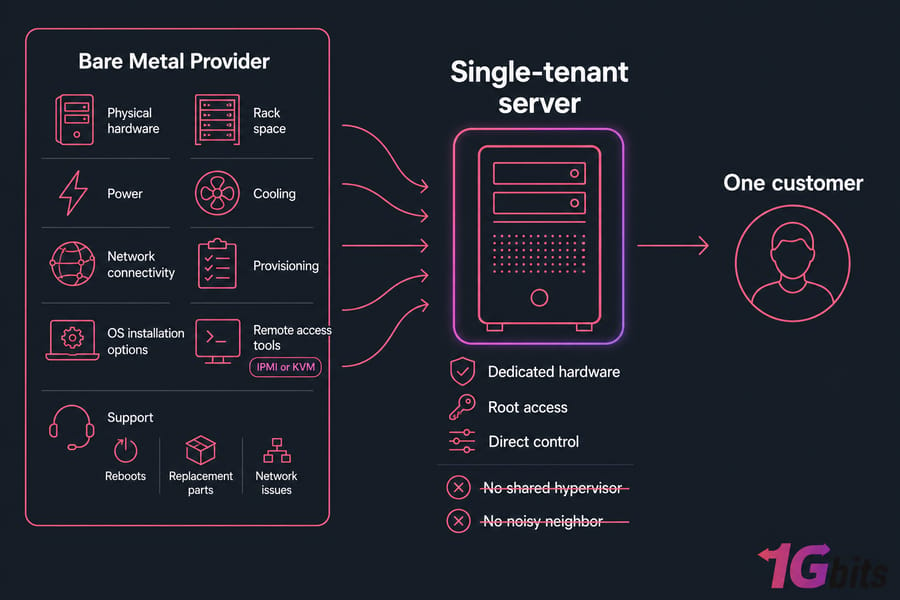
A bare metal server provider gives you a single-tenant physical machine. No shared hypervisor. No noisy neighbor sitting on the same host. You get dedicated hardware, root access, and direct control over the server environment.
Bare metal vs dedicated server: are they the same thing?
Usually, yes in practical buying terms. Many providers use “bare metal” and “dedicated server” almost interchangeably. The phrase bare metal vs dedicated server mostly comes down to positioning, feature packaging, or how automated the deployment is.
Some vendors use “bare metal” to emphasize cloud-like provisioning of physical servers. Others just call the same thing a dedicated server. Don’t get stuck on the label. Check the actual service.
What you should expect from a serious bare metal hosting provider
A real bare metal server provider should do more than hand you a box with an IP address. At minimum, they should provide:
- Physical hardware, power, cooling, rack space, and network connectivity
- Provisioning, OS installation options, and remote access tools
- Support for failures, reboots, replacement parts, and network issues
You’ll also want clarity around root-level control, reboot access, IPMI or KVM availability, bandwidth policy, and network uptime guarantees.
Why provider quality matters as much as server specs
This is the part buyers often underestimate. A server with great CPU and RAM still becomes a problem if provisioning takes two days, support takes six hours to reply, or a failed disk sits waiting for replacement.
Provider quality shows up in boring but critical areas: deployment speed, hardware replacement process, remote management, routing quality, and how honest the billing is. So yes, specs matter. But operations matter just as much.
For background reading, it also helps to review what a dedicated server is before you compare providers. Now that the term is clear, the next question is whether bare metal is even the right fit for your workload.
When a bare metal server is the right choice for your workload
Bare metal makes sense when you need consistent performance isolation, predictable I/O, or strict control over the environment. If your workload suffers from VPS contention or cloud costs are spiraling, this is often the next logical step.
| Workload | Best Fit | Why Bare Metal Helps | When VPS/Cloud Is Better |
| High-traffic website or web app | Bare Metal | Stable CPU performance and dedicated RAM during traffic spikes | Cloud if traffic is highly bursty and short-lived |
| Database server | Bare Metal | Better disk I/O consistency, memory allocation, and isolation | VPS for smaller apps with modest queries |
| Game server | Bare Metal | Lower contention and better latency consistency for players | VPS for small private communities |
| Virtualization node | Bare Metal | You can run Proxmox or VMware directly on dedicated hardware | Cloud if you need instant elastic scaling |
| Streaming or storage-heavy use | Bare Metal | Higher throughput, larger storage pools, predictable bandwidth | Cloud object storage for highly distributed media delivery |
| Dev/test or short-term projects | VPS or Cloud | Lower commitment and faster spin-up | Usually better than bare metal here |
Workloads that benefit from dedicated hardware
Databases are a classic example. They hate unpredictable storage performance. Same with busy game servers, large ecommerce stacks, self-hosted virtualization clusters, analytics workloads, and storage-heavy apps.
If you’re running a virtualization node, bare metal is especially attractive because you can build your own environment on top of the hardware. That’s a very different experience from renting slices of someone else’s host.
When VPS or cloud hosting may be a better fit
Be honest with yourself here. If your app is small, your traffic is inconsistent, or you need rapid scaling more than raw dedicated power, VPS or cloud might be smarter. A good starting comparison is bare metal server vs VPS.
And if your buying decision is really about elasticity, managed services, or pay-as-you-go infrastructure, look at dedicated server vs cloud server before committing. Bare metal isn’t automatically better. It’s just better for the right kind of workload.
Signs you have outgrown virtualized hosting
Watch for familiar symptoms: CPU steal time, random latency spikes, storage bottlenecks, or performance drops at busy hours even when your app hasn’t changed. Compliance and isolation requirements can also push you toward single-tenant hardware.
If bare metal fits your workload, the next step is turning your technical needs into buying criteria.
Define your bare metal server requirements before comparing providers
Start with your workload, not the provider catalog. That sounds obvious, but a lot of people shop backwards. They pick a server because it looks powerful, then try to make their application fit it.
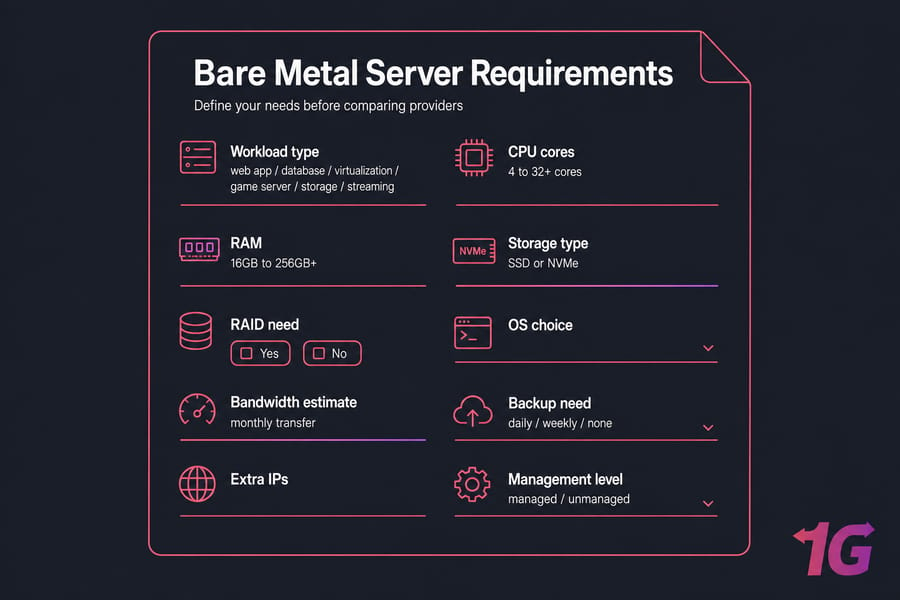
How much CPU, RAM, and storage do you really need?
For CPU, think about thread count and clock speed together. High-concurrency web apps and virtualization hosts often benefit from more cores. Game servers and some database workloads may care more about stronger per-core performance. That’s why “more cores” isn’t always the winning answer.
RAM is usually easier. Small business web stacks might start around 16GB to 32GB. Active databases, in-memory caches, or virtualization nodes can jump to 64GB, 128GB, or much more quickly. Storage is the same story: capacity matters, but speed matters just as much.
| Resource | Questions to Answer | Typical Range | Notes |
| CPU | Is the workload single-threaded, multi-threaded, or mixed? | 4 to 32+ cores | Check generation, clock speed, and core count together |
| RAM | How much active data and caching do you need? | 16GB to 256GB+ | Databases and virtualization usually need more headroom |
| Storage Capacity | How much data now, and in 12 months? | 500GB to 20TB+ | Leave room for growth and backups |
| Storage Type | Do you need fast random I/O or just capacity? | SSD or NVMe | NVMe is usually the better fit for demanding apps |
| Bandwidth | How much monthly transfer and peak throughput? | 1Gbps or 10Gbps | Streaming and large downloads may need higher port speeds |
| Management | Who handles patching, monitoring, and incidents? | Managed or Unmanaged | Be realistic about internal team capacity |
Do you need NVMe, RAID, or high-bandwidth networking?
NVMe is worth paying for when your workload is I/O-sensitive — databases, virtualization, busy CMS sites, analytics, anything doing lots of random reads and writes. If you just need bulk storage, regular SSD or even larger-capacity disks might be enough.
RAID matters for uptime and resilience, but not all RAID setups are equal. RAID 1 or 10 is common for balancing performance and redundancy. And don’t confuse RAID with backup. They solve different problems. If backup matters — and it usually does — review your bare metal server backup strategy separately.
Should you choose Linux or Windows on bare metal?
Linux is the default for many web, database, and DevOps workloads. It’s flexible, familiar, and usually cheaper because you avoid Windows licensing costs. If you know your stack needs .NET, Active Directory integration, or Windows-specific software, then a Windows dedicated server makes sense.
Otherwise, a Linux dedicated server is often the cleaner option. If you want a broader planning framework, this related guide on how to choose a dedicated server is useful too.
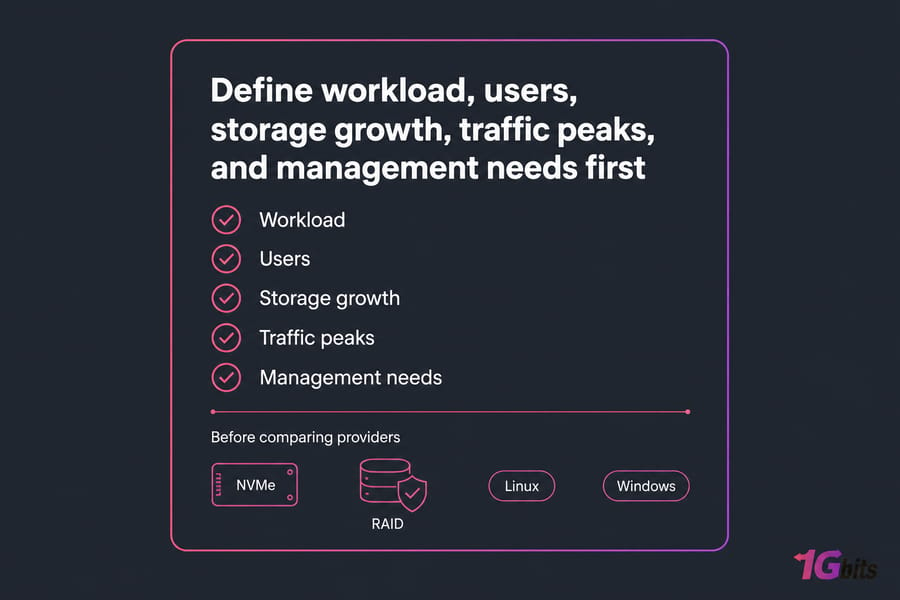
Once your requirements are defined, you can compare providers based on hardware quality — not just marketing labels.
How to compare bare metal server hardware and customization options
At this point, you’re comparing actual providers. Good. Now look past the headline spec sheet. Ask what hardware generation they use, what can be customized, and how they handle component failures.
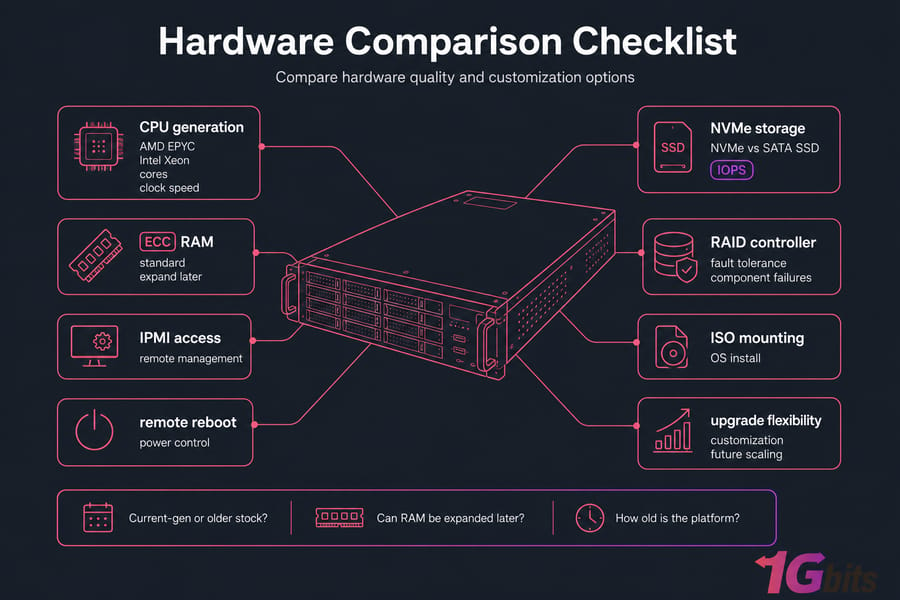
AMD EPYC vs Intel Xeon for common server workloads
AMD EPYC and Intel Xeon are both solid choices. What matters is the exact generation and your workload profile. EPYC often looks attractive for core density and virtualization-heavy deployments. Xeon can still be excellent, especially for software stacks tuned around Intel or for buyers who care about certain platform features.
I wouldn’t obsess over brand first. I’d ask: what CPU generation is this, what’s the clock speed, how many cores do I actually need, and how old is the platform?
Why storage type, RAID, and IOPS matter
Fast CPU plus slow disks is a classic hosting mismatch. Check whether the provider uses NVMe or SATA SSD, whether disks are consumer or enterprise grade, and whether ECC RAM is standard. For storage, the real question isn’t just capacity. It’s sustained performance and fault tolerance.
| Factor | What to Check | Why It Matters | Questions to Ask |
| CPU | Generation, cores, clock speed | Determines compute performance and efficiency | Is this current-gen or older stock? |
| RAM | ECC RAM, capacity, upgrade path | ECC improves reliability; capacity affects app stability | Can RAM be expanded later? |
| Storage Type | NVMe vs SSD | Directly impacts IOPS and latency | Are drives enterprise NVMe? |
| RAID | Supported levels and controller quality | Affects redundancy and recovery behavior | Hardware RAID or software RAID? |
| Customization | Drive count, RAM options, NICs | Helps align hardware to your workload | Can the chassis be customized pre-deploy? |
| Replacement Policy | Failed part handling | Downtime risk depends on response speed | What is the hardware replacement SLA? |
| Remote Access | IPMI, iDRAC, KVM over IP | Critical when the OS fails or network config breaks | Is remote console included? |
| Recovery Tools | Remote reboot, rescue mode, ISO mounting | Saves time during incidents and rebuilds | Can I mount custom ISOs myself? |
Remote management features to check: IPMI, iDRAC, KVM
Don’t skip this. IPMI, iDRAC, or KVM over IP can save you during a bad kernel update, broken firewall rule, or bootloader mess. Remote reboot and ISO mounting are also more valuable than people realize — right up until something breaks at 2 a.m.
Great hardware still underperforms if the network and location are wrong.
How to evaluate data center location, network quality, and bandwidth
Latency is physical. You can’t optimize around geography forever. If your users are in Germany and your server is in Los Angeles, the app will feel that distance no matter how nice the CPU is.
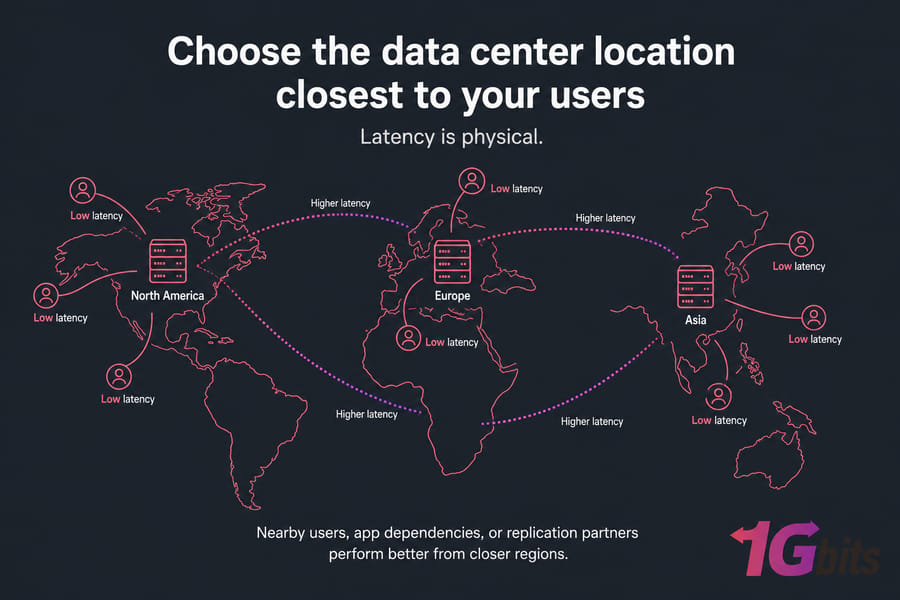
Why latency and geographic proximity affect performance
Choose the data center location closest to your users, app dependencies, or replication partners. For gaming, streaming, and real-time apps, this matters a lot. For database replication, it can be the difference between smooth sync and annoying lag.
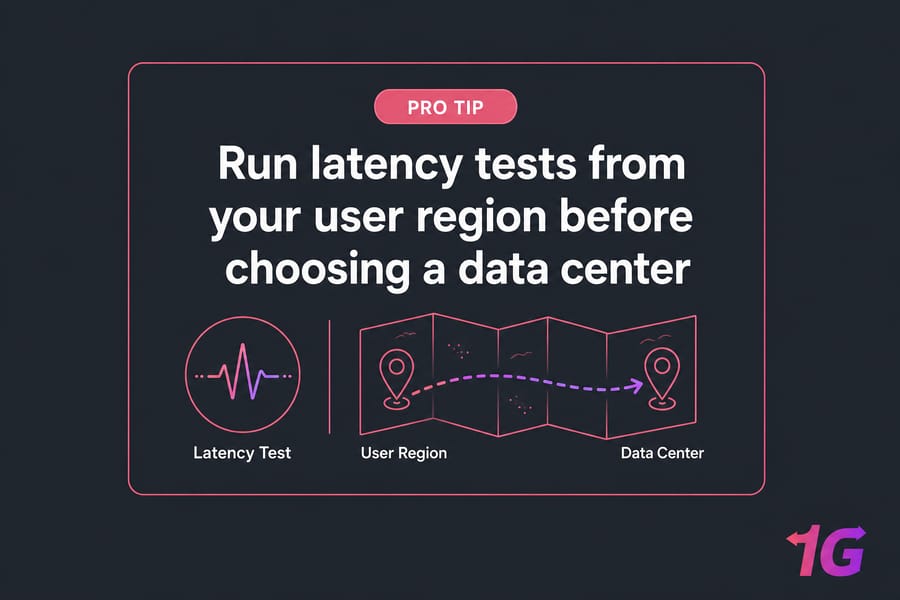
A quick sanity check: review available dedicated server locations and run latency tests from your user region if possible. That small step saves regret later.
1Gbps vs 10Gbps ports and unmetered vs capped bandwidth
A 1Gbps uplink is enough for plenty of workloads. A 10Gbps port matters more for high-throughput storage, media delivery, heavy replication, or large-scale virtualization traffic. Port speed alone isn’t the whole story, though. Ask how bandwidth is billed.
Unmetered bandwidth can be great if the fair-use model is clear. Metered or capped bandwidth may be cheaper upfront, but overages add up fast on busy servers.
| Factor | Good Signal | Warning Sign |
| Location | Close to users or app dependencies | Server placed far from core audience |
| Port Speed | 1Gbps or 10Gbps matched to workload | Low port speed for heavy streaming or sync traffic |
| Bandwidth Model | Clear unmetered or transparent cap/overage pricing | Vague transfer policy |
| Routing | Multiple carriers or strong peering | No detail on upstream redundancy |
| DDoS Protection | Baseline mitigation or add-on clearly documented | No stated DDoS policy |
| Redundancy | Network failover and resilient design | Single-point network dependency |
Questions to ask about routing, redundancy, and DDoS protection
Ask if the network uses multiple upstreams, whether failover is in place, and what level of DDoS protection exists. For game hosting and public-facing apps, this is not optional. For CDN origin, streaming, and APIs, clean routing matters just as much as raw throughput.
After hardware and network, support quality is what determines how painful outages will be.
Support, SLA, and managed vs unmanaged bare metal hosting
Support is where cheap providers often fall apart. You don’t need white-glove service for every deployment, but you do need a realistic SLA and people who can act when something fails.
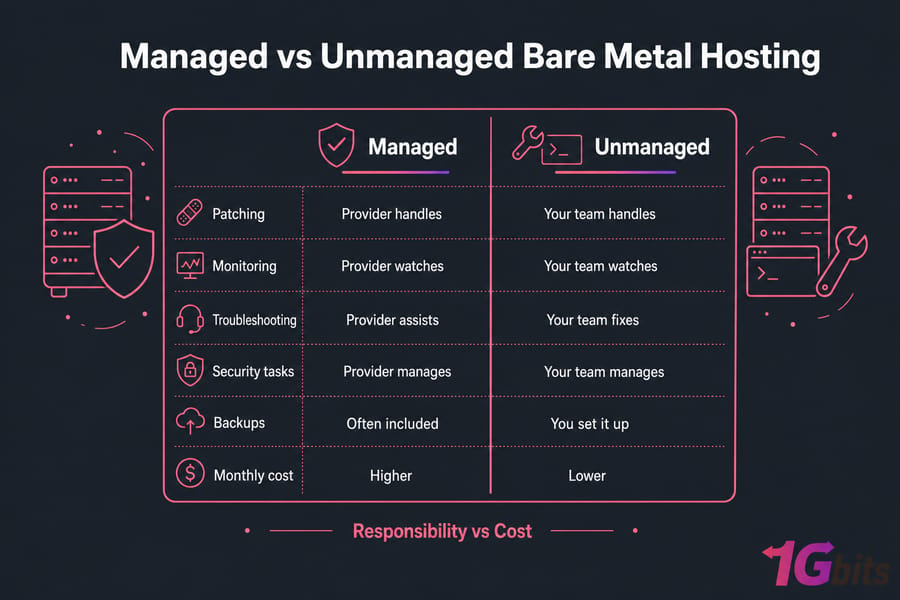
What a realistic uptime SLA should include
A proper bare metal server SLA should cover network uptime, support response time, and hardware replacement terms. “99.9% uptime” looks fine on a page, but it means little if there’s no commitment around failed drives, bad RAM, or motherboard issues.
Check whether the SLA spells out response windows, escalation, and credits. And ask directly what happens if hardware fails on a weekend.
When managed bare metal is worth the higher cost
Managed hosting is worth it when your team is lean, your workload is business-critical, or you don’t want to own patching, monitoring, and operational firefighting. If you’re comparing managed vs unmanaged dedicated servers, the real issue is responsibility, not pride.
A managed dedicated server hosting plan can cost more monthly, sure. But unmanaged hosting isn’t automatically cheaper overall if your team loses time handling security, updates, and incidents. On the other hand, experienced admins may prefer the freedom of unmanaged dedicated servers.
How to test support before you buy
Send pre-sales questions. Ask specific things: provisioning time, hardware replacement SLA, IPMI availability, backup options, OS reload process, and whether remote hands are available. The quality of those replies tells you a lot.
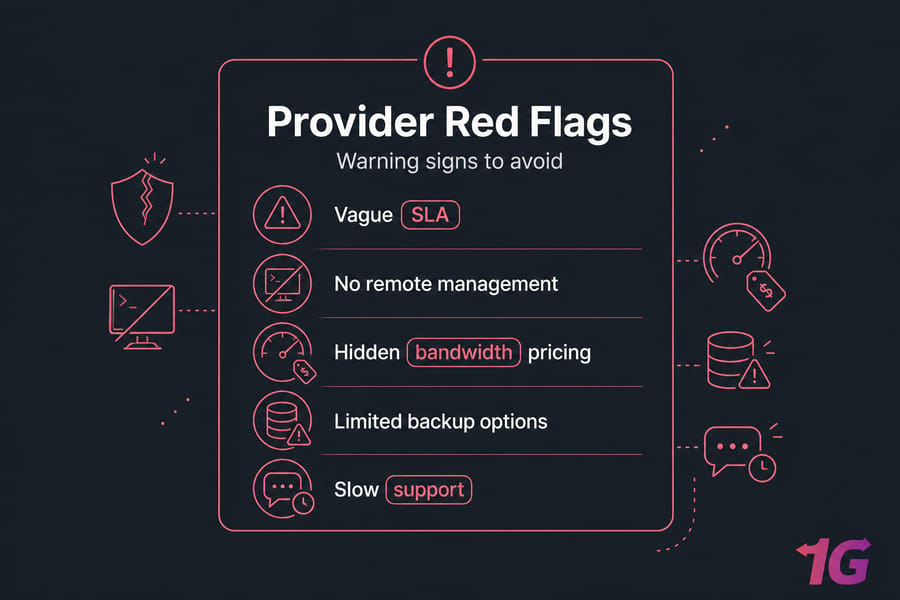
I personally watch for two red flags: canned answers and vague promises. If support can’t answer practical questions before the sale, imagine the experience during an outage.
Need help shortlisting a bare metal server? If you already know your workload but are unsure about CPU, RAM, location, or bandwidth, 1Gbits can help you match the right bare metal or dedicated configuration to your actual performance needs. Compare Server Options.
Bare metal server pricing: how to compare total cost, not just monthly price
The monthly number is only the sticker price. What matters is the real monthly cost after backups, licenses, bandwidth, management, DDoS mitigation, and any one-time setup fee.
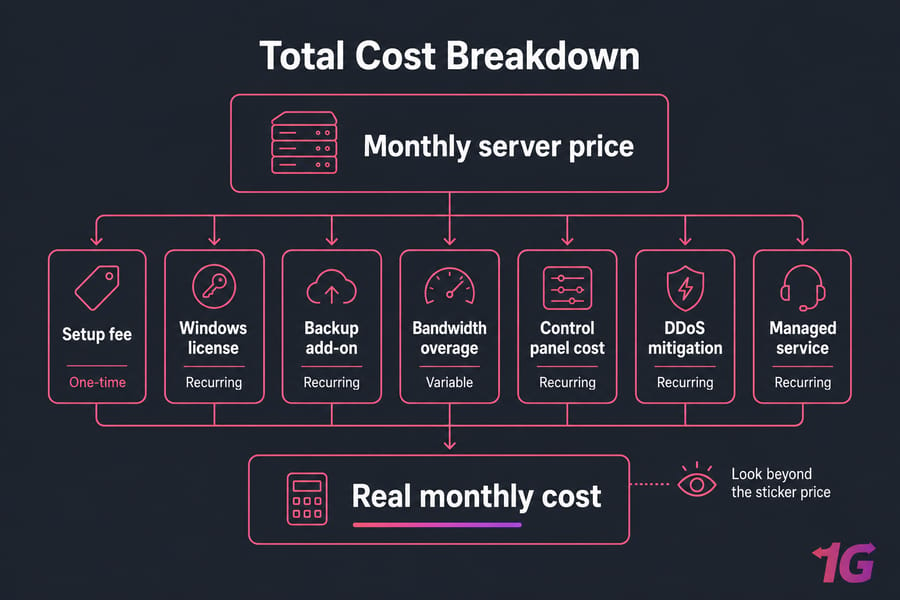
Common hidden costs in bare metal hosting
Watch for bandwidth overage charges, extra IPv4 fees, backup retention costs, Windows license charges, control panel licensing, and paid DDoS protection. These aren’t necessarily unfair. They just need to be visible before you buy.
And verify whether backup is included at all. A lot of providers treat it as an add-on, which is fine — as long as you know that up front.
| Cost Item | Included? | One-Time or Recurring | Questions to Ask |
| Base Server Price | Usually yes | Recurring | What hardware is included exactly? |
| Setup Fee | Sometimes | One-time | Is setup waived on longer terms? |
| Windows License | Often no | Recurring | How much does Windows Server add monthly? |
| Backup | Often no | Recurring | What retention and restore options exist? |
| Bandwidth Overage | Depends | Recurring | What happens if I exceed transfer limits? |
| DDoS Mitigation | Sometimes partial | Recurring | What baseline protection is included? |
| Control Panel | Often no | Recurring | Is cPanel, Plesk, or similar extra? |
| Managed Service | No on unmanaged plans | Recurring | What tasks are actually covered? |
Contract length, setup fees, and hardware upgrade charges
Longer contracts can reduce monthly billing, but they also increase lock-in risk. If your workload changes in three months, that “discount” may not feel so smart. Also ask whether RAM, storage, or NIC upgrades require migration or downtime.
When a cheap bare metal provider becomes expensive
When support is slow, when hardware is old, when replacement takes too long, or when every useful feature is an add-on. That’s the pattern. Cheap can be fine. Fake-cheap is the problem.
Use dedicated server pricing pages as a starting point, not the whole decision. If you’re specifically bargain hunting, also sanity-check the trade-offs behind a cheap dedicated server before committing.
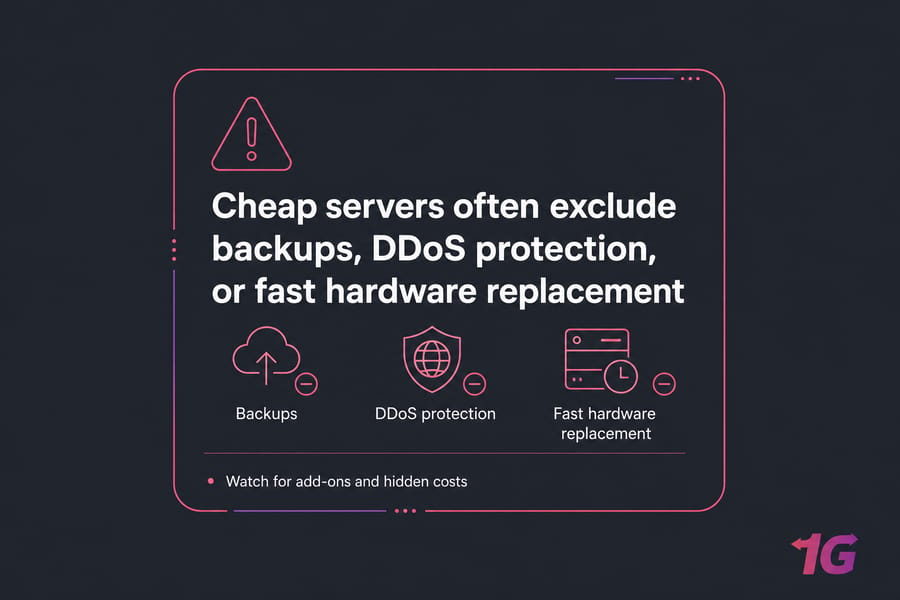
With cost, support, and infrastructure clarified, you can shortlist providers using a repeatable scorecard.
Bare metal hosting provider comparison checklist
This is the buyer-checklist part. Keep it simple. Score each provider from 1 to 5 for each category, multiply by the weight, and compare totals.
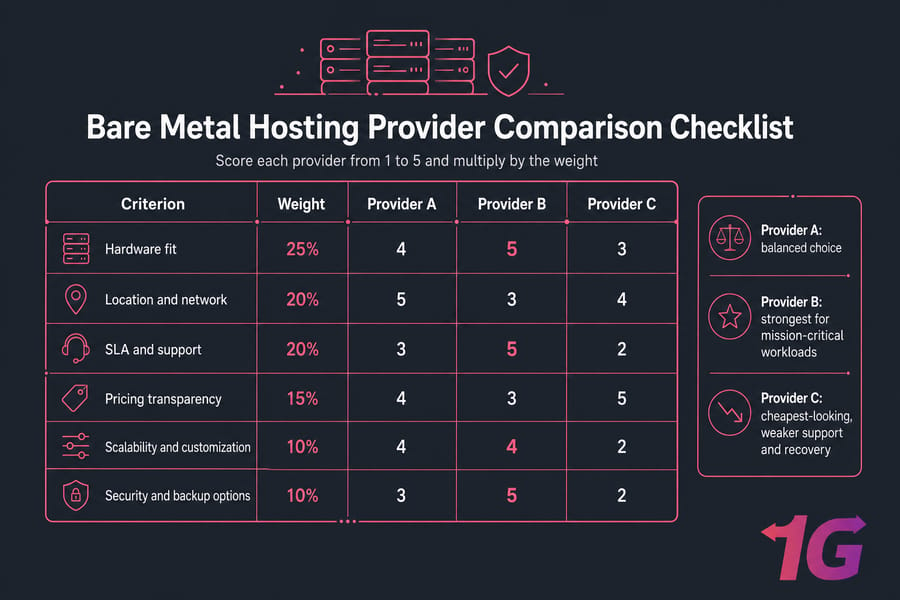
A simple scoring model for shortlisting providers
| Criterion | Weight | Provider A | Provider B | Provider C |
| Hardware Fit | 25% | 4 | 5 | 3 |
| Location and Network | 20% | 5 | 3 | 4 |
| SLA and Support | 20% | 3 | 5 | 2 |
| Pricing Transparency | 15% | 4 | 3 | 5 |
| Scalability and Customization | 10% | 4 | 4 | 2 |
| Security and Backup Options | 10% | 3 | 5 | 2 |
Sample comparison of three fictional provider profiles
Provider A might be the balanced choice: solid network, decent price, acceptable support. Provider B may cost more but wins for mission-critical workloads because SLA, backup options, and customization are stronger. Provider C could look cheapest and still lose because support and recovery options are weak.
That’s why a scorecard works. It stops you from being hypnotized by one flashy spec or one low monthly number.
The final questions to ask before placing your order
- What is the exact provisioning time for this server?
- What hardware replacement SLA applies to disks, RAM, and motherboard issues?
- Is IPMI, iDRAC, or KVM over IP included?
- How are bandwidth overages billed?
- Are backups included, optional, or fully self-managed?
- Can I upgrade RAM, storage, or bandwidth later without migration?
- What level of DDoS mitigation is included?
If you want more company background while shortlisting, review why 1Gbits and use the contact page to ask specific pre-sales questions.
Common mistakes when choosing a bare metal server provider
Even experienced buyers mess this up. Usually not because they lack technical knowledge — because they rush.
- Buying for peak specs instead of workload fit. A huge CPU won’t fix the wrong storage layout or a bad network path.
- Ignoring support and replacement SLA. Fancy hardware means very little if a failed component sits unresolved.
- Choosing the wrong data center. Latency problems are harder to explain away than people think.
- Missing hidden costs. Backup, bandwidth, DDoS mitigation, Windows licensing, and remote hands can change the real price fast.
- Skipping security and backup planning. Review bare metal server security best practices before launch, not after an incident.
- Confusing dedicated specs with real workload performance. Disk I/O, routing quality, and operational response often matter more than a bigger number on the sales page.
If you want a provider that checks these boxes, here’s where 1Gbits fits.
Why 1Gbits is a strong option for bare metal server hosting
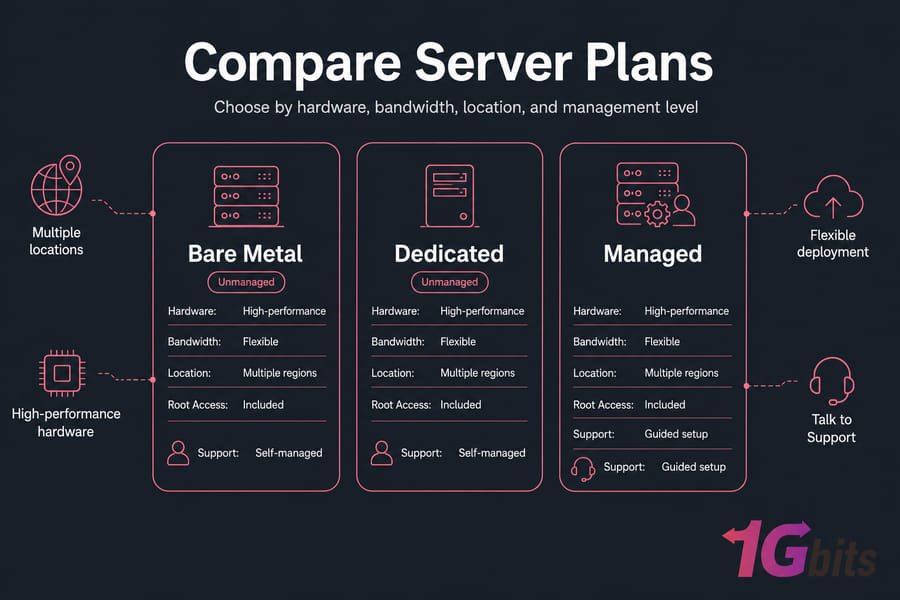
By this point, you’ve got the framework. So now it makes sense to compare actual providers. 1Gbits is worth considering because it aligns with the criteria serious buyers usually care about: dedicated infrastructure options, root access, multiple locations, and paths for both self-managed and more supported deployments.
Global locations, high-performance hardware, and flexible deployment
If location is a deciding factor, 1Gbits offers dedicated server locations across multiple regions. That helps when you need lower latency to users, replication targets, or specific market coverage.
Bare metal, dedicated, and unmanaged or managed paths
You can start with bare metal server hosting, compare hardware options, and then decide how hands-on you want to be. There are paths for buyers who want full control, plus options tied to managed and unmanaged dedicated deployments depending on your team’s skill and time.
Next steps: compare plans or talk to support
If you’re ready to shortlist, compare dedicated server plans by hardware, bandwidth, and region. If you’re not sure what to order yet, use support to talk through the workload first. That’s honestly the better move than guessing.
Choose a bare metal provider with confidence. Use the checklist above, then compare 1Gbits bare metal and dedicated server plans by location, hardware, bandwidth, and management level. If you need help, our team can guide you to the right setup: View Bare Metal Plans or Talk to Support.

Leave A Comment