

Knowing how to properly set up a URL redirect is an essential skill for anyone managing a website, from business owners and developers to marketers and SEO professionals. Redirects play a critical role whenever changes happen behind the scenes, such as rebranding a business, switching from HTTP to HTTPS, launching a marketing campaign with custom URLs, or merging multiple domains into one. When done correctly, redirects ensure that visitors and search engines are seamlessly guided to the right destination, without broken links, poor user experience, or loss of search engine rankings. This process is a fundamental part of maintaining a healthy website structure over time.
In this guide, you'll learn exactly how to set up a URL redirect and, more importantly, understand how redirects actually work at different levels of the web stack, including DNS-level and server-level redirects. We'll also walk through common mistakes—like misconfigured rules or redirect loops—that can silently harm your SEO and frustrate users. Whether you're just getting started or looking to implement more advanced, professional-grade configurations, this guide will give you the clarity and confidence to handle redirects the right way. Understanding these mechanisms is just as vital as knowing what a web server is and how it processes incoming requests.
🔗 What Is a URL Redirect?
A URL redirect is a behind-the-scenes instruction that automatically sends visitors and search engines from one web address to another. Instead of loading the original URL, the browser receives a response telling it to request a new destination. This exchange happens in a fraction of a second and is usually invisible to users, creating a seamless experience where they end up exactly where they expect—without realizing a redirect even occurred. Essentially, it acts as a digital "forwarding address" for your online content.
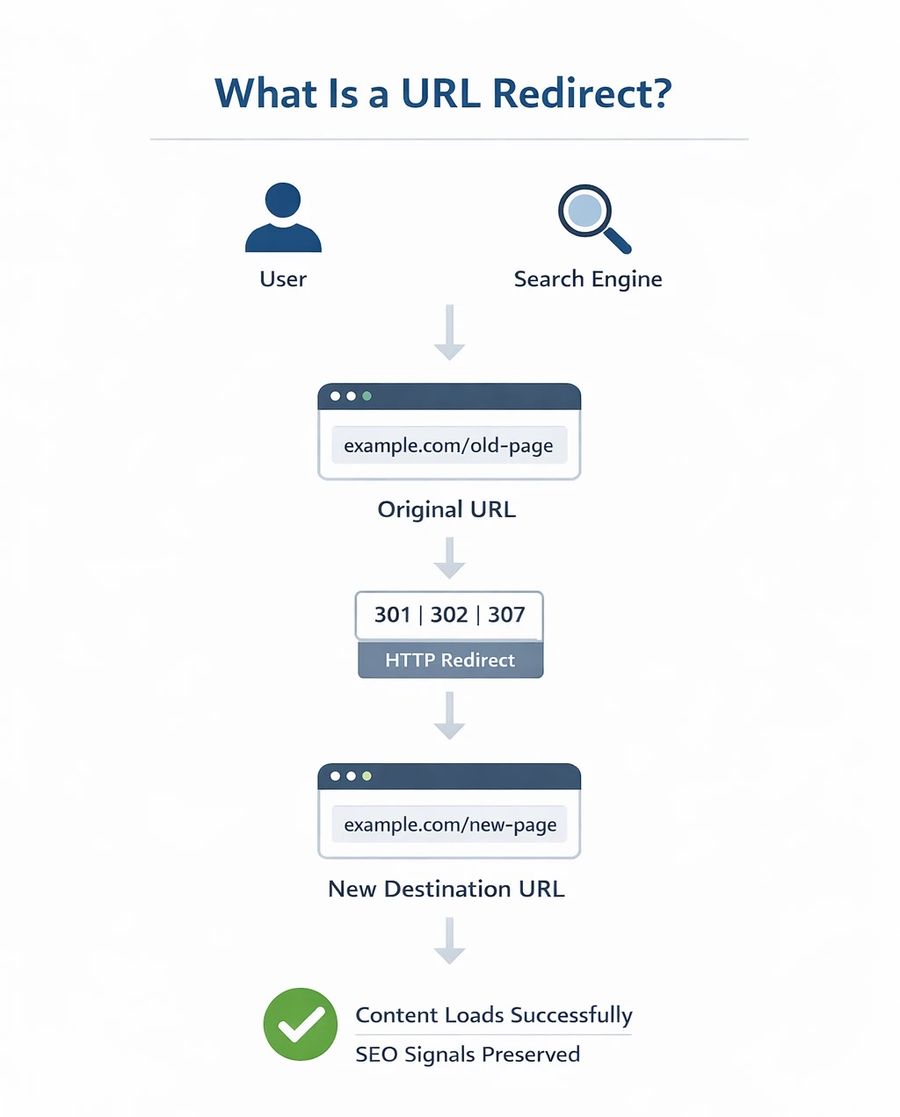
In real-world scenarios, redirects are necessary whenever a website changes in a meaningful way. This might include updating site structure, replacing an old domain with a new one, removing outdated pages, or migrating from HTTP to HTTPS. For example, when a company rebrands or improves its security by enabling HTTPS, redirects ensure that existing bookmarks, backlinks, and search engine listings continue to work properly. Without redirects in place, users are more likely to encounter broken links or error pages, and search engines may eventually drop valuable pages from their index. If you are migrating from shared hosting to VPS, setting up these redirects correctly is a top priority to maintain your traffic.
Redirects are especially important for preserving SEO value. Search engines rely on redirect signals to understand what has happened to a page—whether it has moved permanently, is temporarily unavailable, or should be treated as a replacement for another URL. These signals are communicated through HTTP status codes, which tell search engines how to interpret the change and how much ranking authority (often called "link juice") should be passed to the new destination.
The most commonly used redirect status codes are 301, 302, and 307. A 301 redirect indicates a permanent move and is the preferred choice for SEO because it passes most of the original page's ranking signals to the new URL. A 302 redirect signals a temporary change and is often used for short-term situations like A/B testing or limited-time campaigns. A 307 redirect serves a similar temporary purpose but follows stricter HTTP/1.1 specifications, ensuring request methods remain unchanged. For a deeper technical understanding of how browsers and search engines interpret these responses, reviewing standard HTTP status codes can provide valuable context; if you are interested in this subject, you can study more in HTTP Status Codes.
💡 Key Differences at a Glance
To help you choose the right method for your specific needs, refer to the table below comparing the most frequent redirect types:
| Redirect Type | Status Code | Best For | SEO Impact |
| Permanent | 301 | Domain changes, merging pages | Full Authority Transfer |
| Found (Temporary) | 302 | Maintenance, promos | No Authority Transfer |
| Temporary (Strict) | 307 | HSTS, specific app logic | Neutral |
📂 Types of URL Redirects
Redirects can be implemented at different layers of the web stack, and each approach comes with its own advantages, limitations, and SEO implications. In general, server-level redirects are the most reliable and search-engine-friendly option, while browser-based or DNS-level redirects trade precision for convenience.
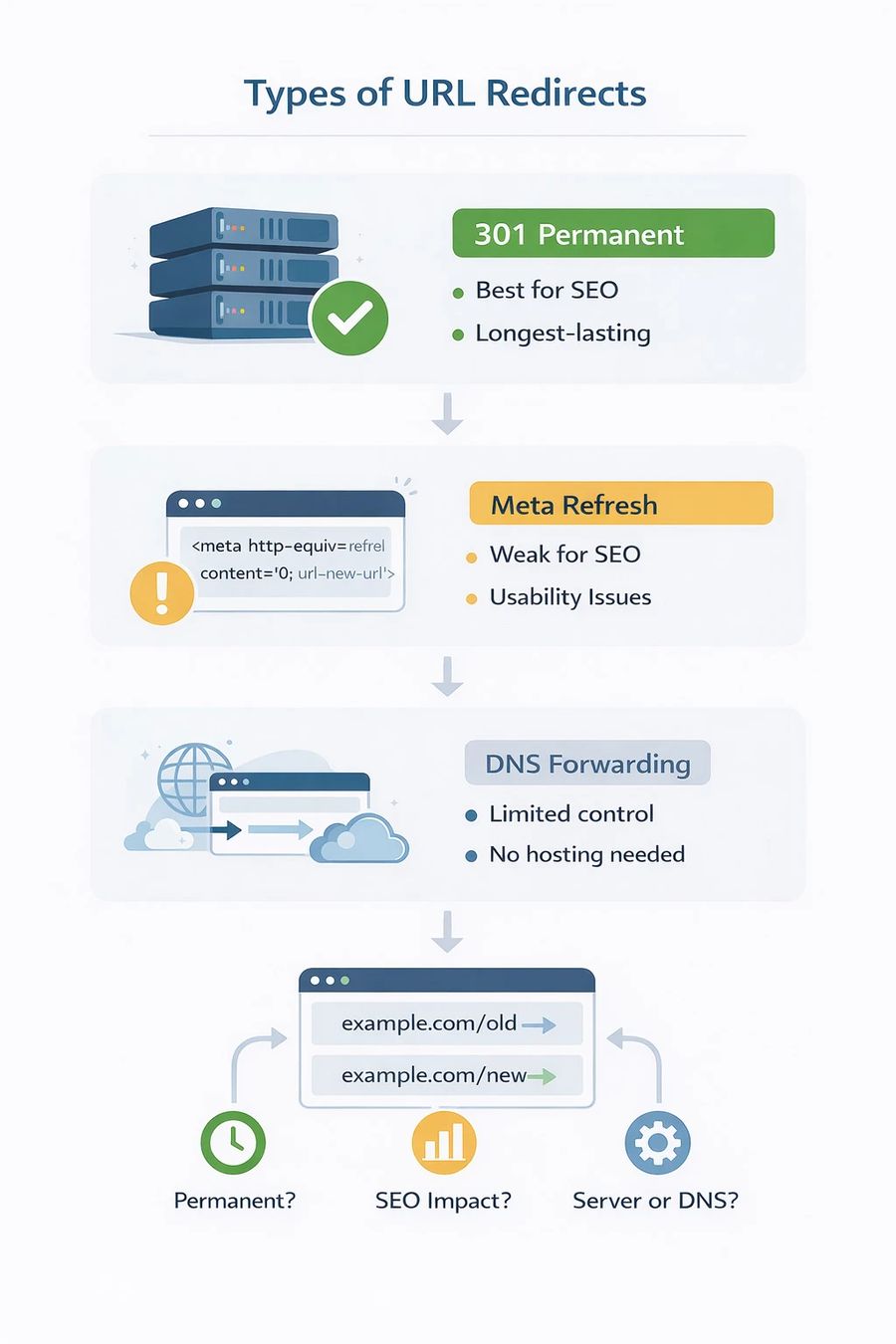
A 301 redirect is the most commonly recommended choice when learning how to set up a website redirect properly. It tells search engines that a URL has permanently moved to a new location and that all ranking signals—such as backlinks and authority—should be transferred to the new address. Because of this, 301 redirects are ideal for long-term changes like domain migrations, URL restructuring, or moving a site from HTTP to HTTPS.
A 302 redirect, on the other hand, is designed for temporary changes. It signals to search engines that the original URL is expected to return, so they usually keep the old address indexed rather than passing authority to the new one. This makes 302 redirects useful for short-term scenarios like testing, maintenance, or limited-time promotions—but a poor choice for permanent moves.
Some redirects operate at the page level, such as meta refresh or JavaScript-based redirects. While these methods are easy to implement and don't require server access, they are generally discouraged for SEO purposes. Search engines tend to treat them as weaker signals, and they can introduce delays or usability issues, especially for users with scripts disabled. Furthermore, if you are using an Nginx or Apache server, it is always better to handle this at the config level rather than the client level.
Finally, there are DNS forwarding or registrar-level redirects, which allow you to redirect a domain without setting up hosting. This option is convenient if you only own a domain and want to point it elsewhere quickly. However, it offers limited control, fewer customization options, and may not pass full SEO authority compared to server-level redirects. Understanding the role of a DNS server can help you decide if this method fits your needs.
Ultimately, choosing the right type of redirect depends on several factors: whether the change is permanent or temporary, how important SEO performance is, and whether you have access to the hosting environment. Understanding these differences helps ensure your redirects work smoothly for both users and search engines.
🛠️ How to Set Up a URL Redirect for a Domain
There are several valid ways to set up a domain redirect, and the best method depends on where you have control: the server, the domain registrar, or neither.
✅ Using cPanel
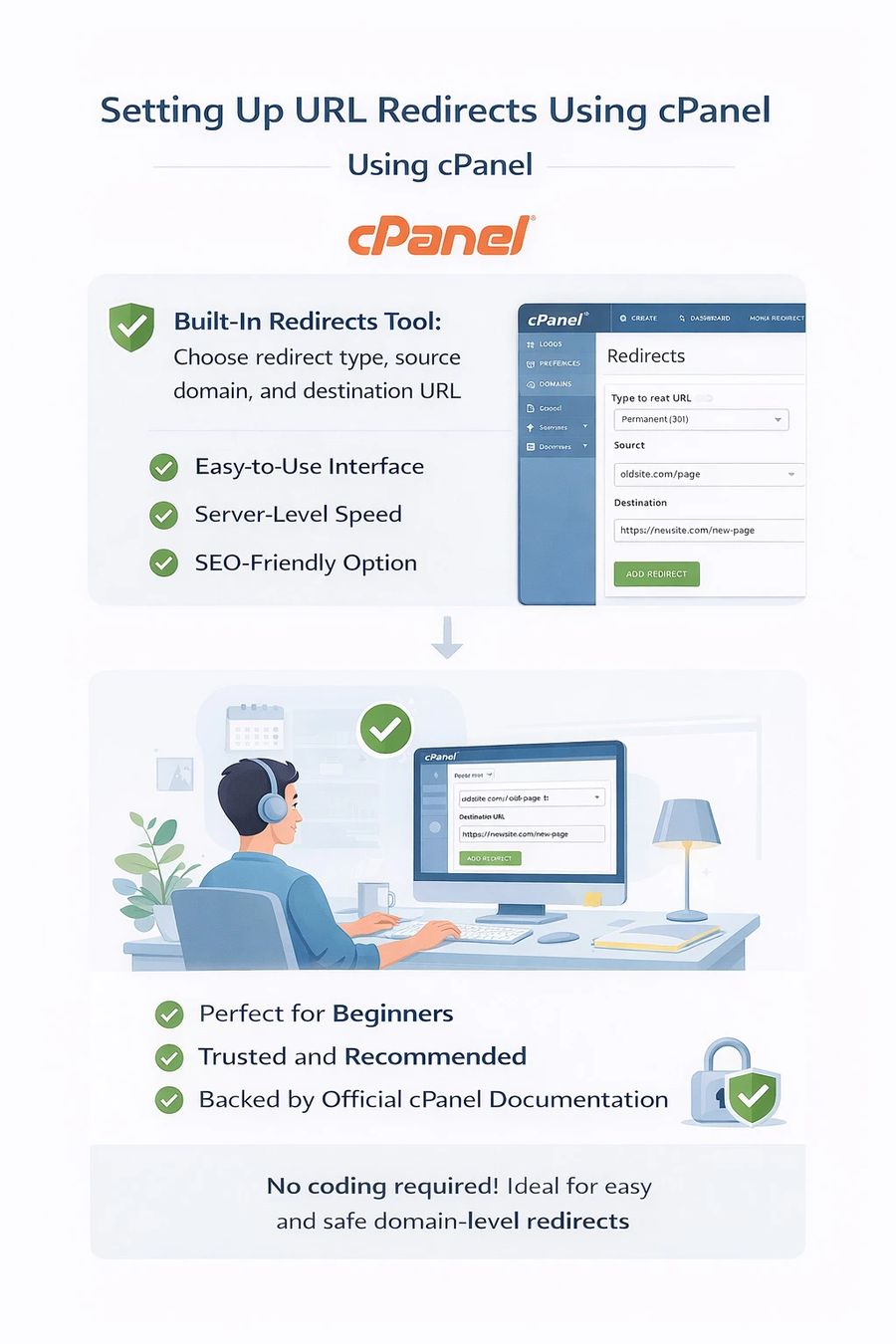
For most hosting environments, cPanel offers one of the simplest and safest ways to set up URL redirects. Its built-in Redirects tool lets you choose the redirect type, define the source domain or specific path, and set the destination URL—all through an easy-to-use interface. Since this method works at the server level, it delivers fast performance, reliable behavior, and strong SEO compatibility. If you haven't installed it yet, you may want to learn how to install cPanel on Linux VPS first.
This approach is especially well suited for beginners who want to learn how to set up a URL redirect without touching server configuration files or writing code by hand. It's also widely trusted and recommended in official cPanel documentation, making it a solid choice for anyone looking for a straightforward, low-risk way to manage redirects correctly. Once set up, you can easily verify your settings within the cPanel dashboard.
⚙️ Using the .htaccess File
For more advanced users, the .htaccess file provides the highest level of control and flexibility over redirects. Commonly used on Apache-based servers, this method allows you to define exactly how traffic should be handled, down to specific URLs, conditions, and request patterns.
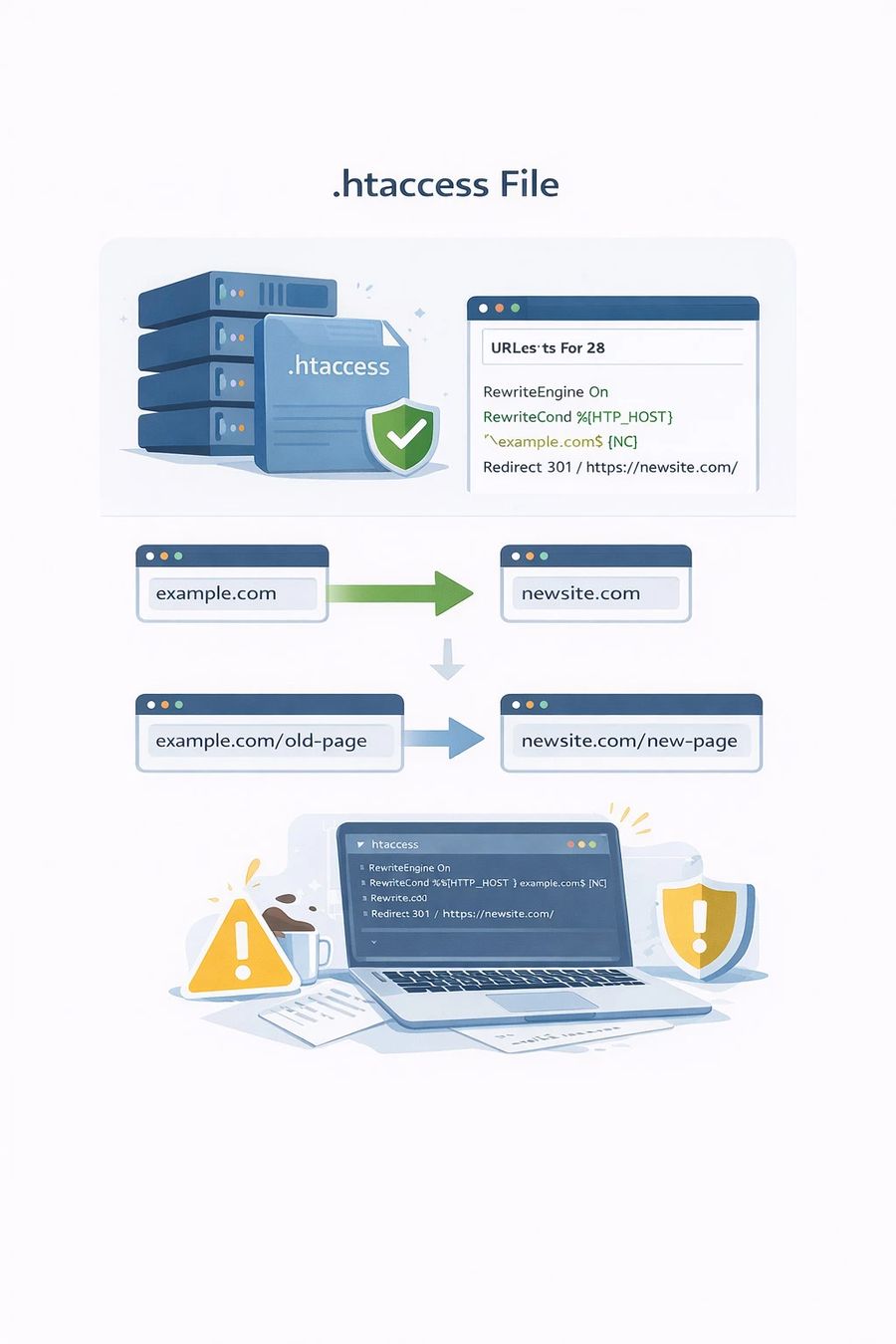
With a basic 301 redirect, you can send all traffic from one domain to another or redirect individual pages and paths to new locations. This makes .htaccess the preferred solution when you need complex redirect logic, conditional rules, or complete visibility into how redirects are processed at the server level. This is particularly useful when managing sites on an Apache server installed on CentOS or Ubuntu.
However, this power comes with responsibility. Even small mistakes in a .htaccess file can lead to redirect loops, broken pages, or entire site outages. For that reason, any changes should be implemented carefully, tested thoroughly, and ideally backed up before going live. For example, a single missing slash can result in a 500 Internal Server Error, bringing your site down instantly.
🌐 Using DNS or Domain Registrar Redirects
If you don't have hosting, many domain registrars offer the option to set up URL forwarding directly from the domain's control panel. This feature is often marketed as URL forwarding or domain redirect services, and it allows you to point one domain to another without setting up a web server. This is common when you simply want to protect your brand by redirecting similar domain names to your primary site.
Registrar-level redirects are convenient when you simply want to redirect one URL to another online without managing hosting, files, or server configurations. That said, this approach comes with limitations. These redirects usually offer minimal customization and may rely on framed redirects or intermediate URLs, both of which can dilute SEO value and create a less transparent experience for search engines. If you encounter issues here, you might need to flush your DNS to see the changes take effect.
While registrar redirects work well for basic use cases, they are generally not recommended for long-term projects where search visibility, performance, and full redirect control are important. For those needs, a server-side solution is always superior.
🛠️ Using Third-Party Redirect Services
Third-party tools can quickly generate redirect URLs and are commonly used for creating short links or tracking marketing campaigns. These services are convenient when you need something fast and temporary, especially for sharing links across ads, social media, or email campaigns.
However, relying on third-party redirect services introduces a dependency on an external platform that you don't fully control. If the service changes its policies, experiences downtime, or shuts down entirely, your redirects can break without warning. For this reason, third-party tools are generally not a good choice for permanent domain redirects or long-term SEO-critical use cases. Always prefer managing your own infrastructure via a reliable VPS whenever possible.
🎯 Redirecting a Domain to a Specific Page
A common requirement when setting up redirects is sending a domain to a specific page, rather than redirecting visitors to another homepage. For example, you may want domain.com to automatically take users to domain.com/new-page instead of loading the main site.
In cPanel, this can be done by entering the exact destination URL when configuring the redirect, ensuring all traffic from the original domain is forwarded to the desired page. On Apache servers, the same outcome can be achieved using a simple .htaccess rule that targets the root path and points it to the new location. This is a great way to improve user experience for growing websites that are restructuring their content.
This type of redirect is particularly useful for marketing campaigns, product launches, or limited-time promotions where all incoming traffic should land on a single, focused page. It also helps prevent confusion by steering visitors away from outdated or irrelevant landing pages and toward the most current content. By directing traffic precisely, you ensure your SSL secured pages receive the most relevant visitors.
⚠️ Common Problems and Troubleshooting
Even when best practices are followed, redirects can still fail or behave in unexpected ways. One of the most common issues is a redirect that seems not to work at all. In many cases, the cause isn't a bad configuration but browser caching or DNS propagation delays, which can make recent changes appear invisible. To solve this, you should clear your browser cache before testing again.
Another frequent problem is infinite redirect loops. These usually happen when multiple redirect rules clash—for example, forcing HTTPS while also redirecting domains in a way that sends traffic back and forth. Reviewing and simplifying existing rules is often enough to resolve the issue. If you use Nginx, checking your default configuration files can reveal these conflicts.
SSL-related problems are also common. Redirecting users from HTTP to HTTPS without a valid SSL certificate can trigger browser warnings or cause redirects to fail entirely. Forcing HTTPS should always come after SSL is properly installed and verified. If you face issues, you might see an ERR_SSL_PROTOCOL_ERROR, which needs immediate attention to restore site access.
From an SEO standpoint, using the wrong redirect type can quietly harm rankings. Temporary redirects used for permanent moves prevent search engines from passing authority to the new URL. If redirect issues persist, understanding how a 301 Moved Permanently error works can make troubleshooting much easier.
🏆 Best Practices for URL Redirects
Effective redirects are simple, intentional, and minimal. Permanent changes should always use 301 redirects, and unnecessary redirect chains should be avoided. Every additional "hop" in a chain increases load time and reduces clarity for search engines. Aim for a 1-to-1 relationship between the old URL and the new one whenever possible.
Maintaining HTTPS consistency is critical. Redirects should not bounce users between secure and non-secure versions of a site. Monitoring redirects through analytics and search console tools helps detect issues early and ensures traffic flows as expected. If you are using a dedicated server, you might also want to configure Nginx SSL properly to handle these redirects at the highest security level.
Redirects should also be documented. Over time, unmanaged redirects accumulate and create technical debt that is difficult to untangle. A simple spreadsheet or a dedicated log file can save you hours of troubleshooting in the future.
❓ Frequently Asked Questions (FAQ)
Q: Will a 301 redirect hurt my SEO rankings?
A: No, a correctly implemented 301 redirect is designed to preserve your SEO rankings by passing ranking authority from the old URL to the new one.
Q: How long should I keep a 301 redirect active?
A: SEO experts generally recommend keeping a 301 redirect in place for at least one year, or indefinitely if the old URL still receives significant traffic or backlinks.
Q: What is a redirect chain?
A: A redirect chain occurs when there is more than one redirect between the initial URL and the final destination (e.g., URL A -> URL B -> URL C). These should be avoided as they slow down page speed and can dilute SEO value.
Q: Can I redirect an old domain to a new one without hosting?
A: Yes, you can use DNS-level forwarding provided by your domain registrar, though server-level redirects are often more robust for SEO.
🏁 Conclusion
Learning how to set up a URL redirect for a domain is essential for protecting both user experience and SEO when URLs or domains change. The right redirect method ensures visitors reach the correct page, search engines understand the change, and existing rankings are preserved. By avoiding common pitfalls like redirect loops and chains, you maintain a fast and reliable site.
Whether you use cPanel, .htaccess, or DNS forwarding, choosing the correct redirect type and keeping configurations clean makes all the difference. When redirects are planned carefully and implemented correctly, they become a quiet but critical part of a stable, well-maintained website. If you're managing multiple sites, consider using a Plesk VPS or similar tool to keep your configurations organized and efficient.

Leave A Comment