

The most common question for hosting support teams is how to access cPanel webmail because users face challenges with multiple access methods and different login credentials, as well as minor technical details. Some people want to access cPanel email directly through a browser, others need to know how to access webmail without cPanel, and many are simply trying to figure out how to access their cPanel webmail when the usual login page does not work. This comprehensive guide serves as your roadmap to navigating the cPanel email ecosystem efficiently and securely.
The guide presents all authentic methods to reach cPanel email, which include direct webmail URLs and access through the cPanel dashboard, while providing detailed explanations and authentic troubleshooting methods together with security best practices that hosting support professionals use. The guide will teach you the complete process of accessing webmail through cPanel, selecting the appropriate method for your needs, and learning to prevent the most frequent login errors. Whether you are a business owner or a developer, mastering these entry points ensures uninterrupted communication.
✉️ What is cPanel Webmail and How It Works?
The cPanel Webmail application provides a web-based system that enables users to retrieve cPanel email services without needing to enter the cPanel dashboard. The cPanel system functions as your primary hosting management interface, which enables you to control all aspects of your hosting service, including file management, domain handling, database administration, and email system control. By decoupling the email interface from the main administrative panel, cPanel allows users to check their messages without risk of altering critical server settings.
cPanel email accounts function as separate mailboxes, which users establish within cPanel using credentials that include usernames and passwords for specific email addresses. Roundcube, Horde, and SquirrelMail serve as webmail clients that enable users to send and receive emails through a web browser by using their email account authentication credentials. Users who want to know how to access cPanel webmail or how to access my cPanel email actually want to log into one the webmail clients instead of cPanel. For those utilizing a VPS hosting environment, these webmail clients provide a lightweight way to manage correspondence without consuming heavy server resources.
Webmail provides immediate email access through any device, which requires no setup for an email application, while also enabling direct access to cPanel email from anywhere between home and public computers. Since cPanel is only one of several server control panels available today, understanding how it compares with alternatives like CyberPanel can be useful, and this detailed CyberPanel vs cPanel comparison explains the practical differences in management, performance, and use cases.
🌐 cPanel Webmail Login URL
Knowing the correct cPanel webmail login URL is the fastest way to access cPanel email without opening the cPanel dashboard. Hosting support teams usually recommend this method when users ask how to access cPanel webmail quickly or how to access webmail without cPanel. These URLs are typically standardized across most Linux-based hosting environments.
-
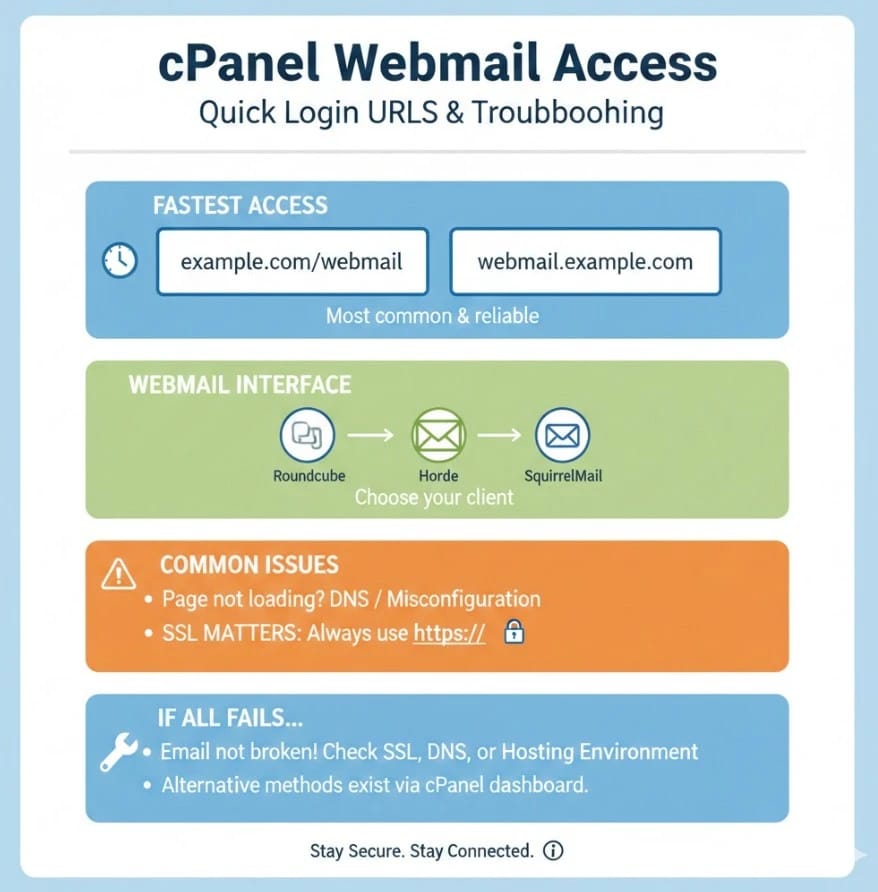
example.com/webmail: the most common and reliable webmail login URL that redirects to the secure port.
-
webmail.example.com: an alternative URL (subdomain) that works on many hosting setups.
-
Port 2096: Using example.com:2096 is the direct way to access the encrypted webmail login page.
-
These URLs redirect you to the cPanel webmail interface, where you can choose Roundcube, Horde, or SquirrelMail.
-
If the page does not load, DNS propagation issues or hosting misconfiguration may be the cause. You may need to flush DNS to resolve local caching issues.
-
SSL matters: always ensure the URL loads with https:// to avoid security warnings and credential risks.
If none of these URLs work, it does not mean your email is broken; in most cases, it means SSL, DNS, or the hosting environment needs checking, which is why understanding how to access webmail from cPanel using alternative methods is important. Sometimes, a firewall might block specific ports used by webmail, requiring technical intervention from your provider.
🧭 How to Access cPanel Webmail from cPanel Dashboard
Accessing cPanel webmail from the cPanel dashboard is the most controlled and beginner-safe method, especially when you are managing email accounts for the first time. Hosting support teams often recommend this approach when users ask how to access cPanel email and want to avoid credential confusion. This "Single Sign-On" experience bypasses the need for individual email passwords during the session.
-
Log in to your cPanel account using your hosting username and password.
-
Navigate to Email Accounts inside the Email section.
-
Locate the email address you want to access from the list of created accounts.
-
Click Check Email next to that specific email account.
-
Choose your preferred webmail client (Roundcube is recommended for most users due to its intuitive UI).
-
You will be redirected directly to the cPanel webmail inbox without re-entering the password.
This method is recommended when you already have cPanel access, need to confirm an email account is working, or want a secure way to access cPanel webmail without worrying about incorrect login details. It is also the best way to perform administrative tasks like setting up filters or responders.
🔐 How to Access cPanel Webmail Without Logging Into cPanel?
Accessing cPanel webmail without logging into cPanel is the most common real-world scenario, especially for everyday email use. This is the method most users mean when they ask how to access their cPanel webmail or how to access directly. This is particularly useful for employees who need email access but shouldn't have access to the server's backend.
-
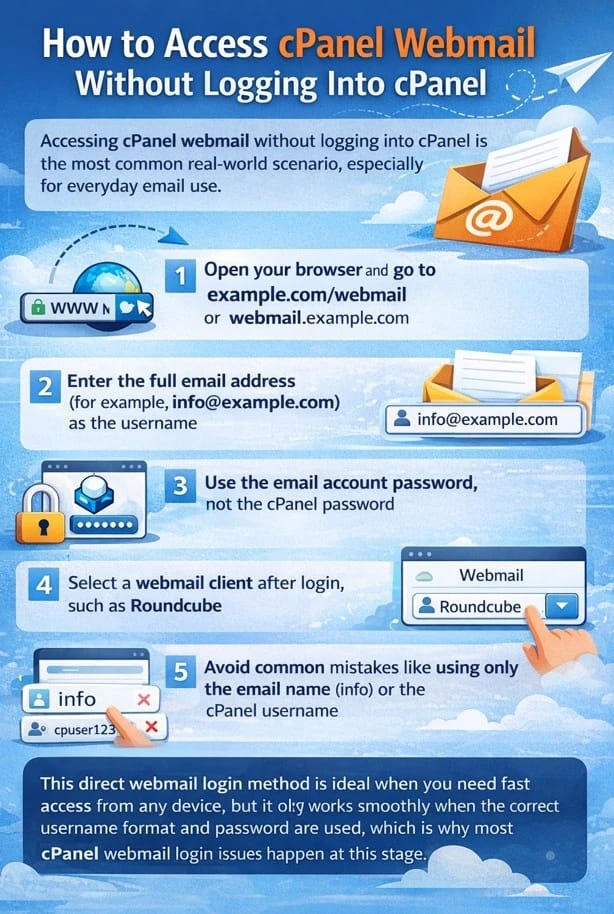
Open your browser and go to example.com/webmail or webmail.example.com.
-
Enter the full email address (for example, info@example.com) as the username.
-
Use the email account password, not the cPanel password (these are often different).
-
Select a webmail client after login, such as Roundcube, to view your inbox.
-
Avoid common mistakes like using only the email name (info) or the cPanel username.
This login method is ideal when you need fast access from any device, but it only works smoothly when the correct username format and password are used, which is why most cPanel webmail login issues happen at this stage. If you have forgotten your credentials, you may need to change your password via the cPanel dashboard or contact your admin.
🔑 Webmail Login Credentials Explained
One of the biggest reasons users fail when trying to access cPanel webmail is a misunderstanding of which credentials are required. From a hosting support perspective, confusing email login details with cPanel login details is the single most common cause behind "wrong password" errors when accessing cPanel email.
| Item | cPanel Login | cPanel Webmail Login |
| Username | Hosting username (e.g., cpuser123) | Full email address (e.g., info@example.com) |
| Password | cPanel account password | Specific Email account password |
| Purpose | Manage hosting, domains, files, and email accounts | Read and send emails via webmail browser |
| Login Page | example.com/cpanel | example.com/webmail |
| Can access email | Indirectly (via Email Accounts) | Directly (Immediate login) |
| Common mistake | Used for webmail login attempts | Mistaken for the cPanel root password |
Understanding this distinction instantly solves most problems related to authentication. Once the correct username format and password are used, cPanel webmail login works consistently across all supported access methods. To further secure these entries, we recommend you choose a strong password that follows modern complexity standards.
📬 Using Roundcube, Horde, or SquirrelMail in cPanel Webmail
When you access cPanel webmail, you are asked to choose a webmail client, which often confuses users who are not sure which option is best. From a hosting support standpoint, these clients all connect to the same mailbox, but they differ in interface, features, and performance. Selecting the right one can significantly impact your productivity.
-
Roundcube: the most modern and widely used cPanel webmail client, offering a clean interface, drag-and-drop emails, strong search, and good attachment handling.
-
Horde: provides advanced features like calendars, tasks, and notes, but it is heavier and slower on many hosting environments. (Note: Many providers are phasing out Horde in favor of Roundcube).
-
SquirrelMail: a very lightweight and basic option, mainly kept for compatibility with older systems and low-bandwidth connections.
-
All three clients access the same emails, so switching clients does not change or delete your messages.
For most users asking how to access cPanel webmail, Roundcube is the recommended choice because it balances speed, usability, and reliability without unnecessary complexity. It mimics modern desktop email clients closely, making the transition easier for new users.
📧 How to Access cPanel Email in Gmail
Many users prefer Gmail because it offers a familiar interface, powerful spam filtering, and easy access across devices. From a hosting perspective, Gmail connects to cPanel email using standard IMAP for incoming mail and SMTP for outgoing mail. This setup is perfect for centralizing multiple professional accounts.
-
IMAP: allows Gmail to sync emails while keeping them stored on the server. Learn more about what is IMAP server to understand the sync process.
-
SMTP: is used by Gmail to send emails through your hosting mail server. Check the SMTP definition for details on mail delivery.
-
Users prefer Gmail because it combines multiple inboxes into one place for seamless management.
-
You log in to Gmail, add a mail account, and enter your cPanel email details (Server, Port, Username, Password).
-
Gmail then checks and sends mail on behalf of your cPanel email address using the external server's authority.
Using Gmail does not replace cPanel webmail, but it provides a convenient alternative for users who want constant access to their cPanel email without logging into webmail or cPanel each time. It effectively turns Gmail into a powerful email client for your custom domain.
📱 Does cPanel Webmail Have an App?
Many users assume there is a dedicated mobile app for cPanel webmail, but this is a common misunderstanding. From a hosting support perspective, it is important to be clear about how mobile access to cPanel email actually works to avoid searching for non-existent software in app stores.
-
There is no official "cPanel Webmail" app for Android or iOS.
-
cPanel webmail is designed to be accessed through a mobile browser using example.com/webmail.
-
Roundcube's interface is mobile-responsive and works well on modern browsers like Chrome and Safari.
-
A more practical alternative is using IMAP-based email apps like Gmail, Outlook, or Apple Mail.
-
These apps sync directly with your cPanel email and provide better push notifications and offline access.
Because email access and usability depend heavily on the hosting control panel itself, some users choose to explore cPanel alternatives that offer different interfaces, integrations, or mobile-friendly workflows. However, for most, the mobile browser access is more than sufficient for quick checks.
🔐 cPanel Webmail Security Best Practices
Security is often overlooked when users focus only on accessing cPanel webmail, yet email accounts are among the most common attack targets for phishing and brute-force attempts. Hosting providers see many compromises that could have been avoided with basic security awareness and proper configuration.
-
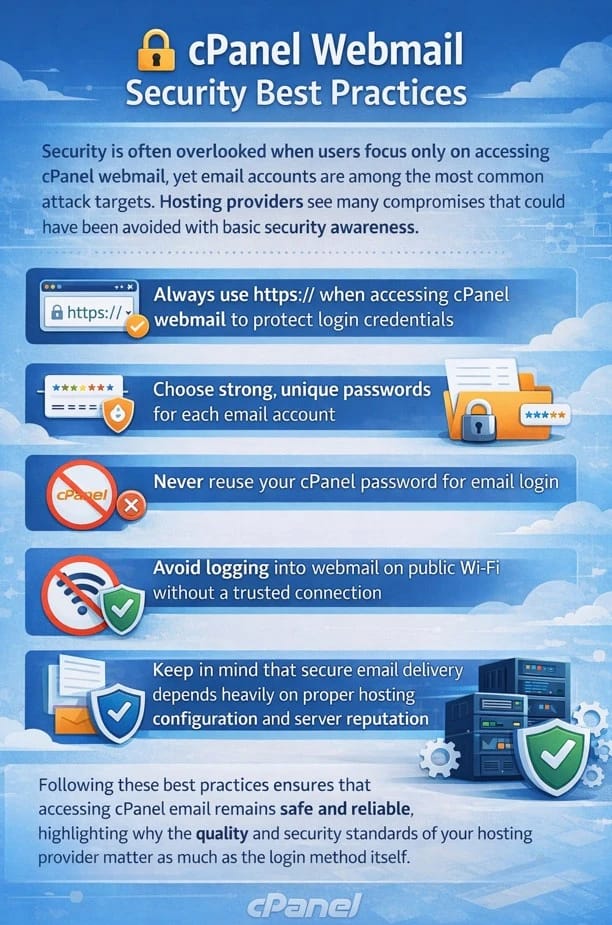
Always use https:// when accessing cPanel webmail to protect login credentials from "man-in-the-middle" attacks. Verify what is SSL to understand why this is vital.
-
Choose strong, unique passwords for each email account and update them periodically.
-
Never reuse your cPanel password for email login; keeping them separate contains the damage if one is leaked.
-
Avoid logging into webmail on public Wi-Fi without a trusted VPN or encrypted connection.
-
Keep in mind that secure email delivery depends heavily on proper hosting configuration and server reputation.
Following these best practices ensures that accessing cPanel email remains safe and reliable, highlighting why the quality and security standards of your hosting provider matter as much as the login method itself. Implementing Linux server security measures at the root level further protects your communications.
🛠️ Common cPanel Webmail Login Problems
From a hosting support engineer's perspective, most cPanel webmail login issues are repetitive and predictable once you know where to look. Users trying to access cPanel webmail often assume the problem is complex, while in reality, it usually comes down to credentials, DNS, or hosting-level limitations.
| Problem | What Usually Happens | Practical Fix |
| Wrong password | Webmail rejects login even though cPanel works | Reset the email account password specifically in cPanel |
| DNS issues | example.com/webmail does not load or redirects poorly | Check nameservers and domain status; clear local cache |
| IP Blocked | Login page fails to load after multiple failed attempts | Contact support to unblock your IP from the firewall |
| Account suspended | The login page loads, but the inbox is inaccessible | Contact hosting support to confirm account billing status |
| Hosting misconfiguration | Webmail loads with errors or fails to authenticate | Review SSL certificates or server mail service status |
Understanding these patterns helps users diagnose issues faster when accessing cPanel email, and it also shows why reliable hosting support plays a critical role when cPanel webmail login problems are not caused by user error. For persistent issues, checking the HTTP status codes can provide a clue to the underlying server error.
✅ Conclusion
The process of accessing cPanel webmail becomes easier when you successfully learn to differentiate between cPanel login methods and email account credentials, and the various ways to access webmail through direct webmail links, the cPanel control panel, and Gmail external email client. The majority of login problems occur because users make minor yet crucial errors, which result in poor system performance. Users must understand that dependable hosting service, together with proper system setup and efficient customer assistance services, remains essential for their operations.
The correct hosting environment needs to be selected when you require your email system to function reliably while your webmail remains protected and your operational infrastructure remains accessible. 1Gbits delivers distinguished cPanel VPS through its immediate system deployment, its worldwide network of data centers, and its round-the-clock customer service, which possesses expertise in both mail server operations and cPanel hosting services. Whether you are scaling a business or managing a personal project, our infrastructure provides the stability you need.
The process of evaluating control panels requires users to compare CyberPanel and cPanel while they investigate practical cPanel alternatives, but users who need complete control with top performance and technical assistance should select 1Gbits cPanel VPS, which delivers the dependable email system needed for this guide. By following the steps outlined here, you ensure your communication channels remain open, secure, and professional.

Leave A Comment