
![How to Secure AlmaLinux: Complete Security Guide [2026] 🔐](https://1gbits.com/cdn-cgi/image/width=1200,quality=80,format=auto/https://s3.1gbits.com/blog/2026/10/how-to-secure-almalinux-main.webp "How to Secure AlmaLinux: Complete Security Guide [2026] 🔐")
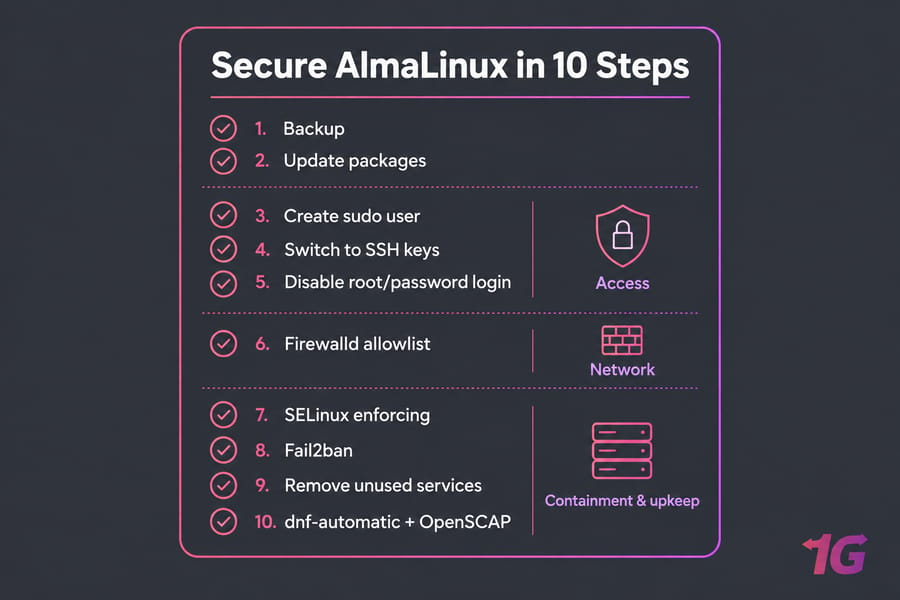
If you want to secure an AlmaLinux server, here's the short version. Update every package, create a sudo user, switch to SSH keys, and turn off root and password logins. Allow only the ports you need in firewalld, leave SELinux in enforcing mode, and add Fail2ban. Then turn on automatic security updates and check your work with OpenSCAP. The rest of this guide goes through each step in a safe order, so you don't lock yourself out halfway.
Why AlmaLinux Server Security Matters on a Public VPS
A new public IP usually gets probed by SSH bots within minutes. I've watched journalctl fill up with failed root logins on a box that had been online for less than an hour.
AlmaLinux is part of the RHEL family, so a lot of Ubuntu-style advice doesn't apply. You'll use dnf instead of apt, firewalld instead of ufw, and SELinux instead of AppArmor. If you're still getting to know the distro, here's a primer on what AlmaLinux is. Hardening is done in layers:
- Access: sudo users and key-only SSH
- Network: a firewalld allowlist
- Containment and upkeep: SELinux, patches, and log review
AlmaLinux Pre-Hardening Checklist
Before you touch SSH or the firewall, make sure you have a way back in if something goes wrong:
- Take a snapshot or backup. Most AlmaLinux VPS hosting panels can do this in one click.
- Keep a second SSH session open the whole time.
- Check that your provider's VNC/KVM console works. Don't just assume it does.
If you need a refresher on getting in, see how to log in to a VPS and how to connect to a VPS. Then record a baseline so you can compare later:
cat /etc/os-release
hostnamectl
ss -tulpn
systemctl list-units --type=service --state=running
Update AlmaLinux and Install Security Tools
sudo dnf update -y
sudo dnf autoremove -y
sudo dnf install -y epel-release
sudo dnf install -y sudo firewalld fail2ban policycoreutils-python-utils openscap-scanner scap-security-guide dnf-automatic| Package | Purpose |
| epel-release | Enables EPEL, which is where Fail2ban comes from |
| firewalld | Zone-based firewall |
| fail2ban | Bans IPs that brute-force logins |
| policycoreutils-python-utils | Provides semanage for SELinux fixes |
| openscap-scanner, scap-security-guide | Compliance scanning |
| dnf-automatic | Scheduled updates |
Only reboot if you need to. Run sudo dnf needs-restarting -r to find out. A kernel update almost always means a reboot. More background is in our guide on how to update Linux.
Create a Sudo User and Limit Root Access
sudo adduser sam
sudo passwd sam
sudo usermod -aG wheel sam
su - sam -c "sudo whoami"   # should print: root
Keep the root account. Just stop using it for remote logins. You get root powers through sudo when you need them, and every command leaves an audit trail. That's least privilege in practice. If you're new to the idea, read up on sudo privileges and using sudo in Linux.
AlmaLinux SSH Hardening With Keys
Run this on your local machine to generate an SSH key and copy it to the server:
ssh-keygen -t ed25519
ssh-copy-id sam@your-server-ip
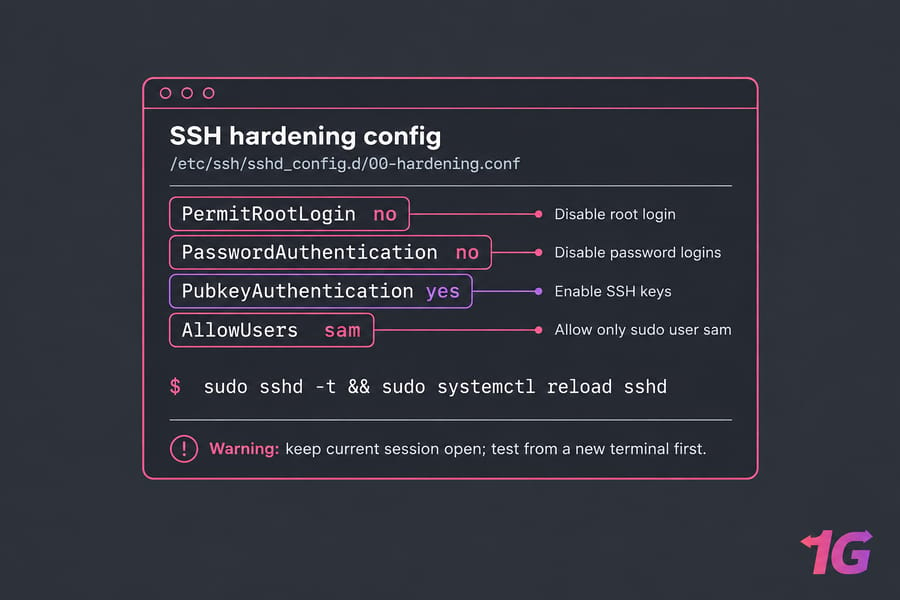
Log in as sam with the key. Only move on once that works. On AlmaLinux 9 and 10, OpenSSH reads drop-in files from /etc/ssh/sshd_config.d/, and the first value it finds for a setting wins. So create /etc/ssh/sshd_config.d/00-hardening.conf:
PermitRootLogin no
PasswordAuthentication no
PubkeyAuthentication yes
AllowUsers sam
sudo sshd -t && sudo systemctl reload sshdWarning: Keep your current session open. Test the login from a new terminal first. Password authentication stays off only after key login has worked in that second session.
What about changing the port? It's optional. If you change the SSH port, your logs get quieter, but it doesn't stop a determined attacker. Keys and turning off root login do the real work. Our guide on how to disable root login in Linux explains why. If you do move the port, SELinux has to allow it: sudo semanage port -a -t ssh_port_t -p tcp 2222.
AlmaLinux Firewalld Setup With a Default-Deny Allowlist
sudo systemctl enable --now firewalld
sudo firewall-cmd --get-active-zones
sudo firewall-cmd --list-all
The public zone often allows cockpit and dhcpv6-client by default. On a web server, this is what you'd actually keep:
sudo firewall-cmd --permanent --remove-service=cockpit
sudo firewall-cmd --permanent --add-service={ssh,http,https}
sudo firewall-cmd --reload
sudo firewall-cmd --list-all| Server role | Open |
| Web server VPS | ssh, http, https |
| Minimal app server | ssh plus the app port, limited to known IPs |
| Admin-only box | ssh only |
Rules added with --permanent only take effect after --reload. Rules added without it are lost at the next reboot. For more depth, see how to configure firewalld securely or configure a firewall on your VPS.
Keep SELinux Enforcing
getenforce
sestatus
You should see Enforcing. SELinux is mandatory access control: even if an attacker takes over a service like Nginx, the policy limits what that process can touch. Tutorials that tell you to disable it are trading security for convenience. Don't do it. Fix the actual denial instead:
sudo ausearch -m AVC -ts recent
sudo restorecon -Rv /var/www/html
sudo semanage fcontext -a -t httpd_sys_content_t "/srv/site(/.*)?"
sudo setsebool -P httpd_can_network_connect on
RHEL-family systems also apply a system-wide crypto policy, so OpenSSH turns away weak ciphers without any extra setup. For the bigger picture, see our Linux server security overview.
AlmaLinux Fail2ban Setup
Create /etc/fail2ban/jail.local:
[sshd]
enabled = true
backend = systemd
maxretry = 5
bantime = 1h
sudo systemctl enable --now fail2ban
sudo fail2ban-client status sshdFail2ban cuts down bot traffic and keeps your logs readable. It doesn't replace key-only auth. More on the basics in what an SSH port is.
Remove Unused Services and Ports
Go back to the baseline output from ss -tulpn. Is anything listening that you don't recognize? Look it up before you remove it. Once you're sure it's not needed:
sudo systemctl disable --now cups
sudo dnf remove postfix   # only if you don't send mail
Helpful references: check Linux open ports and list running services in Linux.
AlmaLinux Automatic Updates and Log Monitoring
In /etc/dnf/automatic.conf, set upgrade_type = security and apply_updates = yes, then run:
sudo systemctl enable --now dnf-automatic.timer
systemctl list-timers | grep dnf
Let security patches install automatically. Major upgrades should still go through you. Check logs every week:
sudo journalctl -u sshd --since "7 days ago"
sudo tail /var/log/audit/audit.log
Once a month, review users, services, open ports, update status, and backups. Our guides on Linux logs and Linux monitoring can help with that. And if you haven't yet, schedule automatic backups for your Linux server.
OpenSCAP and the CIS AlmaLinux Benchmark
CIS publishes benchmarks for AlmaLinux OS 8, 9, and 10, and the AlmaLinux wiki has its own OpenSCAP guides. Here's a CIS Level 1 scan on AlmaLinux 9 (on version 10, use ssg-almalinux10-ds.xml):
sudo oscap xccdf eval --profile cis_server_l1 \
  --report /root/cis-report.html \
  /usr/share/xml/scap/ssg/content/ssg-almalinux9-ds.xml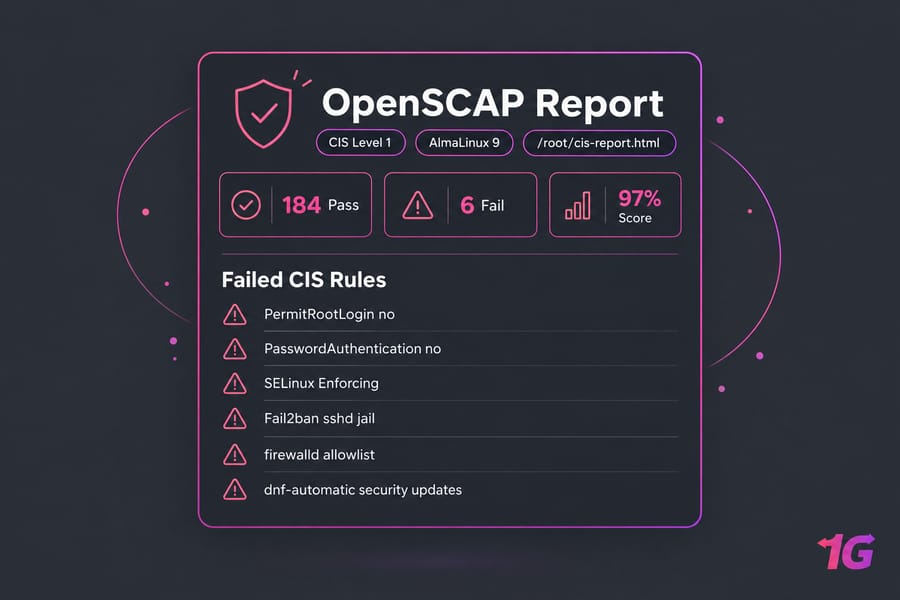
Key takeaway: A clean scan confirms your configuration. It doesn't certify compliance or prove the server can't be breached. Our bare metal server security guide covers the layers a scan can't see.
Final AlmaLinux Hardening Checklist
- Snapshot and keep a second session open
dnf update- Sudo user in the
wheelgroup - SSH keys working
- Root and password login off
- firewalld allowlist in place
- SELinux enforcing
- Fail2ban sshd jail running
- Unused services removed
- dnf-automatic, backups, and OpenSCAP scans set up
Running a different distro? See how to secure a Rocky Linux VPS or secure a Debian VPS server. If you'd like someone else to handle patching and monitoring, managed VPS hosting takes that work off your plate. Or you can get an AlmaLinux VPS with full root access and apply this checklist yourself.

Leave A Comment