
Here's the short version. Caddy is usually the better pick when you want simple configuration and automatic HTTPS with almost no maintenance. NGINX is often preferable when you need a mature ecosystem, deep tuning, established integrations, or complex high-traffic routing. Both are production-ready reverse proxies, so the NGINX vs Caddy decision comes down to operational requirements far more than raw benchmark speed.
NGINX vs Caddy at a Glance
- Choose Caddy: small teams, single-app deployments, APIs, homelabs, anywhere TLS paperwork is the annoying part.
- Choose NGINX: complex routing, existing production fleets, heavy caching, teams that already know the syntax.
- Test both: performance-sensitive workloads with custom caching or unusual traffic patterns.
| Factor | NGINX Open Source | Caddy |
| Config language | nginx.conf directives |
Caddyfile or native JSON |
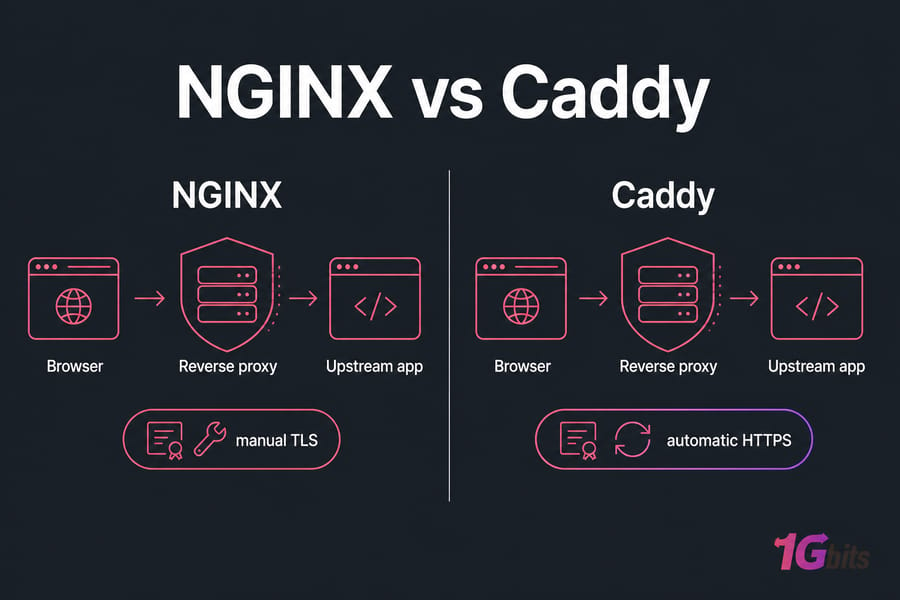
| TLS certificates | External ACME client (Certbot) | Built-in ACME, automatic renewal |
| HTTP/3 / QUIC | Supported in recent stable builds, must be enabled | Supported and on by default |
| Config API | NGINX Plus only | Native admin API |
| Caching | Mature proxy cache | Module-based, less mature |
| Active health checks | NGINX Plus | Included |
| Metrics | Basic stub status; exporters available | Prometheus endpoint available |
| Modules | Huge, some require recompiling | Go plugins via xcaddy, smaller pool |
| Kubernetes ingress | Several mature controllers | Options exist, smaller ecosystem |
| Typical config length | 30–60 lines for HTTPS proxy | 3–5 lines |
| Hiring / docs depth | Enormous | Good official docs, fewer legacy examples |
Don't confuse editions: NGINX Open Source is free and does most things, while NGINX Plus (from F5) adds the config API, active health checks, and support contracts. If you're still shortlisting, our roundup of other NGINX alternatives covers the wider field.
How the Caddy and NGINX Web Servers Work
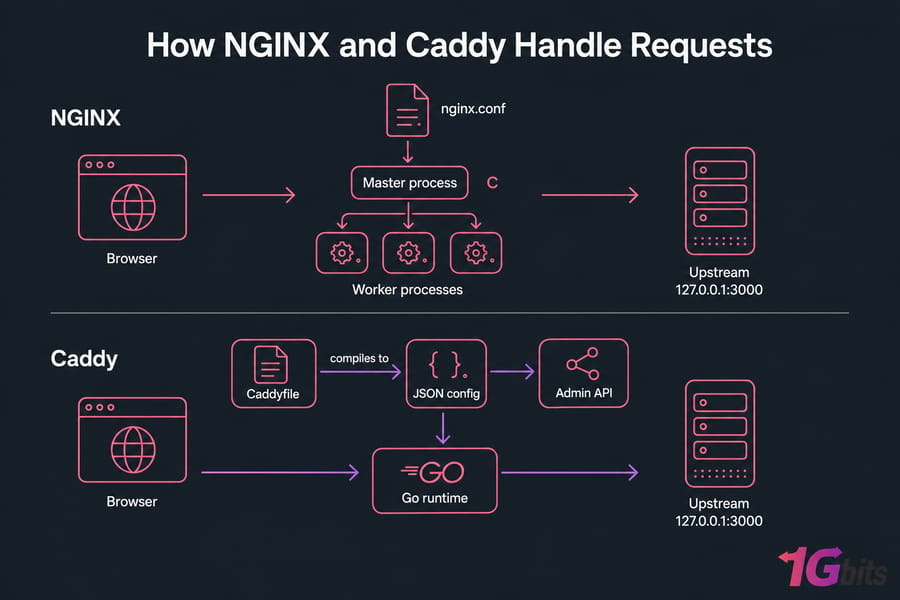
The NGINX web server uses an event-driven master/worker model written in C. One master process reads nginx.conf, spawns workers, and reloads gracefully when you signal it. It's been battle-tested at absurd scale for nearly two decades. If you want the fundamentals, start with what NGINX is and how it works.
The Caddy web server is written in Go. Its real configuration format is JSON, served through an admin API; the Caddyfile you write is just a friendly adapter that compiles down to that JSON. That design is why Caddy can swap configuration at runtime without a restart, and why API-driven platforms like it.
Language doesn't decide performance, though. Both are non-blocking, both terminate TLS, both serve static files, proxy upstreams, and load balance.
NGINX vs Caddy Performance and Memory Usage
NGINX vs Caddy performance arguments usually fall apart under scrutiny, because most published numbers compare a tuned NGINX against a default Caddy or vice versa. For plain static file serving at high concurrency, NGINX still tends to edge ahead — it's had years of micro-optimisation. For reverse proxying, the difference is often lost in upstream latency.
Memory is workload-dependent. Idle Caddy typically sits a bit higher because of the Go runtime and garbage collector; under load, both scale with connections and buffers more than anything else.
If it matters to you, measure it. Same server, same upstream, same TLS and protocol settings, same logging and compression state, a warm-up phase, then at least three runs. Record p50/p95/p99 latency, requests per second, CPU, and peak RSS — not RPS alone. wrk and hey are fine tools; curl for correctness checks; pidstat or container stats for resources. Never load-test production destructively.
And check the host first. Noisy neighbours, slow disks, and saturated NICs skew results badly. Our guides on benchmark VPS performance and common VPS performance bottlenecks save you from blaming the proxy for a hardware problem.
Caddy Automatic HTTPS vs NGINX SSL Configuration
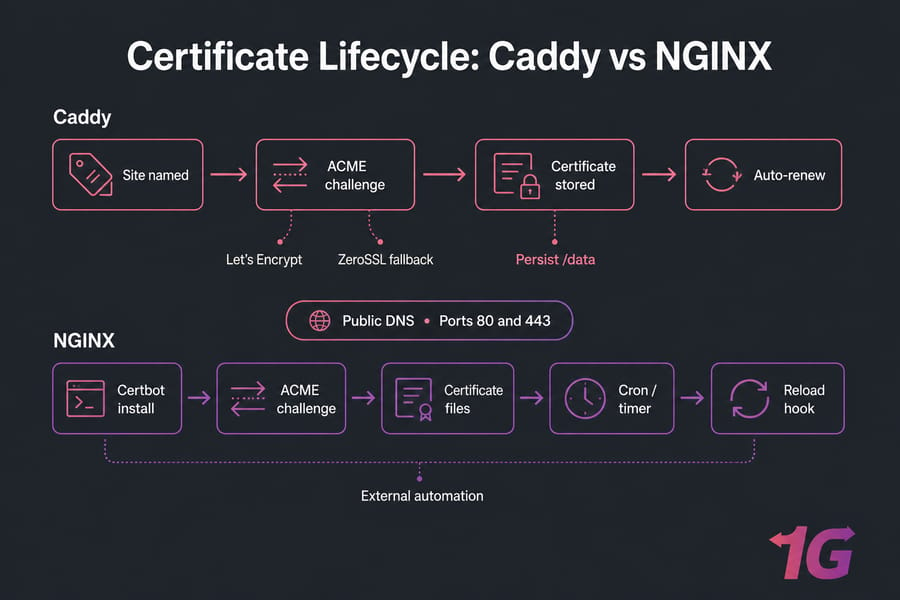
This is the real difference, honestly. Caddy automatic HTTPS provisions certificates from Let's Encrypt (with ZeroSSL as a fallback) the moment you name a domain, redirects HTTP to HTTPS, and renews on schedule. Preconditions still apply: valid public DNS, ports 80 and 443 reachable, and a supported ACME challenge. CA rate limits are real too.
NGINX can automate certificates — anyone claiming otherwise is wrong — but it's external. You install Certbot, run it, verify the renewal timer, and make sure the reload hook actually fires. Our walkthroughs on how to configure SSL in NGINX and install a Let's Encrypt certificate cover that path properly.
Warning: back up and persist Caddy's data directory (
/datain containers). Lose it and Caddy re-requests certificates it already had — straight into rate limits.
Neither server gives you comprehensive security headers by default. HTTPS is not application security.
Caddy vs NGINX Reverse Proxy Configuration
Same job for both: app.example.com forwarding to a Node.js service on 127.0.0.1:3000.
server {
    listen 443 ssl;
    http2 on;
    server_name app.example.com;

    # Certificate paths assume Certbot has already issued them
    ssl_certificate     /etc/letsencrypt/live/app.example.com/fullchain.pem;
    ssl_certificate_key /etc/letsencrypt/live/app.example.com/privkey.pem;

    location / {
        proxy_pass http://127.0.0.1:3000;
        proxy_set_header Host $host;
        proxy_set_header X-Real-IP $remote_addr;
        proxy_set_header X-Forwarded-For $proxy_add_x_forwarded_for;
        proxy_set_header X-Forwarded-Proto $scheme;

        # WebSocket upgrade
        proxy_http_version 1.1;
        proxy_set_header Upgrade $http_upgrade;
        proxy_set_header Connection "upgrade";
    }
}
Validate with sudo nginx -t, then sudo systemctl reload nginx. The Caddy equivalent:
app.example.com {
	# HTTPS, redirects, forwarded headers and WebSockets are defaults
	reverse_proxy 127.0.0.1:3000
}
Validate with caddy validate --config /etc/caddy/Caddyfile, tidy it with caddy fmt -w, reload with sudo systemctl reload caddy. Multiple upstreams? Add them after reverse_proxy and set lb_policy. In NGINX you'd define an upstream block. Full detail lives in our guide to configure an NGINX reverse proxy.
Copy your config before editing. Rollback is a file restore plus a reload — cheap insurance.
Ready to Deploy NGINX or Caddy on Your Own Server?
Deploy either reverse proxy on a Linux VPS with root access, dedicated resources, and full control of ports 80 and 443. Need containers? Docker VPS hosting is built for that.
Caddy vs NGINX for Docker, Kubernetes, and WordPress
For Docker Compose, Caddy is the shorter path: mount the Caddyfile read-only, mount a named volume at /data, and reach your app by its Compose service name (app:3000) — never localhost, which points at the proxy container itself. Add health checks and restart: unless-stopped to both.
Kubernetes leans the other way. NGINX-based ingress controllers and gateways are the ecosystem default; Caddy options exist but are smaller and worth verifying against current project status before committing a large estate.
For WordPress, NGINX has a decade of PHP-FPM and FastCGI cache recipes behind it. Caddy handles PHP in a handful of lines but won't cache pages for you automatically. If your stack depends on tuned caching, see how to optimize WordPress on a VPS first.
Limitations and Common Mistakes
Caddy's downsides: a smaller ecosystem, fewer legacy examples, some features requiring custom builds with xcaddy, and automatic HTTPS that silently fails when DNS or state persistence is wrong. NGINX's downsides: verbose HTTPS config, external certificate automation, several advanced features locked behind NGINX Plus, and location-matching rules that bite quietly.
Shared mistakes worth checking: port conflicts (both servers cannot bind 80/443 on the same IP), wrong DNS records, firewalls dropping ACME challenges, a lost certificate volume, missing forwarded headers, and an exposed admin API. A 502 Bad Gateway error usually means the upstream is down, not the proxy.
How to Migrate from NGINX to Caddy Safely
- Inventory domains, upstreams, redirects, headers, body limits, timeouts, caching, and custom modules.
- Back up
/etc/nginxand your certificate directories. - Translate each server block using the mapping below.
- Run
caddy validate, then start Caddy on alternate ports (8080/8443). - Test status codes, redirects, headers, uploads, WebSockets, auth, and logs.
- Stop NGINX only for the final port handoff. Keep it installed.
- Monitor errors and latency, and keep the rollback command written down.
| NGINX | Caddy | Caveat |
server_name |
Site address | Wildcards need DNS challenge |
proxy_pass |
reverse_proxy |
Headers set by default |
return 301 |
redir |
Regex rules rarely map 1:1 |
gzip |
encode |
Also supports zstd |
Decision Matrix by Use Case
| Use case | Default pick | Why |
| First self-hosted app | Caddy | HTTPS in minutes |
| Existing NGINX fleet | NGINX | No retraining cost |
| Tuned static delivery | Test both, often NGINX | Mature caching and tuning |
| Node.js reverse proxy | Caddy | Three-line config |
| WordPress with cache stack | NGINX | Proven FastCGI patterns |
| Docker Compose | Caddy | Easy TLS, persist /data |
| Large Kubernetes estate | NGINX controller | Ecosystem depth |
| API-driven infrastructure | Caddy | Native config API |
| Homelab | Caddy | Multi-domain HTTPS free |
| Enterprise support | Evaluate NGINX Plus | Contractual requirements |
Pure L4/L7 load balancing at scale? Look at HAProxy vs NGINX. Coming from a shared-hosting stack with .htaccess everywhere? Apache vs NGINX is the more useful comparison.
Choose the Web Server, Then Give It the Right Infrastructure
Caddy simplifies HTTPS. NGINX gives you control and ecosystem compatibility. Whichever you deploy, put it on infrastructure with root access, enough RAM for the proxy plus your upstream, and reliable networking compare VPS hosting for small and mid-size deployments, or move to a dedicated server when you need sustained throughput and hardware isolation.

Leave A Comment