


If you run SEO tools, manage a bunch of client sites, or lean on browser automation, shared hosting will let you down eventually. I've watched it happen. A crawler chokes, a rank tracker times out, and suddenly you're migrating everything at 2 a.m. That's usually the moment people start hunting for the top SEO VPS providers — the ones that give you real resources, clean uptime, and location flexibility without the babysitting.
Top SEO VPS Providers for Fast, Reliable Hosting
So let's compare them properly. This guide walks through the best SEO VPS hosting options right now, breaks down what actually matters for SEO workflows, and helps you match a provider to your real use case not just the cheapest sticker price.
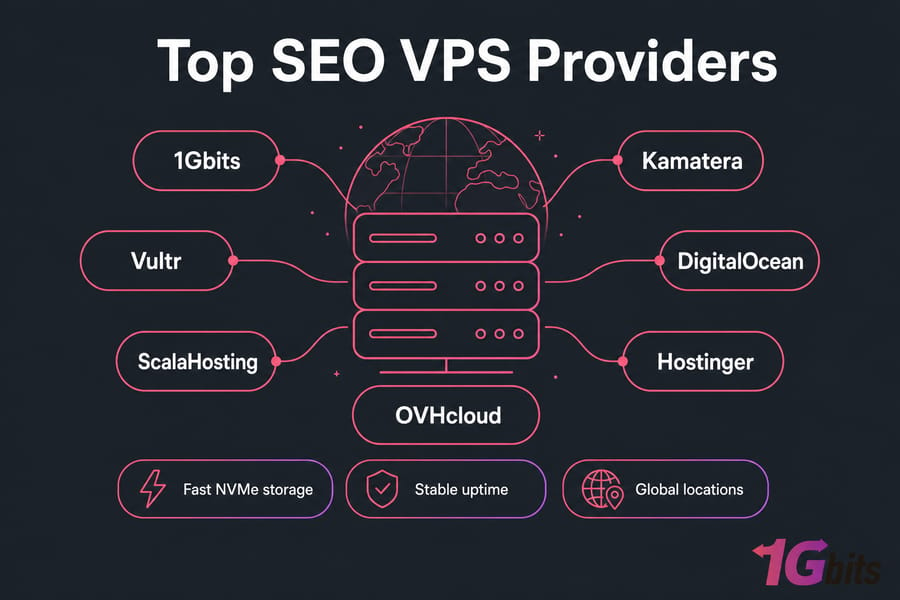
Quick answer: The top SEO VPS providers offer fast NVMe storage, stable uptime, flexible server locations, root access, and enough CPU and RAM to run SEO tools, browser automation, or multiple websites. The best choice depends on whether you need affordability, managed support, Windows compatibility, or global deployment options.
What Is SEO VPS Hosting and Who Needs It?
Let's clear something up first. An SEO VPS is just a virtual private server used for SEO-related work. There's no secret ingredient that boosts your Google rankings by itself. Anyone selling you that is selling snake oil.
What a VPS actually gives you is isolated resources — dedicated RAM, vCPU, storage, and root or admin access — so your SEO tasks run reliably without fighting other tenants for scraps. If you want the full breakdown, we cover it in SEO VPS explained.
How an SEO VPS differs from regular VPS hosting
Honestly? It usually doesn't, at the infrastructure level. "SEO VPS" describes the use case, not a separate product category. The same KVM-based Linux or Windows VPS that hosts a web app can run Screaming Frog or a rank tracker just fine. The difference is how you spec and configure it.
Common SEO tasks that benefit from a VPS
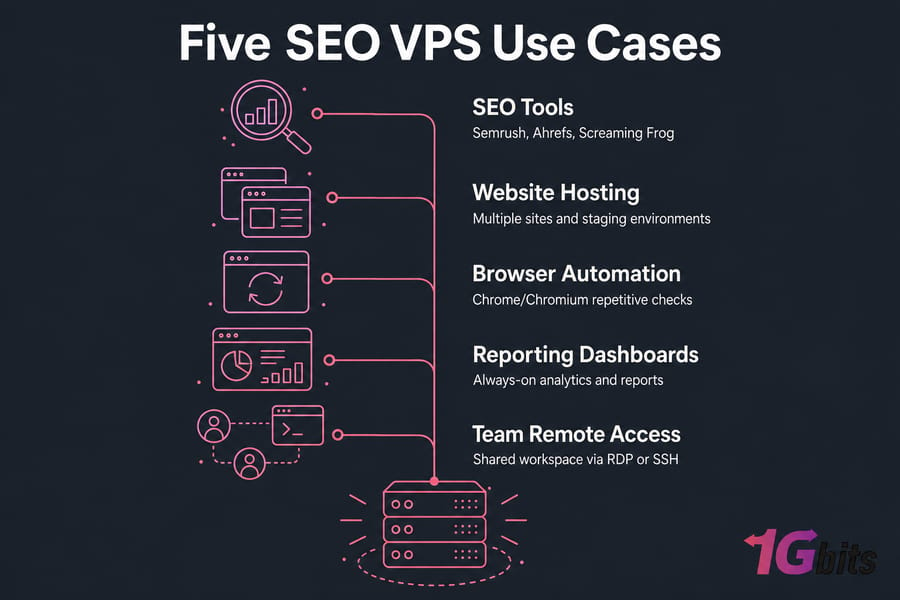
- Running SEO tools like Semrush, Ahrefs dashboards, or Screaming Frog SEO Spider
- Site crawling and technical audits without hammering your local machine
- Hosting multiple websites or client staging environments
- Browser automation with Chrome/Chromium for repetitive checks
- Keeping analytics dashboards and reporting tools always-on
- Giving a distributed team a shared remote workspace over RDP or SSH
When shared hosting is no longer enough
Shared plans cap your CPU and kill long-running processes. Try running a heavy crawl on one and watch it get throttled. If your work involves anything sustained — automation, big crawls, multiple concurrent tools a VPS is the natural step up. New to the concept? Start with what is VPS hosting.
Key takeaway: An SEO VPS helps with tools, automation, and multi-site hosting but it doesn't directly boost rankings by itself.
Top SEO VPS Providers Compared at a Glance
Here's the shortlist. We looked at seven providers across performance potential, storage quality, OS flexibility, server locations, support, scalability, and overall value for SEO tasks. No single "winner" — the right pick depends on your workflow.
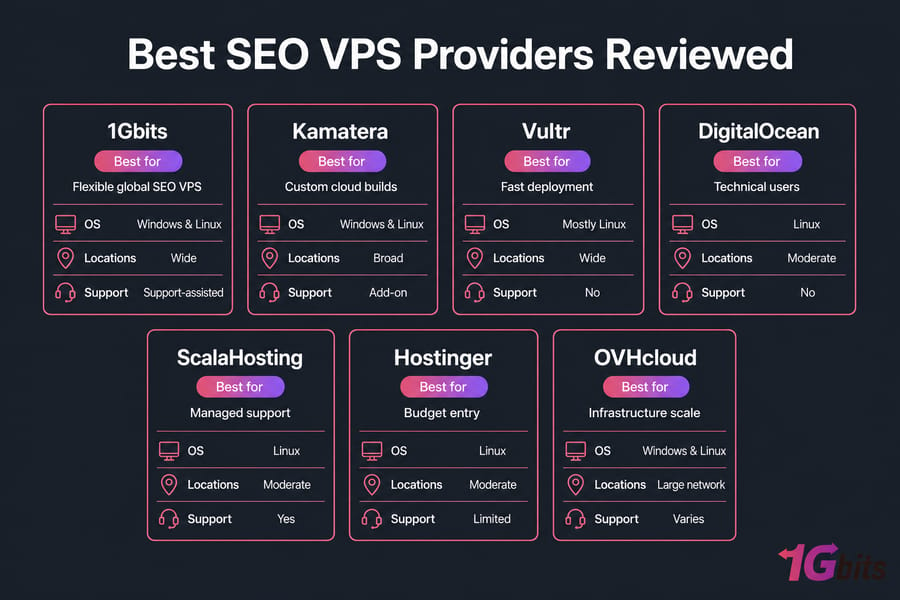
| Provider | Best For | OS | Managed Option | Global Locations | Key Strength |
| 1Gbits | Flexible global SEO VPS | Windows & Linux | Support-assisted | Wide | OS + location choice |
| Kamatera | Custom cloud builds | Windows & Linux | Add-on | Broad | Granular configuration |
| Vultr | Fast deployment | Mostly Linux | No | Wide | Developer tooling |
| DigitalOcean | Technical users | Linux | No | Moderate | Docs & ecosystem |
| ScalaHosting | Managed support | Linux | Yes | Moderate | Managed control panel |
| Hostinger | Budget entry | Linux | Limited | Moderate | Low starting price |
| OVHcloud | Infrastructure scale | Windows & Linux | Varies | Large network | Network reach |
How we evaluated these SEO VPS providers
Seven criteria, weighted toward what SEO operators actually feel day to day: raw performance, NVMe storage, OS options, data center spread, support responsiveness, room to scale, and value. If you want a repeatable process for vetting any host, read how to evaluate a VPS provider before you sign up.
Pro tip: Prioritize uptime, location flexibility, and resource headroom over the absolute lowest monthly price. Cheap becomes expensive fast when your crawler keeps stalling.
Best SEO VPS Providers Reviewed
Now the details. Each provider gets the same treatment: who it's for, where it shines, where it falls short, and why it fits SEO work.
1Gbits — best for flexible SEO VPS hosting and global locations
Best for: agencies and power users who want to pick their OS and region freely.
1Gbits offers both Windows and Linux VPS, a wide set of global locations, and NVMe-backed plans. That combination matters for SEO — if you need a specific country IP for local rank checking, or a GUI Windows box for a desktop tool, you're not boxed in. Root/admin access comes standard, and you can scale up as workloads grow.
Drawbacks: it's not a fully hands-off managed platform, so total beginners will lean on support more. Fit: multi-site managers, tool hosts, location-sensitive projects. See the SEO VPS hosting options.
Kamatera — best for customizable cloud infrastructure
Best for: people who want to dial in exact CPU, RAM, and storage.
Kamatera's cloud config is granular — you build the machine you need instead of picking from fixed tiers. Great for unusual SEO setups. The tradeoff is that all that flexibility can overwhelm a first-timer, and managed help is a paid add-on.
Vultr — best for developer-style deployment
Best for: technical users who spin servers up and down often.
Vultr deploys fast, has a clean API, and a solid location spread. If you script your infrastructure or run automation pipelines, it feels natural. It's mostly Linux-first, though, and there's no true managed tier — you're your own admin.
DigitalOcean — best for technical users running SEO tools
Best for: developers comfortable in a terminal.
DigitalOcean's documentation is genuinely excellent, and the ecosystem around it is huge. For hosting Linux-based SEO tools, dashboards, or Docker containers, it's dependable. But it's not beginner-friendly in the hand-holding sense, and it's Linux-only.
ScalaHosting — best for managed VPS support
Best for: teams who'd rather not touch the command line.
ScalaHosting bundles a managed control panel and takes care of maintenance, which suits SEO folks who want the resources without the sysadmin duties. The catch: fewer global locations and a Linux focus.
Hostinger — best budget-friendly SEO VPS option
Best for: light workloads and tight budgets.
Hostinger's entry pricing is hard to beat, and for one or two SEO tools it's plenty. Just don't expect it to shrug off heavy browser automation or a fleet of crawlers. Fine for starters, limited for scale.
OVHcloud — best for infrastructure scale and network reach
Best for: projects that need serious network capacity.
OVHcloud runs a massive network with strong DDoS protection and both Windows and Linux options. It's a good fit when bandwidth and infrastructure scale matter. The console can feel less polished than smaller competitors, and support experiences vary.
The best provider depends less on brand name and more on the workload you plan to run. Ready to shortlist? Browse buy VPS hosting or compare against the wider field in our best VPS hosting providers roundup.
How to Choose the Best VPS for SEO Tools
Specs confuse people. Let's make it simple. Match your resources to your workload — nothing more, nothing less.
| Workload | vCPU | RAM | Storage | Recommended OS | Example Use |
| Light | 1–2 | 2–4 GB | 40–60 GB NVMe | Linux | One rank tracker or dashboard |
| Medium | 2–4 | 4–8 GB | 80–120 GB NVMe | Linux/Windows | Multi-site + crawler + dashboard |
| Heavy | 4–8 | 8–16 GB | 160 GB+ NVMe | Windows/Linux | Browser automation, scraping |
| Agency | 8+ | 16 GB+ | 240 GB+ NVMe | Either | Many tools, team access |
CPU, RAM, and storage requirements by workload
Screaming Frog is a RAM hog — a big site crawl can eat several gigabytes. Semrush and Ahrefs dashboards are lighter since the heavy lifting happens on their servers. Browser automation? That spikes both CPU and RAM per session. Plan for headroom.
Get NVMe VPS storage if you can. Spinning disks and even older SSDs bottleneck crawl I/O in a way you'll feel immediately.
Why uptime and network quality matter for SEO operations
If your server drops mid-crawl, you lose the run. If your scheduled reports don't fire, clients notice. Stable uptime and a clean network aren't luxuries here — they're the whole point. If things feel sluggish, our guide on VPS performance bottlenecks is worth a read.
Server location, latency, and IP considerations
Choosing a server near your target market cuts latency and can matter for location-based checks. A US-focused campaign runs smoother on a US node. Pick from global VPS locations based on where your audience actually is.
Stat callout: Most SEO users don't need massive specs — they need stable CPU, adequate RAM, and reliable uptime.
Windows SEO VPS vs Linux SEO VPS
This trips up a lot of buyers. Your OS choice hinges mostly on your software.
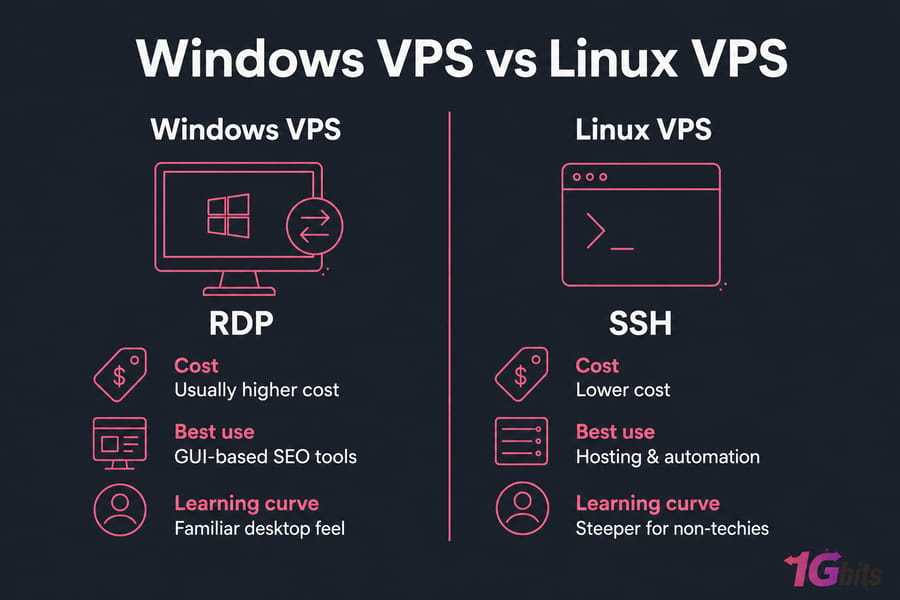
| Factor | Windows VPS | Linux VPS |
| Access | RDP (graphical) | SSH (command line) |
| SEO Software | Runs Windows-only GUI tools | Great for CLI tools & scripts |
| Resource Overhead | Higher | Lower |
| Cost | Usually higher (licensing) | More cost-efficient |
| Hosting / Automation | Workable | Ideal |
| Learning Curve | Familiar desktop feel | Steeper for non-techies |
When to choose Windows VPS for SEO software
Pick a Windows VPS when your tools are GUI-based and Windows-only, or when RDP convenience matters to your team. Lots of desktop SEO apps and scrapers assume Windows. More options in our best Windows VPS providers.
When Linux VPS is the better value
A Linux VPS (Ubuntu is a common pick) runs leaner, costs less, and shines for hosting sites, automation, and server-side tasks. If you're comfortable with SSH, it stretches your budget further. See the best Linux VPS providers .
Which setup works best for agencies and freelancers
Agencies benefit from standardizing on one OS to simplify onboarding. Some run hybrid setups — Linux for hosting and automation, a Windows box for desktop-only tools. Freelancers usually do fine with a single well-chosen Linux server.
Quick summary: Choose Windows for GUI-based SEO tools; choose Linux for better efficiency and lower cost.
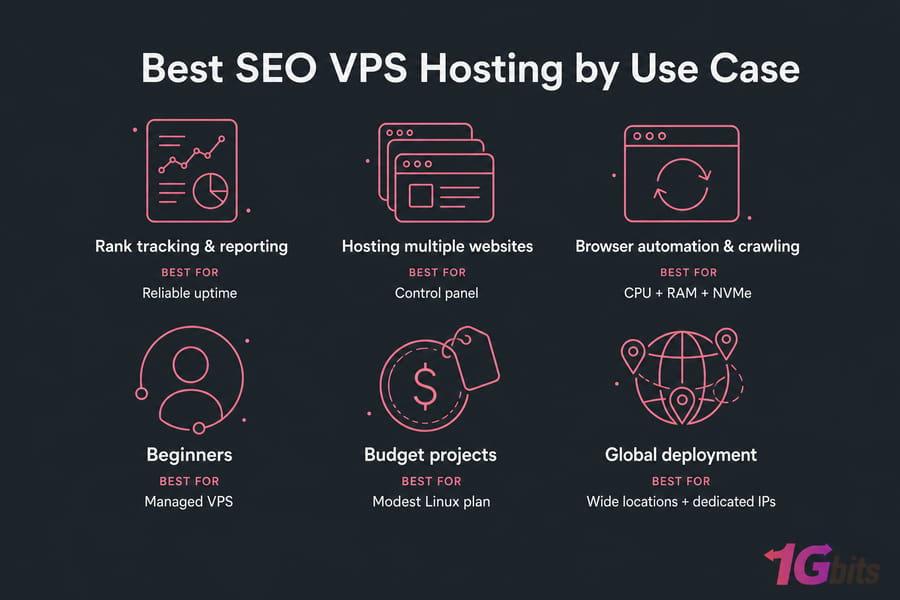
Best SEO VPS Hosting by Use Case
Skip the full reviews — here's the fast match by scenario.
- Rank tracking & reporting: a light-to-medium Linux VPS with reliable uptime handles most trackers and scheduled reports.
- Hosting multiple websites: medium-to-large plan with a control panel; see hosting multiple websites on one VPS and how to host a website on Linux VPS.
- Browser automation & crawling: heavier CPU and RAM, NVMe storage, and a provider that allows sustained processes.
- Beginners: a managed VPS hosting plan removes the sysadmin burden.
- Budget projects: a modest Linux plan is plenty for one or two tools.
- Global deployment: pick a provider with wide location choice and dedicated IPs.
Cheap SEO VPS Providers vs Premium Plans
Cheap isn't automatically bad. But ultra-cheap can be a trap.
The lowest-tier plans are often oversold — too many customers packed onto shared hardware, so your "dedicated" resources evaporate under load. Support is thin. Performance wobbles. For a light rank tracker, fine. For crawler-heavy or automation work, painful.
| Factor | Ultra-Cheap Plan | Premium Plan |
| Performance | Inconsistent under load | Stable headroom |
| Support | Slow / limited | Responsive |
| Storage | Older SSD, shared I/O | NVMe, better isolation |
| Uptime | Variable | Strong |
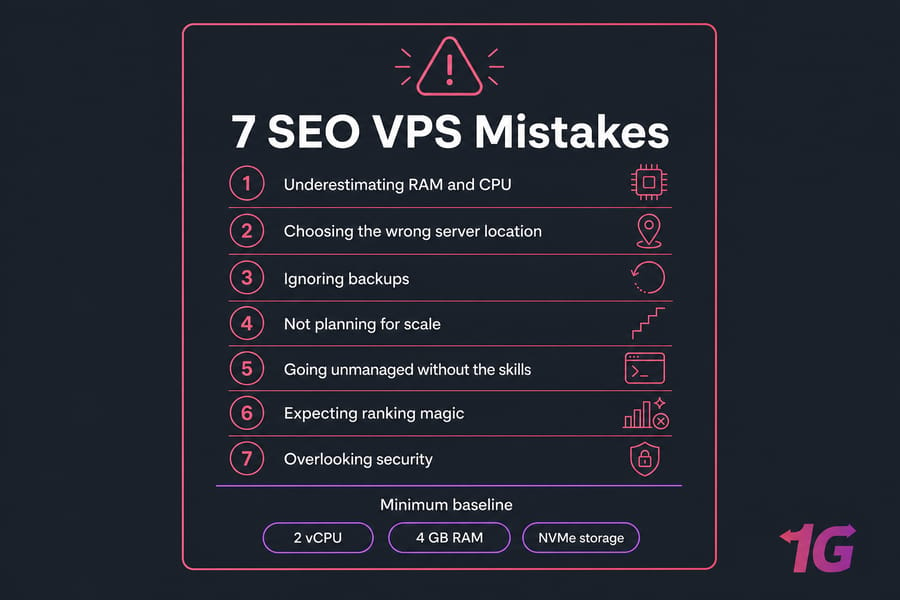
A sensible baseline for real SEO work: 2 vCPU, 4 GB RAM, NVMe storage, decent uptime. Below that, you're gambling. Compare options in our cheap VPS providers guide and the cheap VPS lineup.
Warning: Ultra-cheap VPS plans often fail under browser automation or crawler-heavy workloads.
Common SEO VPS Mistakes to Avoid
- Underestimating RAM and CPU. Crawlers and browser sessions eat resources fast. Buy headroom.
- Choosing the wrong server location. A distant node adds latency and can skew location-based checks.
- Ignoring backups. Snapshots save you when a config change or crash wipes hours of work.
- Not planning for scale. Pick a provider you can grow with, not one you'll outgrow in a month.
- Going unmanaged without the skills. If you can't handle SSH and updates, choose managed. Read managed vs unmanaged VPS hosting.
- Expecting ranking magic. A VPS improves your operations, not your Google position directly.
- Overlooking security. Firewalls, key auth, and updates matter — see essential VPS security measures.
Is an SEO VPS Worth It for Your Workflow?
Short version: it depends on how heavy your work is.
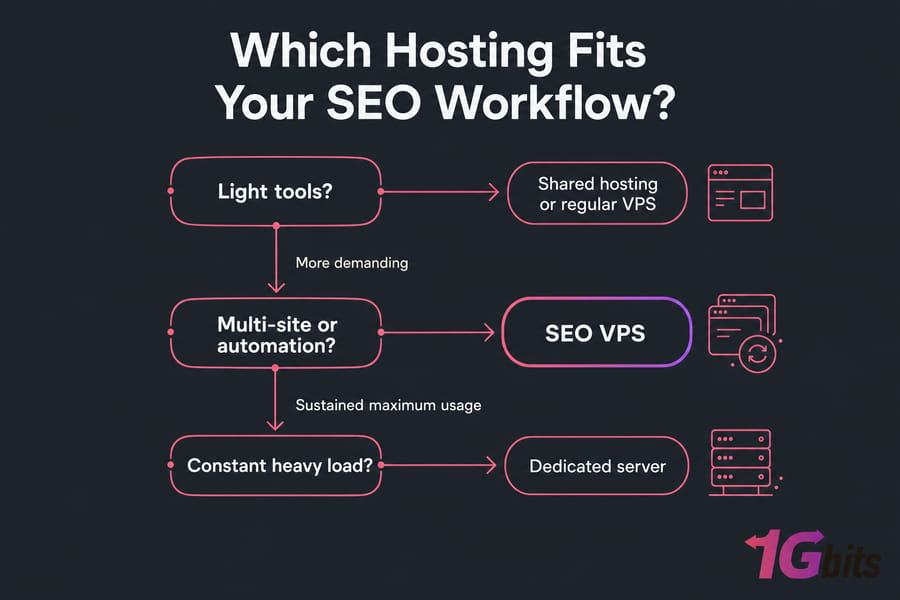
Buy an SEO VPS if you run tools that need always-on resources, host multiple sites, do automation or crawling, or manage client work at scale. Skip it if you only use browser-based tools like Semrush occasionally — a regular VPS or even shared hosting covers you. Compare in VPS vs shared hosting.
Go dedicated only when you consistently max out a large VPS — sustained heavy automation or huge crawl volumes. The bare metal server vs VPS comparison helps you decide.
Why 1Gbits Is a Strong SEO VPS Provider
Full disclosure — this is our site. But the fit is genuine, so here's why 1Gbits earns a spot on your shortlist.
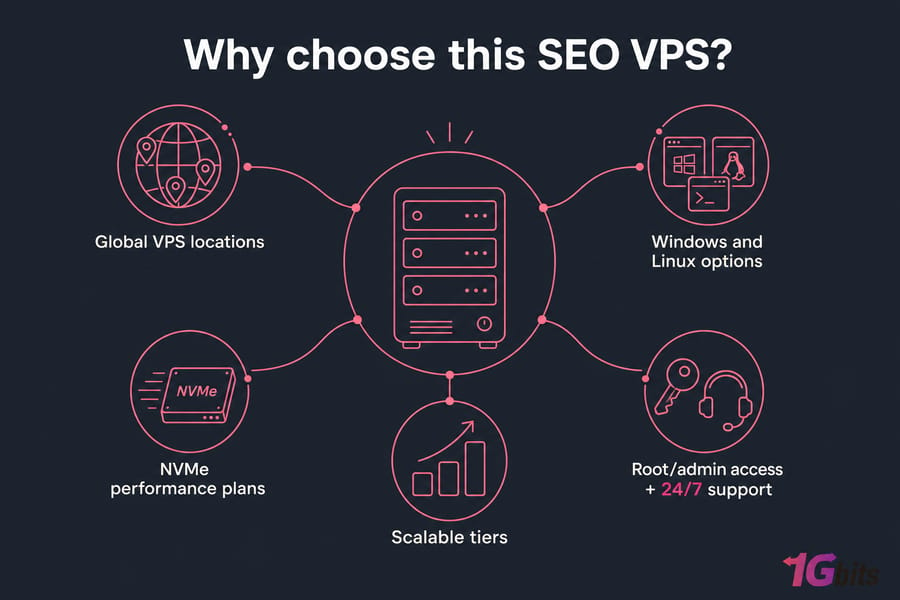
- Global VPS locations — pick the region your campaigns actually target.
- Windows and Linux options — run GUI SEO tools or lean automation, your call.
- NVMe performance plans — fast I/O for crawls and multi-site hosting.
- Scalable tiers — start small, grow without migrating providers.
- Root/admin access + 24/7 support — control when you want it, help when you need it.
For agencies juggling clients, multi-site managers, and anyone hosting SEO tools, that flexibility beats a one-size-fits-all plan. Explore VPS for SEO tools, or check why 1Gbits and reach out via support if you're undecided.
Need a VPS for SEO tools, automation, or multi-site hosting?
Compare 1Gbits VPS options by OS, performance tier, and location. Whether you need a Windows VPS for desktop SEO software or a Linux VPS for hosting and automation, you can choose a setup that fits your workflow explore 1Gbits VPS plans.
Choose the Right SEO VPS Provider with Confidence
If you're ready to run SEO tools more reliably, host multiple projects, or scale beyond shared hosting, 1Gbits offers flexible VPS plans with global locations, Windows and Linux options, and performance-focused infrastructure.See SEO VPS options or talk to support if you'd like a hand choosing.

Leave A Comment