
![How to Pay for VPS Hosting with Ethereum [2026] ₿](https://1gbits.com/cdn-cgi/image/width=1200,quality=80,format=auto/https://s3.1gbits.com/blog/2026/10/how-to-pay-for-vps-with-ethereum-main.webp "How to Pay for VPS Hosting with Ethereum [2026] ₿")
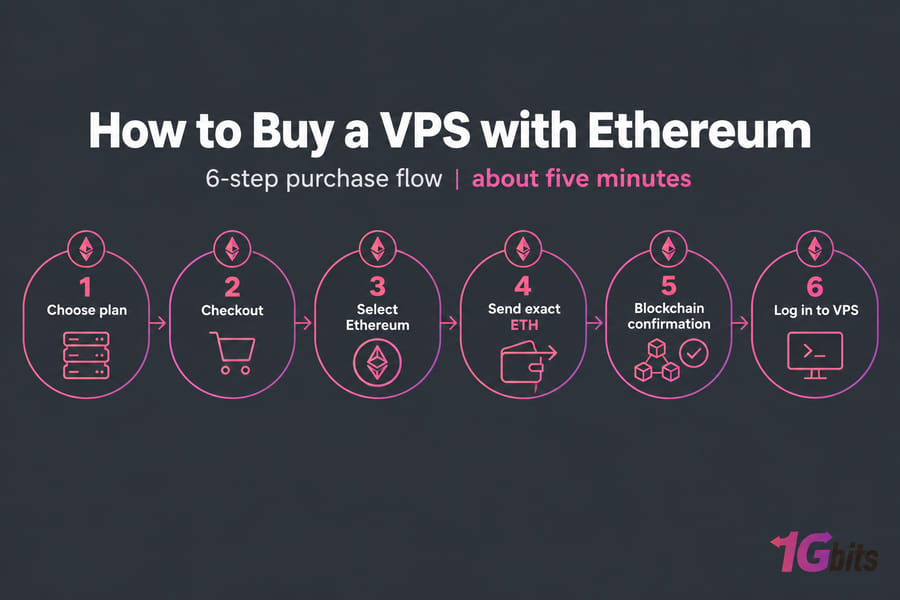
To buy a VPS with Ethereum, pick a VPS plan, go to checkout, and choose Ethereum as your payment method. Then send the exact ETH amount to the wallet address shown, wait for the blockchain to confirm it, and log in once the server is active. The checkout takes about five minutes. Most problems happen in the payment step, so most of this guide is about getting that part right the first time.
What an Ethereum VPS Is (and Isn't)
An "Ethereum VPS" is a normal virtual private server that you pay for in ETH. It has nothing to do with "Ethernet" (people mix the two up more often than you'd think). Your server, root access, and control panel stay the same. Only the payment method changes.
People pay with ETH for a few common reasons:
- They already hold ETH and don't want to cash out to fiat.
- Their cards or PayPal don't work well across borders.
- They'd rather not put card details on yet another website.
Some providers only accept crypto for renewals, so you have to make your first payment by card. 1Gbits lets you pay with ETH on your first order, right at checkout on the Ethereum VPS page. If you've never bought a server before, the general guide on how to buy a VPS explains the basics.
What You Need Before You Pay for a VPS with Ethereum
- An Ethereum wallet or exchange account with enough ETH to cover the invoice.
- Extra ETH for gas fees. Fees change with network load, so leave yourself some room.
- Your operating system choice. Choose Linux VPS for web servers, bots, and nodes. Choose Windows VPS if you need RDP or Windows-only software.
- A working email address for your order confirmation and login details.
- A little patience. Your order won't activate until the payment is confirmed on-chain.
If you want to see every accepted option first, check the payment methods page.
Choose the Right Plan Before ETH Checkout
I've watched people pay for a server and realize ten minutes later that they picked the wrong OS. Crypto payments are hard to reverse, so decide on your plan before you open your wallet.
| Use Case | OS | Sensible Starting Point |
| Small website / dev box | Linux | 1–2 vCPU, 2–4 GB RAM |
| Trading bot (MT4/MT5) | Windows | 2 vCPU, 4 GB RAM, location near your broker |
| VPN / proxy | Linux | 1 vCPU, 1–2 GB RAM, generous bandwidth |
| Ethereum full node | Linux | 4+ vCPU, 8–16 GB RAM, 1 TB+ fast NVMe |
Pick a server location close to your users, or close to your exchange if you're running a bot. If privacy is your main reason for paying in crypto, take a look at the anonymous VPS plans. To compare every plan, go to buy VPS hosting.
How to Buy a VPS with Ethereum Step by Step
Step 1: Pick your plan and location
Choose your specs, operating system, and data center. Check all three again before you go any further.
Step 2: Open checkout and review your details
Enter or confirm your billing info and email. If there's a typo in your email, your login details go to someone else's inbox (or nowhere at all).
Step 3: Select Ethereum as the payment method
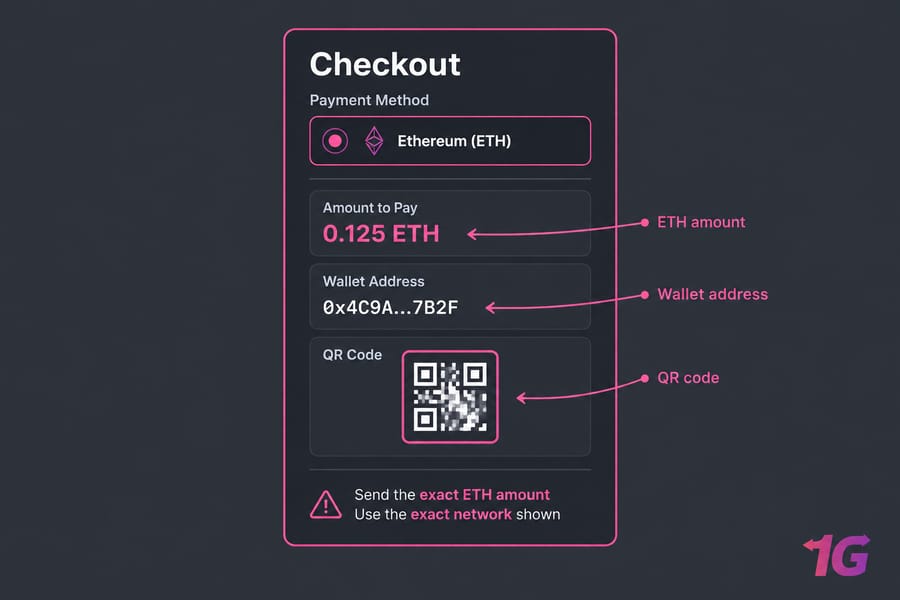
Choose Ethereum (ETH) from the crypto options. The invoice will show the amount to pay, a wallet address, and usually a QR code.
Step 4: Send the exact ETH amount
Scan the QR code or copy and paste the address. Never type it by hand. Send the exact amount shown, and remember that your wallet or exchange may take its fee out of what you send. If that leaves you short, the payment can get stuck.
Warning: Send the exact coin on the exact network shown at checkout. If you send ETH on the wrong chain, your payment can be delayed or lost for good.
Step 5: Wait for confirmation and save your TXID
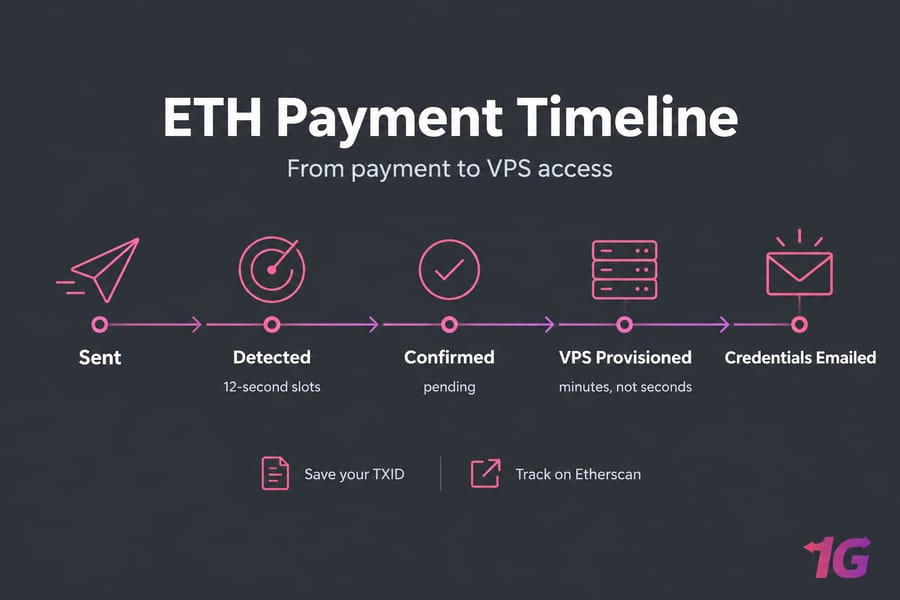
Copy the transaction hash (TXID) from your wallet and keep it until your server is running. You can follow the payment's progress on Etherscan.
Step 6: Log in to your new VPS
Once the payment confirms and the server is set up, your login details will arrive by email or in your client area.
How Long Does Ethereum VPS Activation Take?
The network itself is fast. In Ethereum proof-of-stake, time is split into 12-second slots, and each slot can add one block. But your order also has to wait for the payment processor to see enough confirmations and for the provider to set up your server. In practice that usually means minutes, not seconds.
If your order says "pending," the processor is usually still waiting for confirmations. That's normal. If it stays pending well after Etherscan shows the transaction as confirmed, contact the support team with your order number and TXID.
Common Mistakes When Buying VPS with ETH
- Sending on the wrong network. This is the most expensive mistake on the list.
- Paying after the invoice expires. Crypto invoices expire quickly. With CoinGate, for example, a pending order expires if the shopper doesn't pay within 20 minutes. Have your ETH ready before you open the invoice.
- Using an exchange without checking how long withdrawals take. Some exchanges hold or batch withdrawals, which can push you past the invoice deadline.
- Underpaying. Exchange fees taken from the amount you send mean the invoice receives less than it asked for.
- Losing your TXID. Without it, support has a hard time tracing your payment.
Ethereum vs Bitcoin vs USDT for VPS Payments
ETH isn't always the best way to pay. Here's how the three main options compare:
| Method | Best For | Volatility | Related Page |
| Ethereum | People who already hold ETH | Medium–high | Ethereum VPS |
| Bitcoin | People who hold BTC; widely accepted | Medium–high | Bitcoin VPS |
| USDT | Stable, dollar-pegged pricing | Low | USDT VPS |
Pay with the coin you already hold. If you don't want the price moving while you check out, use USDT.
What to Do After You Buy Your Ethereum VPS
- Find your IP, username, and password in your email or client area.
- Log in. The guide on how to connect to a VPS covers both SSH and RDP. Linux users can also read how to SSH.
- Change your VPS password right away.
- Update your system packages.
- Configure a firewall on your VPS and open only the ports you need.
- Install your site, bot, VPN, or node.
Why Buy Your Ethereum VPS from 1Gbits
1Gbits accepts ETH on your very first order, so you don't need a card on file. You get Linux and Windows plans, data centers in more than 20 locations, and Bitcoin or USDT as backup payment options. More details are on the why choose 1Gbits page.
When you know what you need, buy a VPS with Ethereum at 1Gbits. Pick your plan, pay in ETH, and start setting up your server once the payment confirms.

Leave A Comment