
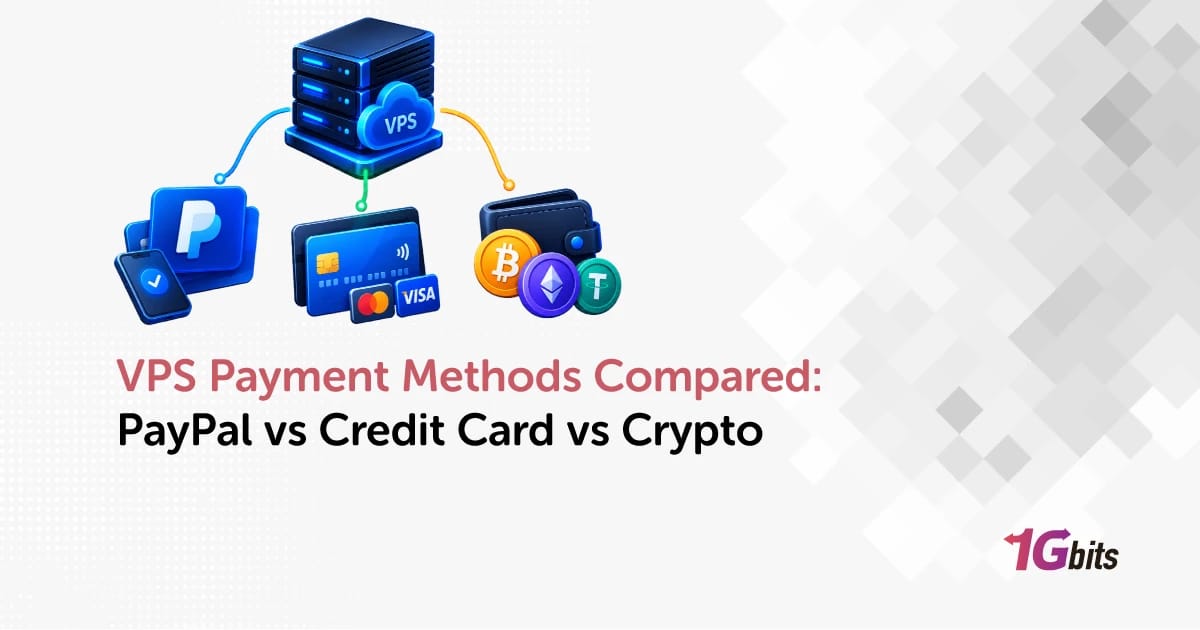
You've picked the plan and the location, and now checkout asks how you want to pay. Most people choose whatever's already in their wallet. That usually works fine. But the payment method you use for a VPS affects more than you'd think: whether the order gets approved, how fast the server goes live, how renewals work, and what your options are if something goes wrong.
Here's the short answer. PayPal is best for convenience and account-based checkout. Credit cards are the most widely accepted and the easiest for recurring billing. Cryptocurrency suits privacy-conscious buyers who can live with less refund flexibility. For most people, a card or PayPal is the right choice. Crypto makes sense when privacy matters more to you than being able to reverse a payment.
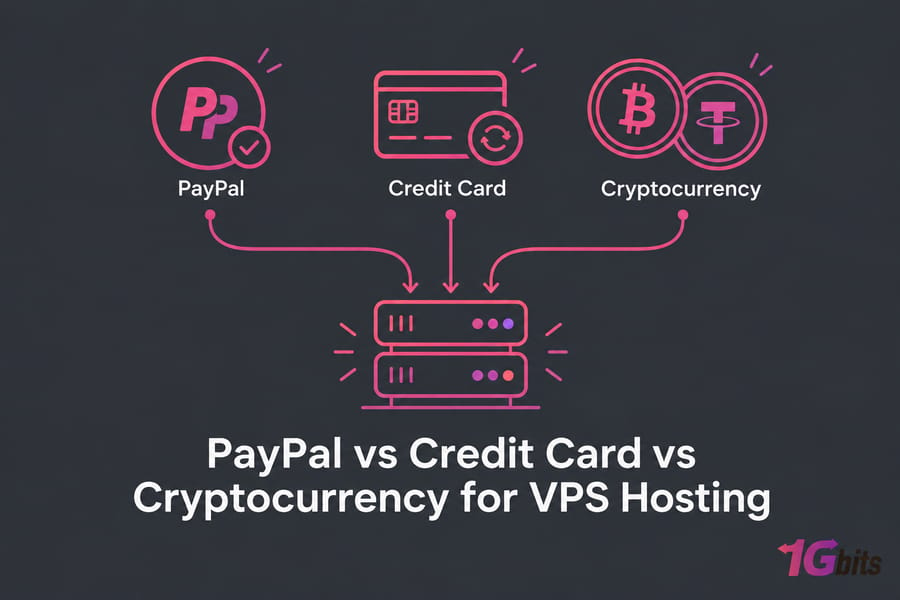
VPS payment methods explained for first-time buyers
What counts as a VPS payment method?
It's simply how money gets from you to the hosting provider, both for the first order and for every renewal after it. Most hosts put the options into three groups:
- Card payments: Visa, Mastercard, American Express, processed through a payment gateway.
- E-wallets: PayPal is the big one. You pay from an account, not by typing card details into the merchant's form.
- Cryptocurrency: Bitcoin, stablecoins like USDT, and sometimes Litecoin, Ethereum, or Monero, sent from your wallet to an address the provider gives you.
Some providers accept all three. The VPS payment methods at 1Gbits cover credit cards, direct bank payments, e-wallets, and mainstream cryptocurrencies, so you can pick based on what you need instead of what happens to be allowed.
Why payment choice matters more than most buyers expect
I've seen plenty of people pick a payment method on impulse and then hit trouble later. A card gets declined by fraud screening at 2 a.m. A crypto payment confirms slowly because the network is busy. A Bitcoin buyer finds out refunds don't work the way they do with a card. None of these is a disaster. Each one is still annoying when you just need a server running.
So before checkout, ask yourself four things. Does privacy matter to you? Do you want renewals to happen automatically? How much do you care about being able to dispute a charge? And does the checkout you're on actually support the method you want? The comparison below helps with all four.
PayPal vs credit card vs cryptocurrency: quick VPS comparison
Which method is best for speed, privacy, and renewals?
| Factor | PayPal | Credit Card | Crypto (BTC / USDT) |
| Checkout speed | Fast, usually instant | Fast, unless fraud screening flags it | Minutes; depends on network confirmations |
| Privacy | Card hidden from merchant; PayPal knows who you are | Lowest; card and billing details shared | Highest of the three, but not anonymous |
| Refund flexibility | Moderate; protection for services varies | Highest; issuer chargeback rights | Lowest; blockchain transfers are irreversible |
| Recurring billing | Good with billing agreements | Best | Manual, pay per invoice |
| Dispute options | PayPal resolution center | Bank chargeback | Provider's goodwill only |
| Cross-border convenience | Good, but limited in some countries | Good; foreign transaction fees possible | Excellent; works anywhere you have a wallet |
| Best for | Existing PayPal users | Businesses, auto-renewals | Privacy, no card access |
| Watch out for | Account holds, limits on coverage for services | Declines, card data exposure | Volatility (BTC), wrong network, no reversals |
Quick winner by buyer type
A freelancer launching one website should use whichever of card or PayPal they already have. An agency renewing ten VPS instances every month should use a card, no question. If you don't have a card, or don't want to tie your hosting to your bank, crypto is the practical way in. For more billing edge cases, the VPS billing and payment FAQs are worth a quick look.
Pro tip: If you renew monthly and want fewer surprises, choose the payment method with the easiest recurring billing. Saving a few cents at checkout isn't worth a suspended server because you forgot to pay an invoice by hand.
Buy VPS with PayPal: pros, cons, and best use cases
When PayPal is better than a credit card
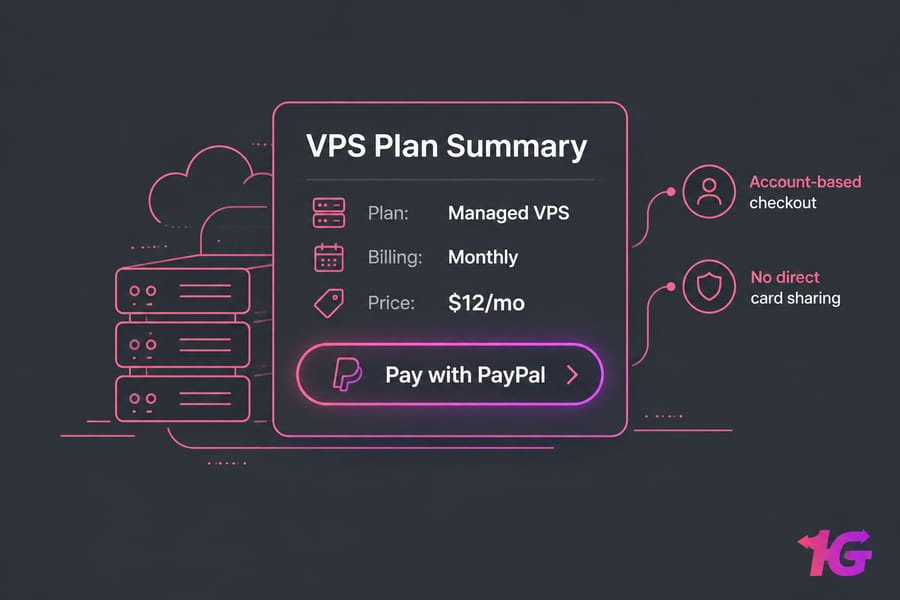
PayPal works best when you already use it a lot. You log in, approve the payment, and you're done. The merchant never sees your card number. That's a real security benefit, especially with a provider you haven't used before.
- No direct card sharing. Your card details stay with PayPal.
- Account-based payments. You can pay from your PayPal balance, which helps if you get paid through PayPal as a freelancer.
- A familiar dispute process. Everything is handled in one place you already know.
If that sounds like you, you can buy VPS with PayPal at 1Gbits through a dedicated checkout path. Want to compare other hosts first? This roundup of VPS providers that accept PayPal is a good place to start.
Where PayPal falls short for VPS purchases
This is the part most PayPal-friendly pages leave out. PayPal's protections aren't one blanket guarantee. Its Purchase Protection program and its handling of unauthorized transactions are separate processes. If someone takes over your account and buys a server, that's an unauthorized-transaction claim. If you paid for a VPS yourself and didn't like it, that's a different kind of claim, and the rules for services can be strict. Some regional PayPal policies list intangible items such as services as not covered by Buyer Protection.
On the merchant side, PayPal's Seller Protection only covers intangible goods if extra requirements are met and the payment is marked eligible. In practice, the provider's proof of delivery (provisioning logs, login records) often decides how a dispute ends. So don't assume PayPal will refund a hosting purchase automatically. And PayPal account limits or holds can hit buyers too, which isn't fun when you're paying for something urgent.
Key takeaway: PayPal is strongest when you already use it regularly and want account-based checkout. It isn't a refund guarantee for digital services.
Buy VPS with credit card: pros, cons, and best use cases
Why credit cards are still the default VPS payment option
Cards are dull, and that's why they work. Nearly every host accepts them, auto-renewal just works, and your accountant gets clean statements. If you're a business renewing several servers, a card on file saves you a lot of invoice chasing.
Cardholders also get the strongest fallback: a chargeback through their issuing bank. You'll probably never need it. It's still reassuring to have.
1Gbits accepts major cards including Visa, Mastercard, and American Express, so you can buy VPS with credit card without workarounds.
When card payments create friction
VPS hosting is a high-risk category for payment processors, which is the uncomfortable truth. Stripe notes that friendly fraud (a real cardholder disputes a legitimate purchase) is especially common with digital goods and online services. Hosts know this, so card orders can trigger:
- Fraud screening declines, especially when your IP country doesn't match your billing country (VPN users, I'm looking at you).
- Manual verification before the server is provisioned, which slows down urgent deployments.
- 3-D Secure prompts that fail if your bank's app is on a phone you don't have with you.
Disputes aren't the free pass some people think they are, either. Visa's Compelling Evidence 3.0 rules, in place since April 2023, let merchants fight first-party fraud claims by matching data such as IP address, device ID, and account login from your earlier undisputed transactions. If you used the server, the provider can usually show that.
Scenario: a small agency puts five VPS instances on one corporate Amex. Renewals run on schedule, the invoices go straight into accounting, and nobody has to remember anything. That's where cards beat everything else.
Buy VPS with crypto: Bitcoin, USDT, and other cryptocurrency options
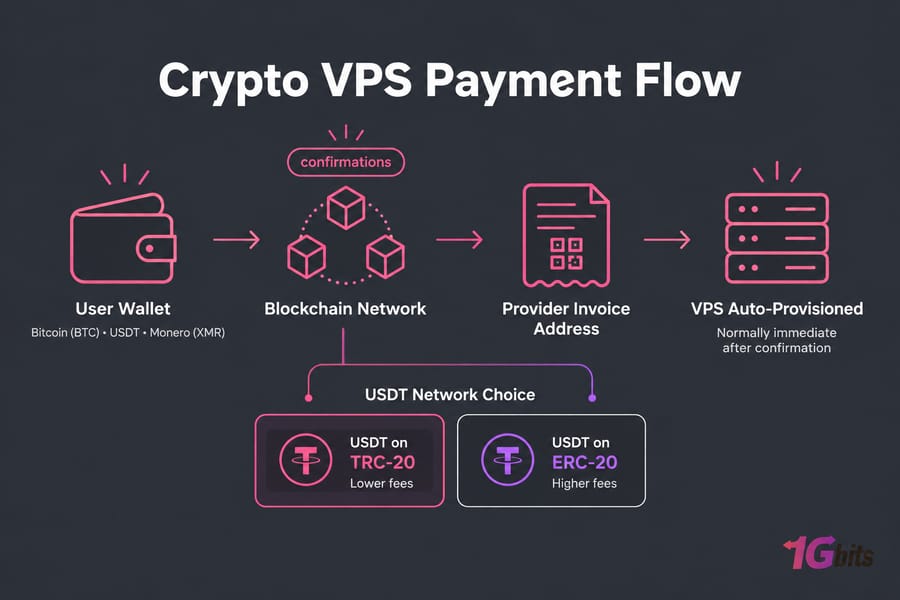
People choose crypto for two main reasons. Some don't have a card, or can't use one because of their country. Others don't want card or bank details tied to their hosting at all. Both are good reasons. With crypto, no card number or bank account is involved in the transaction, so less traditional financial data gets shared.
1Gbits lets you pay for VPS with Bitcoin, buy VPS with USDT, or use coins focused on privacy through its Monero VPS option. Once the payment confirms, provisioning is normally immediate, though a busy network can slow down confirmation.
Bitcoin vs USDT for VPS hosting payments
| Coin | Price stability | Privacy posture | Typical use case | Main drawback |
| Bitcoin (BTC) | Volatile | Pseudonymous; public ledger | Long-time BTC holders | Price swings, slower confirmations at peak times |
| USDT (Tether) | Pegged to USD | Pseudonymous; public ledger | Fixed-budget buyers | Picking the wrong network (TRC-20 vs ERC-20) |
| Monero (XMR) | Volatile | Strongest on-chain privacy | Buyers focused on privacy | Harder to acquire on many exchanges |
My take: for paying a hosting bill, USDT is the more sensible option. A $20 invoice stays $20. 1Gbits recommends the TRC-20 network for lower USDT fees, and that matches my experience. ERC-20 gas fees can sometimes cost more than a cheap VPS itself. Bitcoin is fine if you already hold it and don't care about minor price swings.
Crypto payment trade-offs most buyers ignore
First, blockchain transactions are irreversible. There's no bank to call. If you send USDT on the wrong network or to an outdated invoice address, getting it back depends entirely on the provider's goodwill.
Second, private doesn't mean anonymous. Bitcoin and USDT transactions sit on a public ledger forever. If you bought those coins on an exchange that verified your ID, the trail leads back to you. If privacy is your main concern, read up on no KYC VPS hosting to understand what it does and doesn't protect.
Warning: Paying with crypto isn't the same as buying anonymously, and refunds are usually less flexible than with cards or PayPal.
VPS refunds, disputes, and chargebacks compared
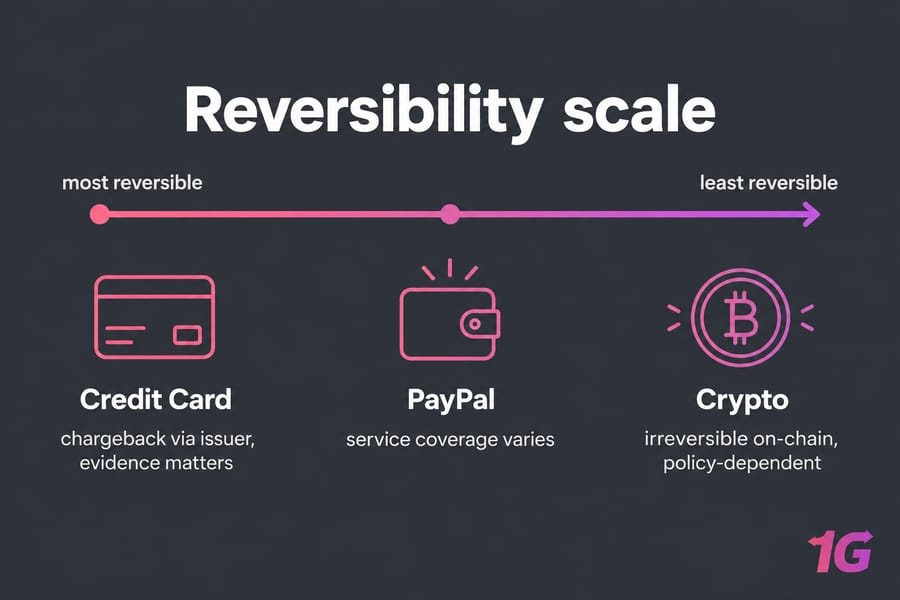
| Question | PayPal | Credit Card | Crypto |
| Who decides disputes? | PayPal | Card network and issuer | The provider only |
| Unauthorized use covered? | Yes, through a separate unauthorized-transaction process | Yes, through fraud chargeback | No mechanism; secure your wallet |
| "Didn't like the service" claims | Limited for intangible services | Possible, but merchants can rebut with usage evidence | Provider refund policy only |
| Merchant's defense | Seller Protection, if eligibility conditions are met | Compelling evidence (IP, device, login) | N/A |
PayPal protection and digital service caveats
PayPal treats unauthorized transactions differently from purchase disputes. Keep that distinction in mind. Coverage for a "service not as described" claim on hosting can be thin.
Credit card chargebacks for digital goods
Card chargebacks give you the strongest leverage on paper. But filing one over a service you actually used can backfire. The provider will probably close your account, and it may win the dispute anyway using your login and IP history.
Why crypto refunds are different
1Gbits advertises a 7-day refund guarantee on several product pages. Still, crypto refunds depend on the provider's policy, whether the server has already been provisioned, and how you paid. Don't assume a crypto payment qualifies for a refund. If anything is unclear, contact support before paying with crypto and confirm the current terms for your service type.
Best payment method for VPS hosting by scenario
| Scenario | Best method | Why |
| Privacy-conscious buyer | Crypto (USDT or Monero) | No card or bank details involved in the transaction |
| Business with many renewals | Credit card | Auto-renewal, clean bookkeeping, chargeback fallback |
| Fastest mainstream checkout | PayPal | One login, no card form, rarely triggers manual review |
| International user without card access | USDT on TRC-20 | Works anywhere, low fees, stable value |
| Freelancer paid via PayPal | PayPal balance | Skips conversion and card fees |
About urgent deployments: if you need a server in the next ten minutes, use the method you've used successfully before. A card that's never been used with a hosting provider is the most likely to get flagged by fraud screening, and that's how a quick order turns into an hour of waiting.
Still deciding? Open the full list of supported payment options and filter by what you can actually pay with.
Common VPS payment mistakes to avoid
- Assuming every refund works the same way. A card chargeback, a PayPal claim, and a crypto refund request are three completely different processes.
- Confusing privacy with anonymity. Crypto shares less financial data. It doesn't make you invisible.
- Paying a fixed budget in a volatile coin. If you have to buy BTC first just to pay, USDT will save you from price swings.
- Ignoring renewal convenience. Crypto means paying each invoice by hand. Miss one, and your server could be suspended.
- Not checking the final checkout. Not every method is available in every country or for every product. Check the payment step before you plan around it.
Where to buy VPS with your preferred payment method at 1Gbits
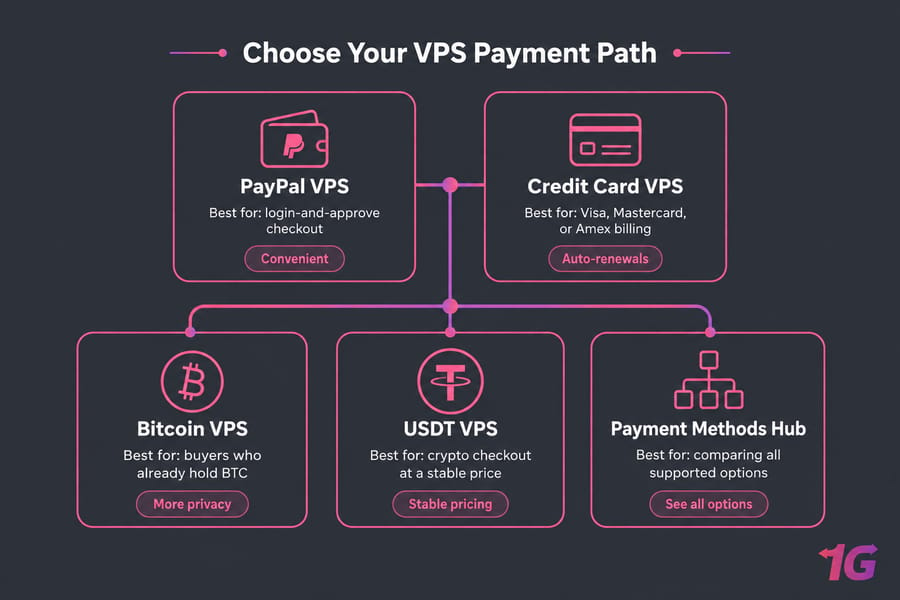
PayPal VPS options
Go to the PayPal VPS page if you already have a funded PayPal account and want a login-and-approve checkout.
Credit card VPS options
Go to the credit card VPS page for Visa, Mastercard, or Amex billing, especially if you want renewals to run on their own.
Bitcoin and USDT VPS options
Use Bitcoin VPS if you already hold BTC, or USDT VPS for crypto checkout at a stable price. If you're comparing everything at once, the payment methods hub lists all supported options.
Final verdict: which VPS payment method should you choose?
Choose the payment method that fits what you actually need, not the one with the most hype.
- Most users: a credit card or PayPal. They're familiar, quick, and the easiest options for renewals and disputes.
- Privacy-focused buyers: crypto, preferably USDT if you want the price to stay put, or Monero for stronger on-chain privacy.
- Businesses: a card on file. Automatic renewals beat manual invoices every time.
Ready to go? Browse all VPS plans, pick your specs, and choose the checkout that suits your budget, privacy needs, and renewal habits.

Leave A Comment