
Here's the short version: Arch Linux vs Kali Linux isn't really a fair fight, because these distros weren't built to do the same job. Arch is a minimalist, rolling-release distribution made for people who want to build their own Linux system from the ground up. Kali is a Debian-based distro from Offensive Security packed with hundreds of penetration testing tools meant for security work, not your everyday desktop.
If you're picking one for daily use, learning Linux deeply, or running a developer workstation, go with Arch. If you need a preloaded toolkit for authorized pentesting or security labs, pick Kali. Confusing the two is the most common mistake I see new Linux users make.
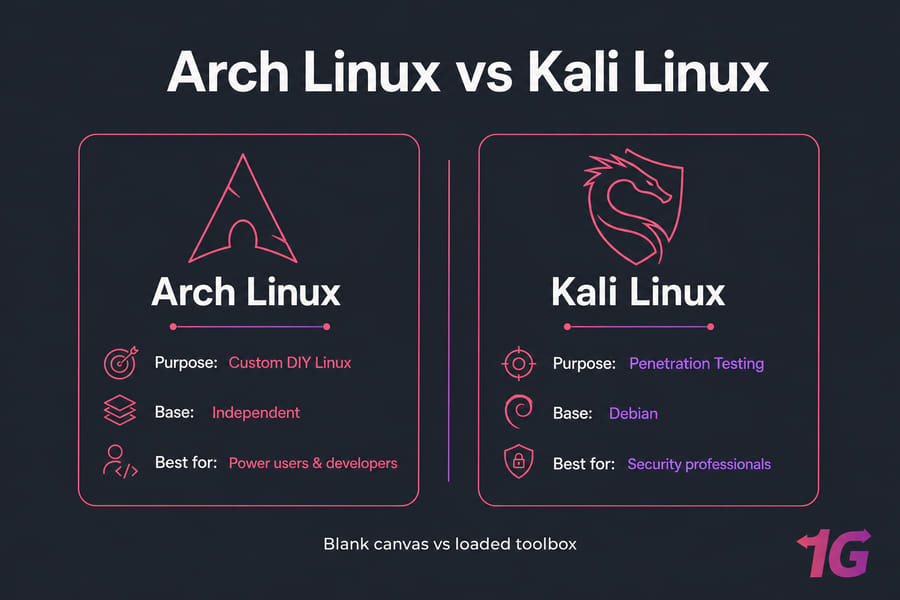
| Category | Arch Linux | Kali Linux |
| Built for | Customization, learning, daily use by advanced users | Penetration testing, security auditing, forensics |
| Base | Independent | Debian |
| Release model | Rolling release | Rolling, but curated from Debian testing |
| Package manager | pacman + AUR | apt + Debian repos |
| Difficulty | High (manual setup) | Moderate (guided install) |
| Best environment | Laptop, workstation, VPS | VM, live USB, isolated VPS |
Key takeaway: these distros aren't direct substitutes. One is a blank canvas, the other is a loaded toolbox.
What Arch Linux Is and Who It's For
Arch follows a DIY philosophy. You start with a near-empty base system, then install only what you actually want — kernel, desktop environment, drivers, packages, the whole stack. Nothing comes preconfigured. That sounds painful, and it kind of is at first. But it's also why Arch users tend to know their systems inside out.
The rolling release model means there are no big version jumps. You update continuously, and you always get the latest packages. The Arch Wiki is famously detailed — honestly, it's one of the best Linux resources on the internet, regardless of what distro you use.
Read: Best Linux Distros
Arch fits you well if you:
- Want full control over every component of your system
- Like the latest software without waiting six months for a release
- Are a developer who needs current toolchains and libraries
- Want to learn how Linux actually works under the hood
- Are running a unmanaged VPS and want to customize everything
Arch is a bad fit if you want something that "just works" out of the box, or if you can't spend time maintaining your system. Updates occasionally break things. That's the trade-off.
Pro tip: If you choose Arch, bookmark the Arch Wiki before you even download the ISO. You'll reference it constantly. Also check out how to install Arch Linux for a walkthrough.
What Kali Linux Is and Who It's For
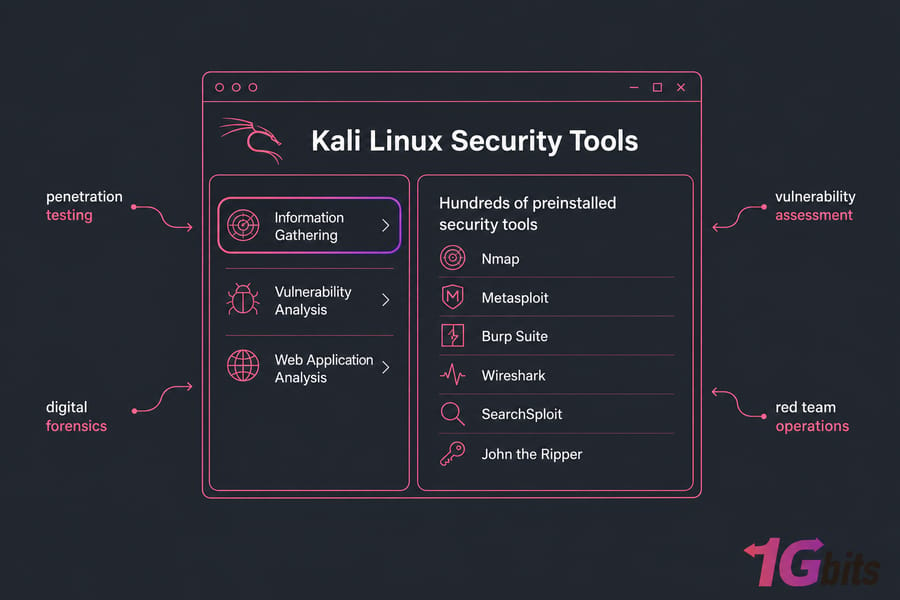
Kali Linux is a Debian-based distribution built and maintained by Offensive Security. It ships with hundreds of preinstalled security tools Nmap, Metasploit, Burp Suite, Wireshark, SearchSploit, John the Ripper, and more. The whole distro is designed around a specific workflow: penetration testing, vulnerability assessment, digital forensics, red team operations.
Want to know more about what is Kali Linux in detail? It's worth reading the dedicated guide. The short answer: Kali isn't a general-purpose Linux distro. It's a specialist tool for a specialist job.
Kali is great for:
- Authorized penetration testing in lab or client environments
- CTF competitions and security training
- Forensics work on a live USB or isolated VM
- Running on a Kali Linux VPS for remote testing scenarios
Warning: Kali Linux is not the best default daily desktop for most users. Running offensive tools as part of your everyday environment increases risk, and many casual applications aren't well-suited to a security-focused base. Use it in a VM or on dedicated hardware where it makes sense. For walking through deployment, see install Kali Linux on a virtual server.
Pacman vs APT: The Package Manager Difference
Package management is where you'll feel the day-to-day difference most.
pacman (Arch) is fast, simple, and writes in clean syntax. Combine it with the AUR (Arch User Repository) and you get access to a huge community-maintained library of build scripts for software that isn't in the official repos. The AUR is powerful but unofficial — packages are user-submitted, so vet them before installing.
apt (Kali, inherited from Debian) is the most familiar package manager in the Linux world. Stable, well-documented, predictable. The Debian repos are curated and signed. For more on apt itself, the guide to installing packages in Linux covers the basics.
| Feature | pacman + AUR | apt + Debian repos |
| Speed | Very fast | Fast |
| Software availability | Huge via AUR | Large, official only |
| Beginner friendliness | Moderate | High |
| Stability | Latest versions, occasional breakage | Predictable, curated |
| Trust model | Official signed + community AUR | Official signed repos |
Quick summary: pacman + AUR gives you flexibility and bleeding edge. apt + Debian repos gives you familiarity and predictability.
Beginners, Programming, and Pentesting Use Cases
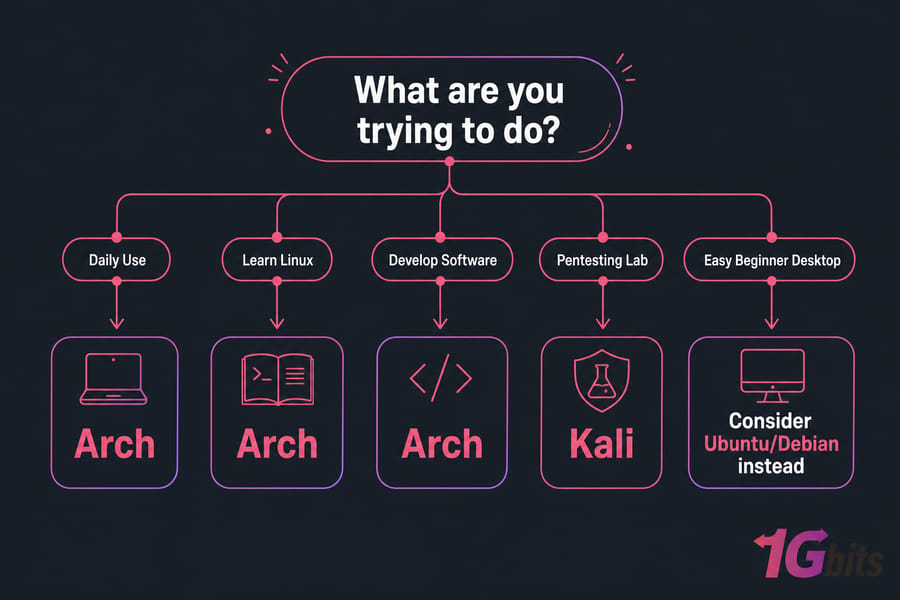
So which one should you actually pick? Depends entirely on what you're trying to do.
For learning Linux
Arch teaches you Linux. Setting it up forces you to understand bootloaders, partitioning, the init system, drivers, networking — the whole stack. Kali teaches you security tools, but it doesn't really teach foundational Linux any better than Ubuntu would. If you want to learn the OS itself, start with basic Linux commands and work your way up.
For daily desktop use
Arch wins, no contest. Once it's set up, it's fast, current, and tailored to exactly what you need. Kali as a daily driver is awkward — you're running a security distro for tasks it wasn't designed around.
For programming and development
Arch again. Latest compilers, latest language runtimes, customizable IDE setups, and the AUR fills in almost any tool you need. Developers who want bleeding-edge packages without waiting for a six-month release cycle love Arch.
For pentesting and security work
Kali, obviously. The preinstalled toolset and the workflow around it save you hours. You can install Metasploit and Nmap on Arch, but you'd be rebuilding what Kali already gives you for free.
Need a Linux Environment for Arch or Kali?
Deploy a fast Linux VPS for development, learning, or security labs without touching your main machine. 1Gbits offers full root access, flexible plans, and VPS options suited for custom Linux setups.
Explore Linux VPS plans for isolated security testing environments.
Security and Stability Trade-offs
People assume Kali is "more secure" because it has security tools. That's backwards. A distro full of offensive tools isn't a hardened daily desktop it's a workshop. If you misuse those tools or run them with bad operational hygiene, you increase your attack surface, not reduce it.
Arch's security profile depends entirely on how you build it. Latest packages mean you patch fast, but rolling updates can occasionally introduce regressions. Maintenance is on you.
For remote environments, isolation matters more than the distro choice. Running Kali in a VM or on a dedicated VPS keeps offensive tooling sandboxed. Same logic applies to Arch for self-managed servers, follow standard hardening practices. The Linux server security guide covers the essentials. And if you're choosing between distros for hosting, the VPS operating systems overview is worth a read.
Common Mistakes When Choosing
- Choosing Kali because it looks "advanced." Kali isn't a status symbol. It's a specialist tool. Running it daily because you saw it in a hacking video is a bad reason.
- Using Kali as your main desktop. If you want a Linux daily driver, look at Ubuntu, Fedora, or Debian. Kali in a VM is almost always the better path.
- Picking Arch for the reputation. Arch is genuinely good, but if you don't enjoy customizing and maintaining your system, you'll resent it within a month.
- Ignoring maintenance overhead. Arch needs ongoing attention. Skipping updates for weeks then doing a massive upgrade is a recipe for breakage.
- Forgetting about VMs and live USBs. You don't need to install Kali on bare metal to learn it. A VM is faster, safer, and reversible.
For the update side of things, the Kali update guide is worth bookmarking.
Decision Guide: Which One Should You Choose?
Choose Arch Linux if...
- You want full control and a customizable daily driver
- You're a developer who needs current packages
- You want to learn Linux deeply by building it yourself
- You're comfortable spending time on maintenance
Choose Kali Linux if...
- You're doing authorized penetration testing or security research
- You need a preloaded toolkit and you need it now
- You're running labs in a VM, live USB, or dedicated VPS
- You're studying for security certifications
If neither feels right
If you just want easy daily Linux, look at Ubuntu, Linux Mint, or Debian. They're not as flashy, but they cause far fewer headaches for general use. The Debian vs Arch comparison is also worth reading if you're stuck between those two.
Final Verdict
For most people: Arch Linux is the better pick if you want a daily Linux system that's fast, current, and tuned to your workflow. Kali Linux wins only when your job or hobby is security testing — and even then, run it in a VM or on a dedicated Kali Linux VPS rather than bare metal.
If you're a beginner who just wants a reliable Linux desktop, honestly, neither of these is the right starting point. Try Ubuntu first, get comfortable, then come back to Arch or Kali with a clearer sense of what you actually need.

Leave A Comment