
![How to Install Metasploit in Kali Linux [Step-by-Step]](https://1gbits.com/cdn-cgi/image/width=1200,quality=80,format=auto/https://s3.1gbits.com/blog/2026/07/how-to-install-metasploit-in-kali-linux-main.webp "How to Install Metasploit in Kali Linux [Step-by-Step]")
If you're wondering how to install Metasploit Framework on Kali Linux and run your first scan, here's the short version: refresh APT, install the metasploit-framework package, initialize its PostgreSQL database, and launch msfconsole. That's it. But there's a catch most tutorials skip many Kali images already ship with Metasploit, so you might be reinstalling something you already have.
How to Install Metasploit Framework on Kali Linux and Run Your First Scan
I'll walk you through the whole thing. Verify, install, initialize the database, launch the console, update, and then run one safe scan against a target you control. No exploitation, no payloads. Just a clean setup and a legal first look.
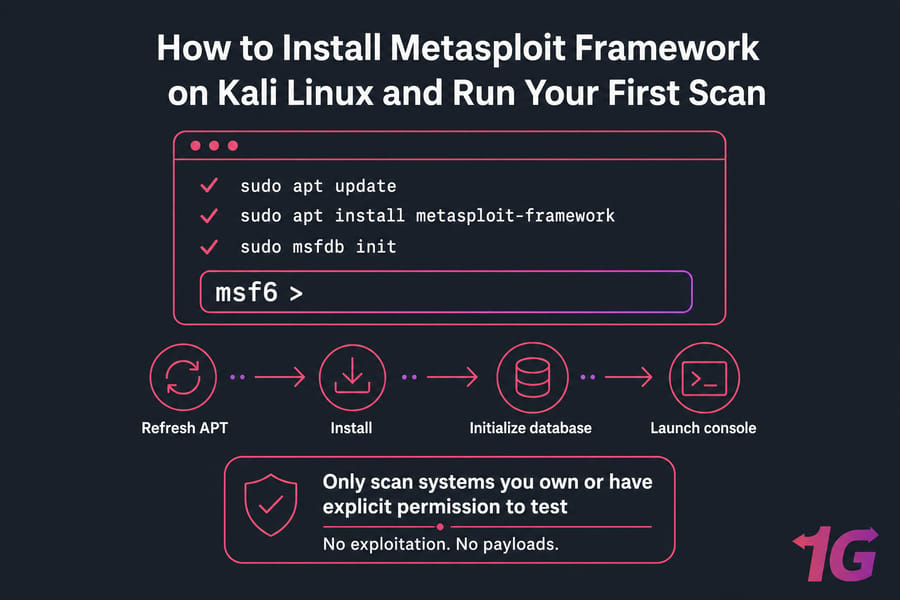
Quick answer: To install Metasploit on Kali Linux, refresh APT, install themetasploit-frameworkpackage, initialize its PostgreSQL database, and openmsfconsole. Many Kali editions already include Metasploit, so verify the package first. Only scan systems you own or have explicit permission to test, preferably inside an isolated virtual lab.
sudo apt update
sudo apt install metasploit-framework
sudo msfdb init
msfconsole
What Metasploit Framework Does on Kali Linux
Metasploit is a modular security-testing framework maintained by Rapid7 and the open-source community. It handles reconnaissance, validation, exploitation, payload delivery, and post-exploitation — all in authorized testing scenarios. This guide stops well before exploitation. We're focused on getting it running and doing service discovery.
The framework is built around modules. Here's the quick breakdown:
- Auxiliary — scanners, fuzzers, and enumeration tools that don't deliver a payload.
- Exploit — code that takes advantage of a specific vulnerability.
- Payload — what runs on the target after a successful exploit.
- Post — actions performed after access is gained.
- Encoder and NOP — utilities for shaping payloads.
One thing worth clearing up: Metasploit isn't an automated vulnerability scanner. It's a validation and exploitation framework. If you're new to all this, the what Kali Linux is primer helps. Before installing anything, confirm your Kali system and lab are ready.
Metasploit Installation Prerequisites for Kali Linux
Authorization required: Only scan systems you own or are explicitly authorized to test. Keep intentionally vulnerable machines on a host-only or otherwise isolated network. Do not expose Metasploitable directly to the internet.
Here's what you need before touching a single command:
- A current Kali rolling installation using official Kali repositories.
- A user account with
sudoaccess. - A stable internet connection for package downloads.
- Roughly 2 GB of free disk space (verify against your current package footprint).
- At least 4 GB RAM — more if you're running a target VM alongside Kali.
- An isolated target: Metasploitable 2 or another intentionally vulnerable VM on a host-only network. Never a random public IP.
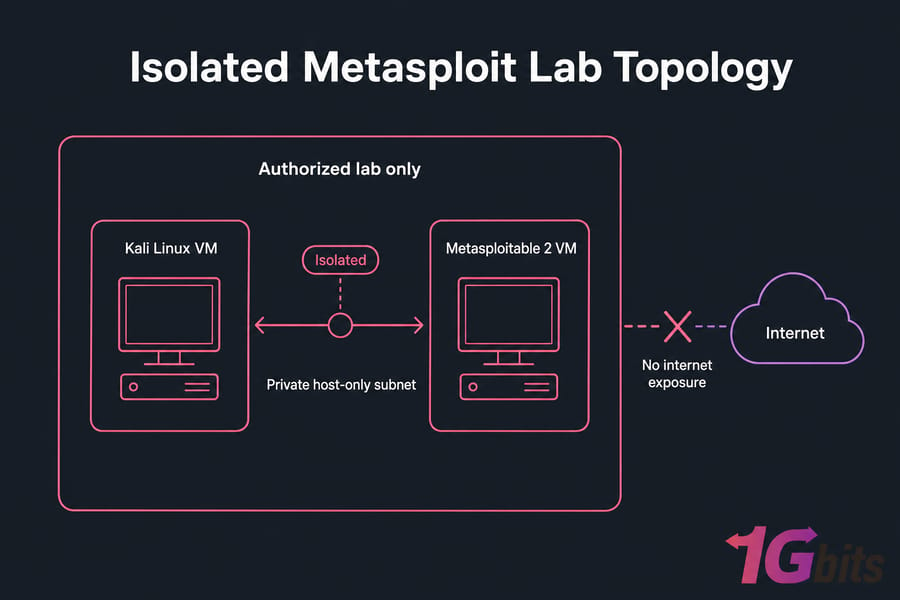
Prefer host-only or internal networking over bridged. Take a VM snapshot before you start testing — it'll save you a rebuild later. If you're setting the environment up fresh, the guide on how to install Kali Linux on VMware covers the isolation basics. And if you need a remote Kali environment for an authorized lab, a Kali Linux VPS gives you root access and persistent resources — just keep vulnerable targets isolated. Once the lab is locked down, check whether Metasploit is already present.
Check Whether Metasploit Is Already Installed on Kali
Full Kali images usually include Metasploit. Minimal or custom installs might not. So check before you reinstall — no point downloading a package you already have.
Start with the executable:
command -v msfconsoleIf that returns a path, the console binary exists. Next, check the package state directly:
dpkg -s metasploit-frameworkThen look at what APT knows:
apt-cache policy metasploit-framework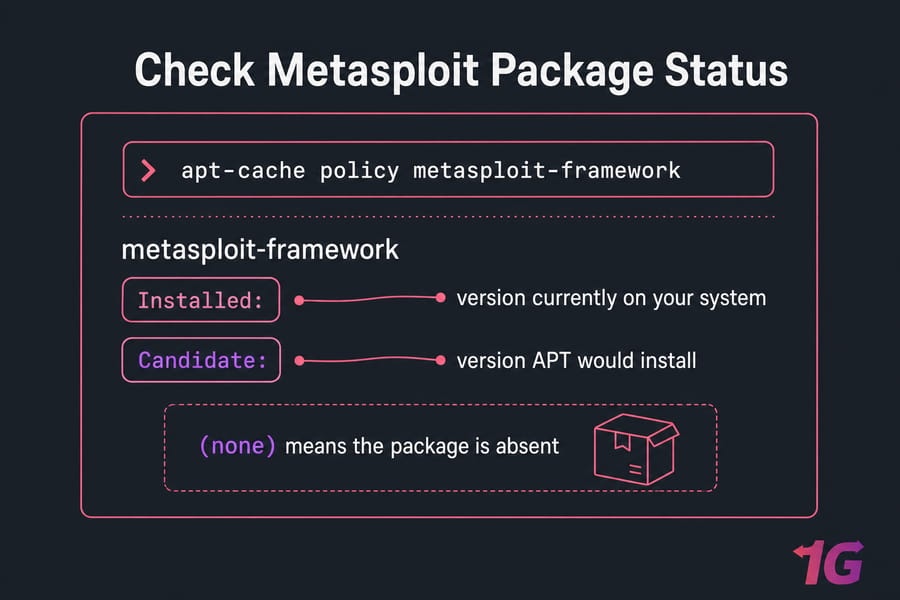
That last command shows three things: Installed: is what's on your system, Candidate: is what APT would install, and (none) means it's absent. Pro tip: apt-cache policy is the fastest way to distinguish an installed version from an available one. Don't rely on which alone — a missing command doesn't confirm your repositories are set up right.
Already installed and current? Skip to database initialization. Otherwise, keep reading. The Kali Linux post-installation checklist is handy if you just set the system up.
Install Metasploit Framework on Kali Linux with APT
Refresh the package index first so APT pulls the current metadata:
sudo apt updateNow install the official package:
sudo apt install metasploit-frameworkAPT lists dependencies and asks for confirmation. Type Y and let it work. The download is sizable, so give it a minute. Once it finishes, verify:
msfconsole --version
dpkg-query -W -f='${Version}\n' metasploit-framework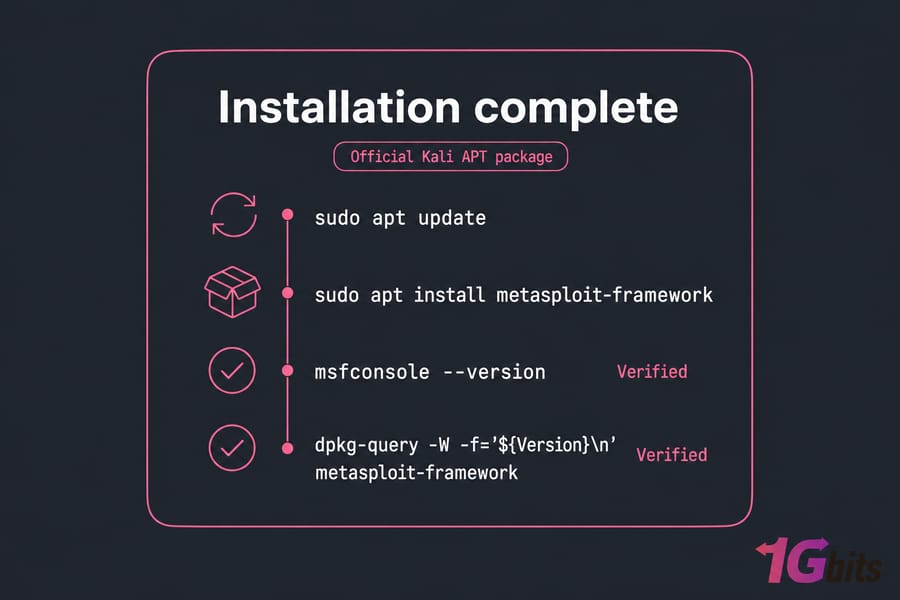
Stick with Kali's official package. Skip the random curl | bash scripts and the Rapid7 standalone installer — on Kali, APT is the supported path and it keeps updates sane. Installation gives you the framework, but the database-backed features still need initialization.
Initialize the Metasploit PostgreSQL Database
Why PostgreSQL? Metasploit uses it to store hosts, services, notes, and workspace data. Without it, you lose the organized, searchable record of everything you discover. Initialize it once:
sudo msfdb initThen confirm it's alive:
msfdb status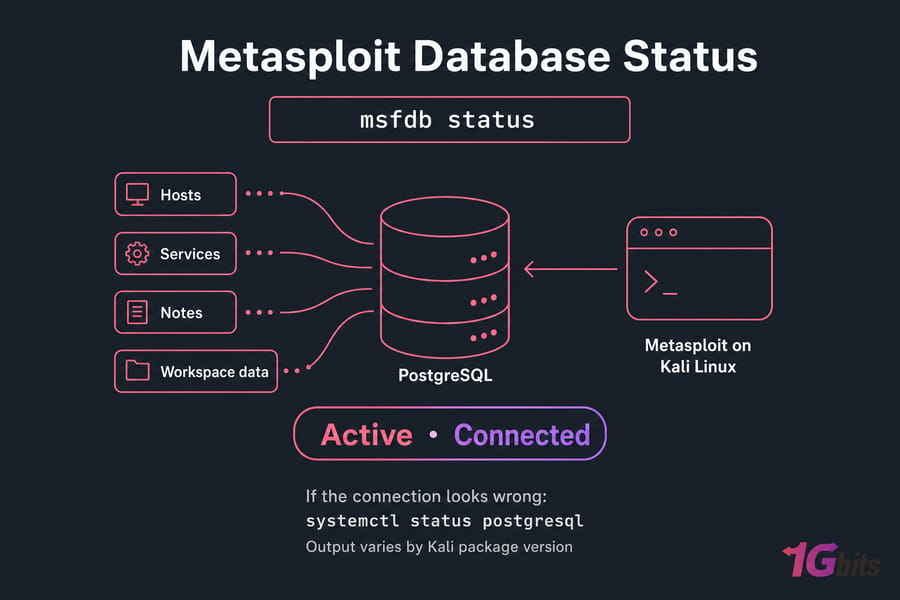
If something looks off, inspect the service directly:
systemctl status postgresqlWarning: msfdb reinit can erase your existing Metasploit database data. Treat it as a last-resort reset, not routine maintenance. Command output varies slightly between Kali package versions, so what you see may differ from a screenshot elsewhere — that's normal. Now launch the console and confirm it reaches the initialized database.
Need a Persistent Kali Linux Lab?
Run Kali Linux with root access on infrastructure you control, keep your tools and workspaces available between sessions, and connect only to systems you're explicitly authorized to test. Explore Kali Linux VPS with root access.
Launch and Verify msfconsole on Kali Linux
Start the console as your normal user — no sudo needed:
msfconsoleThe first launch takes longer while it builds caches. Be patient. Once you see the msf6 > prompt, check the database link:
db_statusA working setup reports that PostgreSQL is connected. Exact wording shifts by version, but "connected" is the word you're looking for. Next, create a dedicated workspace so your scan data stays organized:
workspace -a first-lab
workspace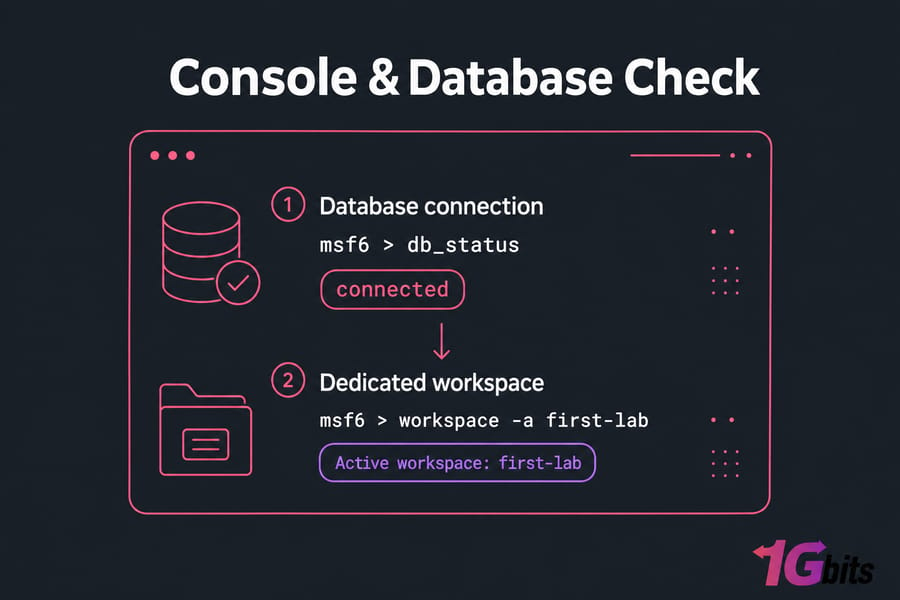
Pro tip: use one workspace per lab or engagement so scan data never gets mixed. Type exit when you want to leave the console. If terminal work is new to you, the essential Kali Linux commands guide is a solid reference. Before importing any scan data, bring the package and modules up to date.
Update Metasploit Modules on Kali Linux
On Kali, let APT manage Metasploit. Refresh metadata and upgrade just this package:
sudo apt update
sudo apt install --only-upgrade metasploit-framework
Or update it as part of a broader system upgrade — but review what changes first, since this touches everything:
sudo apt full-upgrade| Method | Recommended for Kali? |
apt install --only-upgrade metasploit-framework |
Yes — clean, package-scoped |
apt full-upgrade |
Yes, with review |
msfupdate |
Not the default — version-dependent |
Why not just run msfupdate? On Kali's packaged release, mixing update methods causes conflicts. Modules don't update independently of the package here, so stick with APT. Recheck the version with dpkg-query afterward. For system-wide maintenance, see how to update Kali Linux safely. With Metasploit current and connected, run a limited discovery scan in the isolated lab.
Run Your First Authorized db_nmap Scan
Confirm the target uses an isolated private lab network before running anything. Only scan systems you own or are authorized to test. This example uses 192.168.56.101 as a placeholder — replace it with your own lab target's IP.
Make sure your Metasploitable VM is powered on and sitting on the same host-only subnet as Kali. From inside msfconsole, run:
db_nmap -sV 192.168.56.101The -sV flag tells Nmap to detect service versions on each open port. Because you used db_nmap instead of plain nmap, the results get imported straight into your active workspace. Now review what got stored:
hosts
services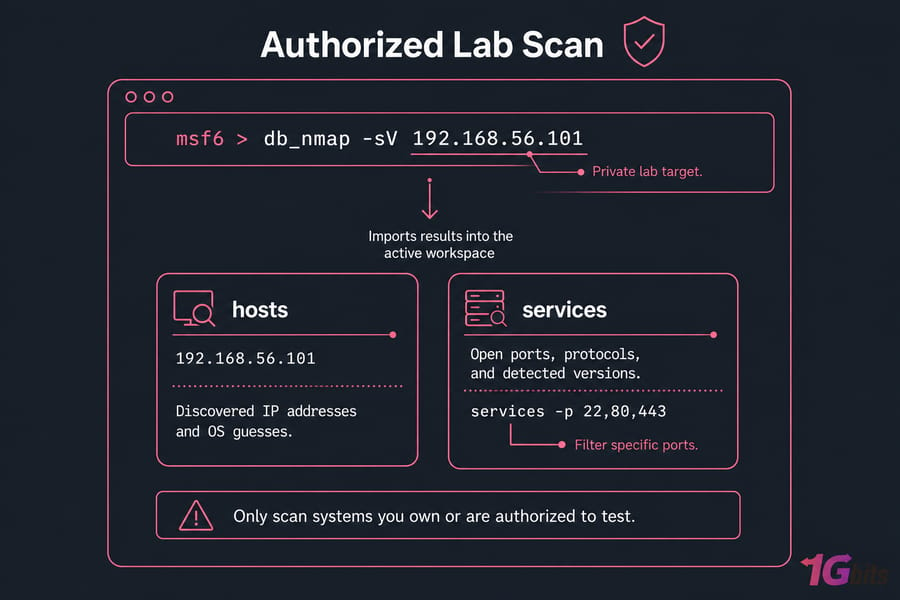
Here's how to read the output:
| Command | Shows |
hosts |
Discovered IP addresses and OS guesses |
services |
Open ports, protocols, and detected versions |
Want to filter to specific ports? If your version supports it:
services -p 22,80,443And that's where we stop. Don't select or run an exploit — service enumeration is the goal for a first scan. Quick summary: db_nmap invokes Nmap and imports discovered hosts and services into the active workspace. No hosts showing up? Check that the target is powered on, the IP is correct, both VMs share the isolated network, no firewall is blocking, and you're in the right workspace. For deeper scanning, the Nmap commands and installation guide and the Nmap cheat sheet are your next reads. If any component failed, use the fixes below.
Fix Common Metasploit Installation and Database Errors
Most problems fall into a handful of symptoms. Match yours, then apply the fix.
| Symptom | Likely Cause | Fix |
msfconsole: command not found |
Package not installed or PATH issue | sudo apt install metasploit-framework |
| Unable to locate package | Stale or misconfigured repos | sudo apt update, then check apt-cache policy |
| PostgreSQL inactive | Service not running | sudo systemctl enable --now postgresql |
| Database not connected | DB not initialized | sudo msfdb init, then msfdb status |
| APT lock / broken state | Interrupted install | sudo dpkg --configure -a then sudo apt --fix-broken install |
db_nmap unavailable |
Nmap missing | sudo apt install nmap |
Safe diagnostic sequence when you're not sure what's wrong:
sudo apt update
apt-cache policy metasploit-framework
sudo systemctl enable --now postgresql
msfdb status
Only reach for msfdb reinit as a final, destructive reset — it wipes stored data. And never delete database directories by hand. When you're back on track, the official Kali and Rapid7 docs cover edge cases in more depth.
Build an Authorized Kali Testing Environment
Installation success means four things work together: the package, the console, the database, and a lab scan. Metasploit runs best with enough memory, persistent storage, and clear network boundaries. A persistent Kali Linux VPS works well as an authorized scanner or controller host — keep vulnerable targets isolated in your lab, never exposed to the public internet. From here, look at install OpenVAS in Kali Linux for dedicated vulnerability scanning, or install and use SearchSploit to round out your toolkit.

Leave A Comment