
![How to Install Wireshark on Kali Linux [Traffic Capture] 🦈](https://1gbits.com/cdn-cgi/image/width=1200,quality=80,format=auto/https://s3.1gbits.com/blog/2026/08/how-to-install-wireshark-on-kali-linux-main.webp "How to Install Wireshark on Kali Linux [Traffic Capture] 🦈")
Wireshark is one of those tools every Kali user ends up installing sooner or later. And if you're here, you probably already tried sudo apt install wireshark and hit the classic wall: it launches, but every interface says "you don't have permission to capture on this device." Annoying, right?
This guide walks you through how to install Wireshark on Kali Linux, fix capture permissions properly, pick the right interface, run your first capture, and stay on the right side of the law while doing it.
Quick answer: Update APT, install the wireshark package, allow non-superusers to capture during the wireshark-common prompt, add your user to the wireshark group, then log out and back in. Launch Wireshark, pick your active interface, and filter with something simple like dns or icmp.
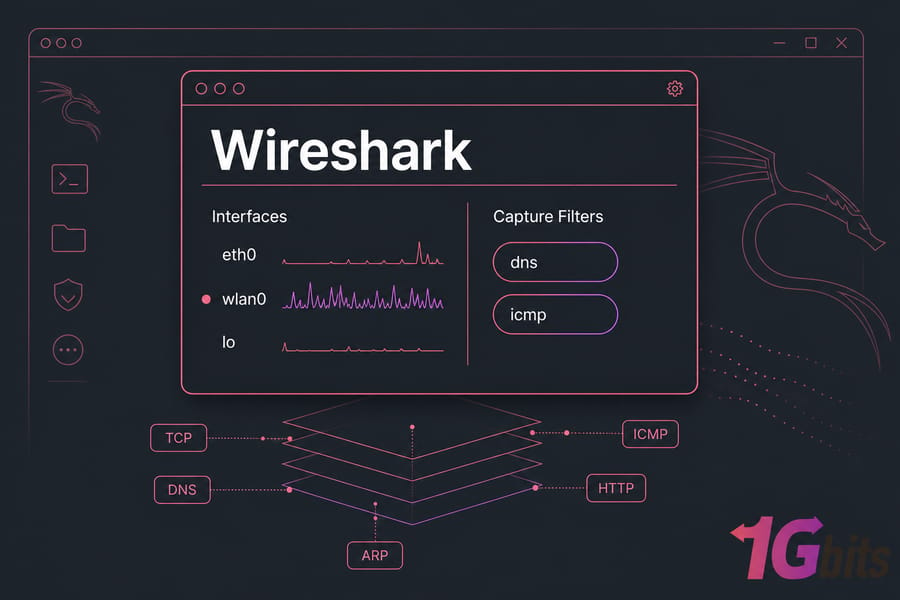
What Wireshark Actually Does on Kali Linux
Wireshark is a graphical packet analyzer. It reads raw packets off a network interface, decodes the protocol layers, and shows you exactly what crossed the wire — TCP handshakes, DNS lookups, ARP chatter, ICMP replies, HTTP requests.
Three common reasons Kali users reach for it:
- Troubleshooting — figuring out why a connection times out or DNS never resolves.
- Protocol learning — watching a three-way handshake happen in real time beats reading about it.
- Authorized security testing — validating what a tool or exploit actually sends on the network.
What it doesn't do: magically decrypt HTTPS, or capture traffic that never reaches your selected interface. On a switched network you'll typically see your own host's traffic plus broadcast/multicast — not everyone else's. That surprises a lot of beginners.
Prefer the terminal? tcpdump and tshark do the same capture work without a GUI, and they're better on headless boxes. Wireshark wins when you want to click through packets visually. If you're new to the distro, our overview of what Kali Linux is gives useful context, and this guide on how to monitor network traffic in Linux covers the wider toolset.
Before You Install Wireshark on Kali Linux
Quick checklist before you type anything:
- Kali installed and current — run through update Kali Linux first if it's been a while.
- A sudo-capable user account (don't plan on daily-driving root).
- A desktop environment, if you want the GUI.
- At least one active interface:
eth0,wlan0, orlo. - Permission to capture — your own machine, your own lab, or a network you're explicitly authorized to test.
One caveat about headless setups. On a bare Kali VPS with no desktop, the Wireshark GUI is impractical unless you set up X forwarding or a remote desktop. In that case, capture with tshark or tcpdump on the server, then copy the .pcapng file down and open it in Wireshark locally. That workflow is honestly cleaner anyway. If you're spinning up a fresh lab box, here's how to install Kali Linux on a virtual server.
How to Install Wireshark on Kali Linux with APT
Three commands. That's it.
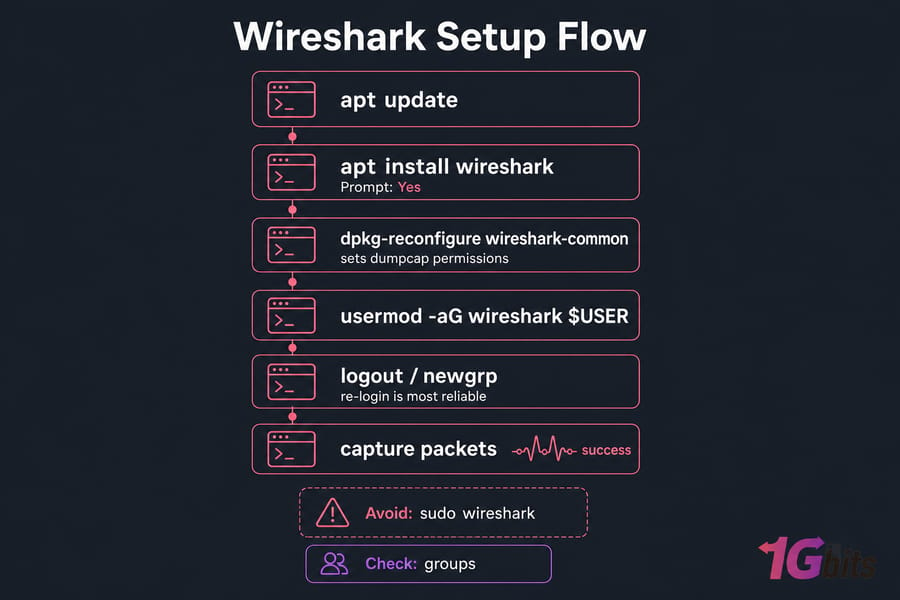
sudo apt updateRefreshes package lists so you pull the current Wireshark build from Kali's rolling repos.
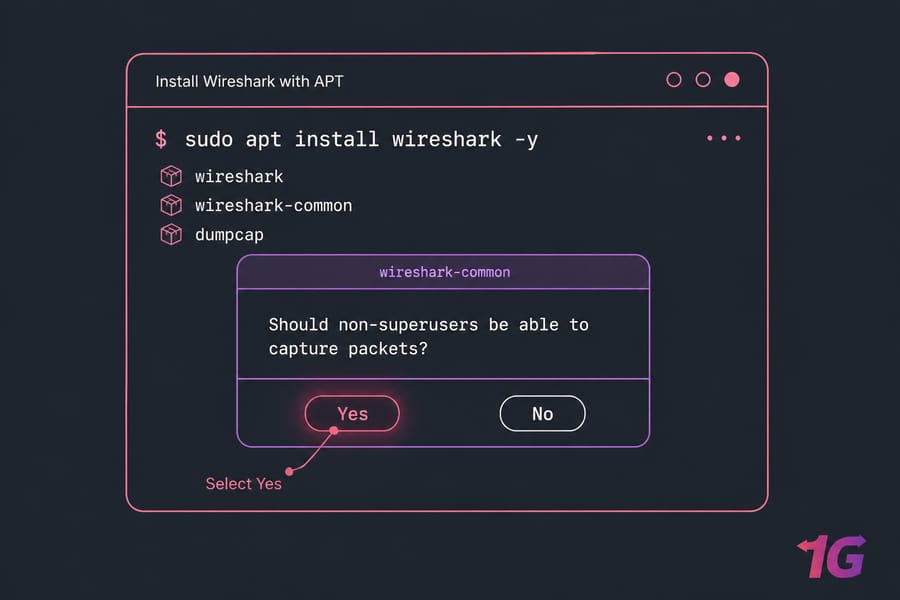
sudo apt install wireshark -yInstalls Wireshark plus wireshark-common and the dumpcap capture helper.
During install you'll likely see a purple prompt asking whether non-superusers should be able to capture packets. Answer Yes. If you blow past it or answer No, don't worry — the next section fixes it.
wireshark --versionConfirms the install and prints the build details.
Launch it from the applications menu, or just run wireshark in a terminal as your normal user.
How to Fix Wireshark Permissions on Kali Linux
Here's the part most tutorials skim. Wireshark doesn't capture packets itself — it hands that job to dumpcap, a small privileged helper. That design exists so the giant GUI and its hundreds of protocol dissectors never run as root. Least privilege, applied sensibly.
If you see "permission denied" on capture devices, run:
sudo dpkg-reconfigure wireshark-commonSelect Yes when asked about non-superuser capture. This sets the right capabilities on dumpcap.
sudo usermod -aG wireshark $USERAdds your account to the wireshark group, which is allowed to execute dumpcap.
newgrp wiresharkApplies the new group to your current shell. A full logout/login (or reboot) is more reliable — group changes don't propagate to an already-running desktop session.
groupsVerify wireshark appears in the output. If it doesn't, you haven't re-logged in yet.
Don't get in the habit of running sudo wireshark. It works, but you're giving root to a huge codebase that parses untrusted network data. Use it only as a one-off diagnostic, never as your default. Same principle applies to other Linux permission denied fixes.
Choosing the Right Capture Interface
Wrong interface is the number one reason people think Wireshark is broken. Run ip a to list what your system actually has, then match it against the Wireshark welcome screen — the interface with a moving sparkline is your live one.
| Interface | What it carries | Pick it when |
eth0 |
Wired Ethernet traffic (including most VM adapters) | You're on a cable or a virtual machine |
wlan0 |
Wi-Fi traffic from your wireless adapter | You're connected over Wi-Fi |
lo |
Loopback — localhost only | Testing services running on the same machine |
any |
All interfaces combined | You're not sure where traffic is flowing |
Need help identifying addresses? Our guide on how to get your IP address in Linux pairs well with this step.
Running Your First Safe Capture
- Double-click your active interface to start capturing.
- Generate predictable traffic:
ping 8.8.8.8in another terminal, ordig 1gbits.comfor DNS packets. - Watch the packet list fill. ICMP echo requests and replies should appear within seconds.
- Hit the red square to stop.
- Save as
.pcapngvia File → Save As.
Keep captures short. A ten-minute capture on a busy interface produces a file full of data you didn't need — and packet captures can contain credentials, cookies, and session tokens. Capture what you need, analyze it, delete it.
Wireshark Filters Every Beginner Should Know
Two filter types, and mixing them up causes real confusion. Capture filters decide what gets recorded (BPF syntax, set before you start). Display filters decide what you see in an existing capture (Wireshark syntax, changeable anytime).
| Goal | Type | Filter |
| Show DNS queries and responses | Display | dns |
| Show ping traffic | Display | icmp |
| Show plain HTTP | Display | http |
| Traffic to/from one host | Display | ip.addr == 192.168.1.10 |
| Web server traffic only | Display | tcp.port == 80 |
| Record only DNS packets | Capture | port 53 |
| Record only one host | Capture | host 192.168.1.10 |
HTTPS is a partial exception. You'll see the TLS handshake, SNI, and packet sizes — but not the payload, unless you've configured key logging on a client you control. If protocol basics are still fuzzy, read up on the difference between TCP and UDP first.
Common Wireshark Problems on Kali (and Fixes)
| Problem | Likely cause | Fix |
| "You don't have permission to capture" | User not in wireshark group |
Reconfigure wireshark-common, add group, re-login |
| No interfaces listed at all | dumpcap capabilities missing |
sudo dpkg-reconfigure wireshark-common |
| Capture runs but zero packets | Wrong interface, or idle link | Switch interface, generate traffic with ping |
| VM sees only its own traffic | NAT adapter mode | Switch the VM NIC to bridged if your lab requires it |
| Wi-Fi shows no other devices | Monitor mode unsupported | Chipset/driver dependent — see fix Wi-Fi in Kali Linux |
| GUI won't open over SSH | Headless server, no X | Use tshark, transfer the pcapng, analyze locally |
Is Using Wireshark Legal?
Capturing traffic on hardware you own, in your own lab, or on a network you've been explicitly authorized to test — that's fine. Capturing on a café Wi-Fi, an office LAN you don't administer, or any network without written permission can be a criminal offense depending on where you live.
Company acceptable-use policies count too, even when the law is vague. And remember that captures may hold other people's personal data, which brings privacy rules into play. My advice: build an isolated lab, keep captures short, and never sniff something you can't justify in writing.
Next Steps
Wireshark tells you what's on the wire. Pair it with tools that tell you what's exposed:
- Install OpenVAS in Kali Linux for vulnerability scanning.
- Install SearchSploit on Kali Linux for offline exploit lookups.
- Install Metasploit in Kali Linux for exploitation testing.
If you'd rather keep your lab off your daily machine, a Kali Linux VPS gives you a disposable, root-accessible environment you can rebuild whenever an experiment goes sideways. Broader Linux VPS hosting works too if you'd rather roll your own stack.
Get a Kali VPS built for your security lab → Kali Linux VPS

Leave A Comment