

Most Terraria server problems come down to one of five causes: the wrong server type, a version mismatch, a closed TCP port 7777, a world that hasn't finished loading, or mods that don't match. First check whether you're running vanilla, tModLoader or TShock. Then make sure the server is listening, that you shared the right host:port, and that every player is on the same build as the server. That's Terraria server troubleshooting in a nutshell.
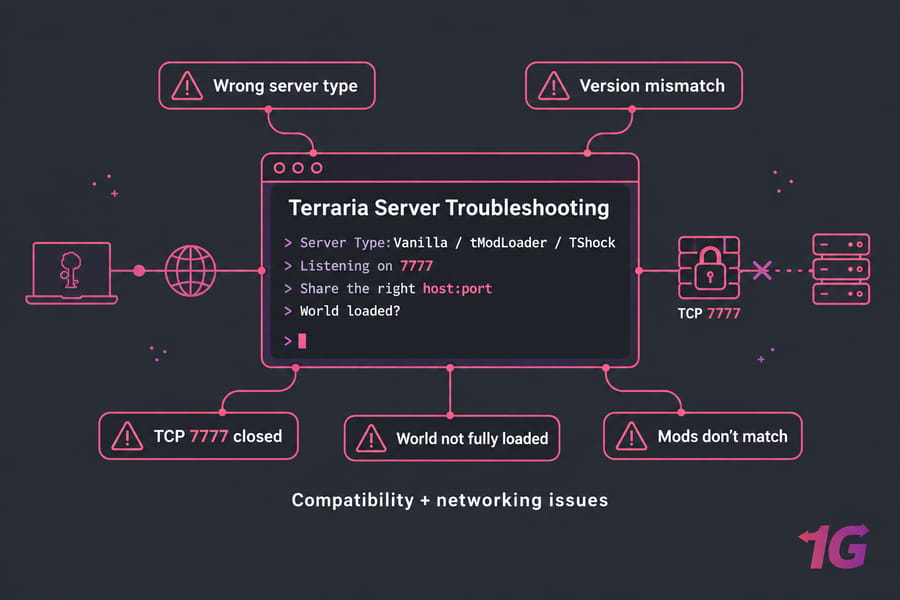
Key takeaway: Most Terraria failures are compatibility or networking problems. Hardware is rarely the cause.
Before you troubleshoot
- Console or panel access, and the ability to restart the server
- The exact error message (screenshot it)
- Your server type (vanilla, tModLoader, TShock) and where it runs (home PC, VPS, dedicated)
- Router access if self-hosting, or provider firewall access if renting
How to Troubleshoot a Terraria Server Step by Step
Reinstalling is the first thing panicked admins try. It's usually the last thing you need. A reinstall wipes out logs and almost never fixes a closed port or a mismatched client.
Work through it in this order instead:
- Name the symptom. "Can't connect," "stuck on Found Server," and "crash on startup" are different problems.
- Confirm the server type. Vanilla clients join vanilla and TShock servers. tModLoader clients join tModLoader servers. Nothing else crosses over.
- Confirm the server fully started. The console should report the world loaded and a listening port.
- Confirm the network path. TCP 7777 (or your custom port) must be open at every layer.
- Confirm builds and mods match for every player.
If you already set things up using our modded Terraria server guide, this page is its problem-solving companion. For OS-level issues, see our Linux server troubleshooting walkthrough.
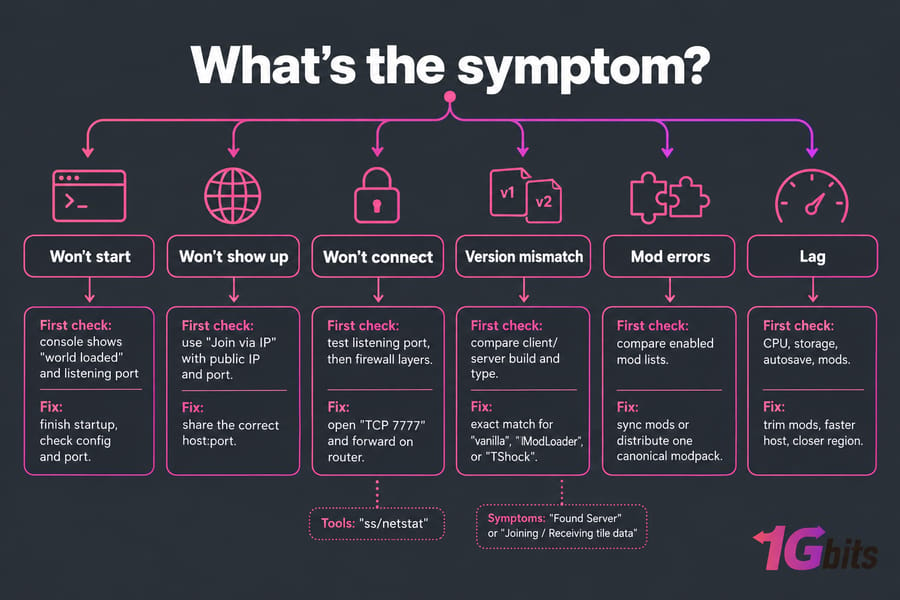
Quick symptom matrix
| Symptom | Likely cause | How to confirm | Fix |
| Connection times out | Port closed or wrong public IP | Check listening port, test from outside your LAN | Open TCP 7777 in every firewall layer, forward it on the router |
| Connection refused | Server not running or wrong port | Console and ss/netstat |
Start the server, fix the port in the config |
| Stuck on "Found Server" | Handshake failing | Compare client/server type and version | Match software and version |
| Stuck on Joining / Receiving tile data | Mods, world size, unstable connection | Compare mod lists, test a wired player | Sync mods, stabilize the network |
| Modded players can't join | Missing mod or dependency | Compare enabled mod lists | Distribute one canonical modpack |
| Everyone lags | CPU, storage, autosave, mods | htop during the lag spike |
Trim mods, faster host, closer region |
Terraria Server Not Showing Up: What It Actually Means
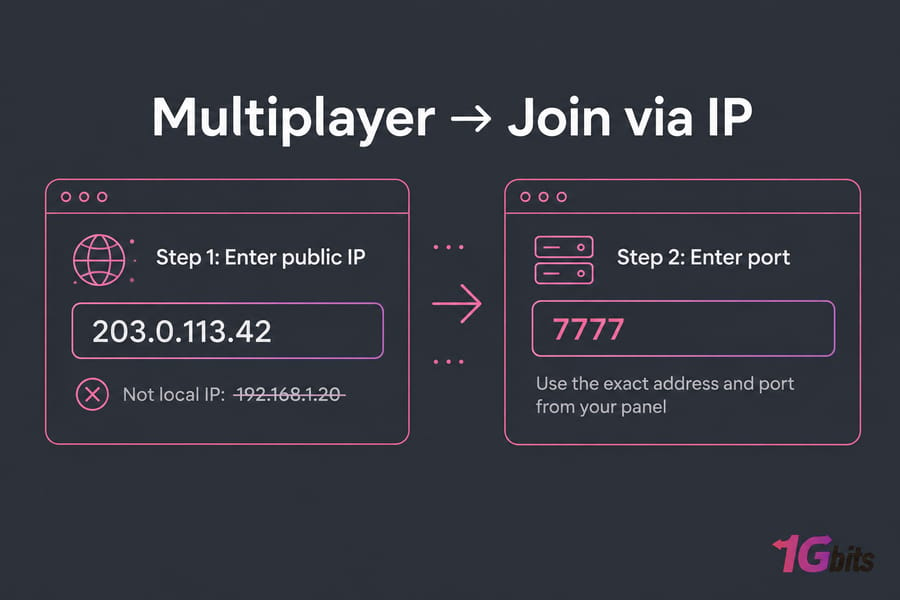
The myth: your server should appear in a list. The reality: Terraria has no public server browser. Players use Multiplayer → Join via IP and type your address and port.
"Not showing up" usually means one of these:
- You shared your local IP (like
192.168.1.20) instead of your public IP - The port is wrong or missing, especially when a host panel assigns something other than 7777
- The server hasn't finished starting yet
Copy the exact address and port from your panel instead of assuming 7777. For "can't find host" errors, our guide to the server IP address could not be found error covers the DNS side.
Can't Connect to a Terraria Server or Stuck on Found Server
I've watched people spend whole evenings on router settings when the server was never running. Go in this order:
- Is the server process running? Check the console or panel.
- Did the world finish loading? Large or freshly generated worlds take a while.
- Is it listening? On Linux,
ss -tlnp | grep 7777should return a line. On Windows,netstat -ano | findstr 7777should showLISTENING. - Are players using the public IP and correct port?
- Are all firewall layers open? OS firewall first, then the provider/cloud firewall, then router forwarding.
A common trap: Terraria's game connection uses TCP. Forwarding only UDP 7777 does nothing. Old forum advice to "open both" is harmless, but TCP is what matters.
See how to configure a firewall on your VPS. On Ubuntu with UFW:
sudo ufw allow 7777/tcp
sudo ufw status
Fix "Found Server" and "Joining" loops
"Found Server" is good news: your client reached the host, so basic networking works. The handshake or load stage is failing. Usual suspects:
- Version mismatch between client and server
- Wrong client type (vanilla client hitting a tModLoader server, for example)
- Mod mismatch on modded servers
- A password the player doesn't know
- An unstable connection dropping during tile data transfer
Terraria Version Mismatch and Incompatible Server Builds
"You are not using the same version as this server" means exactly that. Terraria requires an exact client/server match.
Steam is the usual trigger: clients auto-update overnight while your server stays on the old build. Update the server to the new release, or roll clients back via Steam's beta options where available.
| Client | Server type | Works? | Notes |
| Vanilla Terraria | Vanilla server | Yes | Versions must match exactly |
| Vanilla Terraria | TShock | Yes | TShock targets a specific Terraria version |
| Vanilla Terraria | tModLoader | No | Launch tModLoader instead |
| tModLoader | tModLoader server | Yes | Same tModLoader build and same mods |
| tModLoader | Vanilla or TShock | No | Use the vanilla Terraria client |
TShock is built against a specific Terraria release, so after a major update there's often a gap before a compatible TShock ships. Until then, wait or keep clients on the older version. Check TShock's GitHub releases before updating.
Pro tip: Before anything deeper, ask every player one question: "Did you launch Terraria or tModLoader?" They're separate Steam entries, and the mix-up is embarrassingly common.
tModLoader Server Issues and Mod Mismatch Fixes
Matching tModLoader builds is half of it. Every player also needs the same mods, same versions, and all dependencies. One missing library mod blocks a join.
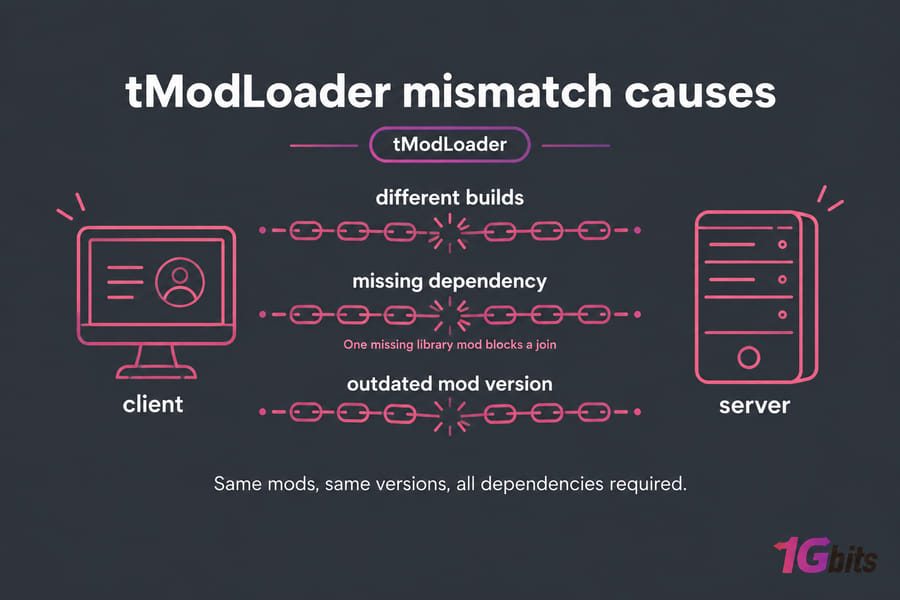
Players missing mods or dependencies
Keep one canonical mod list. On a dedicated tModLoader server, install.txt lists the Workshop mods to download and enabled.json controls which ones actually load. Treat them as the source of truth and give players the same list (a Workshop collection works well). Setup is covered in our modded Terraria server guide.
Crash on startup after adding mods
tModLoader's console usually names the failing mod. If not, bisect: disable half your mods in enabled.json, restart, and see whether it boots. Keep splitting the guilty half. With 40 mods, you'll find the culprit in about six restarts.
World breaks after a mod update
Mod updates can change save data, and a world may not load cleanly afterward. Back up before every update. If it does break, roll back both the mod and the world to the last working pair. Our guide to schedule automatic backups takes care of the "I forgot" problem.
Terraria Server Starts but the World Will Not Load
If the console keeps asking you to choose a world, the path is almost always wrong.
| Cause | Fix |
Wrong world path in serverconfig.txt |
Use an absolute path, e.g. world=/home/terraria/Worlds/MyWorld.wld |
| Permission errors | The server's user must own the world folder |
| New large world still generating | Wait for the console to finish |
| Corrupted save | Restore from backup |
For corruption, stop the server first. Copy the damaged file aside, then restore the last good backup. A .wld.bak next to the world is also worth trying. On modded servers, back up and restore the .wld together with its matching .twld, which stores the modded data.
Warning: Never overwrite or delete a world before you've copied it. Not every corrupted world can be recovered, so the copy may be all you have.
Terraria Server Lag, Rubber-Banding, and Random Disconnects
Who's lagging? If only one player rubber-bands, it's almost always their connection. If everyone stutters at once, it's server-side.
| Symptom | Likely bottleneck | Test | Fix |
| One player lags | Their latency or Wi-Fi | Ping to server from their machine | Wired connection, closer region |
| Everyone freezes briefly every few minutes | Autosave on slow storage | Correlate with save messages in console | Move to NVMe storage |
| Constant lag during boss fights or events | CPU (single-thread) | htop shows one core pinned |
Faster CPU, fewer heavy mods |
More RAM helps only if you're running out. Terraria leans on one main thread, so single-core speed beats core count. Huge worlds, heavy mods, and slow disks hurt; unused gigabytes don't help.
Watch CPU, memory, disk wait, and network quality during a lag spike. Our guides on how to improve your VPS server speed and what latency actually is go deeper.
Terraria Port 7777, Firewall, NAT, and CGNAT Checks
Warning: Terraria uses TCP 7777 by default. UDP-only rules won't fix join failures. If you changed the port in your config, open that port instead.
One closed layer blocks everything:
- The server app binds to the port
- The OS firewall (UFW, Windows Defender Firewall) allows it
- The provider firewall (cloud security group or panel firewall) allows it
- The router forwards TCP 7777 to the server's local IP (home hosting only)
- Your ISP gives you a real public IP, not CGNAT
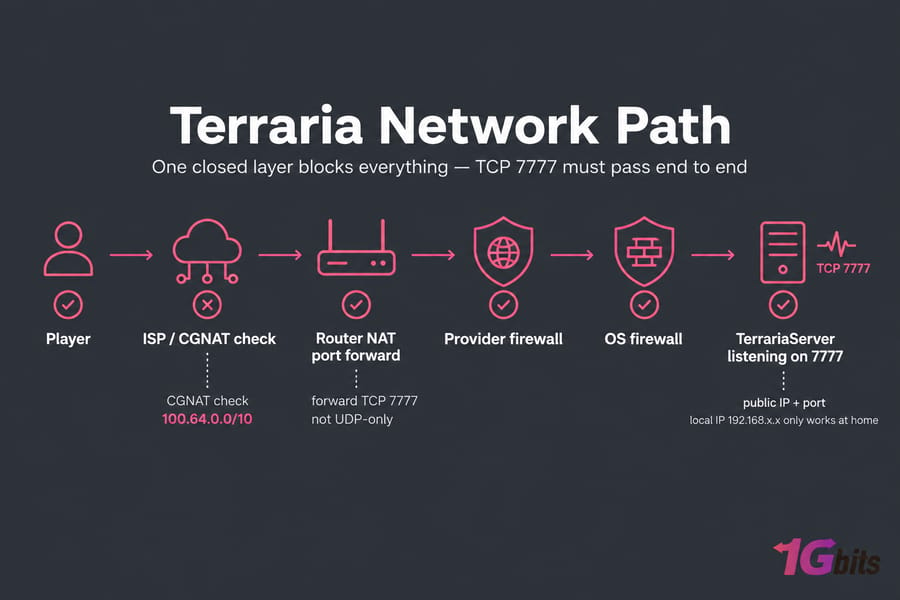
Your local IP (192.168.x.x) only works at home; friends need your public IP. Testing your own public IP from inside your LAN can fail even when everything's right, since many routers lack NAT loopback. Have someone outside test.
Need router help? See how to port forward on your router.
Then there's CGNAT, where your ISP puts many customers behind one shared IP. To check, compare the WAN IP shown in your router with what a "what's my IP" site reports. If they differ, or the router shows an address in 100.64.0.0/10, you're behind CGNAT and port forwarding simply can't work. Ask your ISP for a public IP, or move to a VPS that has one (usually faster). Public servers should also plan for DDoS attack types.
Useful Terraria Server Commands, Logs, and Diagnostics
The Terraria or tModLoader console comes first. It shows whether the world loaded, the port, and which mod crashed.
Linux
ss -tlnp | grep 7777Shows what's listening on TCP 7777. No output means nothing is. More in our guide to check Linux open ports.
htopRun during a lag spike. One core pinned near 100% means a CPU bottleneck.
journalctl -u terraria -n 100If you run the server as a systemd service (unit name is an example), this shows recent output and crashes; see also Linux log files. Using screen? Reattach with screen -r (guide to the Linux screen command).
Windows
netstat -ano | findstr :7777
Get-NetFirewallRule | Where-Object DisplayName -like "*Terraria*"
The first confirms a LISTENING port; the second (PowerShell) lists Windows Defender Firewall rules for Terraria. See how to check open ports in Windows.
Known Linux quirks
The official wiki notes that "Magic number is wrong: 542" is a terminal issue; run export TERM=xterm and start the server again. Mono errors saying the runtime and class libraries are out of sync usually mean a system Mono install clashes with the bundled one. Launch via the included TerrariaServer script, not the raw binary.
When to Move Your Terraria Server to a VPS or Dedicated Server
Sometimes the home setup itself is the problem. Signs:
- Your ISP uses CGNAT
- Upload bandwidth chokes with a few players
- The world dies whenever your PC sleeps
- You play and host on the same Wi-Fi machine
| Option | Best for | Pros | Limits |
| Home PC | Short sessions with friends | Free, simple | CGNAT, uptime, upload limits |
| VPS | Small to mid groups, light modpacks | Public IP, 24/7 uptime, root access, choice of region | Shared host hardware |
| Dedicated server | Large communities, heavy tModLoader packs | Full hardware, best consistency | Higher cost, more to manage |
For most groups, game VPS hosting fixes CGNAT, forwarding, and uptime in one move. For big communities or heavy modpacks, Terraria dedicated server hosting adds headroom, and DDoS-protected VPS plans are worth a look for public servers. See VPS vs dedicated server hosting.
Quick recap
- Match the server type: vanilla, tModLoader, or TShock
- Wait for the world to fully load
- Confirm the server is listening on TCP 7777
- Open every firewall layer and share the public IP and port
- Match versions and mods for every player

Leave A Comment