


OpenVPN vs WireGuard on VPS: the quick verdict
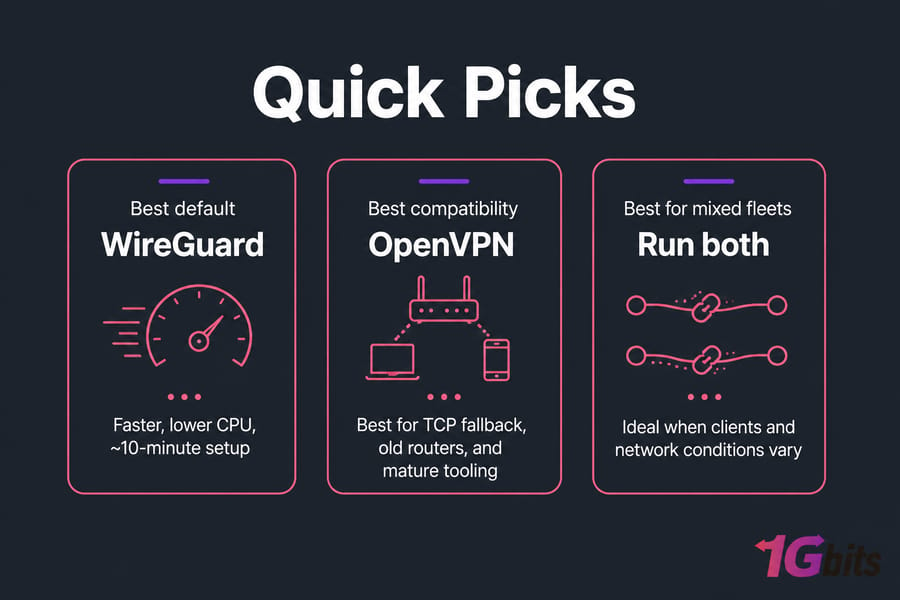
If you're picking between OpenVPN vs WireGuard on VPS today, start with WireGuard. It's faster, uses less CPU, and takes about ten minutes to configure. OpenVPN is still the smarter pick when you need TCP fallback, old router support, or tooling your team already knows.
That's the short version. The rest of this depends on your clients, your network, and honestly, the quality of the VPS hosting for VPN you deploy on.
| Factor | WireGuard | OpenVPN | Better choice |
| Throughput on small VPS plans | High, low overhead | Lower, more CPU-bound | WireGuard |
| Transport protocol | UDP only | UDP or TCP | OpenVPN |
| Setup time | Minutes, key pairs | Longer, certificates + CA | WireGuard |
| Codebase size / attack surface | ~4,000 lines | Hundreds of thousands (with OpenSSL) | WireGuard |
| Legacy device & router support | Good on modern kernels | Excellent, including MikroTik and old firmware | OpenVPN |
| Mobile roaming (Wi-Fi to LTE) | Near-instant | Reconnect delay | WireGuard |
| Restrictive networks / DPI | UDP often blocked | TCP/443 blends in better | OpenVPN |
| Enterprise tooling and docs | Growing | Mature, 20+ years | OpenVPN |
What each protocol actually is in a VPS environment
Both are protocols, not services. You're not comparing NordVPN and Proton here — you're comparing two ways to build a tunnel on a server you control. If that distinction is fuzzy, this primer on what a VPN is fills the gap.
How OpenVPN works on a VPS
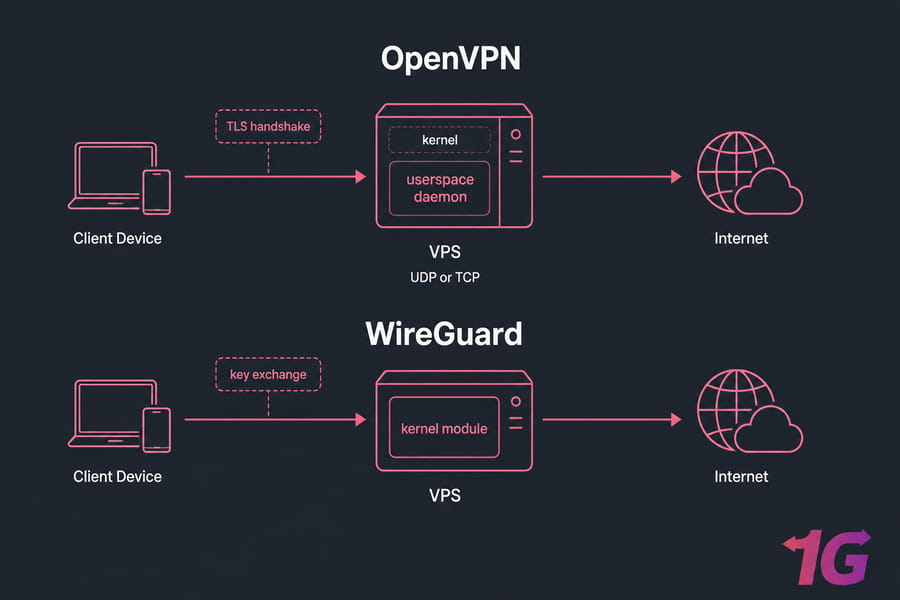
OpenVPN runs as a userspace daemon and uses TLS (the same handshake layer that secures HTTPS) to negotiate keys, then moves encrypted packets over UDP or TCP. Every packet crosses between kernel and userspace. That copying costs CPU cycles — which matters more than you'd think on a 1-core VPS.
How WireGuard works on a VPS
WireGuard lives in the Linux kernel on Ubuntu, Debian, and AlmaLinux with any reasonably modern kernel. No TLS, no certificate authority. Each peer has a public/private key pair, fixed cryptography (ChaCha20 for encryption, Poly1305 for authentication), and a config file you can read in one glance.
Why the VPS layer changes the comparison
Virtualization matters. On KVM you get a real kernel and can load the WireGuard module. On some container-based platforms you can't, and you're stuck with a userspace implementation that gives up much of the speed advantage. Check that before you buy. A Linux VPS with full root access avoids the problem entirely.
WireGuard vs OpenVPN speed on VPS: throughput, latency, CPU
In most VPS deployments WireGuard wins on raw throughput, and the gap widens as your plan gets smaller. Published benchmarks commonly show WireGuard at multiples of OpenVPN's speed on the same hardware — but treat any specific number with suspicion until you've tested your own box.
Why the difference? Kernel-space packet processing, no TLS renegotiation, and a much shorter code path per packet. OpenVPN's overhead shows up as one pegged CPU core, because a single OpenVPN process doesn't spread across cores well.
Latency is a smaller story. Both add a handful of milliseconds. What actually drives your ping is the physical distance to the server and the route your ISP takes — see this explainer on latency if you want the mechanics.
Here's the part people skip: switching protocols won't fix a saturated NIC, a noisy neighbour, or a bad peering path. Read up on VPS performance bottlenecks before blaming OpenVPN.
Pro tip: moving your VPS 500 km closer to you usually buys more real-world speed than any protocol swap.
OpenVPN vs WireGuard security: audits and attack surface
Both are secure when configured properly. Anyone telling you otherwise is selling something.
OpenVPN's strength is two decades of scrutiny, external audits, and enormous configurability — AES-256-GCM, custom ciphers, TLS-auth, revocation lists. Its weakness is the same configurability. More knobs, more ways to get it wrong.
WireGuard's strength is minimalism. A few thousand lines of auditable code and no cipher negotiation at all, so you can't accidentally downgrade yourself. Its trade-off: it stores the most recent peer endpoint IP on the server by default, which matters if you're chasing zero-metadata privacy.
Practically speaking, your biggest risk is the server, not the protocol. Open SSH with password auth, no firewall, unpatched kernel — that's how self-hosted VPNs get owned. Lock the box down first and read our take on OpenVPN vs L2TP/IPsec if you're weighing older options too.
Setup and maintenance: what you're signing up for
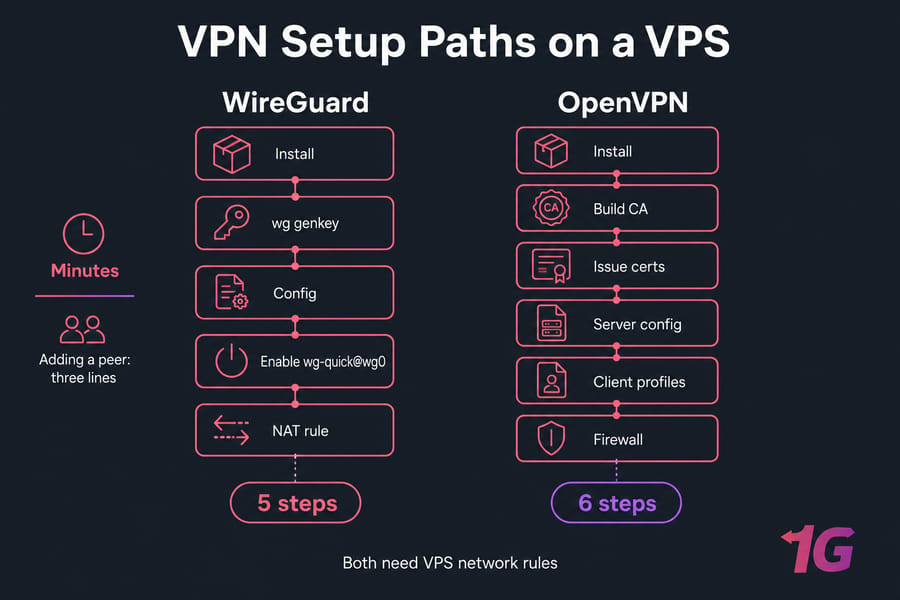
WireGuard: install the package, generate keys with wg genkey, write a short config, enable wg-quick@wg0 through systemd, add IP forwarding and a NAT rule. Adding a peer is three lines.
OpenVPN: build a certificate authority, issue server and client certs, manage revocation, distribute .ovpn profiles. More steps, more files, but far more tutorials and helper scripts to lean on. Our walkthrough on how to install OpenVPN covers it end to end.
Either way you need firewall rules — open your UDP port, allow forwarding, block everything else. Here's how to configure a firewall on your VPS with UFW or nftables. For the smoothest ride, deploy on an Ubuntu VPS — both protocols are one apt install away.
Compatibility: clients, routers, and hostile networks
WireGuard has native or first-party apps on Android, iOS, Windows, macOS, and Linux. Fine for modern devices. OpenVPN reaches further — old firmware, appliances, MikroTik routers, embedded gear. If you're tunnelling through router hardware, check its firmware before committing.
Restrictive networks are where OpenVPN earns its keep. Hotel Wi-Fi, corporate guest networks, and captive portals frequently drop UDP. OpenVPN over TCP port 443 looks a lot more like ordinary web traffic. WireGuard has no TCP mode, so blocked UDP means no tunnel (unless you wrap it in something else).
Mobile users, though, should pick WireGuard. Because it's stateless, walking from Wi-Fi to LTE resumes the tunnel almost instantly. OpenVPN visibly stalls. If you're still weighing your broader options, our guide on how to choose a VPN and this roundup of the best self-hosted VPN servers help.
Best VPN protocol for VPS by use case
| Scenario | Choose | Why |
| Personal privacy, daily browsing | WireGuard | Lowest overhead, simplest to keep patched |
| Streaming and gaming | WireGuard | Better throughput and faster reconnects |
| Frequent traveller on changing networks | Both | WireGuard normally, OpenVPN/TCP as fallback |
| Business remote access, mixed hardware | OpenVPN | Mature tooling, cert-based user management |
| Router or legacy OS clients | OpenVPN | Widest firmware support |
| Home-to-VPS site-to-site tunnel | WireGuard | Persistent keepalive, trivial config |
For privacy-first deployments, pair your choice with anonymous VPS hosting. For OpenVPN specifically, a VPS for OpenVPN with a bit of CPU headroom saves you grief later.
Common mistakes when deploying either protocol
- Picking by hype. WireGuard is great — useless if your office router can't run it.
- Wrong VPS location. A German server for a Brazilian user is a latency tax you pay forever.
- Forgetting IP forwarding. Tunnel connects, nothing routes. Classic.
- Ignoring MTU. Encapsulation shrinks usable packet size; without MSS clamping, SSH works and big downloads hang.
- DNS leaks. Push your own resolver, then verify it.
- Underpowering the box. OpenVPN at 100+ Mbps wants real CPU.
- Skipping hardening. Key-only SSH, minimal open ports, and DDoS-protected VPS if your endpoint is public.
Final recommendation
Choose WireGuard if your clients are modern, you want speed, and you'd rather maintain five lines of config than a certificate authority. Choose OpenVPN if you need TCP, legacy hardware, or established enterprise workflows.
And you can run both. Different ports, separate subnets, one firewall policy — WireGuard for phones and laptops, OpenVPN as the fallback that works from anywhere. That's what I run personally.
Ready to deploy? Get a OpenVPN VPS with full root access, global locations, and 24/7 support.

Leave A Comment