
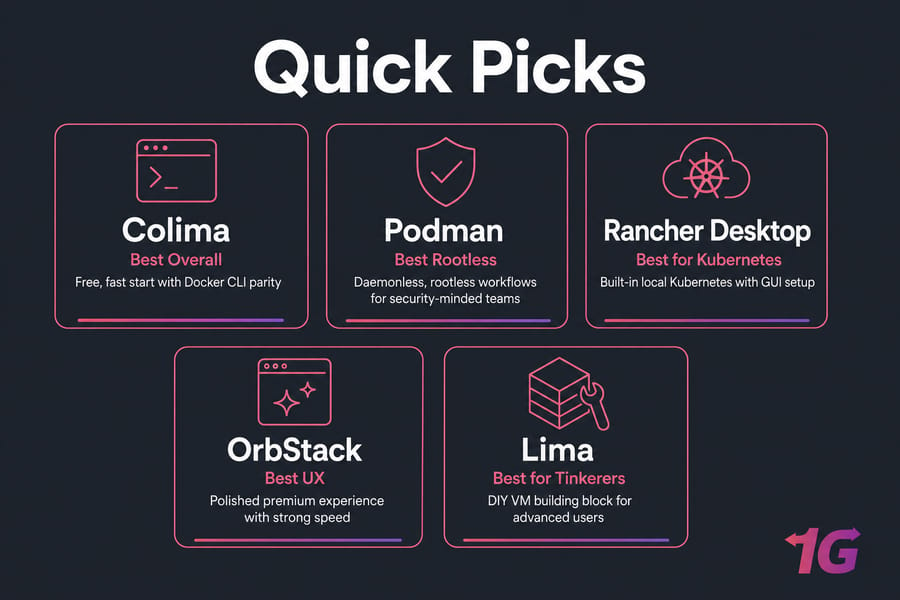
If you want the short version: the best Docker alternatives for Mac are Colima, Podman, Rancher Desktop, OrbStack, and Lima. Colima is the strongest free starting point for most developers. Podman wins on rootless and daemonless workflows. Rancher Desktop is the pick if you actually need local Kubernetes. OrbStack is the polished, premium option. Lima is the building block underneath several of these useful, but not really an end-user tool.
I've used all five on Apple Silicon in the past couple of years, and the honest truth is that no single one is "best" for everyone. The right pick depends on whether you live in the Docker CLI all day, whether you need Kubernetes locally, and how much you care about a clean GUI.
| Tool | Docker CLI | Compose | Kubernetes | GUI | Open source | Best for |
| Colima | Yes | Yes | Optional | No | Yes | Lightweight CLI-first dev |
| Podman | Mostly (alias) | Partial | Via add-ons | Optional | Yes | Rootless, security-minded teams |
| Rancher Desktop | Yes (nerdctl/Moby) | Yes | Built-in | Yes | Yes | Local Kubernetes work |
| OrbStack | Yes | Yes | Built-in | Yes | No (proprietary) | Speed + polished UX |
| Lima | Indirect | Indirect | Manual | No | Yes | Advanced DIY setups |
If you only want one recommendation: start with Colima. It's free, it's fast enough, and it doesn't fight your existing Docker basic commands.
Why so many Mac users are ditching Docker Desktop
Docker Desktop is still a fine product. But there are real reasons people look elsewhere on macOS.
- Licensing. Docker Desktop requires a paid subscription for larger companies, which pushed a lot of teams to evaluate open-source replacements.
- Resource hunger. The default VM can chew through RAM and CPU, and your battery notices.
- Apple Silicon quirks. Most things work great on M-series chips now, but x86 image emulation still bites occasionally.
- Rootless preference. Security-focused teams don't love a long-running root daemon on every developer laptop.
- Just wanting less. Some devs want a CLI and nothing else. No tray icon. No update prompts.
None of this means Docker Desktop is bad. It just means it's not the only sensible choice anymore. If you're still deciding, our guide on how to install Docker on Mac covers the official path side-by-side.
How container runtimes actually work on macOS
Here's the part a lot of comparison posts skip. Containers are a Linux thing. They use Linux kernel features — namespaces, cgroups, the whole stack. macOS doesn't have those. So every "Docker for Mac" tool, including Docker Desktop itself, runs a small Linux VM under the hood.
That VM is usually powered by Apple's Virtualization.framework on Apple Silicon (or QEMU for some configurations). Tools like Lima manage that VM. Then a container runtime — Docker's dockerd, containerd, or another OCI-compatible runtime — runs inside it. Your Mac talks to that VM through a socket and shared file mounts.
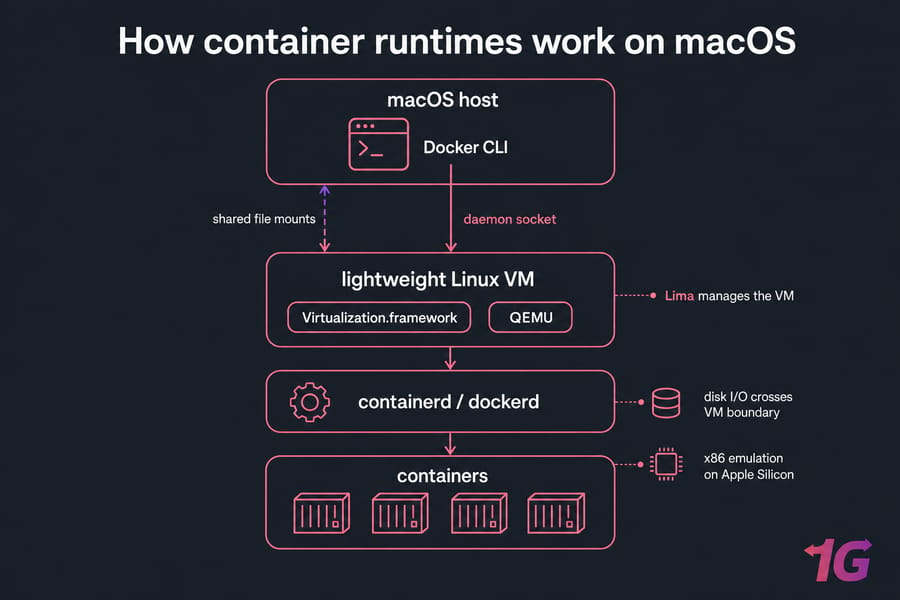
Two practical consequences. First, file mounts cross a VM boundary, so disk I/O isn't as snappy as on native Linux. Second, on Apple Silicon, running x86 images means emulation — fine for many workloads, painful for others. For deeper background on the VM layer itself, see our piece on what virtualization is.
Colima: the lightweight Docker Desktop replacement most people should try first
Colima is a CLI tool that spins up a Lima-based Linux VM and wires up Docker (or containerd) inside it. You install it with Homebrew, run colima start, and your existing docker CLI just… works.
What I like:
- Zero behavioral surprises if you already use Docker CLI and Compose.
- Small footprint — you can cap CPU and RAM precisely.
- Optional Kubernetes flag (
--kubernetes) when you want it. - Free and open source.
Where it gets annoying:
- No GUI. If you want a dashboard, look elsewhere.
- File sync performance is okay but not class-leading.
- You'll handle some setup quirks yourself (socket paths, context switching).
Best for: Mac devs who live in the terminal and want Docker CLI parity without the Docker Desktop overhead. Main drawback: no graphical interface and less hand-holding when something breaks.
Podman on Mac: rootless and daemonless, with some friction
Podman, backed by Red Hat, takes a different philosophy. There's no long-running daemon. Containers can run rootless by default. On macOS, you use podman machine to manage the underlying Linux VM, then issue podman commands that mirror Docker's CLI closely.
You can even alias docker to podman and a lot of muscle memory carries over. Honest comparison? It's not a 100% drop-in. Compose works through podman-compose or the Docker-compatible socket, but I've seen edge cases — networking quirks, volume permission issues — that needed tweaks.
For a fuller breakdown, see Docker vs Podman.
Best for: security-conscious teams, anyone who wants rootless containers on their dev laptop, and shops already standardizing on Red Hat tooling. Main drawback: compatibility is close but not perfect, so expect occasional Docker-specific recipes that need adapting.
Rancher Desktop: pick this if you actually need Kubernetes
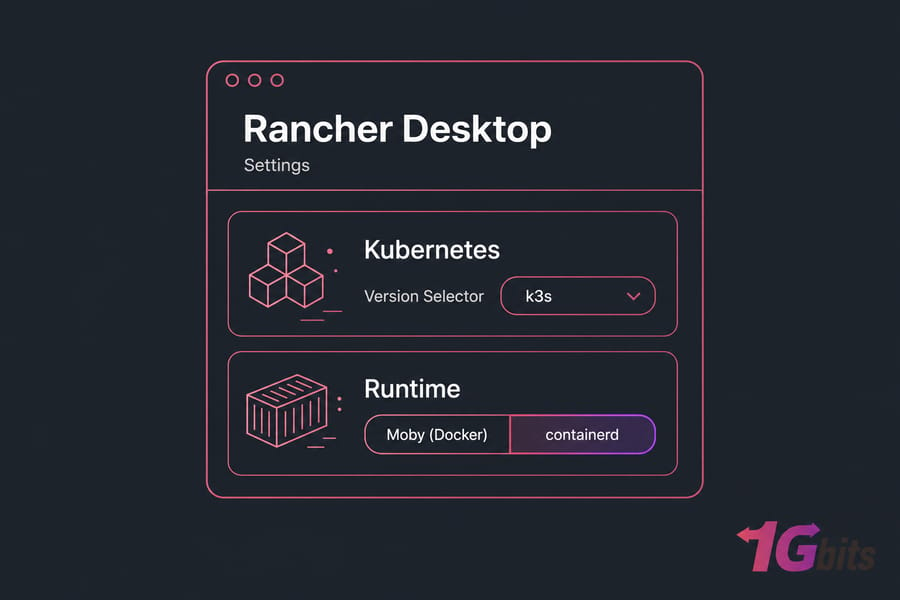
Rancher Desktop (from SUSE) bundles a container runtime, Kubernetes (k3s under the hood), a GUI, and nerdctl for Docker-style commands. You pick Moby (Docker) or containerd as the runtime when you set it up.
The killer feature is that local Kubernetes cluster — one toggle, one version selector, done. No fiddling with minikube or kind. If you're testing Helm charts or building operators, this is huge.
The trade-off is weight. Running a full Kubernetes cluster locally costs memory. If Kubernetes isn't part of your daily workflow, you're paying for capability you don't use. For the broader picture, our Docker vs Kubernetes guide is a good companion read.
Best for: developers and DevOps engineers who genuinely need local Kubernetes plus container management in one app. Main drawback: heavier than Colima or Podman, and overkill without Kubernetes.
OrbStack: the polished premium option
OrbStack is the new kid that everyone keeps recommending. It's macOS-native, fast, and has a UI that doesn't feel like a 2014 Electron app. It runs Docker containers, supports Compose, can spin up lightweight Linux VMs, and feels noticeably zippier than Docker Desktop in everyday use — startup, image pulls, file sync.
One caveat: it's proprietary. Free for personal use, paid for commercial use. That's a deal-breaker for some, totally fine for others. And being newer, its ecosystem doesn't have a decade of Stack Overflow answers behind it yet.
Best for: solo developers and small teams on Apple Silicon who want the smoothest possible Mac experience and don't mind paying. Main drawback: closed source and commercial licensing.
Lima, nerdctl, and the rest
A quick taxonomy check, because not everything in this space is a Docker Desktop replacement.
- Lima — runs Linux VMs on macOS. It's the engine under Colima and Rancher Desktop. Powerful, but you wouldn't hand it to a beginner.
- nerdctl — a Docker-compatible CLI for containerd. Useful inside Rancher Desktop or Lima, not a standalone product.
- Minikube / kind — Kubernetes-focused, not general container tools.
If you're comfortable assembling your own stack — Lima + containerd + nerdctl, say — you can build something extremely lean. Most people shouldn't. Use Colima or Rancher Desktop instead.
So which one should you pick?
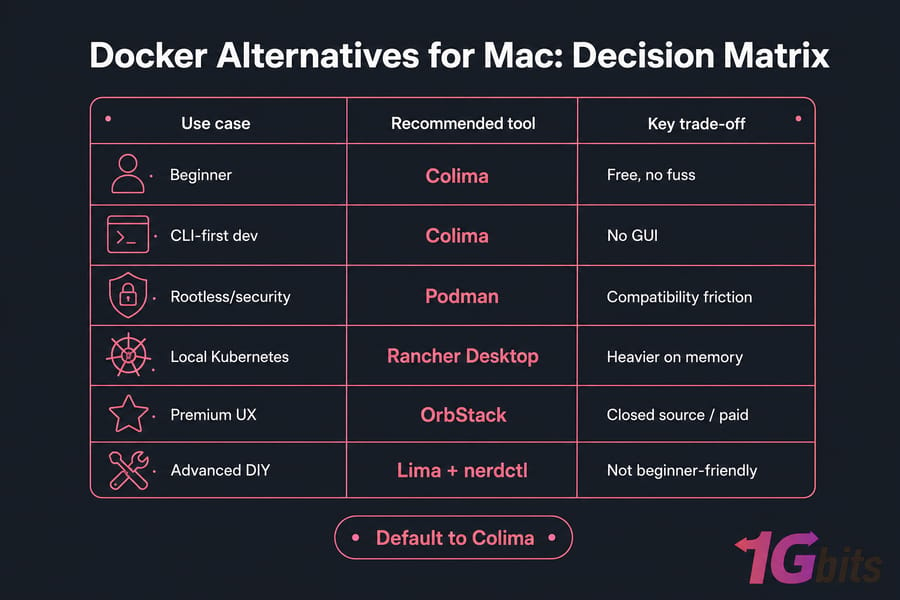
| Your situation | Pick | Why |
| You want one free recommendation, no fuss | Colima | Drop-in Docker CLI, light footprint |
| You need rootless, daemonless containers | Podman | Built-in security model, no root daemon |
| You run Kubernetes locally every week | Rancher Desktop | Bundled k3s, GUI, runtime choice |
| You'll pay for the best UX on Apple Silicon | OrbStack | Fast, native-feeling, polished |
| You like building your own stack | Lima + nerdctl | Total control, minimal abstraction |
Still unsure? Default to Colima. You can always switch later — your Dockerfiles and Docker Compose files don't care which tool runs them.
Common mistakes when switching from Docker Desktop
- Assuming 100% Compose parity. Most tools cover the common cases. Edge features (profiles, certain network modes) can behave differently.
- Forgetting the Docker socket. IDE plugins, Testcontainers, and CI tools expect
/var/run/docker.sock. Check where your new tool exposes its socket and symlink or exportDOCKER_HOSTaccordingly. - Ignoring mount performance. Bind mounts over a VM boundary are slow for large node_modules trees. Use volumes or consider virtiofs where supported.
- Not checking image architecture. An
amd64-only image on Apple Silicon means emulation. Build multi-arch when you can. - Reaching for Kubernetes you don't need. Picking Rancher Desktop "just in case" wastes RAM you could spend on the actual app.
When local Mac containers stop making sense
Local tools are great for development. They're not great for everything. If you're hitting any of these walls, it's time to look at a remote Linux box.
- Builds take 20+ minutes and your laptop turns into a hairdryer.
- You need a staging environment teammates can hit by URL.
- You're running long-lived services — databases, queues, scheduled jobs.
- You want production-like Linux behavior without the macOS VM layer in the middle.
- You're demoing to a client and your Wi-Fi can't be the single point of failure.
A Docker VPS hosting plan gives you a real Linux host with full root access, persistent uptime, and none of the macOS abstraction. You build locally with Colima or OrbStack, push images, and run them on a Linux VPS that actually behaves like production. For teams that don't want to babysit the OS, managed VPS hosting handles patching and monitoring, and a dedicated server for Docker makes sense once your workload outgrows a single VPS.
In practice, the cleanest workflow I've seen is: Colima or OrbStack on the Mac for inner-loop dev, a small Linux VPS for staging, and a bigger one (or a dedicated box) for production. Same images, same Compose files, three environments.

Leave A Comment