


If you’re in the market for a new router, you’ve likely come across two of the most popular brands: Cisco and MikroTik. Both have a wide range of routers, making it hard to decide which one is right for you. To help you navigate this decision, we’ve compiled this comprehensive guide to compare Cisco vs. MikroTik routers. This blog post will explore the major differences between the two, including their features, pricing, and performance, to assist you in making an informed choice when buying.
When you're ready to enhance your network performance and reliability, consider your options carefully. If you're looking for flexibility and scalability, you might want to Buy VPS Hosting, which can provide additional resources and control for your networking needs. Finding the right balance between robust physical routing hardware and dynamic cloud resources is the foundational step toward constructing a reliable enterprise infrastructure.
Stay tuned as we delve deeper into the specific advantages each brand offers and help you determine which router will best meet your requirements.
🌐 What is a router?
A router is a device that forwards data packets between computer networks. It works by receiving data from one network and sending it to another. Routers are critical to the Internet, as they are responsible for routing traffic from one network to another.
Routers connect two or more local area networks (LANs), allowing computers in different networks to communicate with each other. And they provide security by controlling access to certain networks and preventing unauthorized users from accessing them. By analyzing target destinations, routers maintain efficient digital environments where packets find the shortest paths without generating excessive collisions.
🎛️ Types of Routers
Several types of routers are available, each designed to meet the needs of different users. The most common routers are wireless, wired, and virtual private network (VPN) routers. The underlying logic remains identical across configurations, but execution depends heavily on your physical or cloud-based architecture. For instance, when constructing complex virtual setups, system administrators frequently leverage a specialized virtual machine hosting platform to deploy virtualized router instances that manage simulated network segments effectively.
Wireless routers allow users to access the internet without the need for cables. And Wired routers are connected to the internet via cables, making them more reliable than wireless routers. VPN routers create a secure connection between two or more networks, allowing users to send and receive data over the internet securely. Additionally, core enterprise routers handle large-scale internal traffic distribution across modern corporate architectures, which links directly to the foundational concepts described in our overview of different types of network setups.
When considering the best options for your networking needs, it's essential to evaluate not only Cisco and MikroTik but also other prominent players in the market, such as Ubiquiti. For a detailed comparison of MikroTik and Ubiquiti, check out our article on MikroTik vs. Ubiquiti.
⚔️ Cisco vs MikroTik
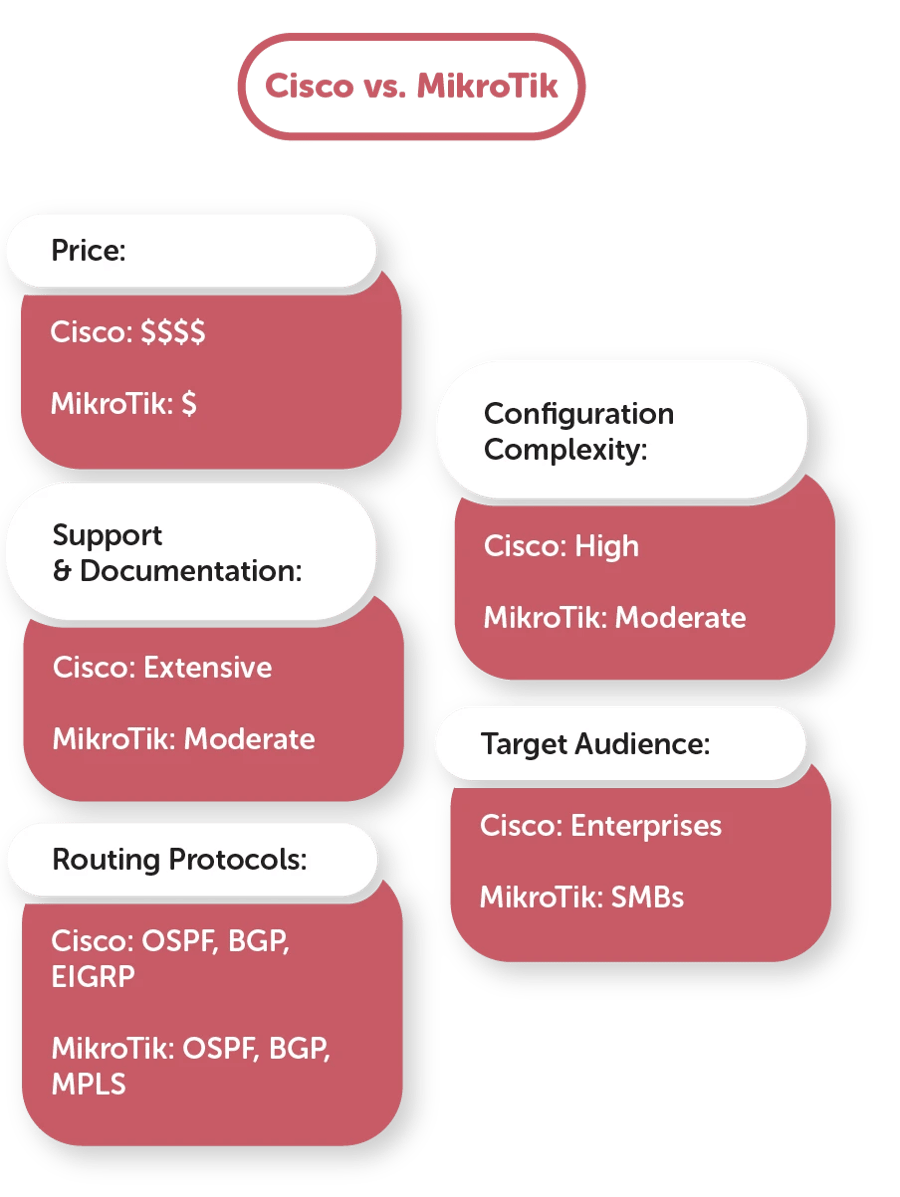
Both brands offer reliable, high-performance routers with various network sizes and configurations. But which should you choose? Keep on reading to learn more.
🏢 Cisco
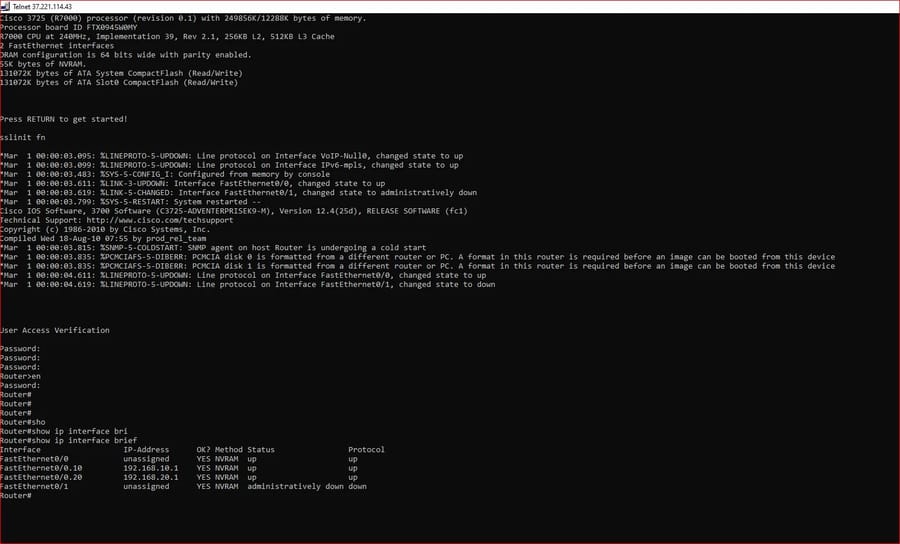
Check out the pros and cons below:
Pros
- Stable and flexible.
- Advanced routing protocols.
- Firewall protection.
- Quality of Service capabilities.
- Easy to configure and manage, it is ideal for businesses of all sizes.
Cons
- It’s expensive, especially for small businesses.
- It requires specialized knowledge and experience to configure and maintain.
- The router requires frequent firmware updates, which can be time-consuming and costly.
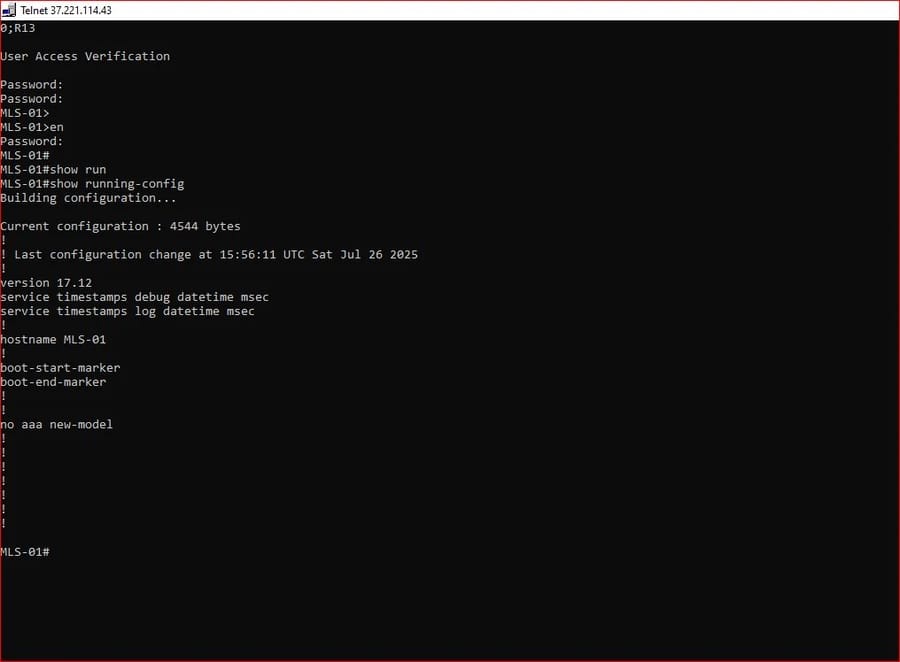
🛠️ MikroTik
Check out the pros and cons below:
Pros
- Affordable and reliable.
- Advanced routing capabilities.
- Supports multiple networks.
- Supports multiple WAN connections.
- Easy to configure.
- Offer a wide range of networking hardware.

Cons
- Complex UI.
- The router's firmware is difficult to update.
- Difficult remote management due to the lack of a web-based interface.
|
Feature |
Cisco |
MikroTik |
|
Price |
High |
Low |
|
Configuration |
Complex |
Moderate |
|
Routing Protocols |
Advanced (OSPF, BGP, EIGRP) |
Advanced (OSPF, BGP, MPLS) |
|
User Interface |
CLI & GUI |
CLI & Winbox GUI |
|
Firmware Updates |
Frequent |
Less frequent |
|
Support & Documentation |
Extensive |
Moderate |
|
Target Audience |
Medium to Large Enterprises |
Small to Medium Businesses |
|
Hardware Variety |
Extensive |
Moderate |
|
Remote Management |
Strong |
Moderate |
|
Learning Curve |
Steep |
Moderate |
🏗️ Core Architectural & Software Differences
Understanding the deep operational differences between Cisco's IOS (Internetwork Operating System) and MikroTik's RouterOS is essential for senior network administrators. Cisco relies on application-specific integrated circuits (ASICs) within its enterprise-grade hardware to process data packets at line rate, providing unmatched hardware acceleration. In contrast, MikroTik's RouterOS is x86-compatible and relies heavily on CPU-driven software forwarding. This makes MikroTik remarkably adaptable but heavily dependent on processing power when executing multiple firewall rules or intensive packet filtering.
For network engineers wishing to run RouterOS inside sandboxed virtual environments, utilizing a MikroTik VPS serves as an optimal solution. It permits testing complex dynamic routing protocol combinations without placing physical appliances at risk. Meanwhile, deploying MikroTik's Cloud Hosted Router (CHR) image on high-performance virtual layers has become an industry standard for cloud routing. To learn the exact deployment steps, you can review our full walkthrough on how to install MikroTik CHR on an SSD VPS.
⚠️ Common Deployment Mistakes to Avoid
When implementing both platforms, administrators frequently encounter critical security or configuration errors. Recognizing these pitfalls in advance prevents network downtime and unauthorized access:
- Leaving Default Ports Open on MikroTik: Leaving the standard Winbox port exposed to the public web allows automated bots to attempt brute-force attacks. Securing your management interface by applying a custom port is a necessary first step; learn how to execute this by checking our guide on how to change Winbox port settings.
- Mismanaging Centralized IP Allocation: Failing to configure appropriate leases or scopes within automated dynamic addressing setups leads to catastrophic IP conflicts. Ensuring your infrastructure follows precise IP allocation standards is discussed in our extensive guide covering Windows Server DHCP deployment options.
- Neglecting Interface Diagnostics: Overlooking structural errors on virtual or physical interfaces during the testing phase makes troubleshooting difficult. Administrators should utilize foundational terminal commands like
ifconfigto verify active configurations, or read our troubleshooting guide if you run into the ifconfig command not found error inside Linux-based environments.
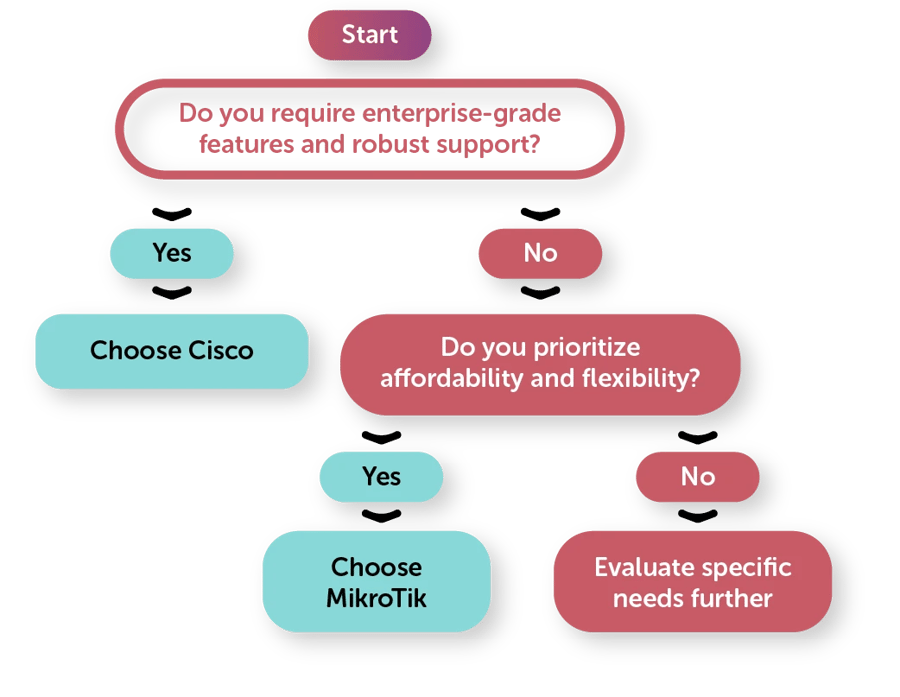
🤔 Which one should you choose?
Both Cisco and MikroTik routers offer excellent performance and value. Ultimately, which one you choose will depend on your needs. If you’re looking for a reliable router but not the full routing capabilities offered by Cisco, then MikroTik may be the better option. Additionally, if you're considering buying a MikroTik VPS, this can provide you with a virtualized environment for MikroTik's RouterOS, offering flexibility and ease of management. However, if you require robust features such as multiple networks and an advanced firewall, then Cisco might be worth the additional cost.
- Routers transmit data packets between networks, making them a crucial part of the internet.
- The common routers are wireless routers, wired routers, and VPN routers.
- Cisco and MikroTik offer similar features, with the pros outweighing the cons.
- The router brand you choose depends entirely on your needs.
Additionally, if you're considering MikroTik for your networking needs, be sure to explore our guide on the best MikroTik switches to find the perfect fit for your setup. Balance your choices based on your enterprise budget and intended throughput scales.
People also read:

Leave A Comment