
If you're skimming this before lunch, here's the short version. We've tested, configured, and broken enough Minecraft servers over the years to know that "best" depends entirely on what you're building. A 4-person SMP with friends needs nothing close to what a 50-player modded community demands. There are many Minecraft server hosting providers and choosing the right one is a little bit hard. That's why we prepared the 10 best Minecraft server hosting providers in this guide. Let's see what they are.
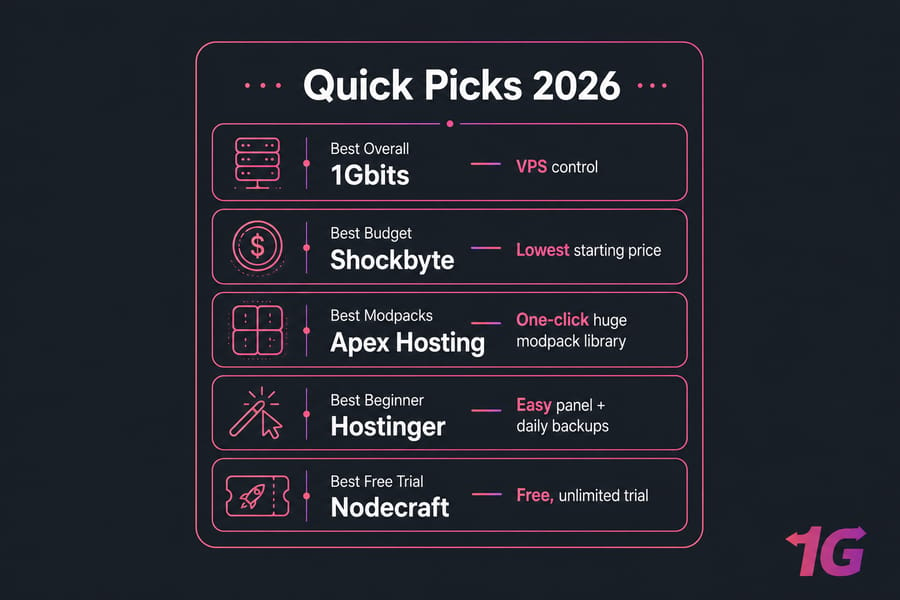
Here are our quick picks for 2026:
- Best overall (VPS control): 1Gbits
- Best budget pick: Shockbyte
- Best for beginners: Hostinger
- Best for modpacks: Apex Hosting
- Best for hands-off management: MCProHosting
- Best free trial: Nodecraft
- Best for scaling up: ScalaHosting
This guide compares pricing, RAM, CPU, DDoS protection, mod support, control panels, and the realistic player counts each plan handles without choking. If you'd rather skip the curated list and roll your own, our Minecraft VPS hosting plans give you full root access from day one. For those looking to get started without spending money, there are also excellent options for free Minecraft server hosting that provide great features at no cost.
How We Chose the Best Minecraft Server Hosting Providers
I'll be honest — most "best hosting" lists online are just affiliate rankings dressed up as advice. So here's what actually went into this one.
Performance and uptime
We looked at published SLA numbers, NVMe vs SATA storage, CPU clock speeds, and how each host handles tick rate under load. A server that boasts 99.99% uptime but stutters every time someone loads a new chunk is useless.
Pricing and value
Not just the entry price — renewal pricing too. Some hosts dangle a $2.50 starter plan that quietly doubles after the first invoice. We flagged that where we could.
DDoS protection and security
Minecraft servers get attacked. A lot. Any provider without baseline DDoS mitigation got dinged.
Mod and plugin support
Forge, Fabric, Spigot, Paper, Bukkit — each provider's handling of these matters. One-click modpack installers from CurseForge get bonus points.
Server locations and latency
If your players are in Europe and your server is in Dallas, your ping tax is real. Global location coverage matters.
Control panel and ease of use
Multicraft, Pterodactyl, proprietary panels — they're not all equal. Beginners need something visual. Veterans want SSH and config file access.
Backups and support
Daily automated backups should be default. They're not always. Support response time during a Friday-night crash is also something we weighted heavily.
One note: prices and features change constantly. This was last reviewed in early 2026. Always double-check the provider's official page before pulling the trigger.
Minecraft Hosting Comparison Table
| Provider | Starting Price | RAM (entry) | DDoS | Modpacks | Java/Bedrock | Backups | Best For |
| 1Gbits | From ~$8/mo | 2 GB+ | Yes | Manual (full root) | Both | Snapshot | VPS control |
| Shockbyte | From $2.50/mo | 1 GB | Yes | One-click | Both | Optional | Budget |
| Hostinger | From ~$6.99/mo | 2 GB | Yes | One-click | Java + Bedrock | Daily | Beginners |
| ScalaHosting | From ~$14/mo | 2 GB | Yes | Manual | Java | Daily | Scaling up |
| InMotion | From ~$14.99/mo | 2 GB | Yes | Manual | Java | Included | Server admins |
| ScalaCube | From ~$3/mo | 768 MB | Yes | One-click | Both | Limited | Small servers |
| Apex Hosting | From ~$5/mo | 1 GB | Yes | One-click (huge library) | Both | Daily | Modpacks |
| MCProHosting | From ~$8/mo | 1 GB | Enterprise | One-click | Both | Included | Hands-off |
| BisectHosting | From ~$2.99/mo | 1 GB | Yes | One-click | Both | Included | Flexible plans |
| Nodecraft | From ~$9.98/mo | 1 GB | Yes | One-click | Both | Free, unlimited | Free trial |
10 Best Minecraft Server Hosting Providers in 2026
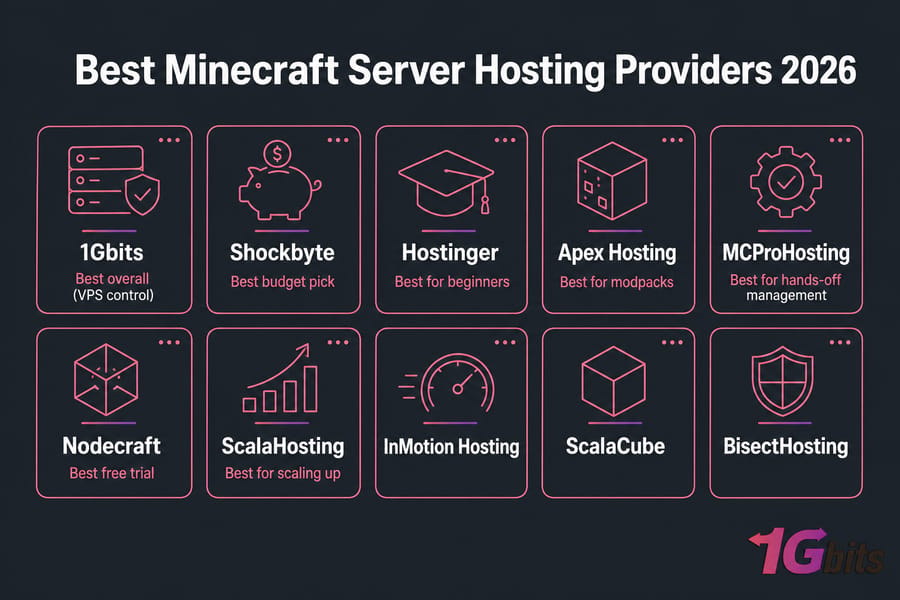
1. 1Gbits — Best for VPS-level control
1Gbits Minecraft Hosting is an excellent choice for those who want to craft their dream Minecraft world with full control. If you want to actually own your Minecraft server stack — root access, custom JARs, your own backup policy — a VPS beats a game-panel plan every time. DDoS protection is included, NVMe storage is standard, and locations span Europe, North America, and Asia. The strong DDoS protection defends servers from any attacks, allowing you to focus on your Minecraft experiences uninterrupted. Whether you're running a single server or several instances, 1Gbits' central platform makes it easy to manage your Minecraft environment.
Pros: Full root, NVMe, instant setup, fair pricing, 99.9% uptime guarantee, 24/7 customer support, up to 64GB RAM, up to 6 vCPU.
Cons: You install and tune Java yourself — no one-click panels.
Best for: Admins comfortable on the command line who want maximum performance per dollar.
2. Shockbyte — Best budget Minecraft hosting
Shockbyte specializes in game servers with options for Minecraft and many other popular titles. Their $2.50/month plan has been a beginner gateway for years. It's not the fastest hardware, and the entry RAM is tight for anything past a small SMP, but for vanilla Java with 4–6 friends it's perfectly serviceable. Shockbyte boasts a 100% uptime guarantee, DDoS protection, and even high-end plans with impressive RAM and player capacity.
Pros: Cheap, Multicraft panel, instant setup, wide variety of plans, unlimited bandwidth.
Cons: Performance dips on overloaded nodes; upselling is constant; customer support reportedly needs improvement; money-back guarantee is only 24 hours.
Best for: Hobbyists testing the waters.
3. Hostinger — Best for beginners using VPS
Hostinger is an acceptable substitute for beginners looking for Minecraft server hosting. Their Game Panel makes setting up a Minecraft server feel like installing an app — quick and easy server setup in minutes. Java and Bedrock both supported, one-click modpacks, and the panel is genuinely friendly. Good customer support is accessible if you need assistance.
Pros: Easy panel, fair pricing, daily backups, decent global locations, multiple Java Edition and server type options, dedicated IP available.
Cons: Not the rawest performance per dollar; no dedicated Minecraft server hosting (only VPS plans); VPS plans are not customizable.
Best for: First-timers who want VPS-grade resources without the Linux learning curve.
4. ScalaHosting — Best for scalable VPS hosting
If you want a strong and highly customized Minecraft server hosting option, ScalaHosting is a good choice. Their plans are comprehensive VPS packages that include unlimited scalability and advanced capabilities such as website hosting and email creation in addition to your Minecraft server. This freedom, however, comes at a cost, as ScalaHosting's Minecraft plans are much more expensive than cheaper alternatives. Their SPanel and managed VPS line is overkill for a tiny server, but if you're planning to grow into a 30–50 player community, the headroom is there.
Pros: Managed VPS, daily backups, strong support, supports all server types and modpacks, highly configurable.
Cons: Higher entry price; mostly Java-focused; expensive compared to budget Minecraft hosting options.
Best for: Communities that expect to scale up quickly.
5. InMotion Hosting — Best for experienced server admins
InMotion Hosting, which has over 20 years of hosting experience, is a solid choice for experienced Minecraft server owners. InMotion's VPS plans skew toward the traditional Linux admin crowd — you get cPanel options, full root, and predictable hardware. Not a "Minecraft host" per se — you're treating it like a Linux server that happens to run Java. They offer customizable options and helpful resources, and their plans allow you to run any server version, plugins, or modpacks, giving you full control over your world. But InMotion Hosting only offers servers located in the United States, which may be a drawback.
Pros: Stable hardware, real support engineers, generous resources, premium hardware for optimal performance, easy plan selection with RAM recommendation guide.
Cons: No Minecraft-specific panel; setup is fully DIY; limited server location (US only).
Best for: Sysadmins who want a general-purpose VPS.
6. ScalaCube — Best low-cost host for small servers
ScalaCube is a budget-friendly Minecraft server hosting service with a focus on ease of use. Their plans start at a fairly inexpensive $3 for the first month, making it a wonderful choice for beginners to experiment with server management. ScalaCube is one of the few hosts that bundles free subdomains and modpack installs even at entry tiers. RAM allocations are lean, so don't try to run All The Mods 9 on the cheapest plan.
Pros: Cheap entry, free subdomain, supports both editions, one-click modpack installation, user-friendly interface, multiple server locations.
Cons: Hardware varies by node; support can be slow; free plan has very limited capacity (1 player slot); customer support only available through online tickets.
Best for: Casual private servers.
7. Apex Hosting — Best for one-click modpacks
Apex Hosting is a solid challenger for Minecraft server owners who want complete control and one-click modpack installation. Apex earned its reputation by making CurseForge modpacks painless. Their library is enormous, their support is 24/7 and actually knowledgeable about modded Minecraft, and they'll install custom packs for you on request. They provide a large range of server configurations, extensive control over your server settings, and automated backups to increase security.
Pros: Massive modpack library, excellent support, Java + Bedrock, automated backups, user-friendly control panel.
Cons: Pricier per GB of RAM than budget options; "unlimited player slots" might have limitations.
Best for: Anyone running Forge, Fabric, or heavy modpacks.
8. MCProHosting — Best for hands-off management
MCProHosting is an experienced Minecraft server hosting provider with a solid network. MCPro is the "I just want it to work" choice. Enterprise-grade DDoS protection, automatic backups, and a polished panel. You'll pay a premium, but you won't be debugging weird Java flags at 2 a.m. Their automatic backups protect the server, and server management services are available for those who prefer a hands-off approach.
Pros: Premium DDoS, polished panel, reliable, powerful hardware, various plans with unlimited slots and mod/plugin support.
Cons: Premium pricing; less flexibility for power users; pricier than some competitors; add-on costs can become expensive.
Best for: Server owners who value reliability over tinkering.
9. BisectHosting — Best for flexible plan options
BisectHosting provides an affordable choice for Minecraft server hosting with multiple options. They cater to servers of various sizes, offering limitless player slots (on premium subscriptions) and inexpensive choices beginning at $2.99 per month. DDoS protection is available at no additional cost. Bisect splits its lineup into Budget and Premium tiers, which is genuinely useful — you can start small, upgrade your CPU cores separately from RAM, and load almost any modpack with one click.
Pros: Granular plan tiers, modpack catalog, free MySQL, affordable plans, unlimited player slots on premium plans.
Cons: Budget tier shares CPU more aggressively; budget plans lack dedicated IPs; no phone support available.
Best for: Players who want plan flexibility as their server grows.
10. Nodecraft — Best free trial option
Nodecraft provides a worldwide distributed server network with infinite player slots, making it an excellent alternative for servers of any size. Nodecraft offers a real, no-credit-card trial — rare in this space. The panel is clean, NodePanel 2 is among the prettiest in the game, and game-switching between titles is one-click. Their "save & swap" feature allows you to switch between game servers while still saving your progress.
Pros: Free trial, clean UX, multi-game support, unlimited player slots for all plans, DDoS protection and dedicated IP included.
Cons: Pricier than budget hosts at equivalent RAM; high-end plan might not be the strongest option; short money-back guarantee (7 days).
Best for: Testing the waters before committing.
Now that you know the most popular Minecraft server hosting solutions, you may want to know how to make a Minecraft server on VPS.
Best Minecraft Hosting by Use Case
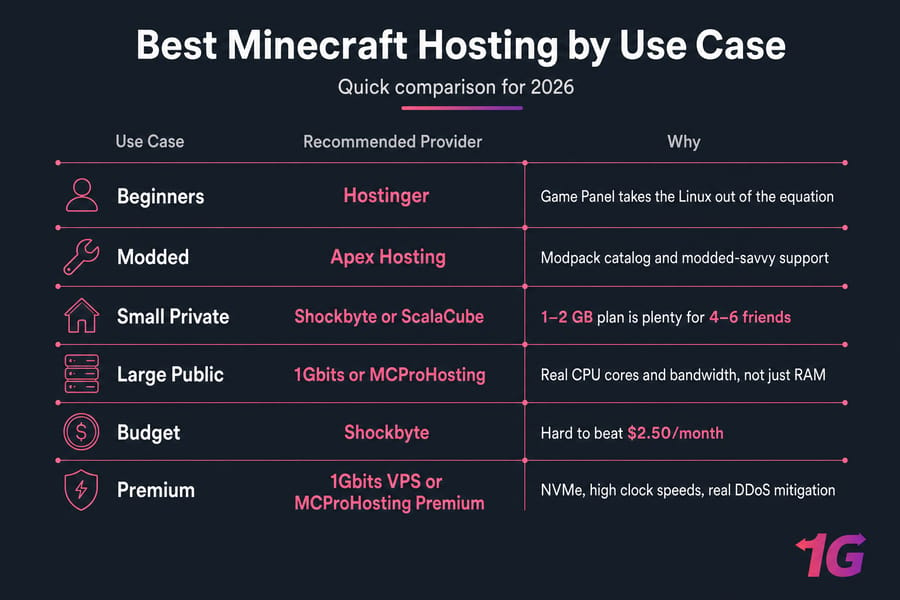
Best for beginners
Hostinger. The Game Panel takes the Linux out of the equation.
Best for modded Minecraft
Apex Hosting. Their modpack catalog and modded-savvy support are unmatched.
Best for small private servers
Shockbyte or ScalaCube. A 1–2 GB plan is plenty for 4–6 friends.
Best for large public communities
1Gbits or MCProHosting. You need real CPU cores and bandwidth, not just RAM.
Best cheap Minecraft hosting
Shockbyte. Hard to beat $2.50/month if you tolerate modest hardware.
Best premium performance option
1Gbits VPS or MCProHosting Premium. NVMe, high clock speeds, real DDoS mitigation.
Factors to Consider When Choosing the Best Minecraft Server Hosting
Creating your Minecraft empire? Don't scrimp on the foundation. It sets the tone for your entire experience. To avoid any headaches and keep your server functioning smoothly, consider the following:
- Power up (RAM & CPU): RAM is your server's memory, and more RAM equals smoother gameplay for you and your team. The more players you have, the more RAM you will need. For modded servers, double the numbers at minimum. Minecraft is largely single-threaded, so CPU clock speed matters more than core count for tick rate.
- Location: Just like picking a real-world headquarters, server location is important. Choose the one nearest to your players to keep the lag monster at bay. A server 200ms away will feel rubbery for combat.
- Regular backups: Backups are necessary because things happen, even in the digital world. Automated daily backups should be standard. If a host charges extra for backups, that's a red flag. Regular backups help you protect your world from crashes.
- Easy does it: Nobody enjoys fumbling with complex controls. A user-friendly control panel simplifies server management, allowing you to add mods, modify settings, and monitor performance.
- 24/7 support: Even the most experienced Minecrafter might run into problems. Reliable customer service is your safety net. Look for 24-hour assistance by chat, email, or phone.
- Future-proofing: Is your server destined for greatness? Choose a provider that allows you to simply upgrade your RAM, storage, or player slots as your needs grow. Migrating a world to a new host mid-season is a pain. If you're comparing managed options, check our Minecraft hosting guide for more details.
- Security considerations: DDoS attacks can bring even the most powerful server to its knees. Make sure your hosting provider provides protection to keep the attackers at bay. Public Minecraft servers attract attacks — it's not optional. If you want to dig deeper, our piece on DDoS-protected VPS hosting explains what real mitigation looks like.
- Building a community: Read reviews and participate in online forums to learn what other Minecrafters are saying about various providers. A good reputation indicates a reliable service.
Java vs Bedrock: Which Minecraft Hosting Do You Need?
This trips up new server owners more than anything else. Java and Bedrock are different games running on different engines — they're not cross-compatible by default.
Java hosting
If your friends play on PC and you want plugins (Spigot, Paper, Bukkit), mods (Forge, Fabric), or massive modpacks, you're in Java territory. Most "Minecraft hosting" defaults to Java.
Bedrock hosting
Bedrock is what you play on Xbox, PlayStation, Switch, mobile, and Windows 10/11 editions. Hosting requirements are lighter, the mod ecosystem is smaller, and add-ons replace traditional plugins.
Mods, plugins, and compatibility
Plugins like EssentialsX or LuckPerms are Java-only. CurseForge modpacks are Java. Bedrock supports behavior packs and resource packs but nothing close to Forge. If you want both audiences, look at Geyser a proxy that lets Bedrock players join Java servers. Most decent hosts now offer Geyser presets.
Managed Minecraft Hosting vs VPS Hosting
When managed hosting makes sense
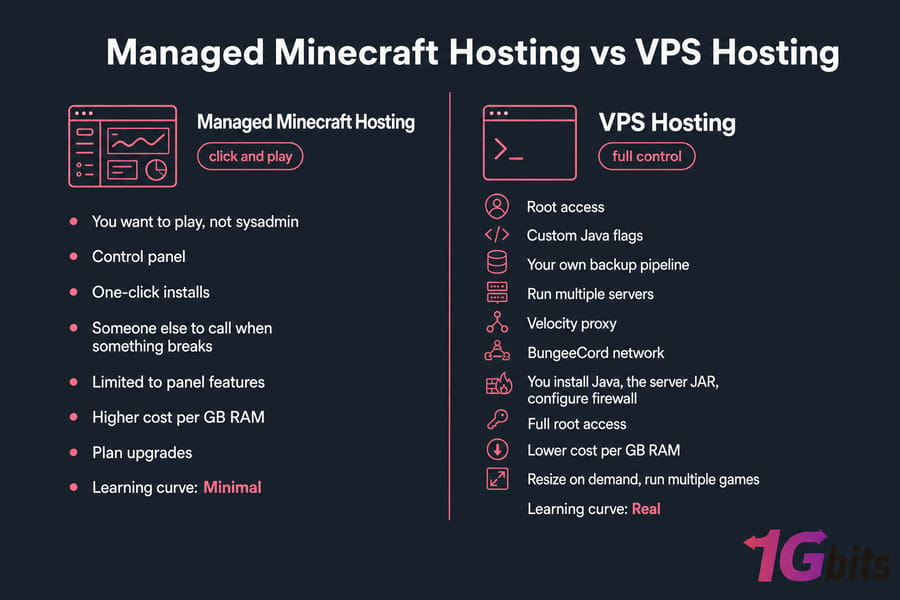
You want to play, not sysadmin. Managed Minecraft hosts give you a control panel, one-click installs, and someone else to call when something breaks. You give up flexibility, you pay more per GB of RAM, but you skip the learning curve entirely.
When VPS hosting is the better choice
You want root access, custom Java flags, your own backup pipeline, or you're running multiple servers (Velocity proxy, BungeeCord network). A VPS gives you raw performance per dollar that no game panel can match. The trade-off: you handle installation, security, and updates yourself. For reliable and performance-oriented server hosting solutions tailored to your gaming needs, explore our game VPS options. If that sounds appealing, our guide on making a Minecraft server on VPS walks through it step by step.
Pros and cons of each option
| Aspect | Managed Hosting | VPS Hosting |
| Setup | One-click | You install Java, the server JAR, configure firewall |
| Control | Limited to panel features | Full root access |
| Cost per GB RAM | Higher | Lower |
| Scalability | Plan upgrades | Resize on demand, run multiple games |
| Learning curve | Minimal | Real |
How Much RAM Do You Need for a Minecraft Server?
The RAM requirements for Minecraft servers have changed over time. Previously, 2 GB was suggested for running a server, but with new updates, the requirement has risen to 4 GB or more for a moderately loaded server. This is especially true for Minecraft versions 1.16 and later, which have added more content, resulting in increased RAM usage.
RAM by player count
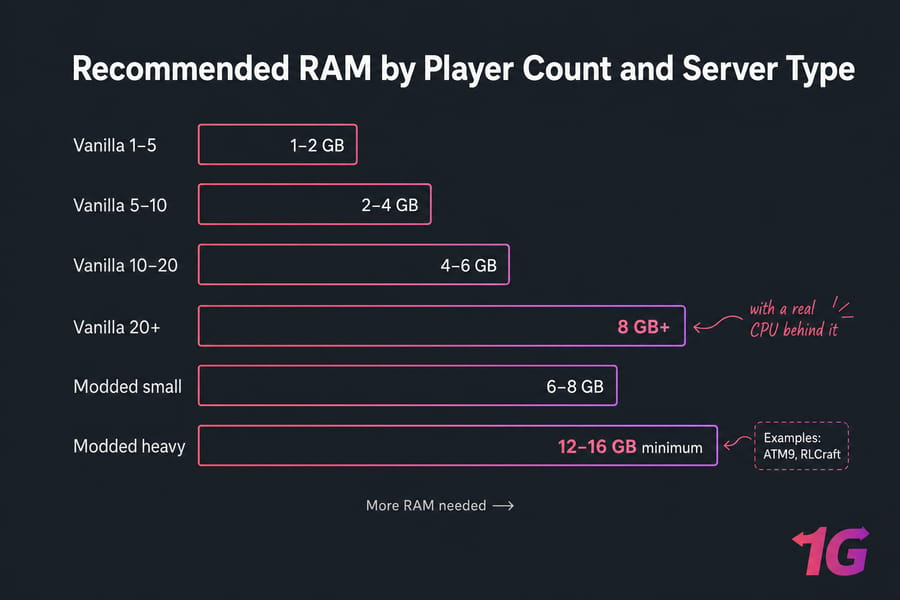
- 1–5 players: 1–2 GB for vanilla
- 5–10 players: 2–4 GB
- 10–20 players: 4–6 GB
- 20+ players: 8 GB+ with a real CPU behind it
RAM for vanilla servers
Vanilla is light. A 4 GB plan comfortably handles 10–15 players exploring at the same time. The bigger constraint becomes chunk loading and world size, which is more about disk speed and CPU than memory.
RAM for modded servers
This is where things explode. Modded Minecraft servers require even more RAM because mods can dramatically alter or add new functionality, increasing the server's memory usage. Heavy modpacks like ATM9 or RLCraft can eat 6–8 GB before a single player joins. Add 10 players and you're looking at 12–16 GB minimum. Modded servers often require 8 GB or more, with some needing 16 GB or more. Don't trust hosts that recommend 4 GB for modded — they're undersizing.
Why CPU, storage, and location matter too
Minecraft is largely single-threaded. That means CPU clock speed (single-thread performance) matters more than core count for tick rate. NVMe storage matters for chunk loading. And server location dictates ping — host your server where most players live. For more on right-sizing, see our breakdown of how much RAM you need for gaming and hosting.
How to Choose the Right Minecraft Hosting Plan
Check server location
Pick the data center closest to the majority of your players. A US-East server with European players will feel laggy no matter how much you spent. Once you've chosen a host, it's important to know your Minecraft server IP address so you and your friends can connect to your server seamlessly.
Look for backups and uptime guarantees
Daily automated backups should be standard. If a host charges extra for backups, that's a red flag. Same with uptime — look for at least 99.9% in writing.
Make sure mod/plugin support matches your setup
Running Fabric? Make sure the host supports it without you SSHing in to swap JARs manually. Running plugins? Paper or Purpur support should be a click away.
Avoid misleading "unlimited player" claims
"Unlimited slots" is marketing speak. Your CPU and RAM are the real limits. A 2 GB plan with "unlimited players" will crash at 15 concurrent connections. Don't let the asterisk fool you.
Choose room to scale
Pick a host that lets you upgrade in place. Migrating a world to a new host mid-season is a pain — and yes, we've done it the hard way more than once.
Common Minecraft Hosting Mistakes to Avoid
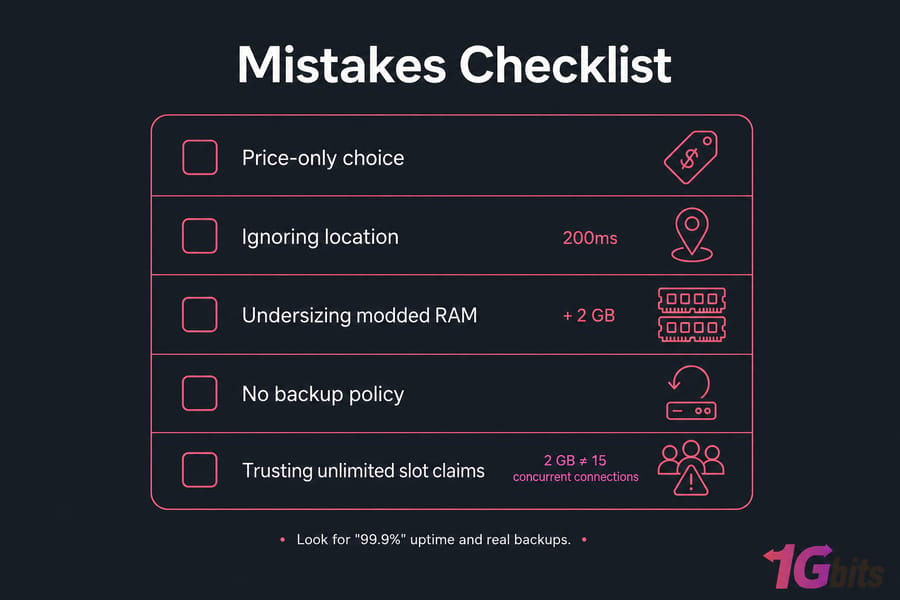
- Picking the cheapest plan by default. A $2 plan that crashes during peak hours costs you players, not pennies.
- Ignoring server location. Ping is everything. A server 200ms away will feel rubbery for combat.
- Underestimating RAM for modpacks. Every modpack page recommends a minimum — add 2 GB on top of that for breathing room.
- Not checking the backup policy. If your world gets corrupted (and it will, eventually), you want a restore button, not a sob story.
- Trusting "unlimited players" marketing. No such thing exists in physics. Read the resource specs instead.
- Skipping DDoS protection. Public Minecraft servers attract attacks. It's not optional.
Final Verdict: Which Minecraft Host Is Best for You?
Here's the cheat sheet, by audience:
- You're a complete beginner: Hostinger or Shockbyte.
- You're running modpacks: Apex Hosting.
- You want maximum control and performance per dollar: a Minecraft VPS from 1Gbits.
- You want premium "it just works": MCProHosting.
- You want to test before paying: Nodecraft's free trial.
If you're leaning toward VPS and honestly, anyone running more than a casual SMP should the cost-to-performance gap widens fast. You get NVMe, root access, custom Java flags, and the freedom to run a Velocity proxy or multiple game servers on one box. For those looking for more control and performance, consider exploring options for Minecraft VPS hosting, which offers dedicated resources for your server. Remember that the best service depends on the size and goal of your server.
Once you've chosen your ideal server hosting provider, don't forget to check out some of the best Minecraft seeds. These seeds can transform your server into a unique and exciting world, providing endless possibilities for exploration and creativity. To manage your server efficiently and enhance your gameplay experience, also check out our guide on the best Minecraft commands, which can help you customize and control your server with ease.

Leave A Comment