


What is GitHub? GitHub is an open-source cloud-based hosting service that supports developers in storing and managing their source code projects in various programming languages. Through GitHub, developers can also manage and track changes in their code using the power of Git, a widely used version control system. It provides a centralized location where individual programmers or massive organizations can host their code for easy access and collaboration. If you're new to version control, start with our guide on basic Git commands before diving into GitHub.
Developers and programmers can upload a code on GitHub and work collaboratively to enhance it. What really stands out about the platform is its version control system that allows coders to tweak or change software, increasing efficiency and fixing bugs without affecting the experience of other users or affecting the software. Before you start collaborating, make sure you have Git installed and up to date on your local machine. This is particularly useful when working on a Linux VPS, where you can sync your local development environment with your remote server seamlessly.
While GitHub is not the only version control platform, it is the most popular globally. GitHub can host and manage code written in over 200 programming languages and can be integrated with services such as Code Climate, Google Cloud, and Amazon Web Services (AWS). It serves as the "social network" for developers, allowing them to follow projects, contribute to others' work, and build a professional reputation.
🚀 GitHub Elements
GitHub's fundamental essentials include repositories, branches, commits, pull requests, and Git. Understanding these core components is vital for anyone looking to master modern software development workflows.
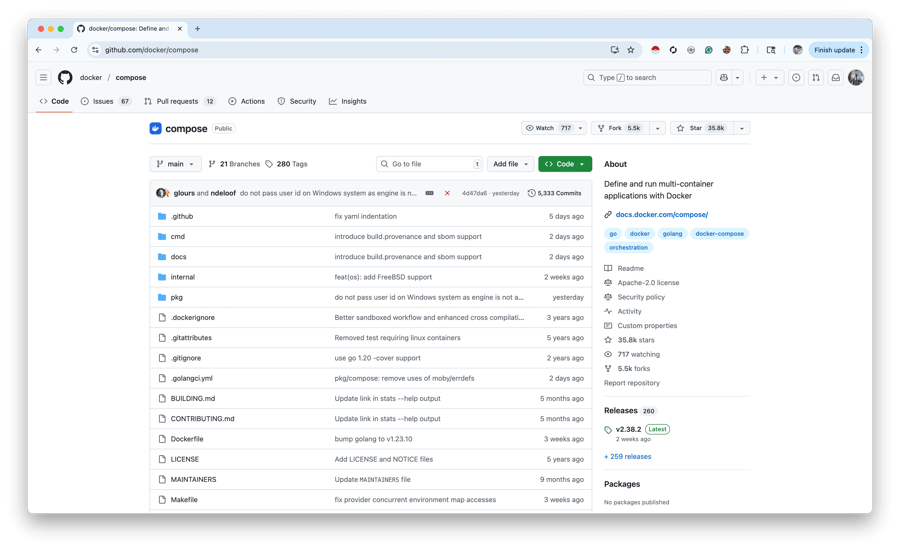
What is a repository in GitHub? GitHub repositories (or "repos") are used to store development projects. They act as the project's central folder, featuring everything from CSS, JavaScript, and HTML files to documentation and images. A GitHub repository should also comprise a README file, which provides a description of the project, and a license file to define how others can use the code. Developers also use repositories to store resources they want to share with other teammates working on the same project.
A GitHub branch is used for working with various versions of repositories simultaneously. Each repository has a production branch, historically known as the "master" branch (now often referred to as "main"). Other branches are essentially copies of the master branch where developers can experiment without breaking the live code. For a deeper dive into branch management, check out our guide on git switch branch to learn how to navigate between branches effectively.
New branches allow developers to work separately from the master branch to add features or fix bugs. Once changes in the new branches are thoroughly tested and ready, they are integrated back into the master branch through a merge process. For those managing their own infrastructure, you can even learn how to set up a private Git server on VPS for maximum control over your repositories.
Commits are individual snapshots of your changes within a branch. Every time you save your work in Git, you create a commit that features a specific "commit message" explaining why the changes were made. This creates a detailed history that you can audit at any time.
Pull requests are the center of GitHub collaboration. Through a pull request, you notify other contributors that you have completed a task and wish to integrate your changes with the master branch. Pull requests also highlight content changes, differences, subtractions, and additions through clear color-coding (red for deletions, green for additions), making code review much easier.
| Element | Detailed Description | Primary Purpose |
| Repository | A central storage space for all project files, including code, documentation, and history. | Organize and manage project components in one place. |
| Branch | A parallel version of the repository that diverges from the main line of development. | Work on different features or fixes without affecting the main code. |
| Commit | A recorded snapshot of specific changes made to the codebase at a point in time. | Track history and provide a trail of changes over time. |
| Pull Request | A formal proposal to merge changes from one branch into another (usually the main branch). | Facilitate peer code review and collaborative discussion. |
| Git | The underlying version control system that tracks every change in the code. | Manage code versions, revert changes, and enable collaboration. |
👥 How do teams use GitHub?
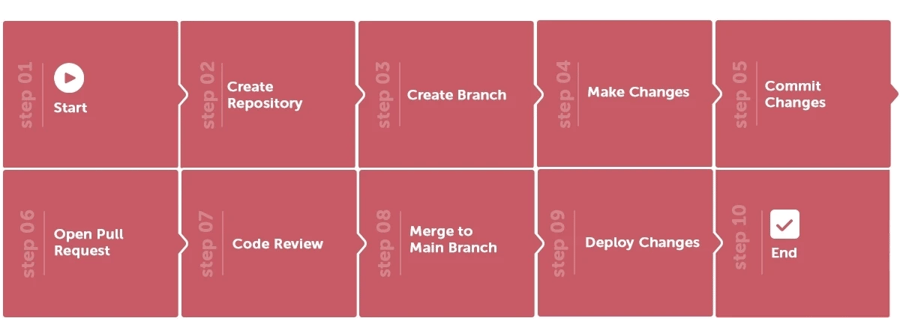
Now that you understand the essentials of GitHub, getting a grasp on how your team can use it is easy. Through the site's project board, your team opens "Issues" to track bugs or feature requests and creates a new branch of the most recent copy of the master branch. On this isolated copy, the team can work without affecting other members or the stable version of the software.
The members can then proceed to add changes to these branches via commits. Pull requests are then opened, and specific team members can be assigned to review the code. They can then preview the changes on a staging or test website and request further modifications if necessary. Once approved, the commits are integrated into the master branch and can be published to a live site. If you are developing modern applications, you might consider using Docker VPS hosting to create consistent environments for testing these GitHub branches.
🛠️ What is GitHub used for?
If you want to reduce the time spent on a single project, GitHub would be the ideal service to use as it allows multiple developers to work collaboratively on a project at the same time. It significantly reduces production time by preventing duplication of effort and ensuring that everyone is working on the most up-to-date version of the code.
GitHub is not just for developers. If you have non-technical members in your team, GitHub comes in handy as it allows even non-developers to edit documentation, create wiki pages, and update web content using the built-in text editor. It acts as a single source of truth for the entire project's lifecycle.
🌟 Benefits of GitHub
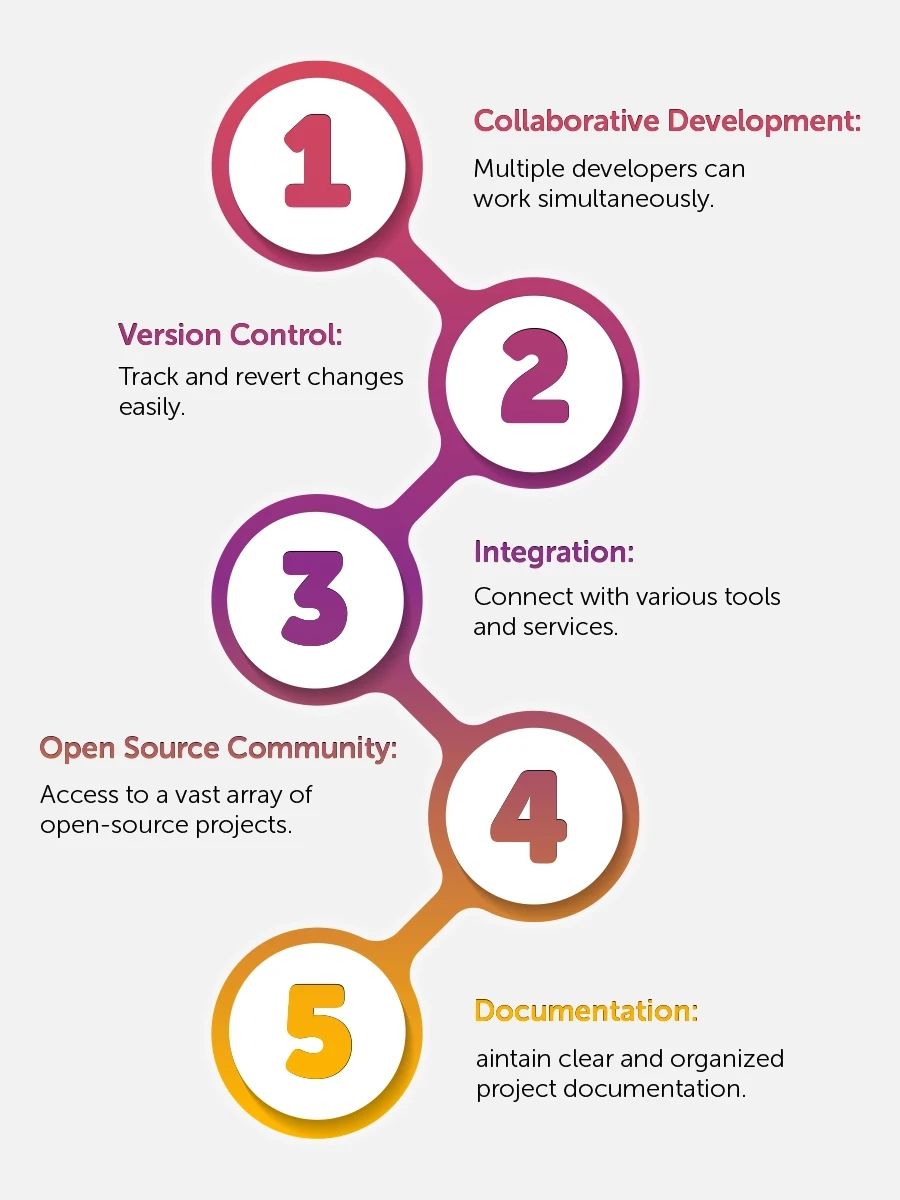
While several platforms offer similar services, here is what makes GitHub the industry leader for developers worldwide.
✨ 1. Ease of contribution to open-source projects
The majority of tech companies use GitHub to manage their open-source projects. If you have an open-source project, you can use GitHub for free. The service features an issue tracker and a wiki, making it easy to incorporate detailed documentation and get feedback from the community. Anyone wishing to contribute simply needs to "Fork" (create a copy) of a repository, make their edits, and submit a pull request.
💰 2. Free and open source
As mentioned, GitHub is built on Git, which is open-source. While GitHub itself is a commercial platform, it offers extensive free plans for public repositories and private projects. This makes it a cost-effective repository service for independent developers and startups alike. For advanced workflows, our guide on best Git commands for developers covers the commands you'll use daily on the platform.
📂 3. A great tool to showcase your work
GitHub is perfect for freelancers or developers who wish to showcase their skills. It has proven to be an effective tool for developers looking to connect with recruiters. Today, most companies looking for talent turn to GitHub profiles to see the actual code written by a candidate. If you have a solid GitHub profile with active contributions, you have a significantly better chance of being hired for high-end development projects.
📚 4. Excellent documentation and community resources
GitHub has among the best documentation in the tech world, making it a preferred choice for beginners. GitHub features tons of resources, including guides and articles on every Git topic imaginable. It is essentially impossible to run out of helpful content when troubleshooting an issue.
Whether you are looking for guides to help you generate SSH keys for secure access or trying to find the best branching workflow, the information is readily available. This extensive support is what makes it so beginner-friendly compared to other version control systems.
🔌 5. Extensive Integrations
When looking for a repository service, you want to pick one that allows integration with other platforms to streamline your workflow. GitHub excels here, offering integrations with Google Cloud, Amazon, and Code Climate. These integrations help in tracking feedback, automating deployments, and extending your development pipeline. You can even automate your deployment to an Ubuntu VPS server directly from a GitHub action.
🛡️ 6. Data backup and Version History
What would be your reaction if your code repositories just vanished? It would be a devastating experience, especially without a backup. GitHub reduces your chances of losing data significantly by creating multiple copies of your repository across its global infrastructure. It provides an easy way to access your entire version history and code online. If anything happens to your local machine, your work remains safe in the cloud.
💡 Common GitHub Mistakes to Avoid
- Committing Sensitive Data: Never push API keys, passwords, or
.envfiles to a public repository. Use.gitignorefiles to prevent this. - Vague Commit Messages: Avoid messages like "fixed stuff." Instead, use descriptive titles like "Fixed login validation bug in auth.js."
- Working Directly on Master: Always create a new branch for features or fixes to keep the production code stable.
- Ignoring README files: A project without a README is hard for others (and your future self) to understand.
📝 Take Away
Do you have an upcoming development project and want to minimize production time and financial resources? GitHub is an excellent cloud-based, open-source repository service for software development project management. We hope that this article managed to clear the clouds on what is GitHub and how it can revolutionize your coding workflow. It boasts multiple collaboration features and integration options to expand and complement your development cycle, whether you are a solo developer or part of a global team. When you're ready to start your next project, a Linux VPS paired with Git and GitHub gives you a complete development and deployment environment.
People also read:

Leave A Comment