

Linux gaming has reached a level in 2026 that very few people would have believed possible a few years ago. Modern Linux systems can now run thousands of Windows games with excellent performance, stable frame rates, and full controller support. Thanks to Steam Play, Proton, Vulkan, and continuous driver improvements, Linux is no longer an experimental choice for gamers.
Choosing the best Linux distros for gaming is no longer about whether games will run. It is about performance, hardware compatibility, ease of setup, and how well the operating system fits your daily workflow.
This guide is built to answer one core question clearly and honestly: what are the best linux distros for gaming in 2026, and which one is right for you.
Linux Gaming Distro Comparison Overview 2026
The table below gives a high level comparison of the best linux distros for gaming pc users before we go into deep analysis.
|
Linux Distro |
Best Use Case |
GPU Strength |
Difficulty Level |
Gaming Performance |
Ideal For |
|
Pop!_OS |
NVIDIA gaming and laptops |
NVIDIA excellent, AMD good |
Beginner friendly |
High |
Best linux distro for gaming Nvidia |
|
Nobara Linux |
Maximum out of the box performance |
AMD excellent, NVIDIA good |
Intermediate |
Very high |
Best linux distros for gaming performance |
|
Garuda Linux |
Arch based gaming and customization |
AMD excellent, NVIDIA good |
Advanced |
Very high |
Best Linux distro for gaming and Customization |
|
Ubuntu |
Compatibility and stability |
NVIDIA good, AMD good |
Beginner friendly |
Medium to high |
Best linux distro for gaming and beginners |
|
Linux Mint |
Lightweight and easy setup |
AMD good, NVIDIA good |
Beginner friendly |
Medium |
Best Linux distro for gaming on old laptop |
This table is only a starting point. The real value comes from understanding why these distros perform the way they do.
Is Linux Good for Gaming in 2026?
Linux is not just good for gaming in 2026. In many scenarios, it is competitive with Windows and sometimes better. Proton and Steam Play have matured to the point where most popular Windows games run flawlessly on Linux. Thousands of titles are rated Gold or Platinum on ProtonDB, including AAA games, competitive multiplayer titles, and indie releases.
Vulkan has become the dominant graphics API for Linux gaming. AMD Mesa drivers are extremely mature, and NVIDIA has significantly improved driver stability and Wayland support. Anti cheat systems such as Easy Anti Cheat and BattlEye now support Linux in many major games, which removes one of the biggest historical barriers.
Read more: What is Linux distribution
What Makes a Linux Distro Good for Gaming?
Not all Linux distributions are equal when it comes to gaming. The best linux distros for gaming share several critical characteristics.
Graphics drivers are the most important factor. AMD GPUs benefit from open source Mesa drivers included directly in the kernel. NVIDIA GPUs depend on proprietary drivers, which must be packaged and updated correctly.
Desktop environment overhead affects performance. Lightweight desktops such as XFCE or optimized GNOME setups consume fewer resources and reduce stutter.
Update cadence matters. Rolling release distros offer the newest drivers but can introduce instability. Fixed release distros trade freshness for reliability.
Community and documentation are essential. Gaming on Linux improves dramatically when troubleshooting resources are easy to find.
Best Linux Distros for Gaming in 2026
This section ranks the best linux distros for gaming based on performance, stability, and real world usability.
Pop!_OS Best for NVIDIA Gaming
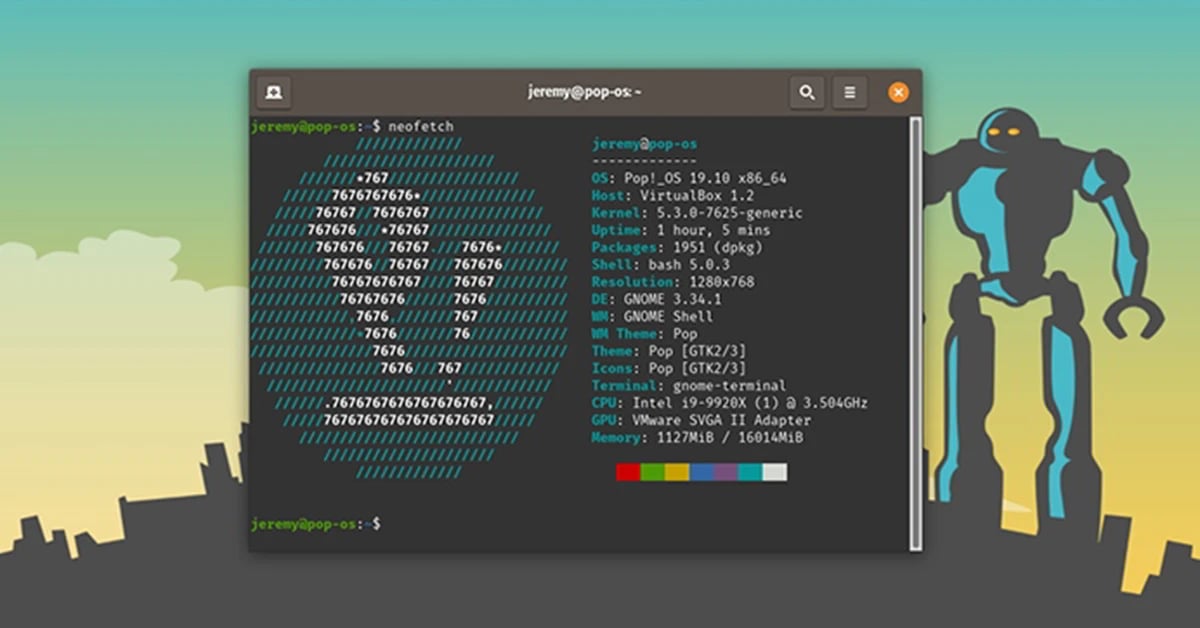
Pop!_OS has earned its reputation as one of the best linux distros for gaming Nvidia systems. Developed by System76, it is built with performance, stability, and hardware compatibility in mind.
The biggest advantage of Pop!_OS is its NVIDIA driver integration. The NVIDIA ISO comes with drivers preinstalled, eliminating one of the most painful steps for new Linux gamers.
Pop!_OS is also one of the best linux distros for gaming laptops. Hybrid GPU switching works reliably, battery management is excellent, and external monitors are handled smoothly. Screen tearing is minimized by default settings, which improves gaming experience immediately.
Pros:
-
Preinstalled NVIDIA drivers
-
Excellent laptop GPU switching
-
Stable gaming environment
-
Beginner friendly interface
-
Strong Steam and Proton support
Cons:
-
Slightly older packages than rolling releases
-
Less customization than Arch based systems
For users asking what are the best linux distros for gaming Nvidia setups, Pop!_OS remains a top answer in 2026.
Nobara Linux Best for Out of the Box Performance
Nobara Linux is one of the strongest answers to the question which linux is best for gaming performance. It is a Fedora based distribution created specifically for gaming and content creation.
Nobara includes custom kernel patches, performance optimizations, multimedia codecs, and gaming tools that Fedora does not ship by default. Proton GE, Wine dependencies, and controller support are preconfigured.
Nobara does require slightly more Linux knowledge than Pop!_OS or Mint, but the reward is excellent frame rates and reduced latency.
Pros:
-
Gaming tuned kernel
-
Excellent AMD GPU support
-
Preinstalled gaming tools
-
Minimal setup required
Cons:
-
Shorter release cycle
-
Less beginner friendly
-
Smaller community than Ubuntu
Nobara is ideal for players who want the best linux distros for gaming performance with minimal compromise.
Garuda Linux Best Arch Based Gaming Distro
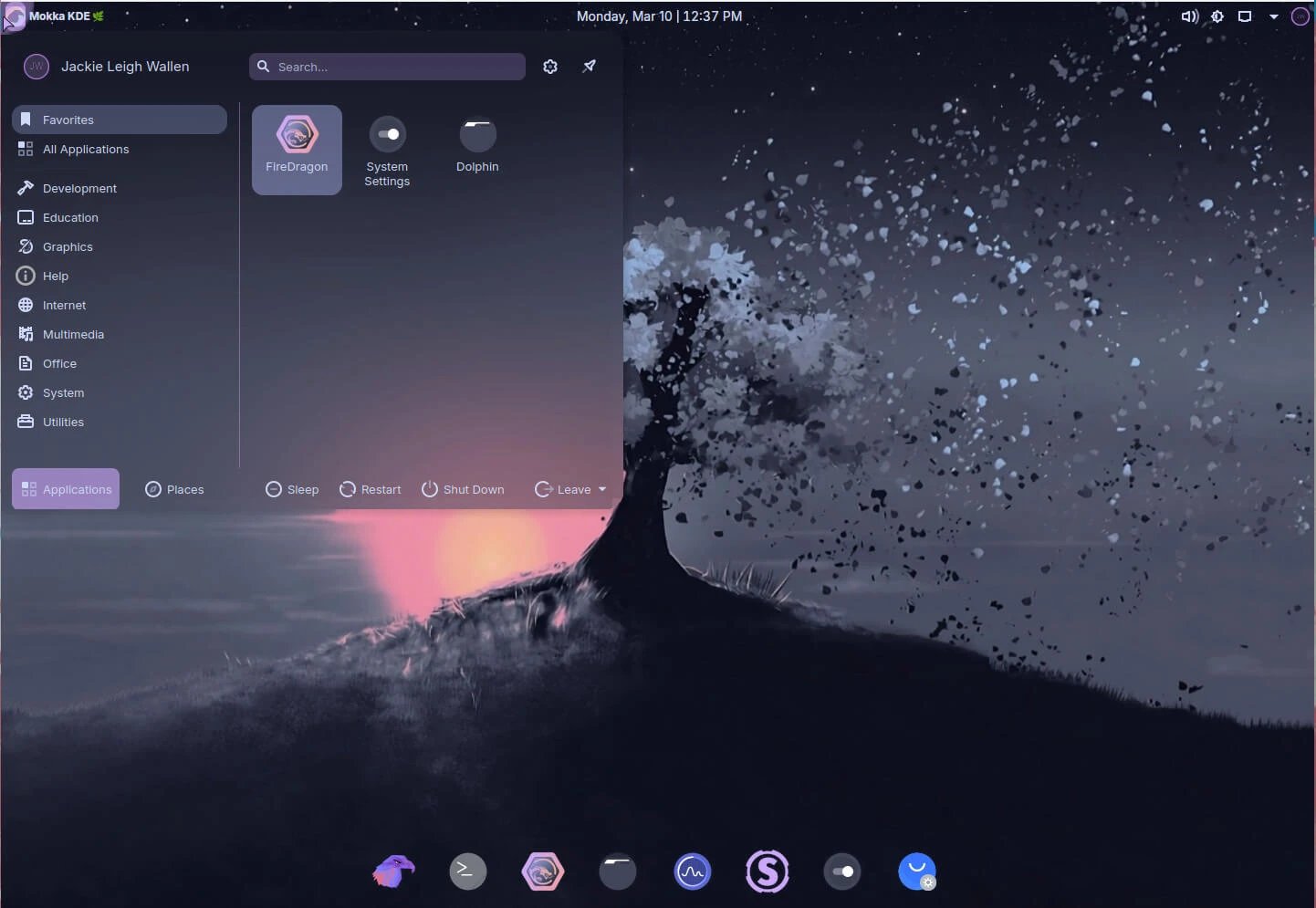
Garuda Linux is widely regarded as one of the best arch linux distros for gaming. It combines the power of Arch with gaming focused defaults and a visually polished desktop. You can read about How to Install Arch Linux here.
Garuda uses performance optimized kernels and includes Steam, Lutris, Wine, and emulators by default. The Garuda Gamer tool allows one click installation of performance tweaks, drivers, and gaming utilities.
The downside of Garuda is resource usage. It is heavier than Ubuntu or Mint and requires frequent updates. Beginners may find it overwhelming.
Pros:
-
Rolling release with latest drivers
-
Excellent performance
-
Deep customization options
-
Ideal for advanced gamers
Cons:
-
High RAM usage
-
Requires Linux experience
-
Updates can introduce instability
For power users asking what linux os is best for gaming and customization, Garuda Linux is a strong choice.
Ubuntu Best for Compatibility and Support
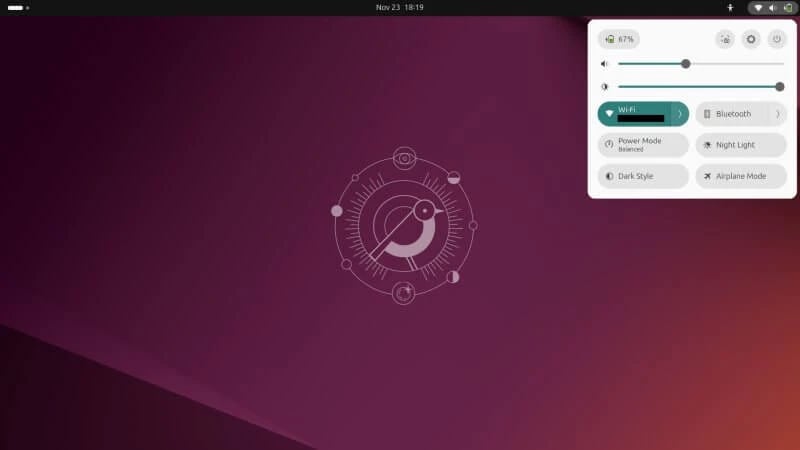
Ubuntu remains one of the best linux distros for gaming and general use. It is not the fastest distro, but it offers unmatched compatibility and community support.
Most Linux games are tested on Ubuntu first. Steam, Epic Games via Lutris, and GOG all work reliably. Tutorials, fixes, and guides are easy to find.
Pros:
-
Excellent compatibility
-
Massive community support
-
Stable long term releases
-
Beginner friendly
Cons:
-
Slight performance overhead
-
Older kernel versions
-
Snap packages can affect load times
Ubuntu is ideal for users who want stability and support more than maximum FPS.
Linux Mint Best for Beginners and Old Hardware
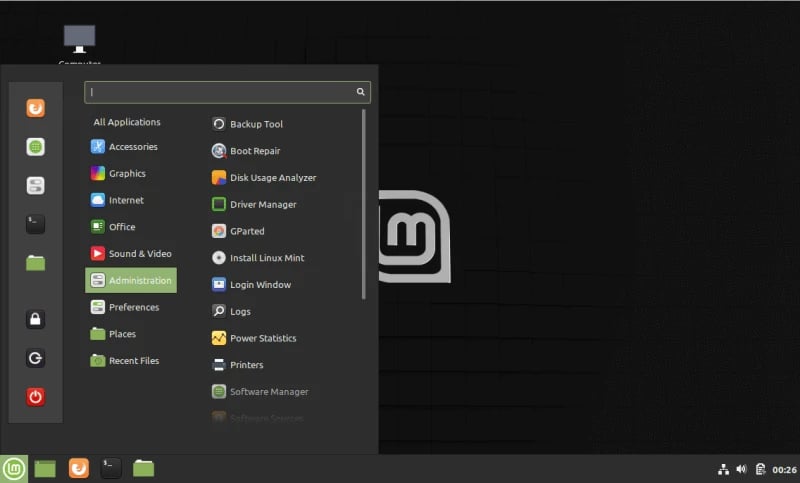
Linux Mint is frequently recommended as the best linux distro for gaming and beginners. It is lightweight, stable, and familiar to Windows users.
Mint performs well on older hardware, making it the best linux distro for gaming on old laptop systems. The Cinnamon and XFCE desktops consume fewer resources, leaving more power for games.
While Mint does not ship with the newest kernels, it works very well with Proton and Steam once drivers are installed.
Pros:
-
Lightweight and fast
-
Easy setup
-
Excellent for old PCs
-
Stable updates
Cons:
-
Not gaming optimized by default
-
Older software versions
Mint is perfect for users who want a smooth entry into Linux gaming without complexity.
Best Linux Distros for Gaming by Use Case
Choosing among the best linux distros for gaming becomes much easier when you focus on how you actually use your system. Gaming hardware, daily workload, and experience level all matter more than popularity.
Best Linux Distros for Gaming Laptops
Gaming laptops require excellent power management, hybrid GPU switching, and stable suspend behavior. Not every Linux distribution handles this well.
Pop!_OS stands out as the best linux distro for gaming laptops. It automatically switches between integrated and dedicated GPUs, manages battery life efficiently, and handles external displays reliably. Fedora based distros like Nobara also perform well on newer laptops but may require more setup.
Linux Mint can work on older gaming laptops, especially when paired with XFCE. It is often the best linux distro for gaming on old laptop hardware where simplicity and low resource usage matter more than raw performance.
Best Linux Distros for NVIDIA GPUs
NVIDIA support is the most critical factor for many gamers. Proprietary drivers must be installed correctly to avoid stutter and crashes.
Pop!_OS is consistently ranked as the best linux distro for gaming Nvidia users because drivers come preinstalled and tested. Ubuntu is another strong option due to official NVIDIA driver support and extensive documentation.
Garuda and Nobara can also deliver excellent NVIDIA performance, but they require more manual configuration. For beginners asking which linux is best for gaming with NVIDIA, Pop!_OS remains the safest recommendation.
Best Linux Distros for AMD GPUs
AMD GPUs benefit from open source drivers built directly into the Linux kernel. This makes AMD one of the best choices for Linux gaming.
Nobara Linux is widely regarded as the best Linux distro for gaming AMD hardware due to its tuned kernel and up to date Mesa stack. Garuda Linux also performs exceptionally well on AMD GPUs, especially for users who want rolling release updates.
Ubuntu and Mint perform reliably with AMD as well, but they may lag slightly behind in driver freshness.
Best Linux Distros for Old or Low End PCs
Older systems benefit from lightweight desktops and conservative update policies.
Linux Mint with XFCE is the best linux distro for gaming on old laptop setups. Manjaro XFCE is another strong option, offering newer drivers with relatively low overhead.
Avoid heavy desktops and aggressive visual effects if you are gaming on limited hardware.
Best Linux Distros for Gaming and Productivity
Many users want one system for gaming, work, and everyday tasks.
Ubuntu is often the best linux distro for gaming and work because of its balance between stability and software availability. Pop!_OS is also an excellent best linux distro for gaming and productivity choice, especially for developers and creators.
If you want extreme customization alongside gaming, Garuda becomes the best linux distro for gaming and customization while still supporting productivity workflows. Also if you’re interested in knowing the Best Linux Distros for Programmers, make sure to read our article about it.
Arch vs Ubuntu vs Fedora for Gaming
One of the most common questions is how major Linux families compare for gaming.
Arch based systems such as Garuda provide the newest kernels, Mesa drivers, and gaming tools. This often results in higher performance and faster support for new hardware. The downside is frequent updates and higher maintenance.
Ubuntu based systems focus on stability and compatibility. They are ideal for beginners and users who want predictable behavior. Performance is slightly lower, but reliability is excellent.
Fedora based systems like Nobara offer a middle ground. They deliver newer technology than Ubuntu with more stability than Arch. Fedora also leads in Wayland adoption, which improves smoothness and reduces screen tearing.
Read more here: Debian vs Arch
Gaming Performance on Linux vs Windows
A persistent myth is that gaming is always slower on Linux. In 2026, this is no longer true.
Many Vulkan based games run at equal or higher FPS on Linux compared to Windows. Input latency can be lower due to reduced background processes. Linux also avoids forced updates and background telemetry that consume resources.
However, Windows still has advantages in native DirectX titles and some competitive games with restrictive anti cheat systems. The difference is shrinking every year.
Common Mistakes Linux Gamers Make
- Even with the best linux distros for gaming, mistakes can hurt performance.
- Choosing a distro only by popularity is common. Hardware compatibility matters more.
- Ignoring GPU driver differences leads to frustration, especially with NVIDIA systems.
- Over tuning too early can break stability. Start simple and optimize later.
- Using outdated Proton versions limits game compatibility. Always test newer Proton builds.
- Assuming Linux works exactly like Windows causes confusion. Linux rewards patience and learning.
- Avoiding these mistakes significantly improves the gaming experience.
Conclusion
Linux gaming in 2026 is no longer experimental. It is powerful, stable, and flexible. The best linux distros for gaming offer performance that rivals Windows while giving users full control over their systems.
Pop!_OS remains the best linux distro for gaming Nvidia systems and laptops. Nobara leads as the best Linux distro for gaming AMD hardware and raw performance. Garuda is the best Linux distro for gaming and customization. Ubuntu and Mint remain excellent choices for beginners, work, and everyday use.
If you are serious about gaming, Linux VPS, hosting servers, or building performance focused environments, pairing your Linux setup with reliable infrastructure matters. 1Gbits offers instant setup, global data centers, affordable pricing, and 24/7 support, making it a strong choice for gamers and developers alike.





![What Is Cold Data Storage? ❄️ [2026 Guide]](https://1gbits.com/cdn-cgi/image//https://s3.1gbits.com/blog/2026/02/what-is-cold-data-storage-750xAuto.webp "What Is Cold Data Storage? ❄️ [2026 Guide]")