

The 301 Moved Permanently error is one of the most common HTTP responses users, developers, and website owners encounter, yet it is also one of the most misunderstood. In many cases, a 301 redirect is completely normal and even recommended for SEO. In other cases, it becomes a serious problem that blocks access, breaks APIs, or causes infinite redirect loops.
Users usually encounter the 301 Moved Permanently error when opening a website, using developer tools, running curl commands, configuring WordPress or Nginx, or integrating third-party services such as Cloudflare. Because browsers often follow redirects automatically, the issue can remain hidden until something breaks.
This guide explains what the 301 Moved Permanently error means, when it is expected behavior, and when it is a real error that needs fixing. You will learn How to resolve 301 Moved Permanently error step by step across different environments including WordPress, Nginx, curl, browser cache, and Cloudflare.
What Is a 301 Moved Permanently Error?
A 301 Moved Permanently error is an HTTP response status code indicating that a requested resource has been permanently moved to a new URL. The server sends the new location in the Location response header, instructing the client to redirect future requests to that address.
In plain terms, the 301 error code means the original URL should no longer be used.
This response belongs to the 3xx family of HTTP status codes, which are all related to redirection. When browsers receive a 301 response, they usually follow it automatically without notifying the user.
301 Moved Permanently Meaning in Simple Words
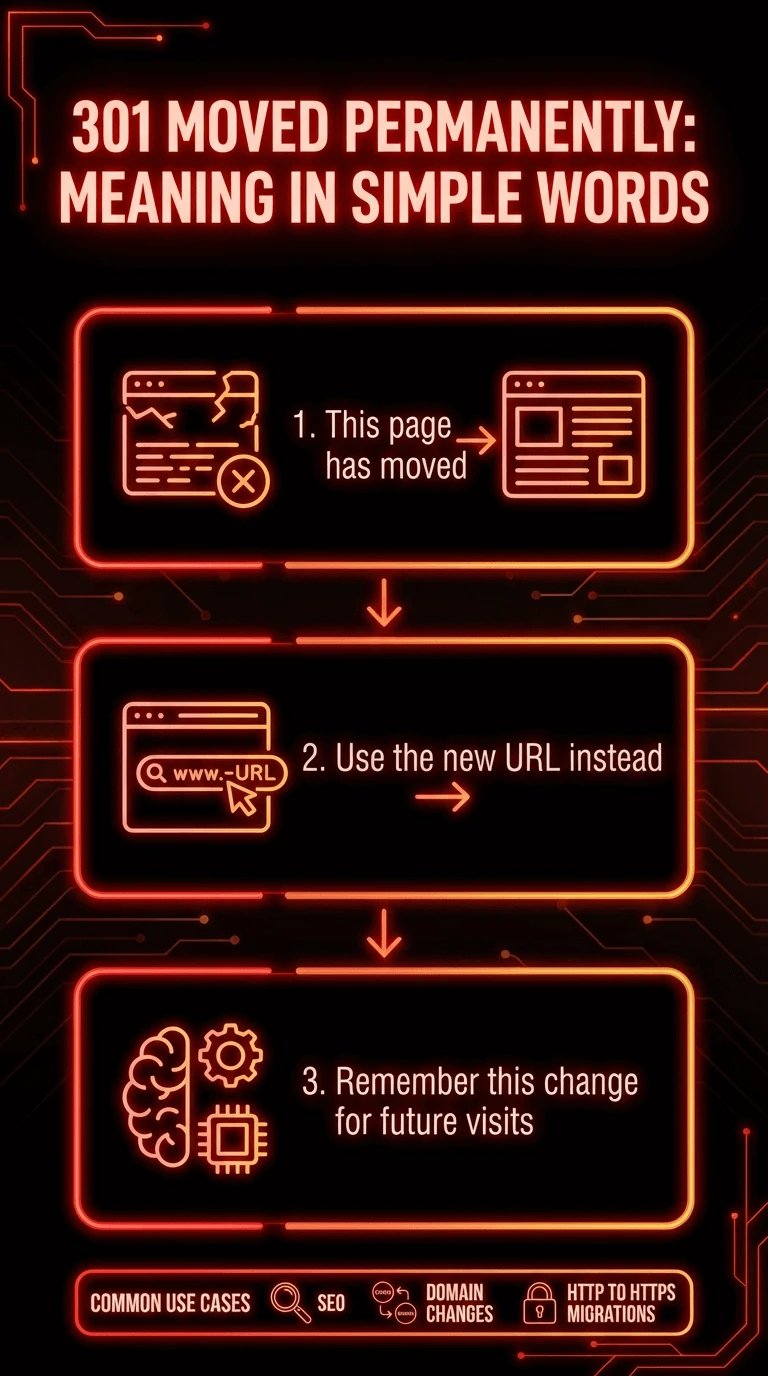
If a page returns a 301 Moved Permanently error, it is telling the browser:
-
This page has moved
-
Use the new URL instead
-
Remember this change for future visits
This is why 301 redirects are widely used for SEO, domain changes, and HTTP to HTTPS migrations.
What Is 301 Error?
Many people ask what is 301 error because it appears as a failure in developer tools or APIs. The confusion comes from the fact that 301 is not inherently an error. It only becomes an error when software, scripts, or configurations are not expecting a redirect.
HTTP 301 Moved Permanently Meaning and How Redirects Work
Understanding the HTTP 1.1 301 Moved Permanently meaning requires knowing how browsers and clients handle redirects.
When a client requests a URL:
-
The server responds with status code 301
-
The response includes a Location header
-
The browser automatically sends a new request to the provided URL
-
The browser caches this behavior for future visits
Because of caching, a bad 301 configuration can persist even after fixes.
SEO Impact of HTTP 301 Redirects
From an SEO perspective, a 301 redirect transfers most ranking signals from the old URL to the new one. Search engines treat it as a permanent change.
This makes 301 redirects ideal for:
-
Domain changes
-
URL restructuring
-
HTTP to HTTPS enforcement
However, misconfigured redirects can harm crawlability and indexing.
301 Moved Permanently Error Code Explained
The 301 Moved Permanently error code is generated on the server side. It is not caused by browser bugs or user devices.
Why 301 Is Not Always an Error
A 301 response becomes a problem only when:
-
Redirect loops occur
-
The redirect points to the wrong location
-
APIs or scripts treat redirects as failures
-
CDN layers conflict with origin rules
This is why developers often see messages like the remote server returned an error 301 moved permanently, even though the server is behaving as configured.
Client vs Server Behavior
|
Area |
Behavior |
|
Browser |
Automatically follows and caches redirect |
|
curl |
Reports 301 unless instructed to follow |
|
APIs |
Often treat 301 as a failure |
|
Search engines |
Pass ranking signals to new URL |
Common Causes of the 301 Moved Permanently Error
The 301 Moved Permanently error usually originates from configuration mistakes rather than software bugs.
Common causes include:
-
Incorrect redirect rules in server configuration
-
Infinite redirect loops
-
HTTP and HTTPS mismatch
-
www vs non-www conflicts
-
CDN redirect overrides
-
Cached redirects in browsers
-
CMS plugin conflicts
Because multiple layers can issue redirects, diagnosing the source requires structured troubleshooting.
How to Resolve 301 Moved Permanently Error
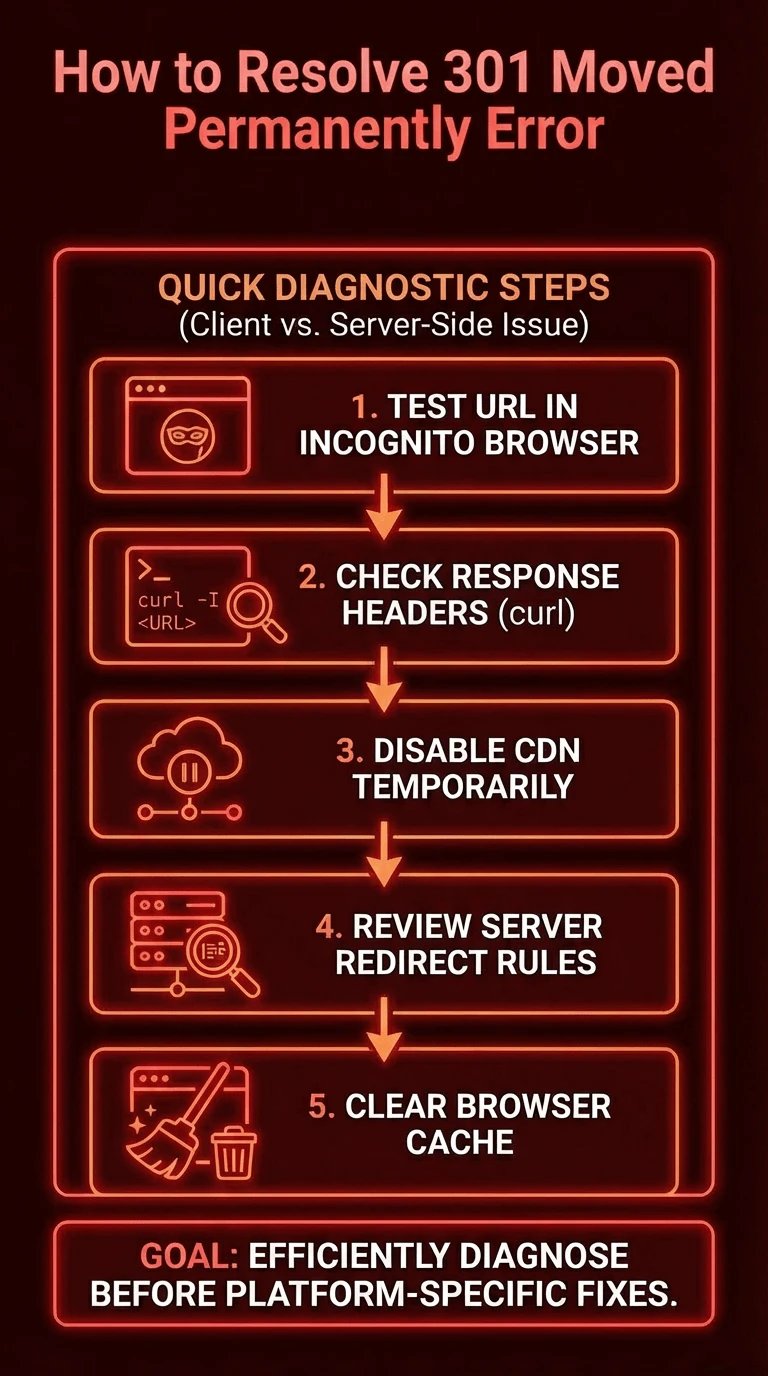
If you need a fast way to diagnose the issue, this checklist helps identify whether the problem is client-side or server-side.
Quick Diagnostic Steps
-
Test the URL in an incognito browser
-
Check response headers using curl
-
Disable CDN temporarily
-
Review server redirect rules
-
Clear browser cache
This section focuses on How to resolve 301 Moved Permanently error efficiently before diving into platform-specific fixes.
Client Side vs Server Side Causes
|
Source |
Typical Symptoms |
|
Browser cache |
Redirect persists after fix |
|
CDN |
Redirect occurs globally |
|
Web server |
Redirect loop or wrong URL |
|
CMS |
Redirect changes after updates |
Understanding this distinction is critical for fixing the issue permanently.
How to Fix 301 Moved Permanently Error in WordPress
WordPress is one of the most common environments where users experience the 301 Moved Permanently error unexpectedly.
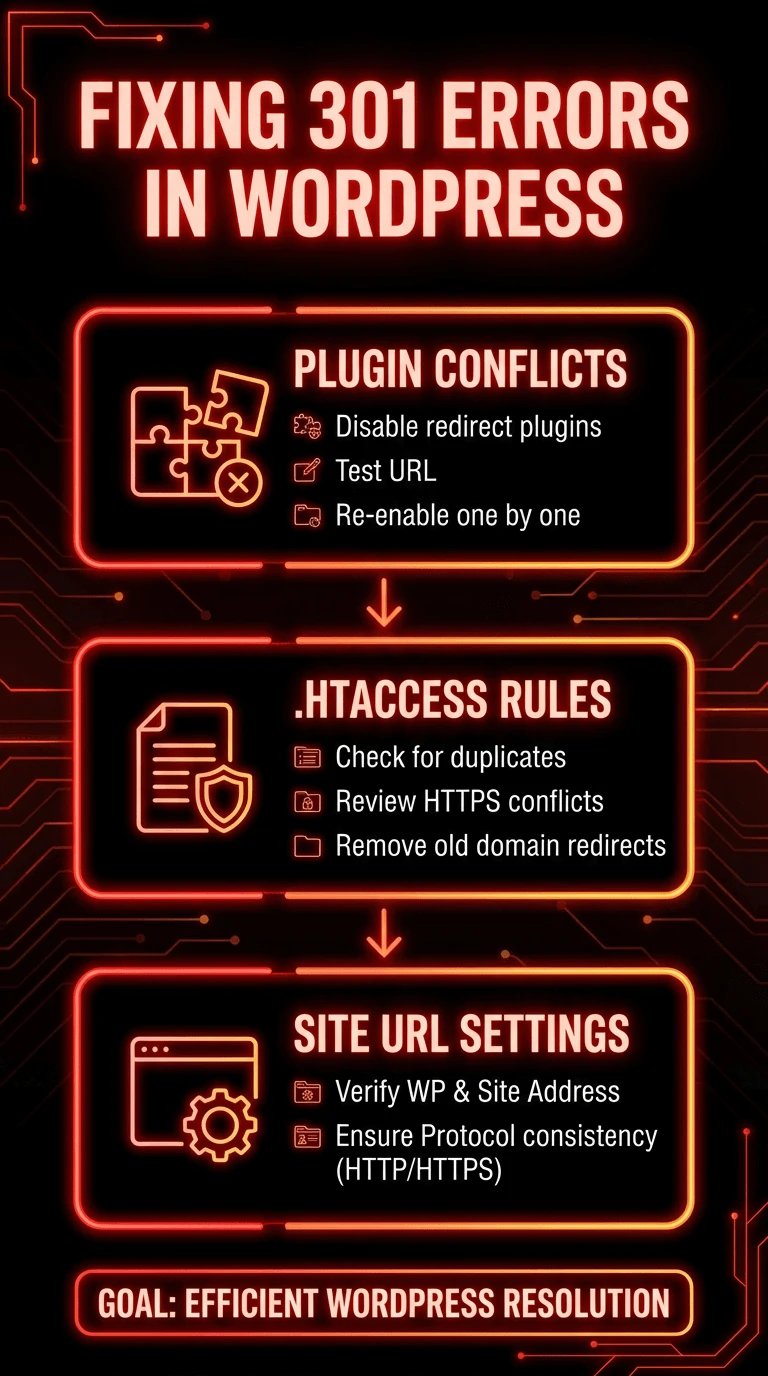
Plugin Conflicts
SEO and redirection plugins often create overlapping rules. Multiple plugins managing redirects can easily cause loops or forced redirects.
Steps to diagnose:
-
Disable all redirect-related plugins
-
Test the URL
-
Re-enable plugins one by one
.htaccess Redirect Rules
WordPress relies heavily on .htaccess for redirects. A single incorrect rule can affect the entire site.
Check for:
-
Duplicate redirect rules
-
Forced HTTPS rules conflicting with CDN
-
Old domain redirects
Site URL Settings
Incorrect values in WordPress settings can trigger permanent redirects.
Verify:
-
WordPress Address
-
Site Address
-
Protocol consistency
This section is a frequent answer to How to resolve 301 Moved Permanently error wordpress issues.
How to Fix 301 Moved Permanently Error in Nginx
When using Nginx, redirects are defined explicitly in configuration files, making them powerful but easy to misconfigure.
301 Redirect Rules in Nginx
The 301 Moved Permanently nginx behavior depends on how rules are written.
Key differences:
-
return 301 is simple and efficient
-
rewrite allows pattern matching but is error-prone
Using return is generally safer for static redirects.
Fix Redirect Loops in Nginx
Redirect loops often happen due to:
-
Incorrect server_name
-
Multiple server blocks
-
Root path mismatches
This is one of the most common answers to How to resolve 301 Moved Permanently error nginx.
301 Moved Permanently Error in curl
Many developers encounter the 301 Moved Permanently error when testing endpoints using command-line tools. One of the most common cases is 301 Moved Permanently curl, which often confuses users because browsers do not show the same behavior.
Why curl Treats 301 as an Error
By default, curl does not follow redirects automatically. When a server responds with a 301 status, curl stops execution and reports it as an error-like response.
This is expected behavior, not a malfunction.
That is why API testing, monitoring scripts, and CI pipelines often show failures even though the URL works fine in a browser.
How to Resolve 301 Moved Permanently Error in curl
To instruct curl to follow redirects, use the -L flag. This tells curl to request the new URL provided in the Location header.
If your workflow relies on strict status codes, ensure that the endpoint returns the expected response and does not unintentionally redirect. This step is essential when diagnosing How to resolve 301 Moved Permanently error in automation workflows.
301 Moved Permanently from Disk Cache (Browser Side)
A frequently overlooked cause of persistent redirect issues is browser caching. The message 301 Moved Permanently from disk cache indicates that the browser is not contacting the server at all.
Why Browsers Cache 301 Redirects
Because a 301 redirect is permanent by definition, browsers aggressively cache it to improve performance. Even after fixing server-side rules, users may still experience redirects.
This leads many site owners to believe the fix did not work.
How to Fix Browser Cached 301 Redirects
To clear cached redirects:
-
Perform a hard refresh
-
Clear browser cache manually
-
Use an incognito window
-
Test from a different device
Understanding 301 Moved Permanently from disk cache behavior prevents unnecessary server changes and repeated troubleshooting.
301 Moved Permanently Error with Cloudflare
Cloudflare adds an additional redirect layer that often complicates troubleshooting. The 301 Moved Permanently error cloudflare scenario is extremely common when SSL or redirect rules conflict.
Flexible SSL and Redirect Loops
One of the most frequent causes is Flexible SSL mode. When Cloudflare uses HTTPS to the visitor but HTTP to the origin server, redirect loops occur.
The server redirects HTTP to HTTPS, Cloudflare requests HTTP again, and the loop continues.
Page Rules and Redirect Rules
Cloudflare Page Rules and Redirect Rules can override origin server behavior. Always check:
-
Active redirect rules
-
URL matching patterns
-
Rule priority
These steps are essential to How to resolve 301 Moved Permanently error when using a CDN.
The Remote Server Returned an Error: 301 Moved Permanently
Developers often see messages like the remote server returned an error 301 moved permanently in tools, applications, or APIs.
Why Applications Treat 301 as a Failure
Many HTTP clients expect a specific status code. When they receive a redirect instead, execution stops.
Common scenarios include:
-
Payment gateways
-
REST APIs
-
Webhooks
-
Monitoring services
This is why the remote server returned an error 301 moved permanently redirect appears even though the URL is accessible via a browser.
How to Fix This Issue
To resolve it:
-
Update the endpoint URL
-
Allow redirects in the client
-
Replace 301 with 308 if methods must not change
This distinction is critical in backend development and integrations.
Django 301 Moved Permanently
Frameworks can also introduce redirects unintentionally. Django 301 moved permanently issues often come from middleware or URL configuration.
Common Django Causes
Typical causes include:
-
APPEND_SLASH behavior
-
URL pattern mismatches
-
Middleware forcing HTTPS
When Django adds or removes trailing slashes, it automatically issues 301 redirects.
How to Resolve Django Redirect Issues
Check:
-
APPEND_SLASH setting
-
URL patterns consistency
-
Proxy headers if behind a load balancer
This ensures Django applications do not generate unexpected permanent redirects.
301 vs 302 What Is the Difference?
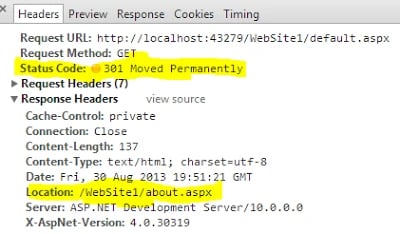
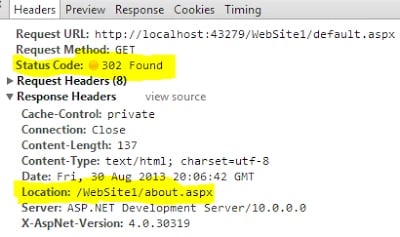
One of the biggest content gaps online is confusion between redirect types. Many users incorrectly use 302 Moved Permanently, which is technically wrong.
Permanent vs Temporary Redirects
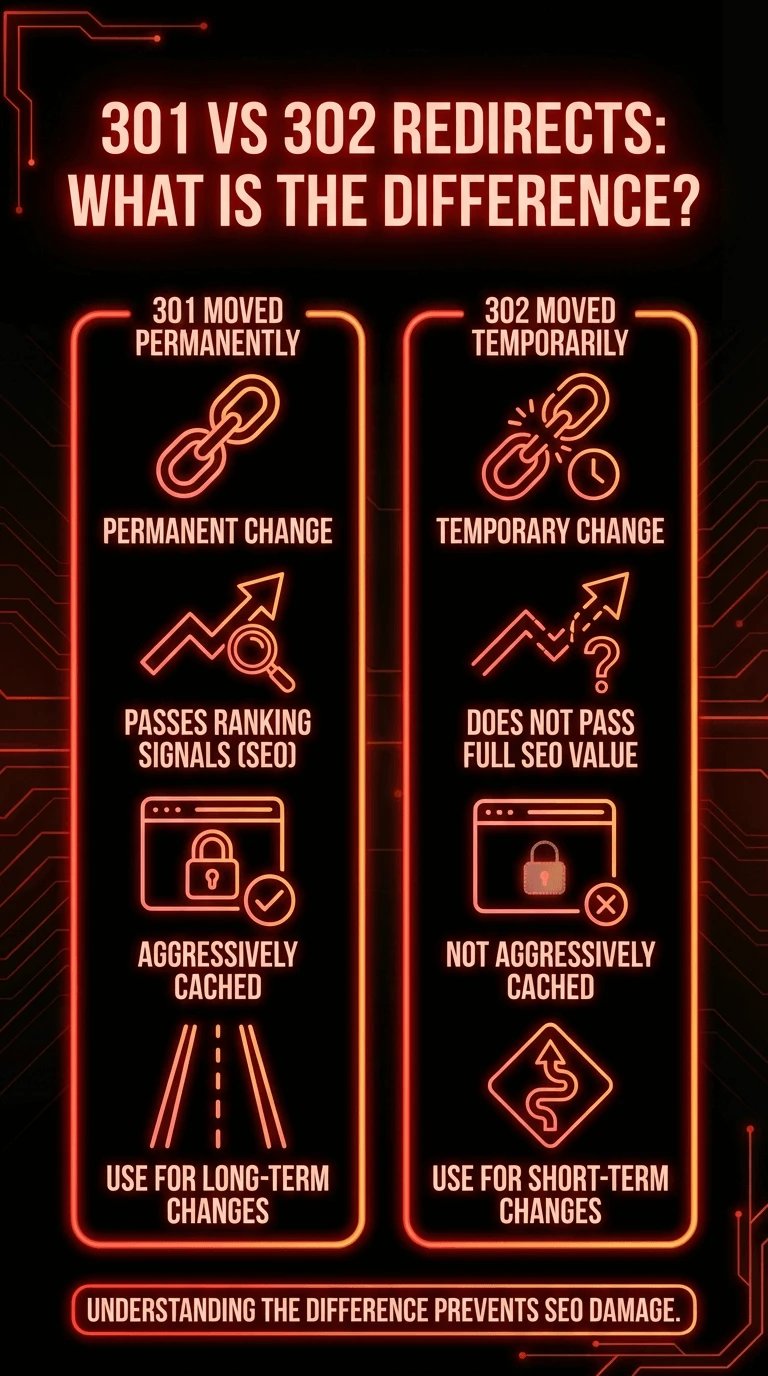
A 301 redirect indicates a permanent change. A 302 redirect indicates a temporary change.
Search engines and browsers treat them very differently.
SEO and Caching Differences
-
301 passes ranking signals and is cached
-
302 does not pass full SEO value
-
Browsers cache 301 more aggressively
Understanding this difference prevents long-term SEO damage.
When users ask what the 301 error code means, the comparison with 302 provides clarity.
Common Mistakes When Fixing a 301 Error
Even experienced administrators make mistakes when troubleshooting redirects.
Frequent Errors
-
Stacking multiple redirects
-
Mixing redirect types
-
Forgetting CDN cache
-
Ignoring browser cache
-
Applying fixes in the wrong layer
These mistakes often result in the same issue reappearing.
Conclusion and Next Steps with 1Gbits
The 301 Moved Permanently error is not inherently bad. In fact, it is a core part of how the web works. Problems arise only when redirects are misused, misunderstood, or layered incorrectly across browsers, servers, frameworks, and CDNs.
By understanding the HTTP 1.1 301 Moved Permanently meaning, identifying whether the redirect is normal or problematic, and following structured troubleshooting steps, you can confidently resolve redirect issues across WordPress, Nginx, curl, Cloudflare, and modern frameworks.
To build a deeper understanding of redirect responses and related server behavior, refer to What are HTTP Status Codes and learn how each response impacts performance, SEO, and application reliability.
With 1Gbits VPS Hosting and Dedicated Servers, you gain full control over server configuration, instant deployment, global data centers, and 24/7 expert support to help you prevent redirect issues before they impact users.





![What Is Cold Data Storage? ❄️ [2026 Guide]](https://1gbits.com/cdn-cgi/image//https://s3.1gbits.com/blog/2026/02/what-is-cold-data-storage-750xAuto.webp "What Is Cold Data Storage? ❄️ [2026 Guide]")
![What Is Virtual Desktop Infrastructure? 🖥️ [VDI Explained]](https://1gbits.com/cdn-cgi/image//https://s3.1gbits.com/blog/2026/02/what-is-virtual-desktop-infrastructure-vdi-750xAuto.webp "What Is Virtual Desktop Infrastructure? 🖥️ [VDI Explained]")